
It's def. resolving, else i wouldn't get that error message on browser when hitting it.
Exec into the olivetin container, and see what happens when you ping dvr...
Works fine (removed hostname)
64 bytes from (192.168.50.95): icmp_seq=1 ttl=63 time=1.09 ms
64 bytes from (192.168.50.95): icmp_seq=2 ttl=63 time=1.43 ms
64 bytes from (192.168.50.95): icmp_seq=3 ttl=63 time=1.42 ms
64 bytes from (192.168.50.95): icmp_seq=4 ttl=63 time=1.55 ms
And, if you exec into the adbtuner container can you do the same?
Weird - no ping in container, and install fails getting out, from the looks of it
root@84cd6e28727a:/app# apt update
Ign:1 http://deb.debian.org/debian buster InRelease
Ign:2 http://deb.debian.org/debian-security buster/updates InRelease
Ign:3 http://deb.debian.org/debian buster-updates InRelease
Err:4 http://deb.debian.org/debian buster Release
  404  Not Found [IP: 151.101.46.132 80]
Err:5 http://deb.debian.org/debian-security buster/updates Release
  404  Not Found [IP: 151.101.46.132 80]
Err:6 http://deb.debian.org/debian buster-updates Release
  404  Not Found [IP: 151.101.46.132 80]
Reading package lists... Done
root@84cd6e28727a:/app# apt install inetutils-ping
Reading package lists... Done
Building dependency tree
Reading state information... Done
The following additional packages will be installed:
  libidn11
The following NEW packages will be installed:
  inetutils-ping libidn11
0 upgraded, 2 newly installed, 0 to remove and 0 not upgraded.
Need to get 337 kB of archives.
After this operation, 655 kB of additional disk space will be used.
Do you want to continue? [Y/n] y
Err:1 http://deb.debian.org/debian buster/main arm64 libidn11 arm64 1.33-2.2
  404  Not Found [IP: 151.101.46.132 80]
Err:2 http://deb.debian.org/debian-security buster/updates/main arm64 inetutils-ping arm64 2:1.9.4-7+deb10u3
  404  Not Found [IP: 151.101.46.132 80]
I think we've zero'd in on the problem. Debian Buster is kind of old now -- my ADBTuner container is running on Debian Bookworm. When was the last time you updated it?
I actually just switched back / repulled latest when I started replacing the manual install with 1 click.
You need to be using either the development or beta tag. I'm using development. Make sure you have your DOMAIN value set to local in ADBTuner too -- for hostname resolution...
ok - sorry - I switched to latest figuring the requirement for development would be deprecated when 1-click went live!
local is set in both
I'll try it shortly with development branch
OK - deployment is good, but tuning to something on espn+ right now still breaking on resolution:
2025/11/24 09:57:39.172599 [ERR] Could not start stream for M3U-ESPN4ch4c ch20013 ESPN+ EPlus 4: M3U: Get "http://dvr:2442/stream?url=http%3A%2F%2Fdvr%3A8094%2Fvc%2F4": dial tcp 192.168.50.95:2442: connect: connection refused
1 Like
This log entry is for a tuning attempt via ch4c (Chrome HDMI for Channels), not ADBTuner. Are you only trying to use ADBTuner, or do you cc4c and ch4c setup as well?
Things can get confusing if you have all 3 projects setup, and they're all using the same channel numbers. Maybe disable the other sources, and focus on ADBTuner?
EDIT: If you didn't intend to set up all 3 sources that might be a logic problem on my end. Let me know.
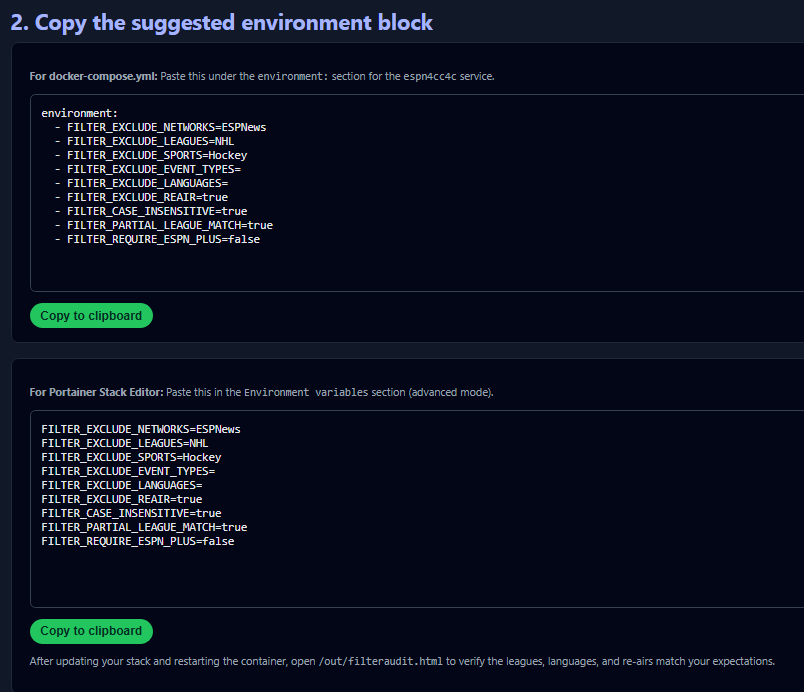
Perfect!
done. i like these easy ones.
seems like we're reaching pretty stable status on espn4cc4c these days. cool stuff your doing with the tuner(s). i need to get one of these tuners!
1 Like
No this was me probably goofing. I didn't realize from the 1-click item that you had a "do nothing" option that went to adbtuner - i thought i needed one populated.
Let me try a clean set with neither populated - I assume this will work now (famous last words)
Retracing my steps here...
My original "do nothing" comment was because i think i tried first time without either cc4c or ch4c populated (which should be correct for my adbtuner-only usage...)
My issue is that running the olivetin action gets a "exit status 1" with nothing discernable in the stderr (basically just the output but nothing of note), and no source created in Channels.
I thought I had messed up, and needed to specify a source to create the DVR source - which got me to ch4c and completed successfully, but obviously, didn't work.
Anything I can get for you from the output/err from the ADBTuner-only try?
Good input. I know why that's happening, and I'll fix it shortly. If the ESPN4cc4c stack is spun-up, you should be good to proceed with the other action. Even with that exit status, I'd imagine the ESPNcc4c stack is running...
Almost there...
I now can watch items successfully, but the guide data is very messed up. I have 200 channels in both ADBTuner and the espn4c sources, and neither have event mappings.
my 8094/epg.xml seems fine. all 200 channels lists and lots of events, so something happened when the mapping was done.
@KineticMan can probably address this more definitively, but I've found if I'm doing a lot of "experimenting" (changing the number of lanes and the like), stopping the container and nuking the espn4cc4c data directory (bound to the host) has sorted things out.
Once you've settled on a setup, this would likely not be necessary again.
New version pushed with a fix for "Exit 1" when not deploying a cc4c or ch4c CDVR Custom Channels Source along with ESPN4cc4c.
1 Like