FastChannels - FAST Channels aggregator/manager

Same here and I am in Minneapolis,MN abouts.

Though for some reason, I have duplicates of each one of those channels. One labeled local and one labeled US. Though when I filter by US, they all show as duplicates. One of each channel has Auto Grace note ID the other does not.

I'm surprised you also have these as locals
KIRO Seattle
Telemundo Noticias California
WeatherNation Sacramento

I would wait until he re-enables local in the next version before messing with them.
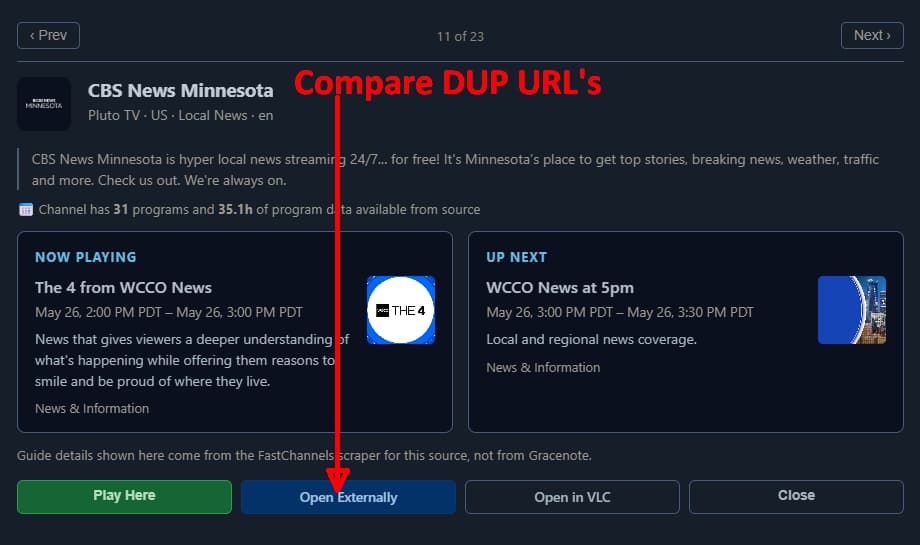
Compare the URL's on the dulpicate channels to see if they're really the same.


Mine shows http://192.168.1.4:5523/play/pluto/5eb1b0bf2240d8000732a09c.m3u8

What you're seeing: Those "scraper lost" channels with the local region tag are leftovers from an earlier version where the "Home/Server IP" region option was available. It got quietly hidden from the UI but never fully removed, so any channels scraped under that region became orphaned when it disappeared from the selector. The Cleanup Inactive Channels tool on the Sources page will remove them if you want them gone now.

What's changing: I'm bringing the local region back as a proper option called "Home/Server IP (Local Affiliates)". Rather than spoofing a regional IP like the East/West feeds do, this option lets Pluto see your server's actual IP β€”which on a home server can unlock geo-specific local affiliate channels (like market-specific CBS News stations) that don't show up in the standard regional feeds.

What to expect if you add it:

  • It's safe to combine with US East or West β€” shared channels won't be duplicated, only genuinely local-only channels get added
  • If you switch from a regional feed to local-only, most channels will migrate seamlessly; a small number of channels that Pluto only serves to spoofed regional IPs will eventually show as scraper lost
  • Works best on home servers β€” on a cloud/VPS box, results will vary depending on what IP Pluto sees

If you already have local in your config from the old days: You're fine β€” it never stopped working under the hood. After the update your scraper-lost local channels should come back to life on the next scrape, assuming Pluto still serves them to your IP. Any that don't return after a few scrapes are channels Pluto has stopped serving for your location, and the Cleanup tool will clear those out.

3 Likes

A bit confused... I'm running this in a Podman container, on a linux host with a private IP address space (10.x.x.x) ... So is this local address going to be the private IP or the public IP I get from my ISP?
And what about users using VPNs (like Torguard)?

Unsure. I suspect their API will just detect your internet facing IP and geo-locate off that.

But honestly, in doubt, just leave to US East or West.

1 Like

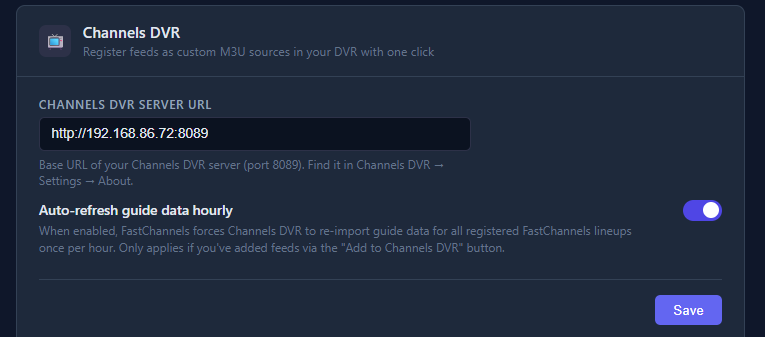
2 Things. 1. I can't get "Add to Channels DVR" to work. I added the right url with port of my Channels DVR but nope. 2. Would be cool if you could add FrndlyTV as a source. Just make it where username and password has to be added for it to work. GitHub - matthuisman/frndlytv-for-channels: Frndly TV for Channels Β· GitHub

hey welcome--

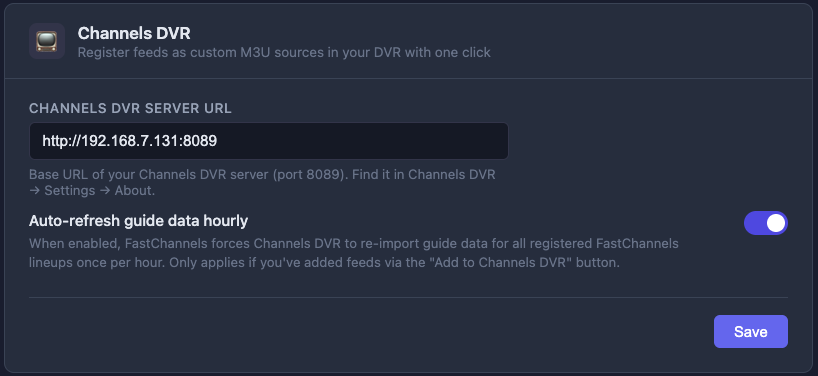
shoot me a screenshot of this pls (from admin/settings page):

looks good (assuming that IP is indeed accessible to FastChannels).. and what feed are you trying to add to Channels? Do you get an error?

I tried to add a feed that I created. It said it couldn't connect to that IP address (both Channels DVR and FastChannels are hosted on the same NAS btw) and it gave me this error: POST http://192.168.7.131:5523/api/feeds/2/push-to-dvr 502 (BAD GATEWAY)
pushToDvr on line 1344

Gotta be a network issue on your end. I'm not a NAS user, so I'm not much help here. random googling around says try 172.17.0.1 as your Channels IP- worth a shot?

@bnhf any ideas? hairpin NAT issue perhaps?

Changing the IP address to 172.17.0.1:8089 fixed it. Thanks. Please keep the second part of my first comment in mind

Random fun fact... When I was testing Pluto today during the Local region thing, on my test box I just put fake credentials into the username/password field, and the streams still work. So their API just checks to see if you put something in those fields, but doesn't actually check to see if its valid.

No Samsung XMLTV guide data.
Must be grabbing it from Matt?

1 Like

yep.. i tried and tried and tried to get my own Samsung data but couldn't get past their auth. It's the only non-first party source I use. Hope he can fix- it's great stuff.

1 Like

@KineticMan I may be in the minority on this request...but I have to ask anyway...No worries if it's not doable...

On the Admin/Channels tab, would it be possible to do a search via EITHER the Channel Name or in the EPG?

Not currently but I’ve been considering a guide search.

Does FastChannels contain a favicon? OCD and bookmarks without one. :slight_smile: I run a dozen containers, FastChannels looks naked in my bookmarks menu using Safari.

Im trying to migrate my settings to a new docker device.

Anyone know the actual directory location of the db file from root to replace on a linux/ugreen nas device?

i used the command in the first post from a sudo'd SSH terminal to install if that helps...