
@Absenm yes i see that now
@matthuisman
The gracenote stationid for the new FrndlyTV AccuWeather channel is 56193
FrndlyTV "AccuWeather" Has Ads and is callSign: "ACUWTHR",stationId: "56193"
For reference, TVE ch6903 "AccuWeather Now" has No Ads and is callSign: "ACUWNW",stationId: "120551"

Thanks for pointing out the difference. I was wondering what the difference was. Was going to do a side by side check but you beat me to it. lol.
1 Like
I just set this up for the first time this morning, and it's working great (very easy to set up!), but I've found the Hallmark channels are failing to stream. Has anyone else run into this recently?
All three Hallmark channels working here.
You might want to check the DVR log and your container log.
Did you set yours up with the two m3u sources?
The two new channels, AccuWeather and Justice Central are showing the wrong video feeds for me, completly different than what is showing on the Frndly app.
Try doing a Reload M3U on the sources

1 Like
I just tried Justice Central and it was showing the correct video feed.
Very nice and even the EPG is correct.
Tried reloading again and still showing the wrong video for me for AccuWeather and Justice Central.
1 Like
Are you running the latest version docker container and using the two source method?
If using the two source method (recommended) you need to reload the m3u on both sources.
They work for me.
FrndlyTV in Channels DVR on the left and FrndlyTV website on the right.
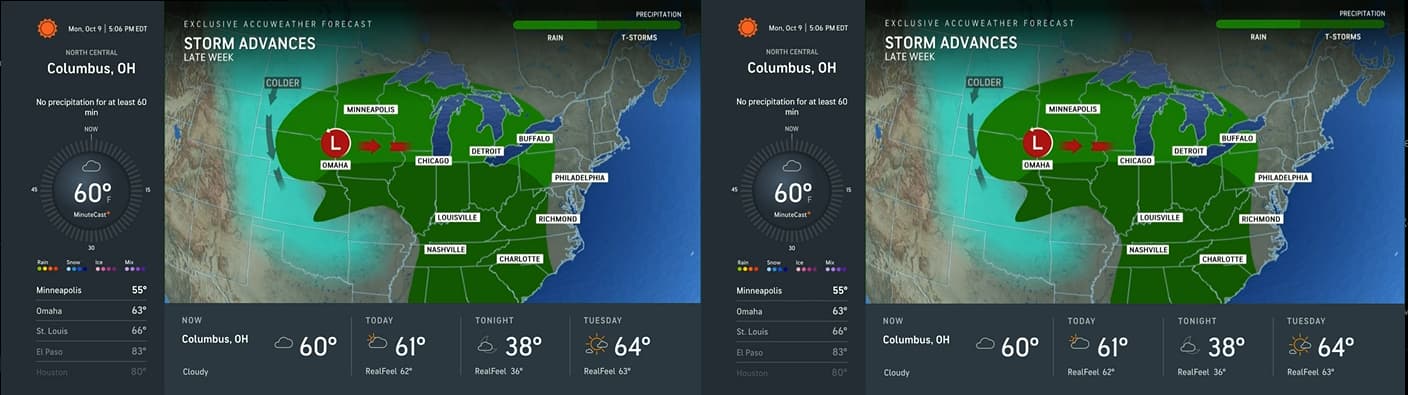
I pulled the latest docker and reloaded both sources and still not working. AccuWeather is showing MeTV+, and Justice Central is showing the Pursuit network. Both networks are in the source with no Gracenote IDs.
1 Like
Something is messed up with your settings.
Try deleting the two sources in Channels DVR and set them up with new names. Channels DVR has a long standing bug where things remain after deleting or renaming m3u sources.
Here are mine that work.
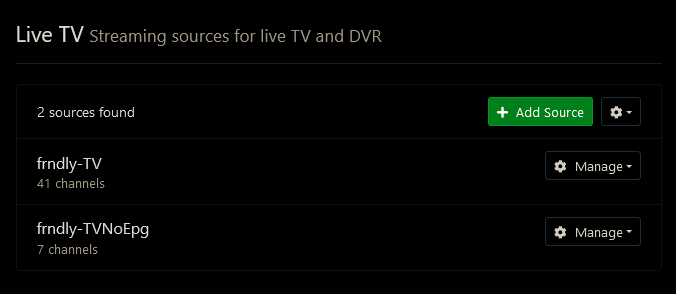
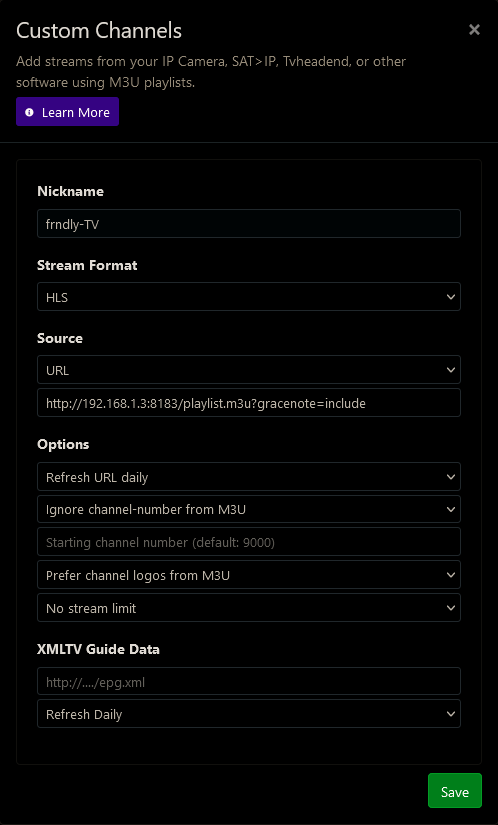
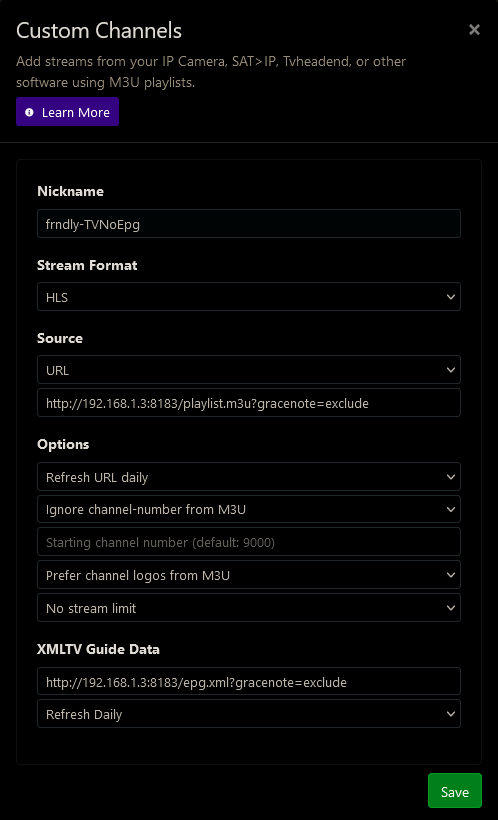
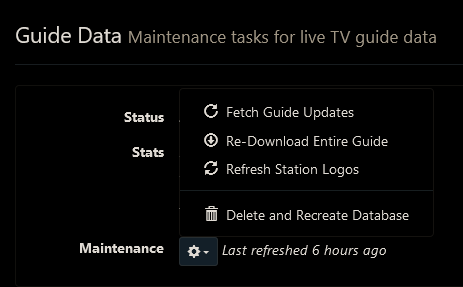
Then delete and recreate your guide database.
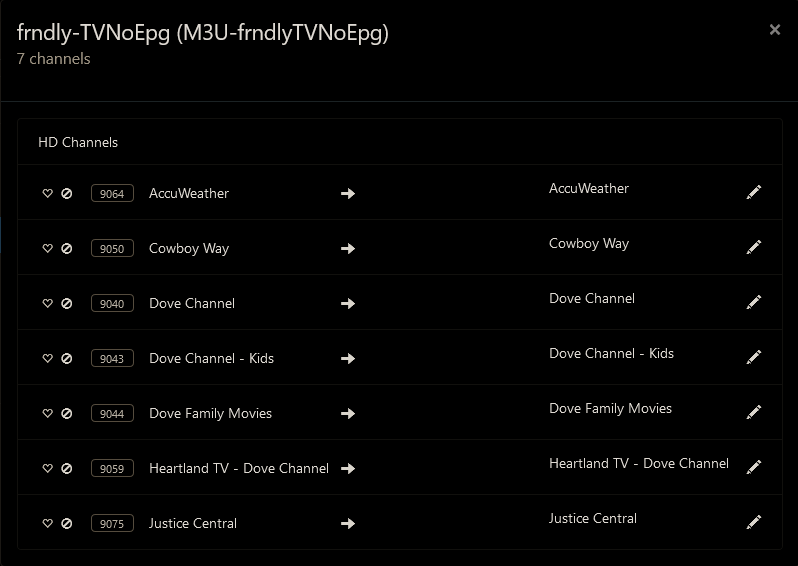
Thanks for confirming it's working, which is both helpful and of course frustrating to know it's a problem here.
I did, but I also went directly into the playlists and tried playing it via VLC and see the same problem. The log lists this:
channel/live/hallmark_channel > https://sr-live-hmm.akamaized.net/v1/master/[full URL deleted]
192.168.2.244 - - [09/Oct/2023 14:50:48] "GET /play/hallmark_channel.m3u8 HTTP/1.1" 302 -
When playing in VLC it shows that there should be a timestamp, but there are zero bits being transferred. I can provide the full URL's in the log if needed but I figured the basics were enough for dicussion.
Other channels seem to be just fine. I can investigate further, but any guesses would be welcome.
What happens when you try to play the channels in Channels DVR (try the web UI player)?
Any errors in the DVR log?
Any errors in the docker container log?
1 Like
Deleting and re-adding the source with no Gracenote IDs fixed the issue. Thanks.
1 Like
I have missed having MeTV+ since Locast went away. So when I heard Frndlytv was going to add that channel I subscribed.
I have tried a couple free trials of Frndlytv over the years but never added it to Channels DVR until now. It's nice having the Military History channel and HD versions of Great American channels too.
I was also surprised that Frndlytv provides HD versions of the local subchannels like H@I, get, catchy, Metv, etc. So I'm viewing and recording those versions now instead of the SD versions through my antenna and cable.
1 Like
For some reason I have lost Friendly Channels. I run using Python3 via terminal. For some reason fo rthe last several days it stays stuck on "starting server on Port 8183". Any feedback or assistance is much appreciated. I have read through this thread and did not see anything specific to this issue...I did change my frndly password and retried...Any help is much appreciated.
1 Like
Well first of all? Have you installed the latest version of Frndly for Channels? It was updated very recently to address some new channels.
Where is the update downloaded from? I just went to the GITHUB link for Mathisons post and there isn't anything there that I see that is new.
I use the docker, but if running from python, follow the directions here
No Docker
This app can also run without Docker using just Python3.
git clone https://github.com/matthuisman/frndlytv-for-channels
cd frndlytv-for-channels
pip install --no-cache-dir -r requirements.txt
python app.py --PORT 8183 --USERNAME "MY_EMAIL" --PASSWORD "MY_PASSWORD" --IP "72.229.28.185"

The cmdline arguments are the same as the Docker env arguments.
Add to Channels
You can retrieve the Channels configuration via the status page below.
http://127.0.0.1:8183
(if accessing from different device, replace 127.0.0.1 with the IP of the device)