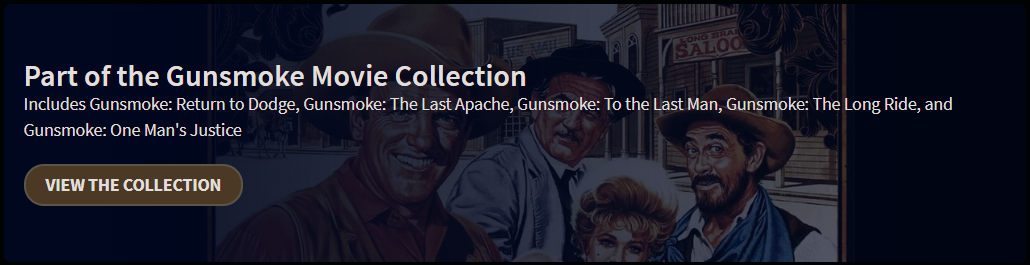
GUNSMOKE movie collection won't automatically populate correctly?

Over the last 5 weekends, I've had Channels record the 5 Gunsmoke tv movies from my local OTA MeTV channel. These were all made in the late '80's, to the mid '90's. They all went into the "Movies" section of the library. Under "All Movies" only FOUR of them automatically grouped themselves in a folder collection called: "Gunsmoke Movie".

The one movie called: 'Gunsmoke: To the Last Man', which was the 3rd movie made of the group of 5, simply will NOT group itself with the others in that folder, as it should.

IF I go up to the TMDB site, they are all properly listed in a collection, and I just don't see any reason WHY that movie of the 5 refuses to group itself with the others.

Anybody have any clues? Is there something funky with its listing on TMDB that's causing this?
How does the movie appear in Channels DVR.
Does it look exactly the same as the one in the TMDB collection.
https://www.themoviedb.org/collection/492492-gunsmoke-movie-collection?language=en-US
Title, Release date, etc.
https://www.themoviedb.org/movie/30720-gunsmoke-to-the-last-man?language=en-US

1 Like

As far as I can tell, it's exactly the same. Since it's a recording, could it be in Gracenote's DB, and that's different somehow? I don't have access to that as a poster/editor

So you're using the Franchise stacking on your Apple TV?

No, just whatever the default is for "All Movies". However, IF I manually choose "Franchises" That same movie still doesn't stack in with the other 4. There MUST be some difference, that I just can't figure out.

Try refreshing the metadata on the movie that doesn't appear in the Franchise collection.

Yep, already tried that before posting. IF I change the poster, or anything else, when I do the refresh, it changes back to whatever it was from the recording.

1 Like

Out of ideas. I don't have those movies recorded. All I can think of is the odd ball isn't being ID'd with the correct TMDB Movie ID.

Try looking at Manage > View Details and click on the File ID of each of those Movies to see if there's a TMDB Movie ID and Franchise listed.

Movies are recorded using TMDB metadata.
Shows and episodes use Gracenote.
If it was misidentified as a show, it may be using Gracenote metadata.

1 Like

It does have a TMDB id number, and that matches the number for that movie on their website. It beats me, guess I'll just have to leave it the way it is.

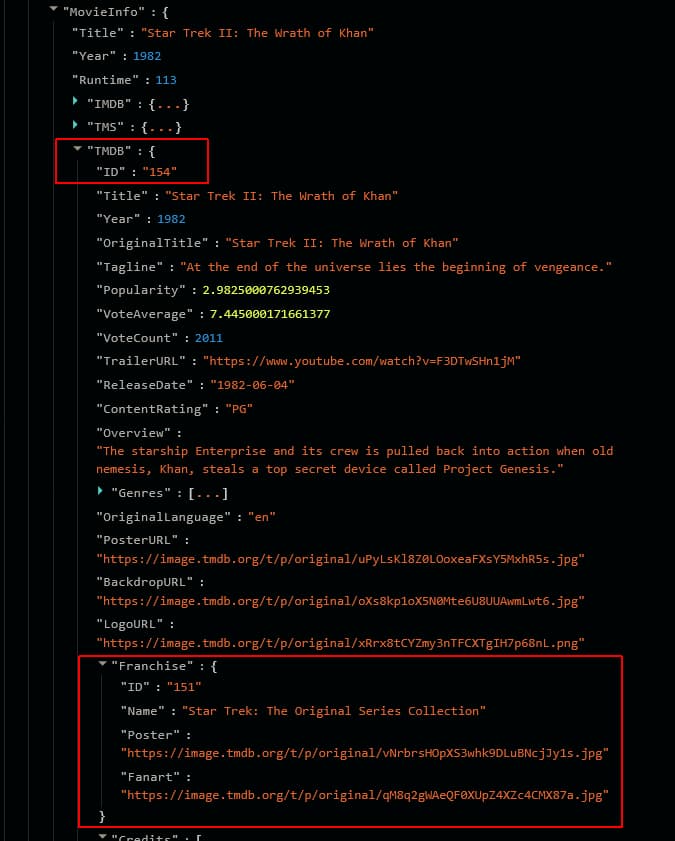
Does Franchise appear under TMDB like my screenshot for Star Trek
Should be Franchise ID 492492

NO! It does NOT!

It does for the other 4, just not for this one. That must be why. Now, how do we fix it?

Strange it's the only movie Gunsmoke: To the Last Man (1992) — The Movie Database (TMDB)
of the five that doesn't display this on their website


The other four display it.

Would have to ask the developers.
@tmm1 @maddox @eric

I see that, BUT, if you click on the "View The Collection" button, that movie is included in the list. Somehow, they don't have it indexed right, so it doesn't have the franchise id that the others do, and that Channels must be looking for.

That's my guess too, but I don't know how Channels DVR works to that level of detail.

I found a Report button on the TMDB page for this movie, and submitted a report to them about the issue. Perhaps they'll fix it soon. @maddox

I can tell you that if that movie is not attached to that collection, in they the movie itself is not, then you would see what you are seeing in Channels. It’s working correctly.

I cannot tell you why TMDB shows that movie on that collection page, it the movie doesn’t say it’s part of that collection.

I don’t know how that collection page is driven.

So basically the TMDB API you use for Movie details is saying that movie is not part of any collection.
But the other 4 movies are reported as being part of the Gunsmoke Movie Collection.

I'm not sure (even if we joined TMDB) that we could edit that type of information.

I don’t see any place to edit it. I looked last night.

1 Like

Yeah, I couldn't find that one either. I opened a report on it, but nothing so far. Nobody has even looked at it. Though, it is the weekend...

By the way, that movie IS for sure part of the collection/franchise, and SHOULD be working like the rest. Something is just wrong, so they need to fix it.