Introducing PrismCast: Browser-based Live TV Capture for Channels DVR and Plex

I guess we're the only two that upgraded and noticed this.
It's happening to all channels that capture, not HLS direct channels.
I'm also running it on a Mac Mini, installed via brew and connected to a 4k display.

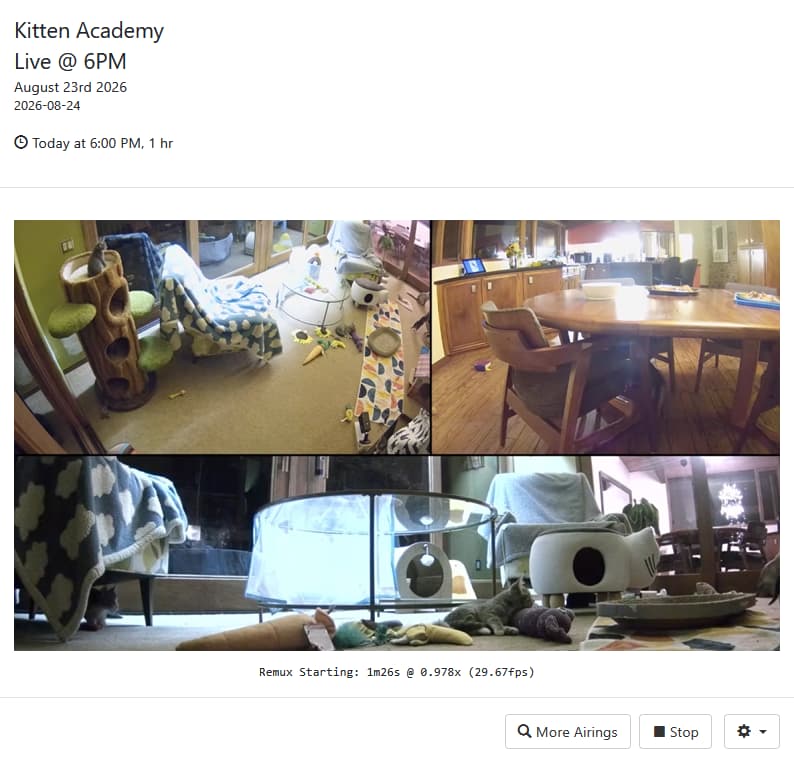
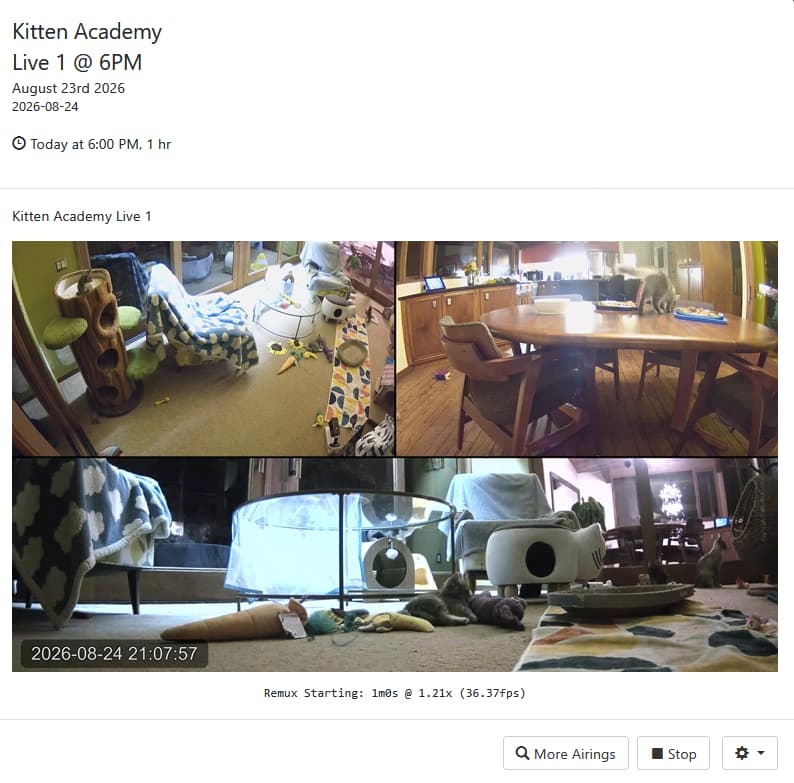
Here's the same Live YouTube channel (Kitten Academy)

Playing from SLM as source

Playing from PrismCast as source

1 Like

Does anyone have this working with Directv Stream? When I try to view a channel, Directv opens in Chrome but only shows the last channel watched. It doesn't change to the selected channel. Is there some special configuration for this to work with Directv? I'm running PrismCast on a mac mini M4.

Directv Stream
Mac Mini M4Pro

Just checked Hallmark using DTS on PrismCast - Tuned with no issues.

Correct. The issue only applies to screen-captured recordings, and if you’re recording multiple streams simultaneously, only the foregrounded one is actually impacted. Don’t need anymore references…I’m working through the issue and an update will be forthcoming. Ultimately the issue is quirks in Chrome…but stay tuned. I want to get the right fix out to everyone.

Thanks for reporting it.

Update: issue fixed and I'm finishing some additional testing and refinement before releasing an update at the end of the week/weekend. Sorry about the regression folks...I'm doing my best to ensure it doesn't recur.

Still not sure if some configuration needs to happen to get Prismcast to switch to selected channel. It just keeps closing and opening Chrome to keep trying then fails. I get this error in the logs. [2026/08/24 10:01:24.101 PM] e[31m[ERROR] [usa-72cv27] Stream setup failed for https://stream.directv.com: Channel selection failed: DirecTV guide grid did not load (no channel logos found).e[39m
[2026/08/24 10:01:24.125 PM] [usa-72cv27] Stream ended after 25s (setup failed).
[2026/08/24 10:01:24.125 PM] e[33m[WARN] Stream setup failed for usa: Failed to start stream.e[39m. Not sure what to check. Chrome does open when I click on a channel to view but doesn't tune to channel.

Thanks for the recent fixes. I haven't tried 1.12 yet and will probably wait for the next one. Definitely appreciate the in-app update feature so look forward to using it.

I have a couple of feature requests related to my recent posts (which were moved to another topic by someone) regarding persistent problems (if you can take a look, I'd greatly appreciate it, since I'm at my wits' end). Link to the thread: Need Help with PrismCast Crashes, Lock-Ups and Being Unable to Run It with the Latest Chrome in Windows 11

My requests:

  1. To warning and error messages that appear in logs, add concrete trouble-shooting suggestions (like change this or that configuration value or setting)
  2. Add a way in-app to stop/restart Prismcast. Since this is necessary to test different configurations, it would be a big help to be able to do the restart in-app instead of the more laborious process.

Thanks

I think I figured it out. The default URL is https://stream.directv.com. It needed to be https://stream.directv.com/guide. Also, the default channel names didn't match the channel names in the guide. Example the default channel name was AMC but in the directv stream guide is shows AMC HD. So, I can now tune to selected channels by fixing the url nd channel names for each channel. A little tedious to update all the channels but it works now.

Fox One is throwing errors despite it streaming normally. Here is the error:

Blockquote

[2026/08/24 09:13:01.924 AM] [WARN] [fox-6s8kpy] The channel for Fox could not be re-established: Channel selection failed: Station code WOFL not found in Fox.com guide grid.
[2026/08/24 09:13:01.924 AM] [WARN] [fox-6s8kpy] The token refresh for fox did not complete. Retrying in 300 seconds.

Blockquote
I have reauthenticated but stopped short of deleting Prismcast. Anyone else seeing this?

Are you a DTV customer, or DTV Stream?

PrismCast 1.12.0
Fox One authenticated successfully.

Custom channel:
URL: https://www.fox.com/live/channels
Channel Selector: FNC

Channel tunes successfully:
Streaming Fox News Test: Fox One, foxLive, native HLS,
H264 12.1Mbps 1080p.

~71 seconds later token refresh fails:
Channel "FNC" not found in Fox guide.
Available channels include FNC.
Station code FNC not found in Fox.com guide grid.

DTV but using DTV Stream.

That explains the differences you experienced. I just went through this with someone using one of the encoder-based projects. DTV and DTV Stream subscribers continue to have different guides and channel lists. I'll check with @hjd to see if he wants to add the DTV version of things to the standard offerings.

Given that DTV and DTV Stream limit the number of concurrent browser sessions to one, there has been somewhat limited interest in PrismCast from the DTV crowd. Since a DTV variant may not be in the cards, perhaps you could put together one of the custom "provider packs" to help out the next guy?

1 Like

UPDATE: I missed the post saying a fix is already in the works. Thanks to @chDVRuser For calling it to my attention.

Since the last update, it's also happening when set to 720 high:

Just to test, I tried setting the quality to 1080p, but got the same result, so I reverted the change.

Prismcast is otherwise working beautifully, and has become quite easy to manage.

Fix is coming...

1 Like

Oops. Sorry for missing that, @hjd! I sometimes lose track of who’s replying to whom.

Thanks for all your great work on this project.

Of course you released this just shortly after I installed a completely software-based virtual display! :stuck_out_tongue_closed_eyes:

Just a heads up that you'll need to apply something similar to when you save settings and it needs a restart. I've had to manually start each time.

To be fair, SLM returns a direct stream (after some processing, depending upon which approach you are taking).

1 Like

Having a weird one.. was working earlier but when I check now in prismcast it says "browser is offline" not quite sure why but it doesn't seem to be fixed unless I stop/restart the prismcast services. Any ideas?

Also noticing the screen isn't centered when I load a game, I tried multiple resolutions (480/720/1080/4k) and they are all like zoomed in if that makes sense; I don't remember it doing this before I upgraded.

Where does it say "browser is offline". If in the log, post the log lines.
Did you read the Troubleshooting section in the Help tab of the PrismCast UI?

Troubleshooting

Problem Cause Solution
"Browser Offline" or "Browser is not connected" An existing Chrome process is running. Quit all Chrome instances, then restart PrismCast.

Being fixed, see previous posts (starting 6 days ago after v1.12.0 Announcement)

2 Likes

I get that often. I posted logs a while ago but someone moved my issues to another thread and I'm no closer to any solution. I'm on 1.11. One potentially relevant log entry was;

Restarting browser for scheduled maintenance (uptime: 6h 5m).

I have several of those, and almost all have the exact same uptime shown. The very first one in the log said uptime 16h 29m, but the rest were 6h 5m. I have no idea why the browser thinks it wants "scheduled maintanence," as I have never given it such a setting. The other thing that happens nearly always is that I have to tune any channel at least twice before it "takes." Otherwise, it tries to tune for a while then gives up, but will work if I retry soon thereafter. Obviously not helpful for any scheduled recording. (Again, I posted logs that are now in the moved thread, but no answers have come).

That's normal and expected behavior.

See the Help tab in the PrismCast UI

Known Limitations

  • Chrome may drop frames after extended use. The Chrome encoder can degrade after many hours of continuous operation. PrismCast automatically restarts Chrome during idle periods to mitigate this.