Not sure I follow here...there's no GPU support needed by PrismCast itself...Chrome is going to be what needs the GPU. As long as it's configured to do so, it will...and on macOS, Chrome uses the GPU by default.
Tried to run the docker from the command line in the GitHubb:
docker run -d \
--name prismcast \
--shm-size=1g \
-p 5589:5589 \
-v prismcast-data:/root/.prismcast \
-e QUALITY_PRESET=1080p \
-e VIDEO_BITRATE=15000000 \
-e MAX_CONCURRENT_STREAMS=5 \
your-prismcast-image
However, I get this error when trying to run:
Unable to find image 'your-prismcast-image:latest' locally
docker: Error response from daemon: pull access denied for your-prismcast-image, repository does not exist or may require 'docker login': denied: requested access to the resource is denied
True on MacOS and Windows, not so much on Linux. Chrome, in a container, typically doesn't use the GPU.
A GPU could be used with ffmpeg, but given your project isn't re-encoding, it's not needed there.
So just like with cc4c, the containerized version will not utilize the GPU.
Check my post above regarding the Docker version I built for testing.
As mentioned - PrismCast is macOS first...and relies on Chrome. So whatever you have Chrome configured to utilize, is what it is.
And yep...common issue with containerized runs...access to the GPU can be tricky. I've got no plans to chase this, but will review any PRs that folks may want to develop toward that outcome for containerized runs. I'm appreciative that you've taken it on...and curious to see how it develops and getting it incorporated into PrismCast proper. As you've seen...all the plumbing is there to configure it via environment variables / command line...it's mostly about the right recipe and packaging. And dealing with the caveats you've rightly called out with GPU acceleration, which is more a Chrome thing than a me thing, unfortunately.
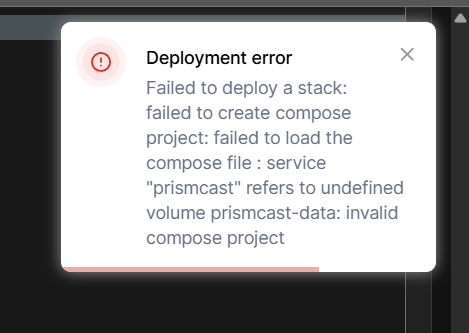
Tried that first and I got this error:

Granted, my Linux and Portainer knowledge is limited, so likely user error.
Here's the volume paths I inputed:
volumes:
- prismcast-data:/home/jator/.prismcast
- /home/jator/prismcast/config:/home/prismcast/conf
I get where you're coming from -- and am onboard with it. 
Having the Linux version of Chrome utilize the GPU in a container, is not a matter of the right configuration though. It's a known issue with Linux Chrome.
So far so good with your project though, and for those that have been using cc4c containerized, this project is easier on the CPU in particular.
Thanks for creating it!
Looks like a copy-and-paste fail to me. This error typically indicates you didn't include the last couple of lines in the Docker Compose that define the volume.
Also, get rid of this extra line you added. Stick to the compose as I posted it. No changes should be needed.
Noted. Though I recall seeing it was indeed possible at some point. I'd take your word over mine...I don't follow that world all that much.
Glad you're here to deal with the containerization component...I'll stay in my lane on the software/solution/capability end. 
Was able to successfully install and have gotten several channels to work. I use a Linux Beelink NUC (Intel n5105 based chip). Haven't mapped the channels to a client, but was able to watch via the web interface. looks like there may be some choppiness, but given the NUC isn't intended for this purpose, not too surprised. I'll try and map to a client in the next day or so to see how it performs as a back vs my current ADBTuner setup as the backup to most of the TVE and OTA channels I have now.
Glad to hear it...as a quick note for everyone, PrismCast is up to v1.0.7...I've also introduced an automated version check to inform you of new updates when they occur.
Unfortunately it would launch a channel, though not the correct one, but also couldn't detect playback - so would try to reload again.
No matter, I seem to have got my custom cc4c down pat now.
Great project - just my website was probably needed to much custom stuff to make it work.
Pushed an update this morning to bnhf/prismcast:latest (aka bnhf/prismcast:2026.01.26) that brings the docker version to v1.0.8.
This is exactly the type of low end system I was warning against running this project on. It's not just that you will have issues with this container, but performance problems could spillover to anything else you're running on this PC. Channels DVR, other Docker projects, etc.
Understood. Was testing more out of curiosity (I like to tinker). I've been slowly moving everything off my Synology NAS (except storage) so trying to see what ultimately I want to have setup. I have an Intel NUC (i7-1165G7) as my desktop PC but considering ordering a Ryzen 7 7840HS Mini PC so I can do AV1 hardware encoding. If I do pull the trigger, then I would move the i7 to be a Linux box with Channels and all my dockers to it.
Very nice solution, I'll be keeping an eye on it and see how this progresses over time.
Tried on Win 11 server.
It actually worked, sort of, but I will abandon for now.
Here's how it went generally speaking, no details with logs:
With the help of CoPilot along the way, I installed the nodejs etc and did the steps.
The only problem along the way was a message about "pkill" which is not part of windows,
this is part of the Prismcast service install I think which and was a problem so I set it up manually.
Lo and behold in Chrome the 67 channels showed up, I thought it would be all my channels.
I did the auth with my kox account on one of the channels A&E.
Later I had to auth again channel by channel as I tried each channel within Channels.
I had added a Source in Channels CoxP
and that brought in 67 channels, this was disappointing as I have more that than.
Most of them played, kinda rough and slow, as expected with this kind of Streamlink thing.
HOWEVER, even tho the NBC ch itself loaded and played, none of the other NBC channels would auth.
Back on Chrome it kept saying Chose a tv provider, then gave about 3 seconds to fine my provider which was not enough time, but I did get to my provider a few times and entered credentials but still no Auth.
Like for instance the golf channel, which is a problem for me, I could not get it or SciFi, or USA etc.to auth.
Lastly, i stopped and restarted Channels to see if that would help and it did not,
Channels lost it's connection to the localhost:5589/playlist in the Source which now shows 0 channels.
I tried to get that connection re-established but did not succeed and stopped.
The manual service startup thing I did apparently was not done right.
With only the 67 built in channels and the trouble with the service auto start and the failure with NBC owned Ch it's not worth it at this point.
It is very interesting however and actually pretty easy,
no Containers etc etc, just follow the steps (along with CoPilot).
Pull up the channels tab in the PrismCast webUI, find the relevant channel and click "login"...PrismCast will pull it up in Chrome and give you 15 minutes to login so you can save your credentials.
Glad to hear it at least somewhat works in the Windows world.
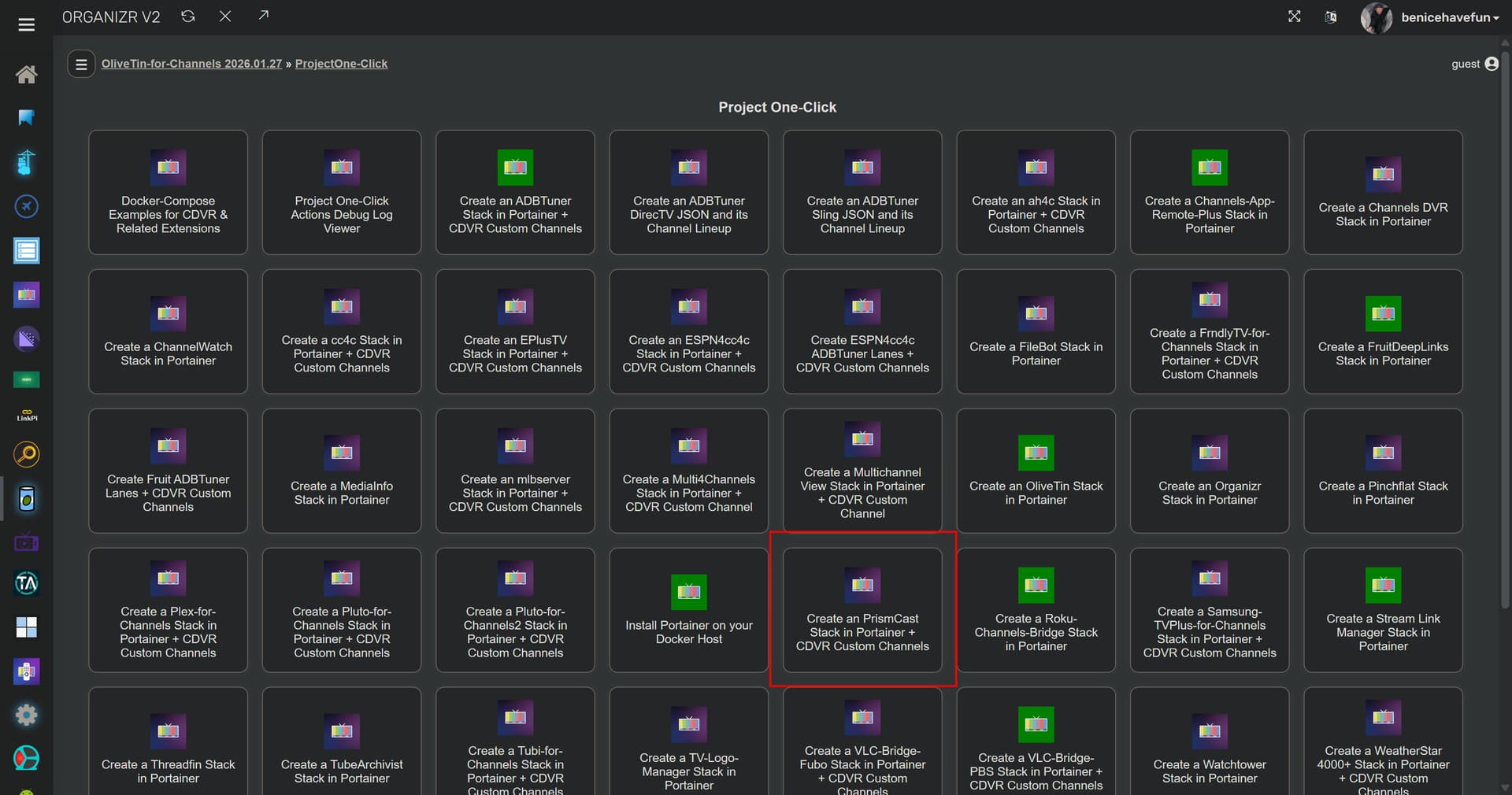
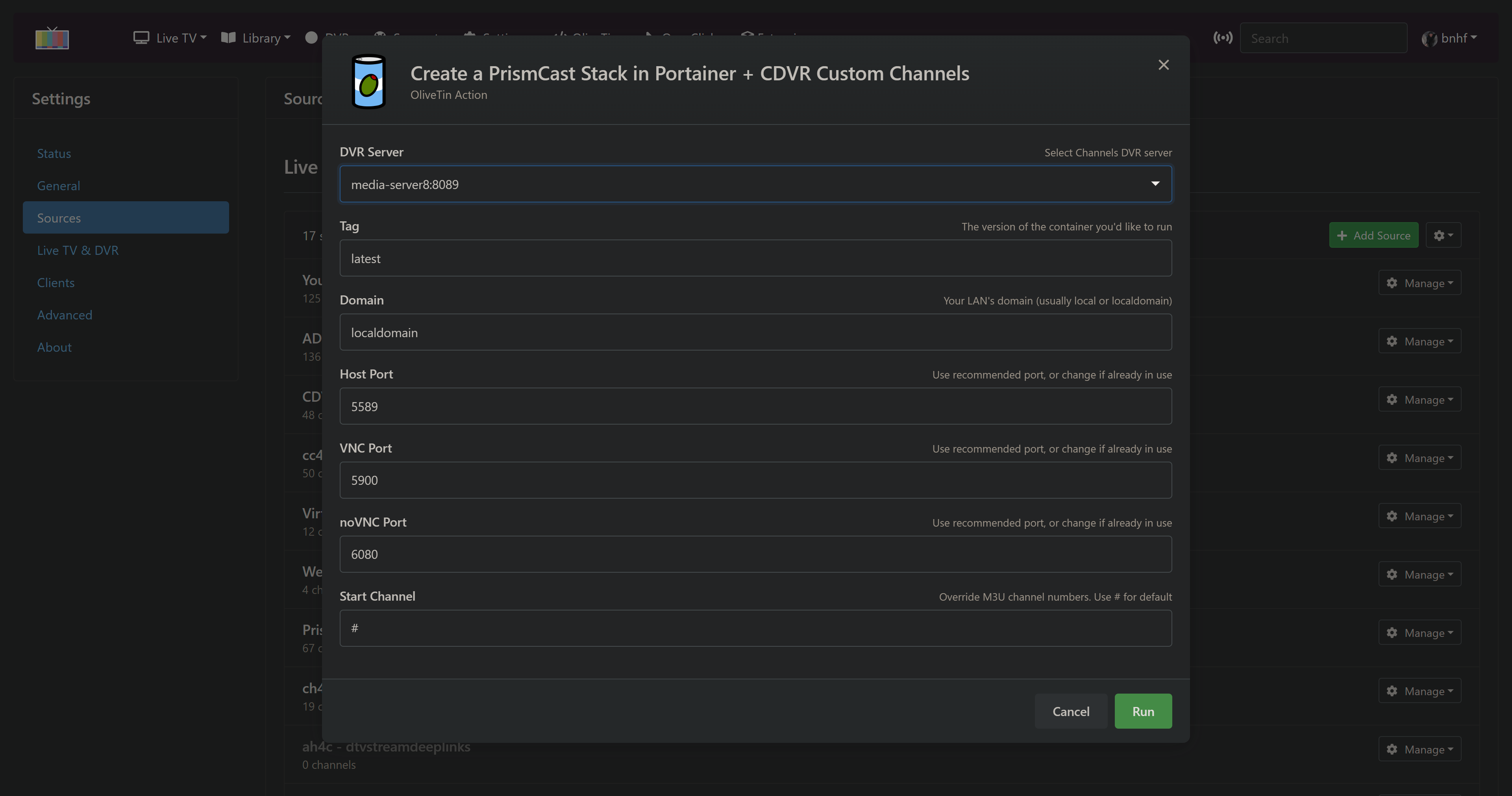
PrismCast joins the Project One-Click family of Actions. Installs in seconds, ready to use in minutes!:
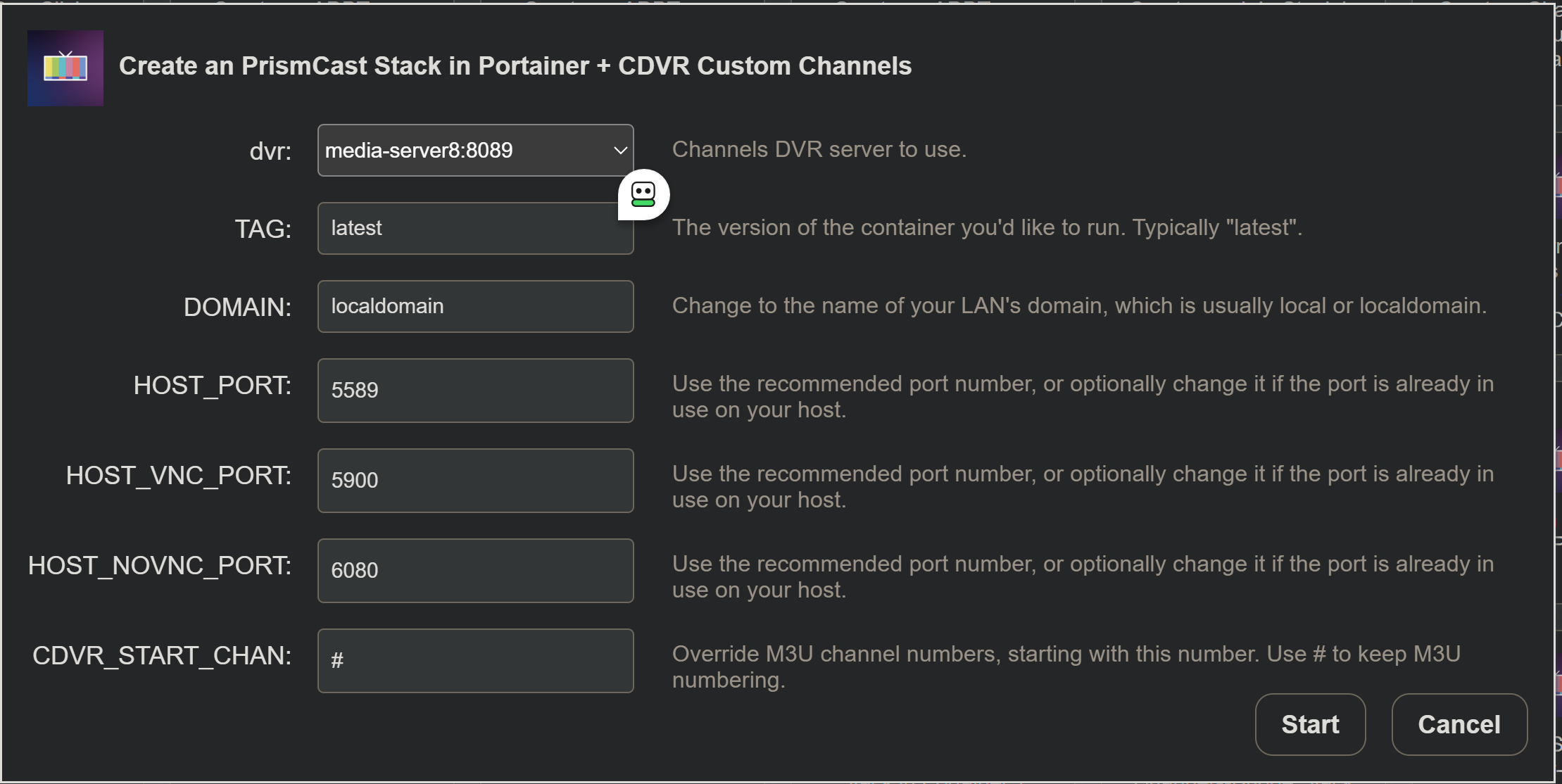
Use the defaults, or set your own host system ports and CDVR starting channel number:
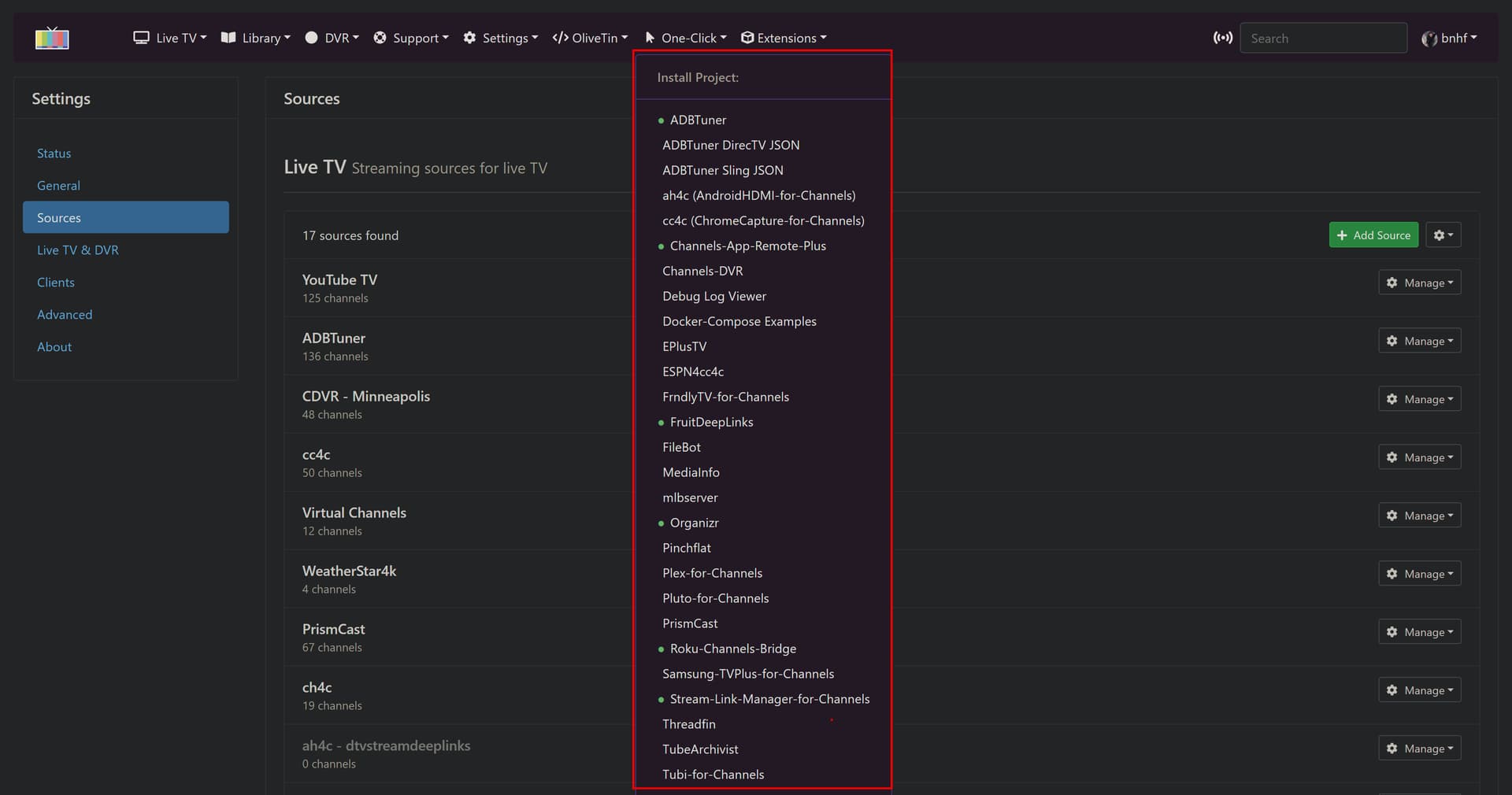
Or from the new Project WebUI+ dropdowns:
I intend to use PrismCast once things stabilize with running under Windows.
However, I do want to put in a request while things are still in flux.
My hearing isn't too good, and I can't watch most programs without Captions. PLEASE, PLEASE include these. If closed captions are not available, please include a per channel option to show captions and make them part of the visible recording. Having this will make me very happy. Thanks for all the work you have done.
Thanks for reply, here's a little more infor for those trying on WIndows.
I now cannot get the PrismCast tab (http://localhost:5589/) to even load up in Chrome, now I get this
This site cannot be reached localhost refused to connect
.
The first channel I did, A&E, in the PrismCast channels tab worked fine.
I tried clicking on others as i wasn't clear whether clicking just one would do all.
None of the other clicks on "login" did anything.
By the way, my comment about other NBC owned channels not authorizing like Golf, SciFy, etc...
those channels are now split off to Versant or somesuch, but still Cox should auth.
As I tried to watch some of the other channels in my new Channels DVR Source
It would switch me to the PrismCast tab and show the channel and show a Link to TV Provider button,
Clicking that button would show a short group of Providers, mine not in that group,
clicking to show more providers (the long list) gave me about 2 seconds to scroll down and find it, not enough time, and on the few instances where i did manage to click on Cox, it never did auth.
And also now, back in Channels DVR and trying to add the new Source again, it says