
Has anyone tried a software-based display driver emulator, like this Virtual-Display-Driver to get higher PrismCast resolution?
Not necessarily for Prismcast, I started using VDD for CC4C on a 12th gen i5 without a monitor plugged in. It's currently set at 2560 x 1440, 120Hz.
Edit: Forgot to add that Prismcast doesn't seem to recognize it, so I can't raise the quality preset beyond 720p High.
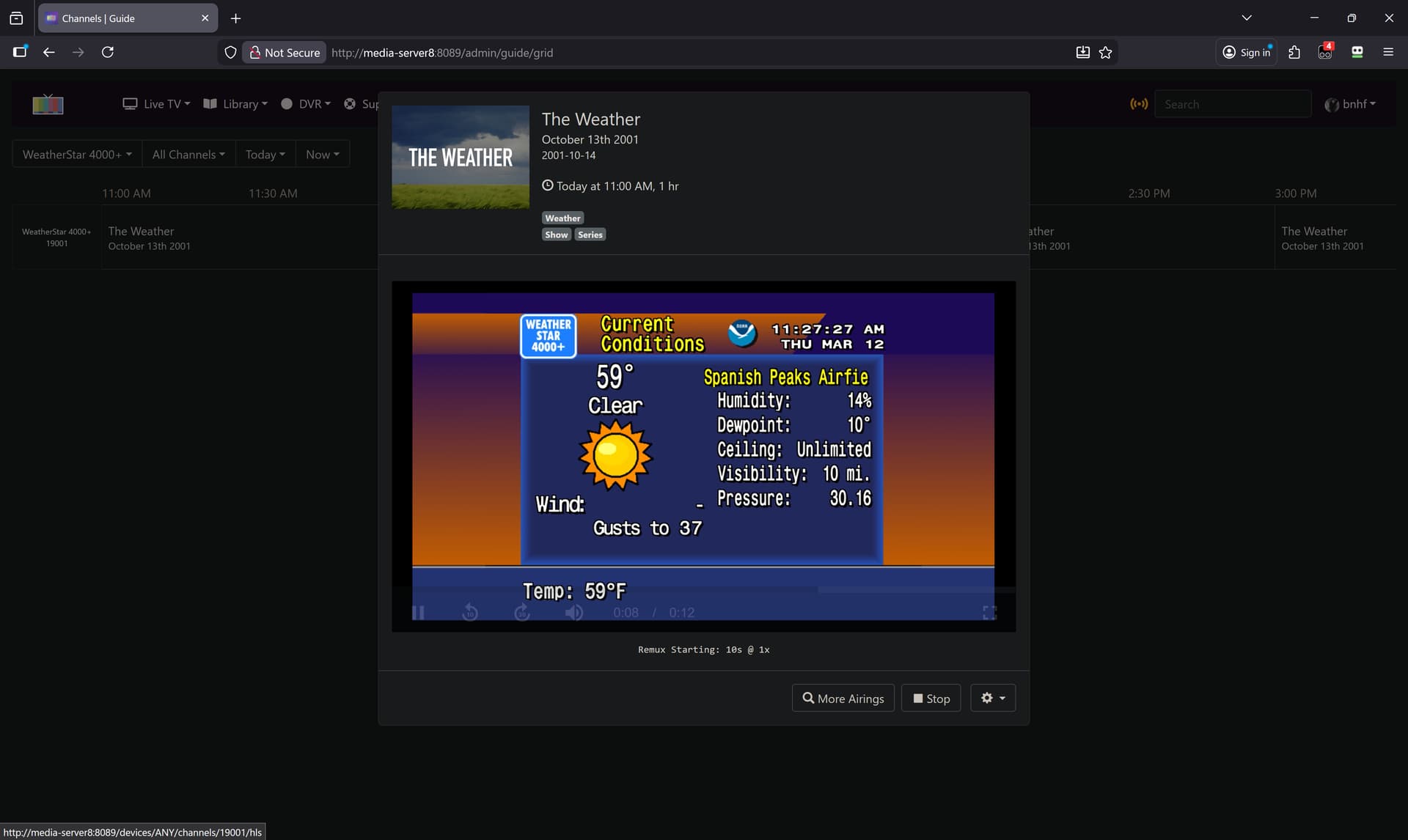
For those who want to use WeatherStar 4000+ (aka ws4kp) via PrismCast, and also have it show up in your CDVR EPG, follow these steps first:
And then create a new CDVR Custom Channels source that looks like this:
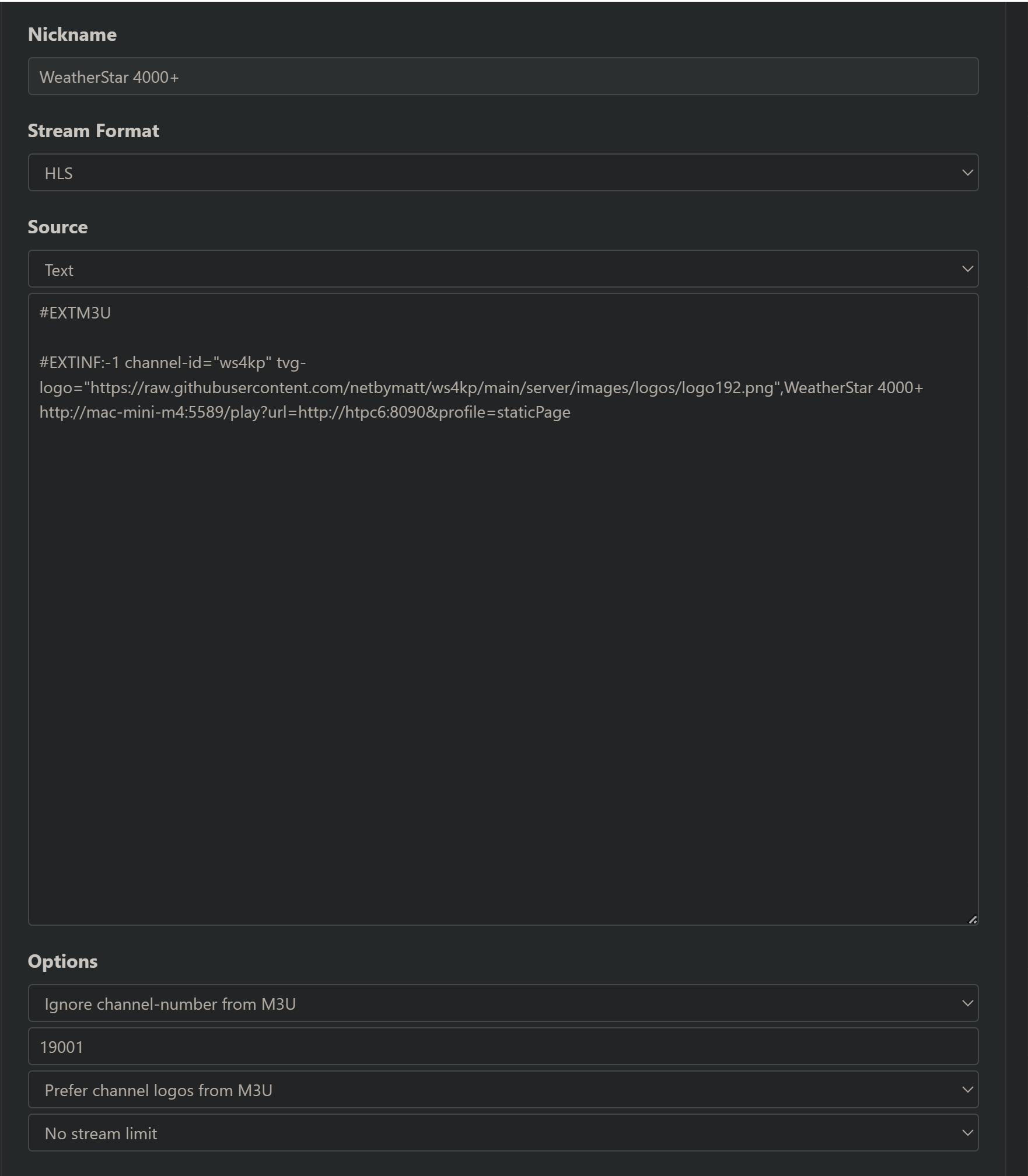
Here's the text-based M3U part:
#EXTM3U

#EXTINF:-1 channel-id="ws4kp" tvg-logo="https://raw.githubusercontent.com/netbymatt/ws4kp/main/server/images/logos/logo192.png",WeatherStar 4000+
http://mac-mini-m4:5589/play?url=http://htpc6:8090&profile=staticPage
Substitute your particular resolvable hostnames or LAN IP addresses of course, and note that I have ws4kp running on port 8090 rather than the default 8080:
1 Like
Does anybody have a fix for this issue? Prismcast works great in my docker set up, but the browser shrinks to an unusable state:
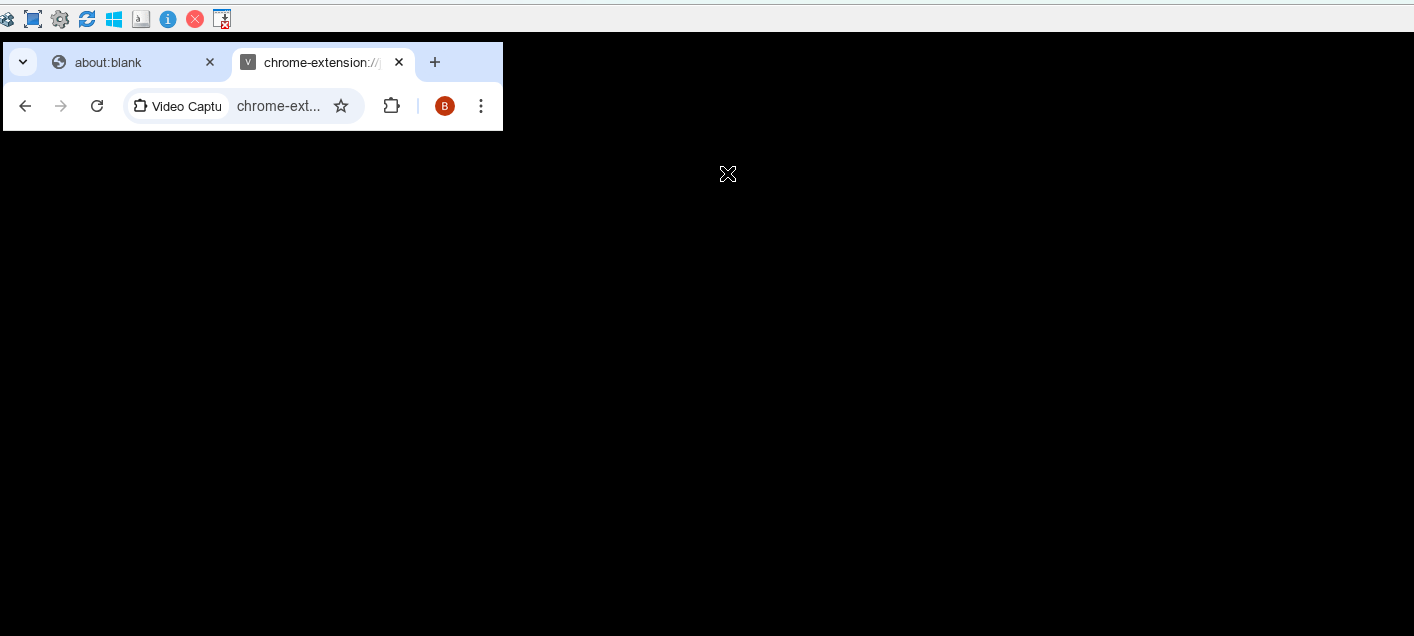
If I restart the container, it goes back to normal.
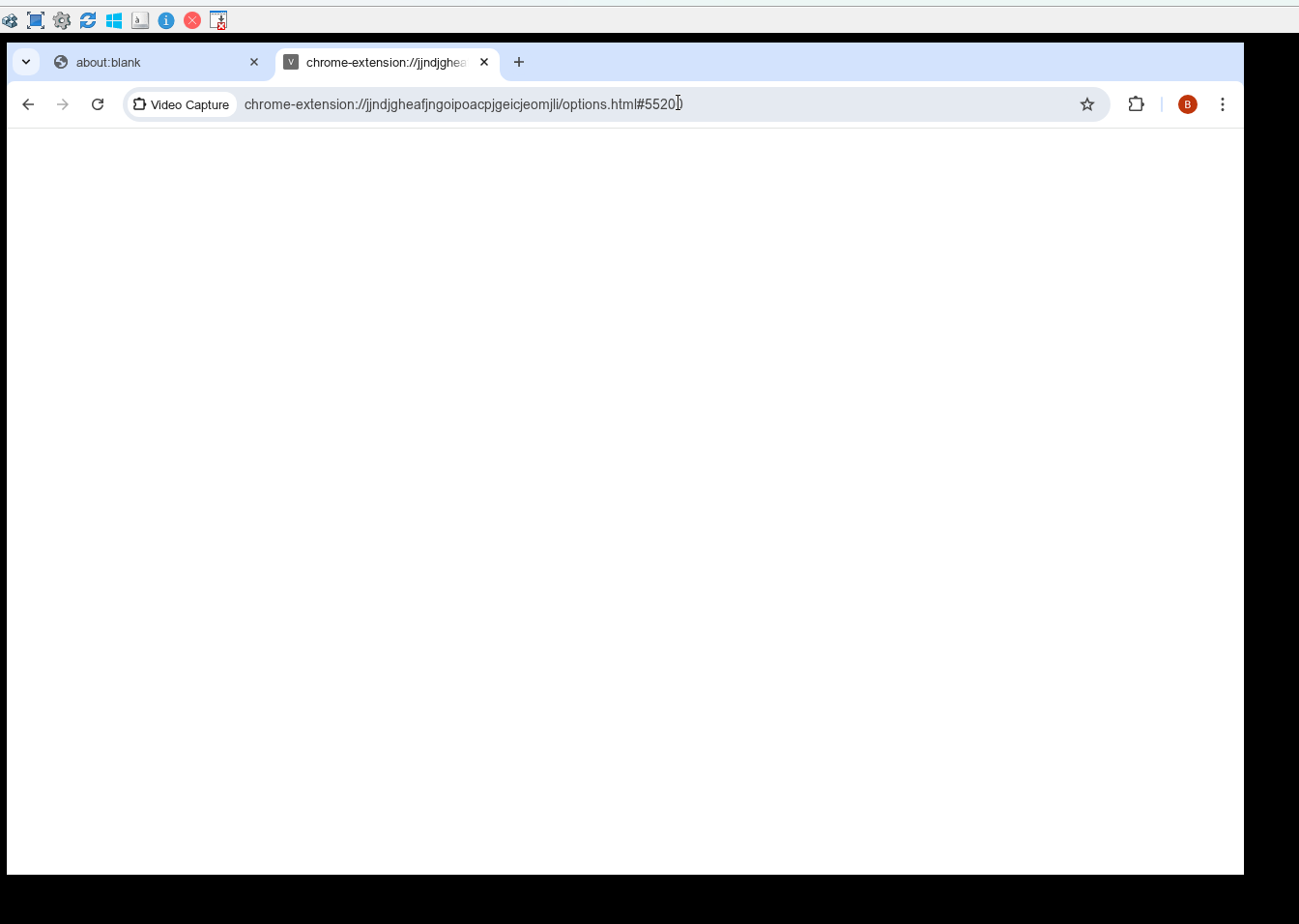
But I never know when it is going to revert to an unusable state. I am using the docker version on a windows mini PC
What are you using as a VNC viewer? Does it do the same with noVNC on port 6080?
That’s the ticket! Thanks!
Thanks for your response. Maybe it's my set up.
192.168.1.227:5590 is how I view using UltraVNC
For installation to avoid possible conflicts I installed as follows:
-p 5590:5589 -p 5901:5900
-p 6081:6080 `
-p 5005:5004
Non docker results
5005 shows cannot/get
5590 shows me the configuration, looks normal
5901 shows nothing
6081 shows directory listing, looks normal
What seems to help is a delay in launching the chrome browser inside the container. Every time docker restarted due to an update or windows reboot, it gave me the odd chrome browser issue. I'd stop the container, restart, and it was fine. So added a delay task during Docker start up which seems to fix this (Delay in starting the browser inside the container) This morning, everything looked normal but I won't know for sure until I watch it for a few days. I also had this issue before 1.5.2.
My complete pull using powershell as an administrator on Windows:
docker run -d --name prismcast
--shm-size=4g `
-p 5590:5589 -p 5901:5900
-p 6081:6080 -p 5005:5004
-e SCREEN_WIDTH=1920 -e SCREEN_HEIGHT=1080
-e TZ=America/New_York -v prismcast-data:/root/.prismcast
--restart unless-stopped `
ghcr.io/hjdhjd/prismcast:1.5.2
My Fox local is no longer working, it was doing fine until the last couple of days but now it redirects to their streaming local channel (not live). Fox 35 in Orlando.
Do you see the same thing at the Fox One website when you link your provider there.
It always gets my zip code wrong (but close enough) but I get my local station.
Do you have to correct the zip code it picked for you (after linking provider, before playing live)
1 Like
Is there something up with the mapping for the CW? I'm not getting guide data for that channel (and no logo).
EDIT: Okay, looks like The CW is local programming so would have to be custom entered.
PrismCast v1.6.0 is here, and it's a big one. Three headline features in this release:
Native HLS streaming. For TV Everywhere sites that deliver non-DRMed streams, PrismCast now automatically bypasses screen capture and consumes the stream directly - delivering the provider's original quality with significantly lower CPU usage. This is especially valuable for Hulu + Live TV subscribers who can use their TVE credentials to stream channels like A&E, Food Network, HGTV, History, Discovery, and many more at native quality through those networks' own sites. Also works with Fox One, Fox Sports, BET, C-SPAN, VH1, and others. DRM-protected providers automatically fall back to screen capture - no configuration needed.
Xfinity Stream is PrismCast's eighth builtin provider. Thanks to @TerryD for his collaboration getting Xfinity up and running. Fair warning: Xfinity's web player is inherently slow to initialize — expect 15-30 seconds for channel changes. That's an Xfinity limitation, not PrismCast. I'm exploring improvements for the future, but no promises...this is as good as it gets for now.
Docker Intel GPU hardware acceleration. Containers with an Intel GPU can now offload video processing from the CPU, significantly reducing CPU usage. Pass your GPU device to the container and PrismCast handles the rest automatically. Thanks to @ajvolin for the initial work on GPU-accelerated Docker containers and @bnhf for contributing the PR that brought it into PrismCast.
Beyond the headlines, there's a lot more in this release:
- Predictive channel pretuning — PrismCast reads the Channels DVR programming schedule and pretunes upcoming channels before recordings start, reducing tune latency to near zero.
- Preroll immediate response — HLS clients receive video within seconds of a tune request rather than waiting for the full stream initialization to complete.
- Video resolution degradation detection — monitors stream quality and recovers automatically when a provider drops to a lower resolution.
-
Hulu tuning improvements — local affiliates (ABC, CBS, NBC, Fox, PBS, CW) now skip the guide grid on first tune when precaching is enabled, cutting first-tune
latency significantly. - Improved stream health monitoring — track-aware segment health with provider-specific thresholds, modal dismissal for sites that show intermittent popups, and better video readiness detection across providers.
- Numerous fixes and improvements — provider filter now correctly reflects in the channels tab UI, C-SPAN tuning fixed, display detection on minimized windows, Sling TV precache resilience, and much more.
The README and in-app documentation have also been substantially updated to reflect all the new features — check the Overview and Help tabs for details on native HLS streaming, provider profiles, GPU acceleration, and expanded troubleshooting guidance.
As always, I appreciate the feedback and enthusiasm around PrismCast. Thank you to everyone who's been testing, reporting issues, and sharing their setups.
To reiterate from prior release notes:
If you've created user-defined channels that are now covered by predefined options, I recommend deleting those overrides and using the defaults. Predefined channels are what I test and maintain; overrides are entirely optional, but they do create long-term configuration debt for you as PrismCast evolves.
I really appreciate the feedback, enthusiasm, and passion around PrismCast. Almost every feature added since 1.0.0 has come from thoughtful, respectful discussion with this community.
My only ask is simple: please be kind, not demanding. PrismCast started as a project for my own needs, and I share it because I enjoy this community and wanted to give something back. Respectful feedback is always welcome; entitlement is not.
Thank you to everyone who's shared encouragement or joy in using PrismCast—it genuinely keeps this project fun to work on.
One more note for everyone's benefit: please don't repost the same questions in this thread. Many of them have already been asked and answered, and the forum's topic-only search works well. Keeping discussions focused helps everyone. Please treat the thread and each other with the same consideration you'd expect in return.
1.6.0 (2026-03-15)
- New feature: Xfinity Stream provider support. Note: Xfinity's player is slow to initialize and tune — expect 15-30 seconds for channel changes. This is a limitation
of the Xfinity Stream web player, not PrismCast. I'm exploring improvements for the future, but no promises — this is as good as it gets for now. - New feature: native HLS streaming — PrismCast automatically detects when a provider delivers non-DRMed HLS and bypasses screen capture entirely, consuming the stream
directly for higher quality with lower CPU usage. Known to work with the A&E family (A&E, History, Lifetime), BET, C-SPAN, the Food Network family (Discovery, Food
Network, HGTV, OWN, TLC, Travel, and others), Fox One, Fox Sports, VH1, and more. DRM-protected providers automatically fall back to screen capture. - New feature: preroll immediate response — HLS clients can receive video within seconds of a tune request rather than waiting for the full stream initialization to
complete. - New feature: predictive channel pretuning — PrismCast reads the Channels DVR programming schedule and pretunes upcoming channels before recordings start, reducing
tune latency to near zero. - New feature: dismiss intermittent site modals that block video playback.
- New feature: video resolution degradation detection and recovery.
- New feature: Docker Intel GPU hardware acceleration — containers with an Intel GPU can offload video processing from the CPU, significantly reducing CPU usage.
Thanks to @ajvolin for the initial work and @bnhf for the contribution. - Improvement: native proxy upstream metadata propagation for HLS discontinuity, SCTE-35 cues, and program date-time.
- Improvement: track-aware segment health monitoring with provider-specific thresholds.
- Improvement: video readiness enhancements with per-domain timeout, offscreen scrolling, and diagnostic logging.
- Improvement: increased granularity of login indicators.
- Improvement: cross-platform Chrome process cleanup via PID file instead of pkill/pgrep.
- Improvement: Sling TV precache resilience for slow connections.
- Improvement: additional Sling TV channel definitions.
- Improvement: Hulu local affiliate tuning skips the guide grid when precaching is enabled, reducing first-tune latency.
- Fix: channels tab provider dropdown now correctly reflects the provider filter instead of showing filtered-out providers.
- Fix: C-SPAN tuning failures caused by preroll ads and offscreen video.
- Fix: display detection on minimized Chrome windows and tab replacement compositor stability.
- Fix: prevent terminated streams from persisting in the dashboard.
- Fix: decrement resume segment index to prevent Channels DVR from dropping the last completed segment.
- Housekeeping: prevent multiple server instances from running simultaneously.
- Housekeeping: shutdown resiliency improvements.
- Housekeeping.
8 Likes
@chDVRuser give v1.6.0 a go...should address the issues you identified...and some goodies are in there too.
1 Like
Well as a Windows user I can confirm NO Pkill error in the Node.exe window It still opens as does the Chrome window BUT no obvious error showing and I'm on a dedicated Channels/Prismcast PC so no worries and super easy Update via 1 click.........Very Very nice work Sir HJD !!!!!!
1 Like
Were you able to install the PrismCast service?
Ive had it start as a service for the last few versions I just ignored the Pkill message But after upgrading today to 1.6 All i get is the Node.exe blank window and the Chrome window running