I have a (temporary) workaround/solution for the "Bundled FFmpeg is not available" issue. It seems PrismCast is looking for a very specific ffpmeg in a very specific place and the installer (via homebrew, at least) fails to deliver it. So here's what I did:
user@favorite-mac ~/L/A/C/latest> cd /usr/local/opt/prismcast/libexec/lib/node_modules/prismcast/node_modules/ffmpeg-for-homebridge
node install.js
Retrieving FFmpeg from ffmpeg-for-homebridge release: vundefined.
Downloading FFmpeg from: https://github.com/homebridge/ffmpeg-for-homebridge/releases/download/vundefined/ffmpeg-darwin-x86_64.tar.gz
Download failed on attempt 1. Retrying...
Download failed on attempt 2. Retrying...

The Homebridge plugin has been installed, however you may need to install FFmpeg separately.

user@favorite-mac /u/l/o/p/l/l/n/p/n/ffmpeg-for-homebridge> cat package.json | grep '"version"'
  "version": "2.2.2",
user@favorite-mac /u/l/o/p/l/l/n/p/n/ffmpeg-for-homebridge> curl -L "https://github.com/homebridge/ffmpeg-for-homebridge/releases/download/v2.2.2/ffmpeg-darwin-x86_64.tar.gz" | tar xzf -
  % Total    % Received % Xferd  Average Speed   Time    Time     Time  Current
                                 Dload  Upload   Total   Spent    Left  Speed
  0     0    0     0    0     0      0      0 --:--:-- --:--:-- --:--:--     0
100 27.4M  100 27.4M    0     0  48.0M      0 --:--:-- --:--:-- --:--:--  111M
user@favorite-mac /u/l/o/p/l/l/n/p/n/ffmpeg-for-homebridge> mv usr/local/bin/ffmpeg ./ffmpeg
user@favorite-mac /u/l/o/p/l/l/n/p/n/ffmpeg-for-homebridge> ./ffmpeg -version
ffmpeg version 8.0-homebridge-darwin-x86_64 Copyright (c) 2000-2025 the FFmpeg developers
[etc]
After that, I restarted PrismCast, and the error is gone:
[2026/05/22 10:53:03.663 AM] Starting PrismCast v1.10.3 with configuration:
[2026/05/22 10:53:03.663 AM]   Configuration file: /Users/shortUserName/.prismcast/config.json
[2026/05/22 10:53:03.663 AM]   Chrome profile: /Users/shortUserName/.prismcast/chromedata
[2026/05/22 10:53:03.663 AM]   Server port: 5589
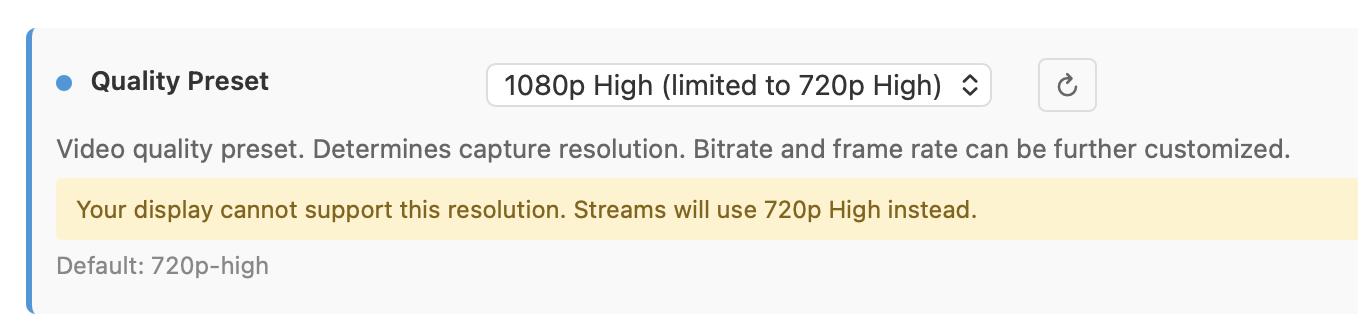
[2026/05/22 10:53:03.663 AM]   Quality preset: 1080p-high (1920×1080)
[2026/05/22 10:53:03.663 AM]   Capture codecs: h264, hevc
[2026/05/22 10:53:03.663 AM]   Video bitrate: 20000000
[2026/05/22 10:53:03.663 AM]   Max retries: 4
[2026/05/22 10:53:03.663 AM]   Max concurrent streams: 5
[2026/05/22 10:53:03.663 AM]   Circuit breaker threshold: 10 failures in 5 minutes
[2026/05/22 10:53:03.663 AM]   Chrome executable: autodetect
[2026/05/22 10:53:03.663 AM]   HLS segment duration: 2s, max segments: 10
[2026/05/22 10:53:03.663 AM]   HDHomeRun emulation: enabled (port 5004)
[2026/05/22 10:53:03.688 AM] Using FFmpeg at: /usr/local/Cellar/prismcast/1.10.3/libexec/lib/node_modules/prismcast/node_modules/ffmpeg-for-homebridge/ffmpeg.
[2026/05/22 10:53:03.702 AM] Loaded 1170 channels.
[2026/05/22 10:53:03.702 AM] Loaded health state for 14 channels and 6 domains.
[2026/05/22 10:53:04.824 AM] Chrome ready: Chrome/148.0.7778.179 (GPU: AMD Radeon Pro 580X [AV1, H264, HEVC]).
[2026/05/22 10:53:09.824 AM] Starting channel lineup precaching for 2 services.
[2026/05/22 10:53:14.407 AM] Precached DirecTV Stream: 363 channels (4.6s).
[2026/05/22 10:53:16.338 AM] Channel lineup precaching complete: 1 service cached, 1 skipped (filtered) in 6.5s.
[2026/05/22 10:53:21.532 AM] Capture system verified successfully.
[2026/05/22 10:53:21.784 AM] CDP proxy listening at /cdp.
[2026/05/22 10:53:21.785 AM] PrismCast is now listening on 0.0.0.0:5589.
[2026/05/22 10:53:21.785 AM] HDHomeRun emulation is now listening on 0.0.0.0:5004 (DeviceID: 00B79008).
I'm (nearly) certain this solution will be rendered useless on the next PrismCast update, so hoping this can be baked into the installer somewhere down the line.
(edit: I'm also not sure if this is "best practice" or not, since it's no longer using the homebrew installed ffmpeg, but using its own, slightly older, ffmpeg. I've tested and it seems fine, but YMMV)




 ).
).