
I defaulted the grub to 1920x1080. But PrismCast didn't seem to care.

Docker knows nothing of your host's HDMI port, so nothing you do at the host level is going to make any difference. The PrismCast container uses Xvfb (a virtual X11 display server), which is what you're controlling with the env vars. Setting those to 2K resolution should give you the ability to change your PrismCast Quality Preset.
Starting PrismCast with noVNC support...
  Display: :99
  Screen: 2560x1440x24
  VNC Port: 5900
  noVNC Port: 6080
  PrismCast Port: 5589
  Data Directory: /root/.prismcast
  Intel GPU: /dev/dri/renderD128 present (LIBVA_DRIVER_NAME=iHD)
Starting Xvfb...
screen 0 shmid 0
WARNING: Kernel has no file descriptor comparison support: Operation not permitted
Xvfb started successfully (DRI3: -vfbdevice /dev/dri/renderD128).
Starting x11vnc...
Xlib:  extension "DPMS" missing on display ":99".
The VNC desktop is:      prismcast:0

0
x11vnc started successfully.
Starting noVNC...
Warning: could not find self.pem
Using installed websockify at /usr/bin/websockify
Starting webserver and WebSockets proxy on port 6080
WebSocket server settings:
  - Listen on :6080
  - Web server. Web root: /usr/share/novnc
  - No SSL/TLS support (no cert file)
  - proxying from :6080 to localhost:5900
noVNC started successfully.
==============================================
  noVNC available at: http://localhost:6080/vnc.html
  PrismCast UI at:    http://localhost:5589
==============================================
Starting PrismCast...
Navigate to this URL:
    http://prismcast:6080/vnc.html?host=prismcast&port=6080
Press Ctrl-C to exit
[2026/05/28 09:02:38.192 AM] Starting PrismCast v1.10.3 with configuration:
[2026/05/28 09:02:38.192 AM]   Configuration file: /root/.prismcast/config.json
[2026/05/28 09:02:38.192 AM]   Chrome profile: /root/.prismcast/chromedata
[2026/05/28 09:02:38.192 AM]   Server port: 5589
[2026/05/28 09:02:38.192 AM]   Quality preset: 1080p-high (1920×1080)
[2026/05/28 09:02:38.192 AM]   Capture codecs: h264, hevc
[2026/05/28 09:02:38.192 AM]   Video bitrate: 20000000
[2026/05/28 09:02:38.192 AM]   Max retries: 4
[2026/05/28 09:02:38.192 AM]   Max concurrent streams: 10
[2026/05/28 09:02:38.192 AM]   Circuit breaker threshold: 10 failures in 5 minutes
[2026/05/28 09:02:38.192 AM]   Chrome executable: /usr/local/bin/chrome-no-sandbox
[2026/05/28 09:02:38.192 AM]   HLS segment duration: 2s, max segments: 10
[2026/05/28 09:02:38.192 AM]   HDHomeRun emulation: enabled (port 5004)
[2026/05/28 09:02:38.196 AM] Using FFmpeg at: /usr/lib/node_modules/prismcast/node_modules/ffmpeg-for-homebridge/ffmpeg.
[2026/05/28 09:02:38.218 AM] Loaded 1384 channels (214 user, 1170 predefined).
[2026/05/28 09:02:39.014 AM] Chrome ready: Chrome/148.0.7778.167 (GPU: Mesa Intel(R) Graphics (ADL-N)).
[2026/05/28 09:02:44.923 AM] Capture system verified successfully.
[2026/05/28 09:02:45.050 AM] CDP proxy listening at /cdp.
[2026/05/28 09:02:45.051 AM] PrismCast is now listening on 0.0.0.0:5589.
[2026/05/28 09:02:45.052 AM] HDHomeRun emulation is now listening on 0.0.0.0:5004 (DeviceID: 2A87050E).
Docker Compose for Portainer:
services:
  prismcast:
    # 2026.03.16
    # GitHub home for this project with setup instructions: https://github.com/hjdhjd/prismcast.
    # Docker container home for this project: https://github.com/hjdhjd/prismcast/pkgs/container/prismcast.
    image: ghcr.io/hjdhjd/prismcast:${TAG:-latest}
    container_name: prismcast
    hostname: prismcast
    dns_search: ${DOMAIN:-localdomain}
    shm_size: '2gb'
    devices:
      - /dev/dri:/dev/dri
    ports:
      - ${HOST_PORT:-5589}:${PORT:-5589}
      - ${HOST_VNC_PORT:-5900}:${VNC_PORT:-5900}
      - ${HOST_NOVNC_PORT:-6080}:${NOVNC_PORT:-6080}
      - ${HOST_HDHR_PORT:-5004}:${HDHR_PORT:-5004}
    environment:
      - PORT=${PORT:-5589}
      - VNC_PORT=${VNC_PORT:-5900}
      - NOVNC_PORT=${NOVNC_PORT:-6080}
      - HDHR_PORT=${HDHR_PORT:-5004}
      - DISPLAY_NUM=${DISPLAY_NUM:-99}
      - SCREEN_WIDTH=${SCREEN_WIDTH:-1920}
      - SCREEN_HEIGHT=${SCREEN_HEIGHT:-1080}
      - SCREEN_DEPTH=${SCREEN_DEPTH:-24}
      - TZ=${TZ:-America/New_York}
      - LIBVA_DRIVER_NAME=${LIBVA_DRIVER_NAME:-iHD} # Override below with LIBVA_DRIVER_NAME=i965 for older Intel GPUs (pre-Gen 9 aka Skylake).
    healthcheck:
      test: ["CMD", "wget", "-q", "--spider", "http://localhost:${PORT:-5589}/health"]
      interval: 30s
      timeout: 10s
      retries: 3
      start_period: 30s
    volumes:
      - prismcast-data:/root/.prismcast
    restart: unless-stopped
volumes:
  prismcast-data:
Sample Env Var Overrides:
TAG=latest
DOMAIN=localdomain tailxxxxx.ts.net
HOST_PORT=5589
HOST_VNC_PORT=5900
HOST_NOVNC_PORT=6080
HOST_HDHR_PORT=5004
DISPLAY_NUM=99
SCREEN_WIDTH=2560
SCREEN_HEIGHT=1440
SCREEN_DEPTH=24
CDVR_STARTING_CHANNEL=13001
TZ=America/Denver
DEVICES=true
LIBVA_DRIVER_NAME=iHD
I will try this more later tonight when I have time.
I think it worked. It is no longer complaining about the resorting to 720p.
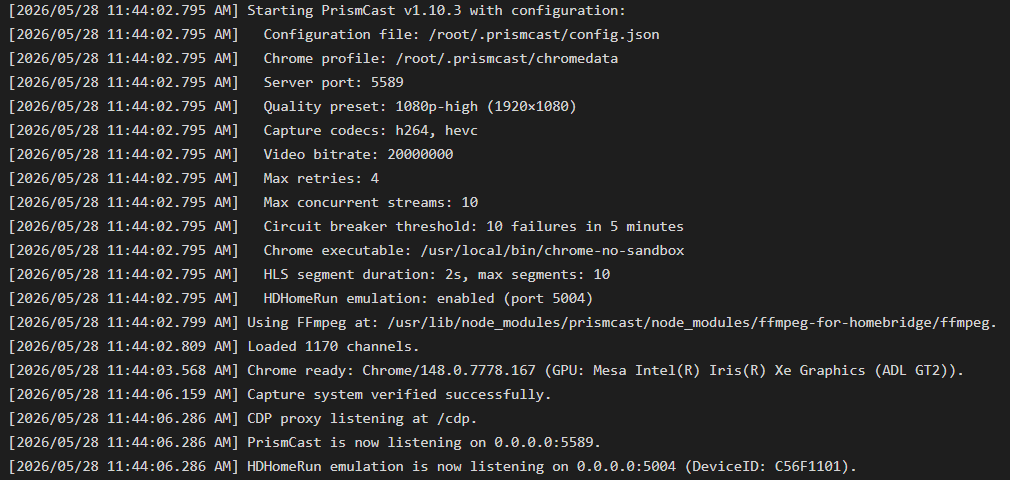
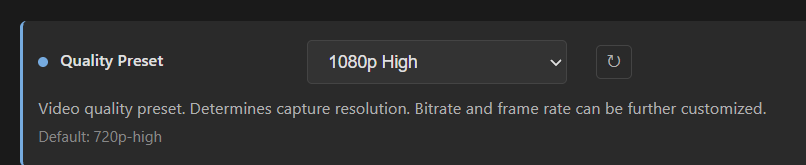
This is what I set the environment variables to.
-e SCREEN_WIDTH=2560 -e SCREEN_HEIGHT=1440 -e SCREEN_DEPTH=24 -e TZ=America/Chicago \
This is not a project I would recommend spinning-up from the command line. Docker Compose via Portainer is the way to go. Too easy to get things wrong, and to keep track of what you used. Just to give you an example, this would be about the equivalent docker run command:
docker run -d \
  --name prismcast \
  --hostname prismcast \
  --dns-search localdomain \
  --shm-size=2gb \
  --device /dev/dri:/dev/dri \
  -p 5589:5589 \
  -p 5900:5900 \
  -p 6080:6080 \
  -p 5004:5004 \
  -e PORT=5589 \
  -e VNC_PORT=5900 \
  -e NOVNC_PORT=6080 \
  -e HDHR_PORT=5004 \
  -e DISPLAY_NUM=99 \
  -e SCREEN_WIDTH=2560\
  -e SCREEN_HEIGHT=1440\
  -e SCREEN_DEPTH=24 \
  -e TZ=America/Chicago \
  -e LIBVA_DRIVER_NAME=iHD \
  --health-cmd='wget -q --spider http://localhost:5589/health || exit 1' \
  --health-interval=30s \
  --health-timeout=10s \
  --health-retries=3 \
  --health-start-period=30s \
  -v prismcast-data:/root/.prismcast \
  --restart unless-stopped \
  ghcr.io/hjdhjd/prismcast:latest
I'm running PrismCast natively on a headless Mac mini as well. I got a 4K HDMI dongle, which allows me to set a screen resolution of up to 3840x2160, however this still didn't seem to enable at least 1080P. I believe the developer said you have to have a display greater than 4K to enable 4K.. and with my dongle setting to 4K, remotely connecting to the tiny screen was more headache than it was worth, so I gave up.
A Mac doesn't need an HDMI dongle.
I run it natively on a M4 Mac Mini with Display set to 3840 X 2160.
I attached it to my 4K monitor to set it, then it runs headless, as I switch the monitor to my Windows PC.
I use Remote Ripple to connect to its screen sharing.
1 Like
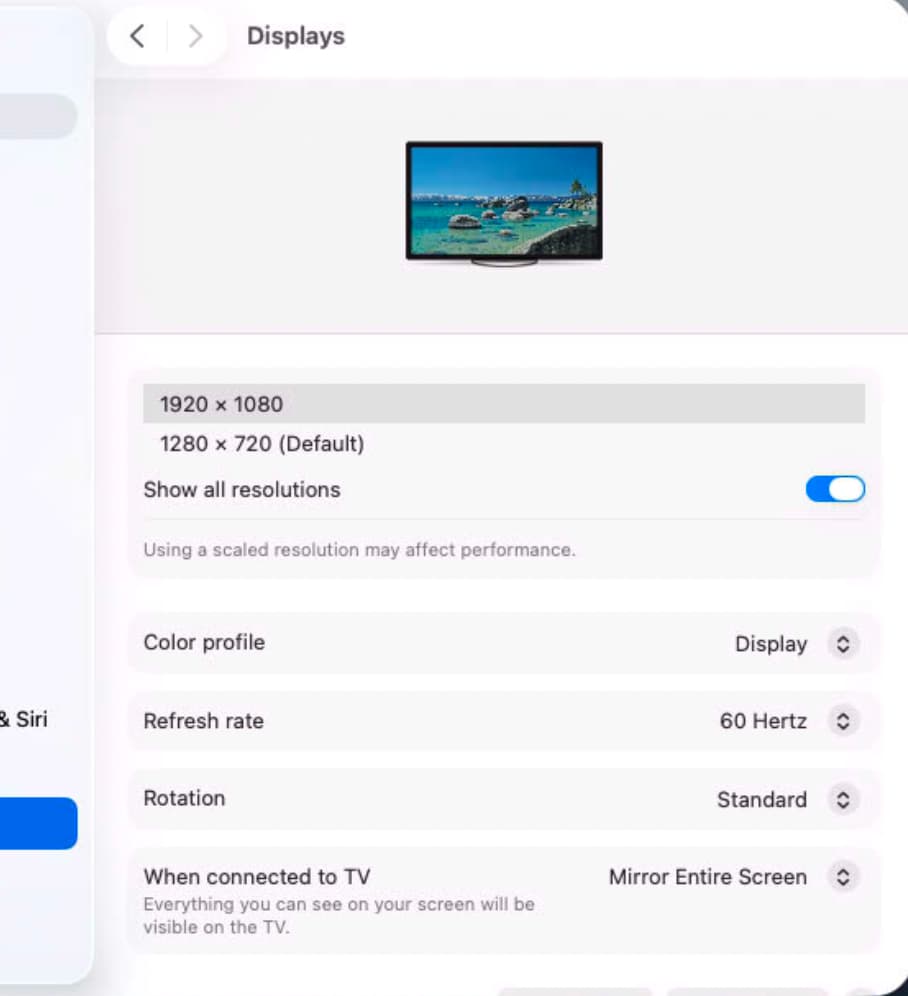
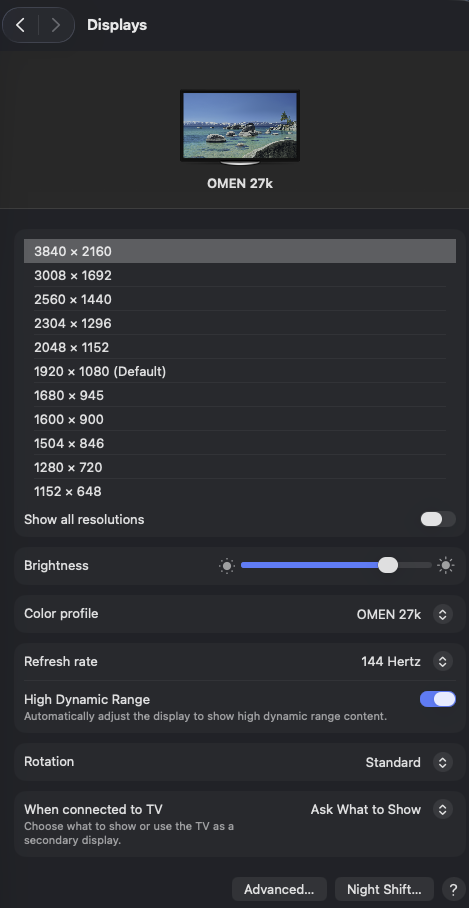
I definitely don't get other display options running headless. Even after plugging in the dongle, setting to 4K and then removing it, I'm only presented with these options. Mac mini M4 on MacOS 26.5
Thanks, I do have portainer as well. Used a textpad file for the command line. So I kinda did the same thing as portainer ;-). I was just installing this for the first time and wanted to make sure most of it works before I buy a service I can try with it.
Personally, and this probably because I'm away from home base for half the year, but I find the GL.iNet Comet to be far superior to a dongle.
I set mine to a 2K resolution, which works great for PrismCast @ 1080p, and gives me a very robust way to access my Mac-Mini-M4 in a KVM fashion -- which is the closet thing to having a monitor and keyboard attached sitting locally:
PrismCast:
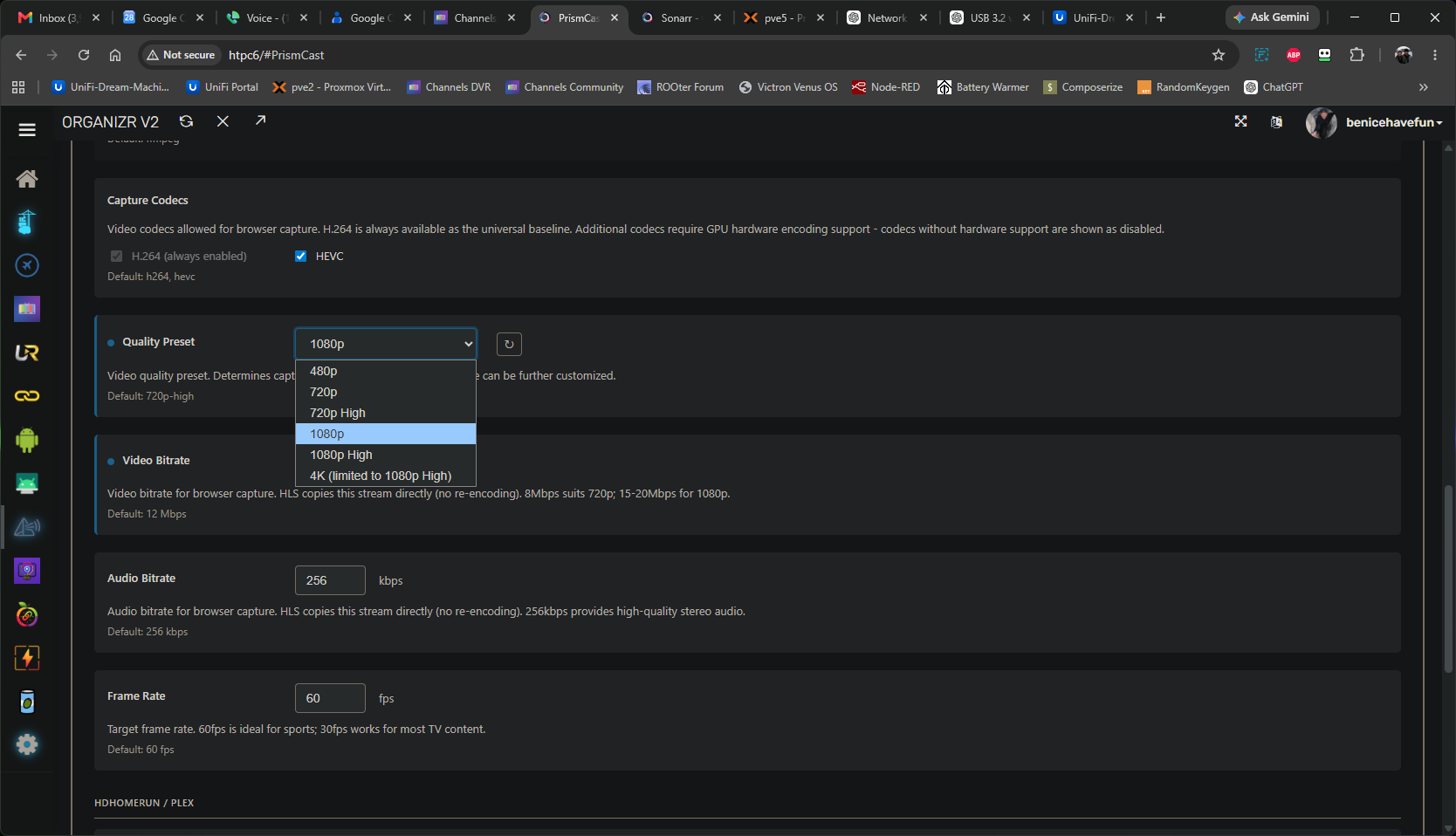
GlKVM browser tab:

Same Mac and OS as yours
M4 Mac Mini Tahoe v26.5
This is a screenshot from Remote Ripple with no display attached.
Appears it remembers the display I had attached when I set the resolution.
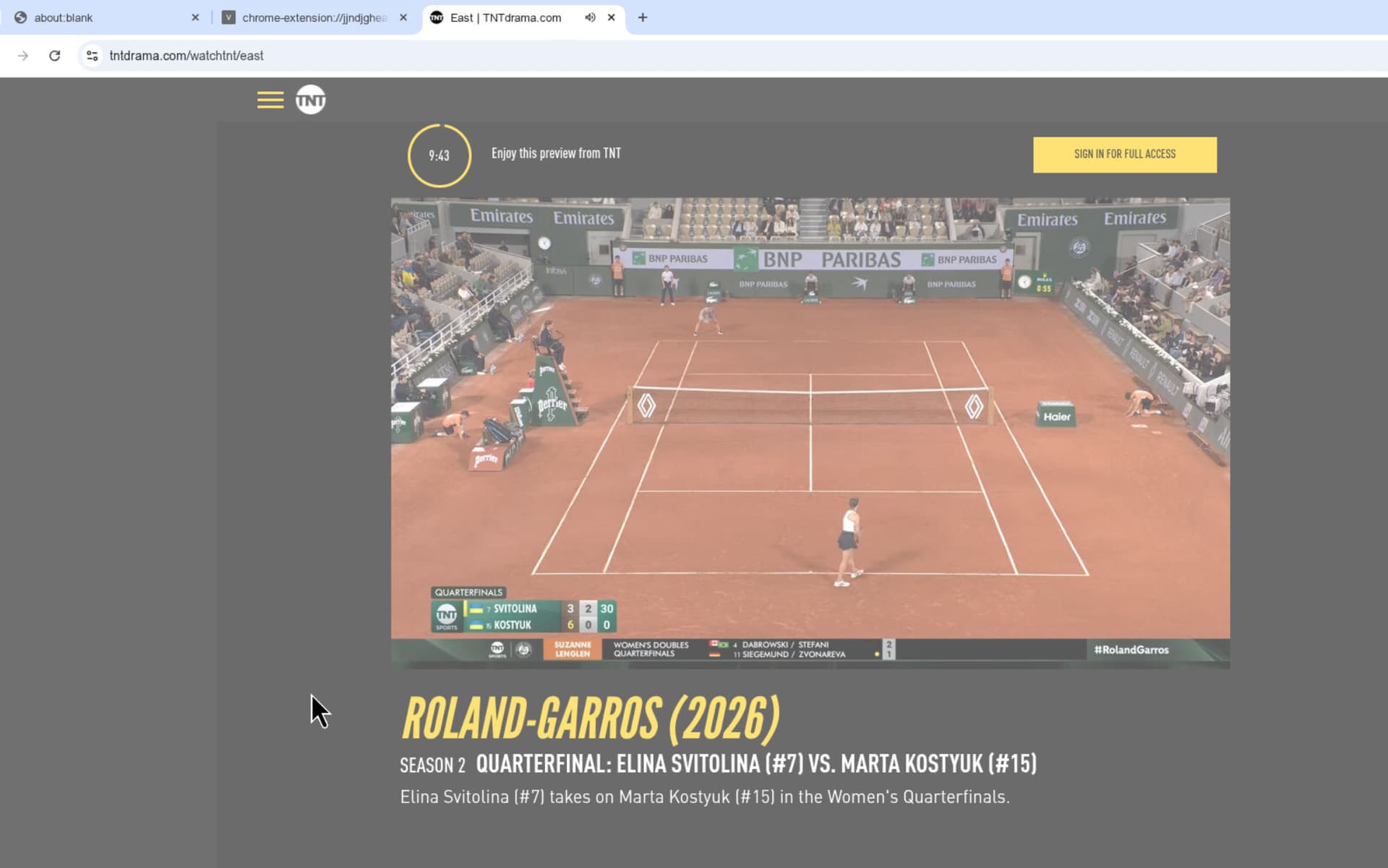
Anyone having issues with TBS/TNT/truTV authentication? I upgraded to the latest and noticed some of my channels had to be re-authenticated. The "Triple Ts" are all doing the same thing where the screen is washed out and when I try and click on signin, it's not registering the click so just stays in this persistent mode?
I did wait out the countdown clock but nothing changed in terms of the screen registering my clicks. All other channels authenticated fine.
I get all these with TVE and my provider creds, can you not get them that way?
Cant get any of these on TVW after latest pre-release via Optimum Had to set them up via PrismCast
1 Like
I can but like to have a working backup at all time.
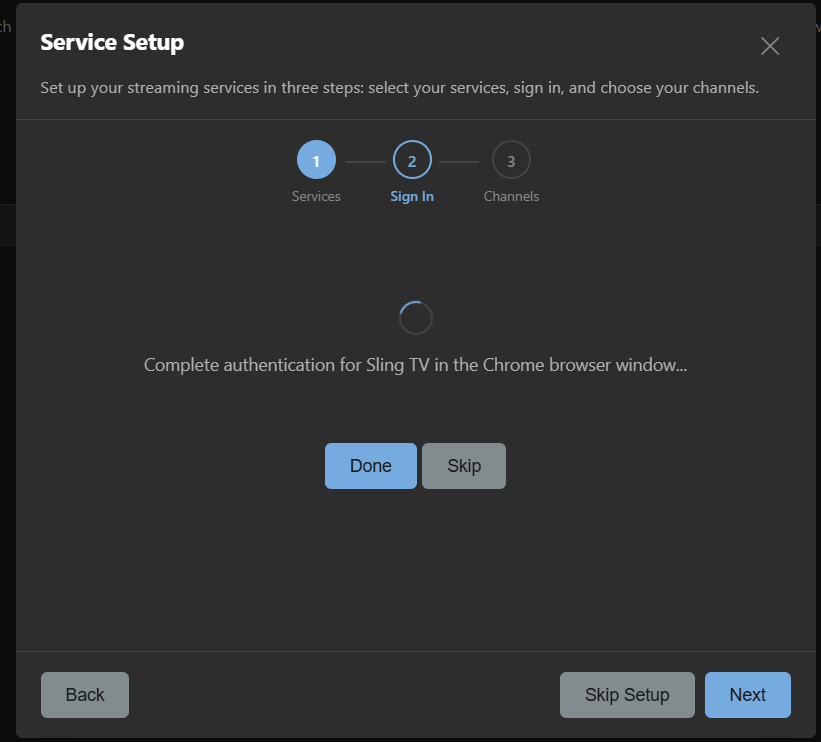
Well I finally got around to trying this out. I went to setup my sling credentials and I ran into an issue getting to the Login screen. It just has the blue circle of death with no popup window. I am stump at the moment of how to fix this so I can setup the credentials. I have this setup in docker. I would guess I'm missing something obvious.
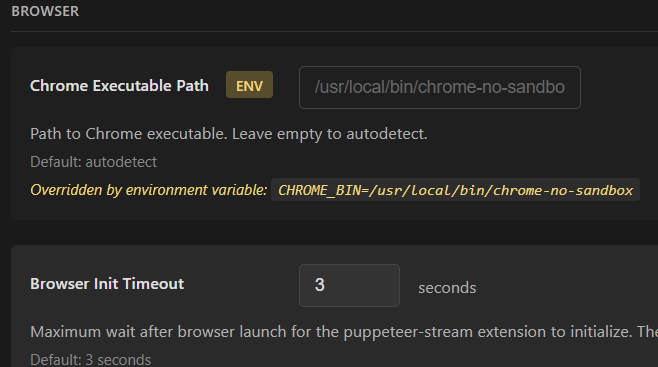
Here is the config file setting for Chrome.
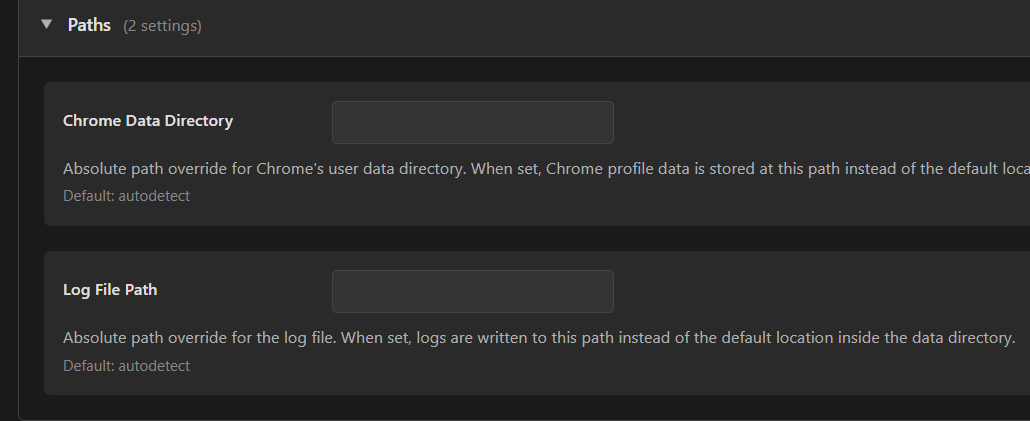

I found this and it talks about VNC. But if I don't have a graphical interface. Is that possible?
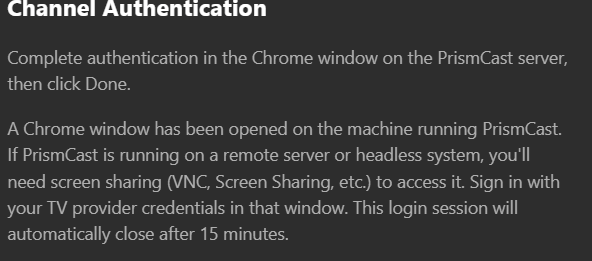
I think I figured it out. I had to go to http://10.10.0.205:6080/ so I could get to the login for sling. Good lord new things 
Hey all. I have this setup and works pretty good for the most part. The only time I run into issues is when a channel has a frame rate faster than 30 fps. I normally only loose a frame maybe 1 in every 5 to 10 seconds. But if the channel is outputting 60 fps I am losing 7 to 15 fps about every 5 seconds when using the GPU. If I change the container to remove the GPU as an option then I can get a pretty smooth 60 fps on average for those channels but at 33 percent cpu usage vs 8 percent with the gpu (using 720P High).
I am running a mini pc on debian 13 with a i9-12900hk processor. I know its using the GPU as intel-gpu-top is showing it working.
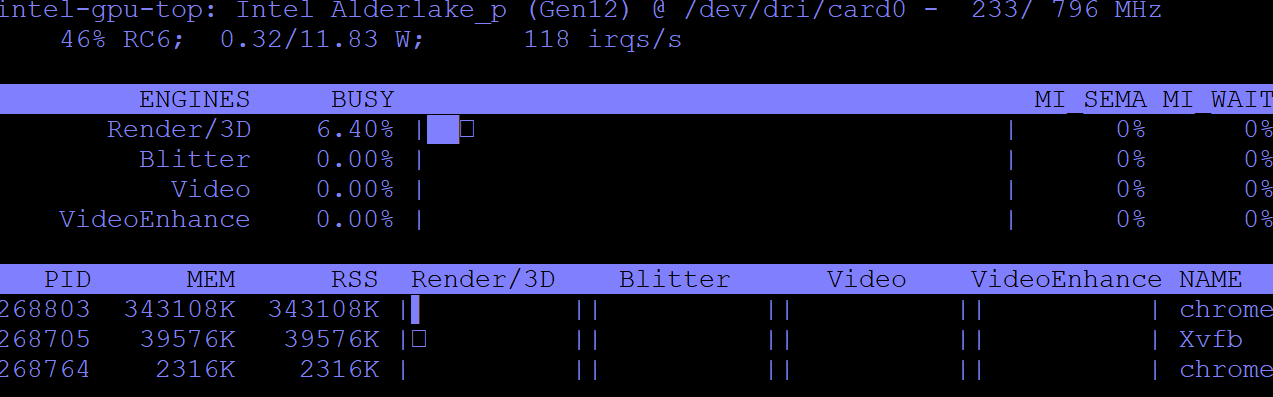
However went to the Capture Codecs screen everything is showed grayed out. I would have thought this would have not been grayed out if a GPU is present.

I checked the logs when starting a channel and it is stating its using h264 for the channel.
[2026/06/08 12:57:17.113 PM] [fs1-u4ow41] Streaming FS1: Sling TV, slingLive, FFmpeg [H264]. Tuned in 3.7s (direct).
Just trying to figure out if I am missing something to get the GPU to output a smoother experience when 60 fps is offered from Sling TV.
1 Like
I would think if Chrome is using GPU you should get HEVC/H.265
Are you running it in a container/LXC or bare metal?
Strange that HEVC is checked, but grayed out.
I get dropped frames too. See this post
When PrismCast uses screen capture (e.g. YTTV), Chrome's encoder produces the video. Chrome doesn't guarantee fixed frame timing
I am running Debian bare metal. I know its supposed to but the log provided shows its rendering with h.264. I expect there to be dropped frames due to it capturing. But it fluctuates from low 52s on average to upper 30s when using the GPU. Its enough to notice often when watching. If I remove the GPU from the docker (this line. --device /dev/dri:/dev/dri) then it uses my cpu at around 33% but it stays pretty consistent at 60 fps with dips maybe to 58. So it seems maybe the GPU isn't fast enough on this chip or maybe a kernel issue. Just trying to figure out if its more of a hardware limitation or if its something else. I am starting to lean toward it being a gpu limitation. I do have a desktop 12400f in storage. I was going to play around with it and see if it handles better than the mini pc that had a laptop chip in it. But still not sure why the h.265 doesn't seem to be respected.