Introducing PrismCast: Browser-based Live TV Capture for Channels DVR and Plex

I noticed there are missing channels, specifically from YouTubeTV - 'Adult Swim' & 'Nickelodeon'.

I've tried to add channels manually and the server side chrome webpage opens and plays, but the ChannelsDVR side view and record do not. While waiting, the PrismCast server side opens and closes a few times and plays each time fine, then eventually just closes and stops trying. (PrismCast is on a different Windows 10 machine)

All the other pre-found YTTV channels work fine.

what should I enter for the manual selection at:
channel key: nickelodeon
display name: Nickelodeon
stream url: ?????? ( tried this --- https://tv.youtube.com/watch/-1-V0jhsLv0 )
profile: autodetect


Doesn't Add channel work?

Go to the Channels tab
Manage Channels > Add channel
Select Service: YouTube TV
Channel Key: nickelodeon
Display Name: Nickelodeon
Stream URL: should auto populate with https://tv.youtube.com/live
Profile: Autodetect
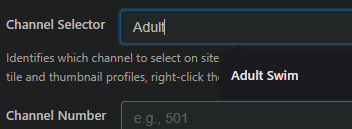
Channel Selector: start keying in Nickelodeon and select it from the dropdown

1 Like

These exact steps were unclear to me or I missed where it was explained.

This worked to add 'Nickelodeon' channel... but did not work for 'Adult Swim' channel. The "channel selector:" box does not contain the adult swim in it's dropdown box. it is on the YTTV live page listings. (maybe because it has a space in the name)

channel key: adultswim
display name: Adult Swim

@bpa_dvr
Does this work for you?

For Adult Swim you probably have to wait until it's airing something to get the selector.

Channels-Filtered

Just checked here and it says the channel starts airing at 5pm my time, which is when the Cartoon Network goes off air. I'll check mine again after 5pm.

UPDATE: Yep, once Adult Swim starts airing, it's available to add as a channel. If you have YouTube TV selected for Channel Lineup Precaching and have YouTube TV in the channels Filter it should work for you.

If you don't see Adult Swim in the channel selector dropdown
image

Force it to rescan the YTTV channels using the API

http://192.168.1.9:5589/services/yttv/channels?refresh=true

[
  {
    "channelSelector": "ABC",
    "name": "ABC 10",
    "affiliate": "ABC"
  },
  {
    "channelSelector": "ABC News Live",
    "name": "ABC News Live"
  },
  {
    "channelSelector": "ACC Network",
    "name": "ACC Network"
  },
  {
    "channelSelector": "Adult Swim",
    "name": "Adult Swim"
  },
1 Like

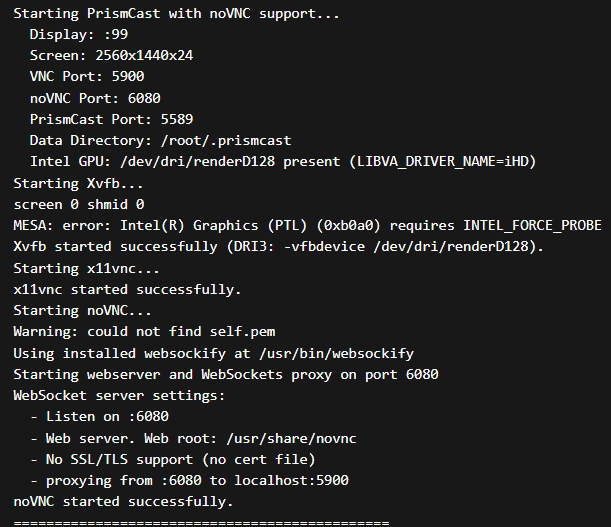
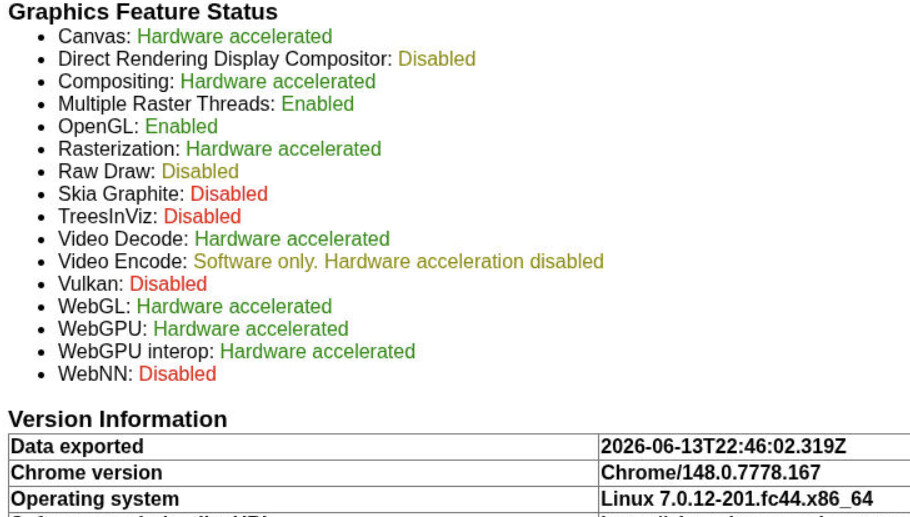
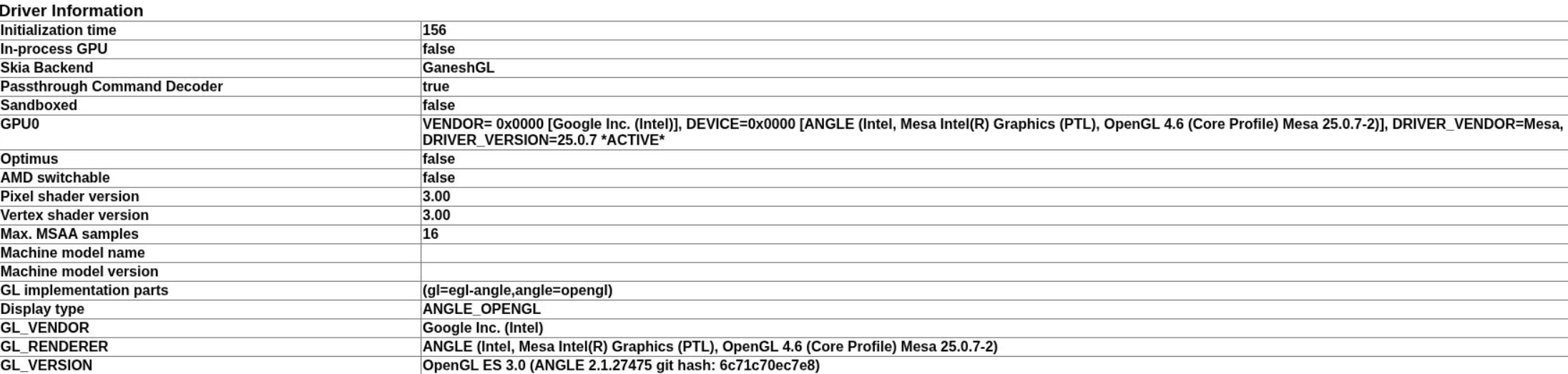
Updated to a new mini pc. Glad I already have ram and hard drives sitting around. Its an Intel Ultra 7 356H. This also brought on other challenges due to how new the hardware is and needed a very new kernel for the Intel Chip, Graphics, and Realtek nic. So I only had a few options to pick from for the OS. Ubuntu 26.04 and Fedora 44. But either way I ran into the same issue since I have brand new Intel Graphics chip onboard. When trying to install the container it stalls when using the --device /dev/dri:/dev/dri. From what I gather it seems what ever is used for the container doesn't allow MESA to work correctly without an INTEL_FORCE_PROBE which I don't know if I can do anything to make it work. I would assume other folks running the latest driver for Xe3 graphics will run into this as well, if their kernel gets upgraded to use the latest intel graphics driver. I am not sure if there is a workaround outside of only using the CPU.

Here is the screenshot from the Container Logs.

Let's try setting INTEL_FORCE_PROBE in your Docker Compose:

services:
  prismcast:
    # 2026.03.13
    # GitHub home for this project with setup instructions: https://github.com/hjdhjd/prismcast.
    # Docker container home for this project: https://github.com/hjdhjd/prismcast/pkgs/container/prismcast.
    image: ghcr.io/hjdhjd/prismcast:${TAG:-latest}
    container_name: prismcast
    hostname: prismcast
    dns_search: ${DOMAIN:-localdomain}
    shm_size: '2gb'
    devices:
      - /dev/dri:/dev/dri
    ports:
      - ${HOST_PORT:-5589}:${PORT:-5589}
      - ${HOST_VNC_PORT:-5900}:${VNC_PORT:-5900}
      - ${HOST_NOVNC_PORT:-6080}:${NOVNC_PORT:-6080}
      - ${HOST_HDHR_PORT:-5004}:${HDHR_PORT:-5004}
    environment:
      - PORT=${PORT:-5589}
      - VNC_PORT=${VNC_PORT:-5900}
      - NOVNC_PORT=${NOVNC_PORT:-6080}
      - HDHR_PORT=${HDHR_PORT:-5004}
      - DISPLAY_NUM=${DISPLAY_NUM:-99}
      - SCREEN_WIDTH=${SCREEN_WIDTH:-1920}
      - SCREEN_HEIGHT=${SCREEN_HEIGHT:-1080}
      - SCREEN_DEPTH=${SCREEN_DEPTH:-24}
      - LIBVA_DRIVER_NAME=${LIBVA_DRIVER_NAME:-iHD} # Override below with LIBVA_DRIVER_NAME=i965 for older Intel GPUs (pre-Gen 9 aka Skylake).
      - INTEL_FORCE_PROBE=${INTEL_FORCE_PROBE}
    healthcheck:
      test: ["CMD", "wget", "-q", "--spider", "http://localhost:${PORT:-5589}/health"]
      interval: 30s
      timeout: 10s
      retries: 3
      start_period: 30s
    volumes:
      - prismcast-data:/root/.prismcast
    restart: unless-stopped
volumes:
  prismcast-data:

With env var overrides along these lines:

TAG=latest
DOMAIN=localdomain
HOST_PORT=5589
PORT=5589
HOST_VNC_PORT=5900
VNC_PORT=5900
HOST_NOVNC_PORT=6080
NOVNC_PORT=6080
HOST_HDHR_PORT=5004
HDHR_PORT=5004
DISPLAY_NUM=99
SCREEN_WIDTH=1920
SCREEN_HEIGHT=1080
SCREEN_DEPTH=24
LIBVA_DRIVER_NAME=iHD
INTEL_FORCE_PROBE=*

Let me know how that goes.

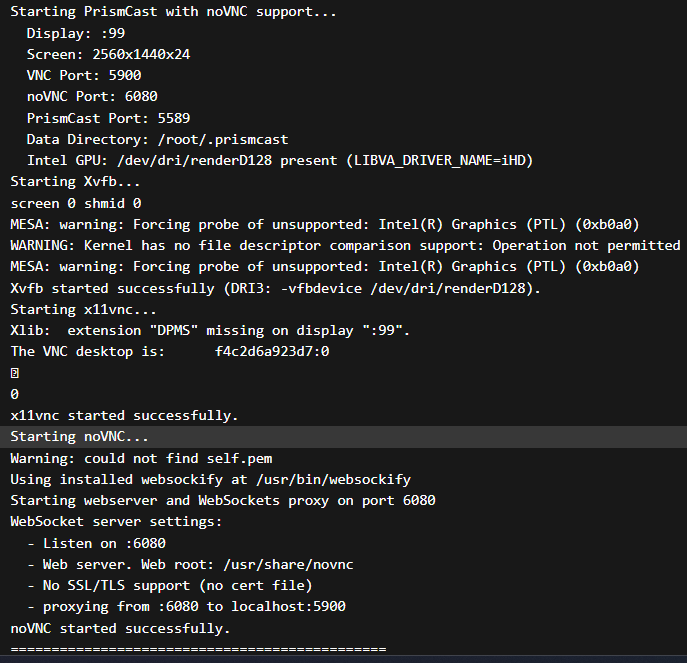
I added the INTEL_FORCE_PROBE=* variable. It no longer fails to load. CPU usage showing around 12 to 14 percent.

Now the dilemma is do I use that or turn off hardware acceleration in the Chrome Browser. What I have found out is if Chrome is using the Hardware accelerated I get lower FPS and more Dropped Output frames. 30-55 fps but usually 43 fps. If I turn off the Use graphics acceleration when available. I use about the same processing power and my FPS will generally stay around 56-60 ish fps.

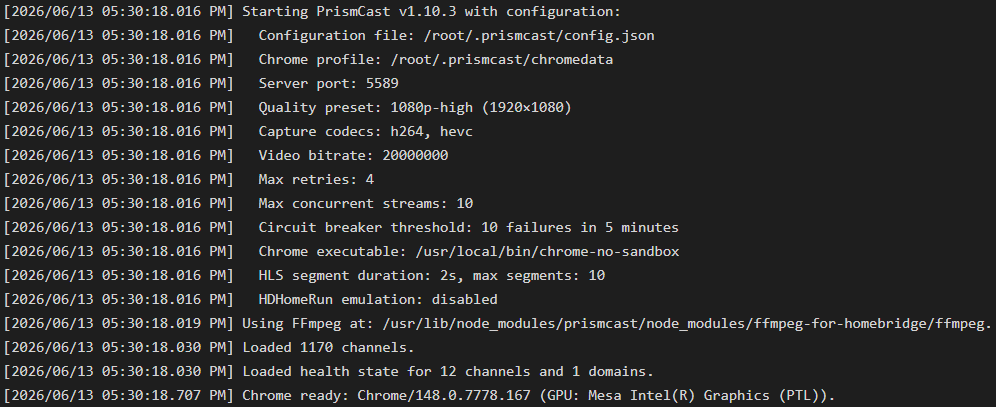
It's still not showing GPU Video Encode
capture

Not much of a dilemma if your CPU usage is the same.

For several years we had no hardware acceleration in Docker with cc4c or more recently PrismCast. But then the people behind the selkies version of Xvfb, came up with something that worked for getting Chrome to use HA with a virtual display. I ran an alpha with a half-a-dozen people, and the consensus was that it worked -- reducing CPU usage by off-loading to the GPU.

Maybe that's changed, or maybe its effectiveness varies based on the CPU/GPU generation or the streaming service used. Whatever the case, you should definitely choose the path that works best for your combination of variables. PrismCast is not a one-size-fits-all solution. For many it's just the thing, for others it's not.

I think it's fair to say that if you want the ultimate in low host resource usage with near-total control of the output stream go with ah4c or ADBTuner. For those that are looking for a strictly software-based solution, PrismCast is the answer. But host hardware, host OS, and streaming service used are parameters that have heightened importance.

2 Likes

And it won't (at least as of this post). Even when running Chrome natively on a Linux host, Video Encode will show as Software Only.

2 Likes

Gotta love it.
It is, but it won't tell you it is.

Thanks for your help @bnhf. I will tell you I didn't realize how often the FPS changes when watching. Example watching FS1. The baseball game usually runs at 60 fps. Then a commercial comes on and now it runs at 30 fps. Then the next commercial could be 30 or 60 fps. You would think it would just be static. But its not.

1 Like

There's just too many variables where prism will fail, I've seen it over and over again. Recording shows interrupted, plays but has black screen with only audio or not, etc. I love that it's an option but it's now going to be my lowest priority source option. And this is with defaults for all of the channels provided, no overrides.

The latest is that Chrome decided on its own that it wants to prohibit the encoder, resulting in a restart. Not to mention that you constantly have to monitor channels that you're interested in to make sure that they're authenticated properly and will record.

Thank you for providing this option, but I have to say that it's high maintenance. And that's okay, I can deal with that since it's the low priority option.

1 Like

Prismcast exits quickly after a restart. I had my server offline for a few days, and when I restarted, Prismcast was no longer working. I've had limited ability to run it as a service, but could always start it manually. Anyway, what happens now is that Chrome appears to load everything up, but then shuts it all down, and when I try to connect to it via localhost:5589 I get "err_connection_refused."

I didn't change anything in the interim but maybe Windows or Chrome did something. I think the browser extension that is used to capture videos has been removed or disabled. I tried uninstalling/reinstalling, and the extension showed on screen briefly, then disappeared and the server didn't finish starting up.

If that's what happened, how do I fix it? For example, can I roll back to an earlier Chrome version and find out how to stop it from updating?

Found the log file, and the most relevant part appears to be:

[2026/06/14 12:12:48.446 AM] e[31m[ERROR] Capture system verification failed during startup: Capture system verification failed after 3 attempts: Capture probe timed out.e[39m
[2026/06/14 12:12:48.446 AM] e[31m[ERROR] Fatal startup error occurred: Capture system verification failed after 3 attempts: Capture probe timed out.e[39m

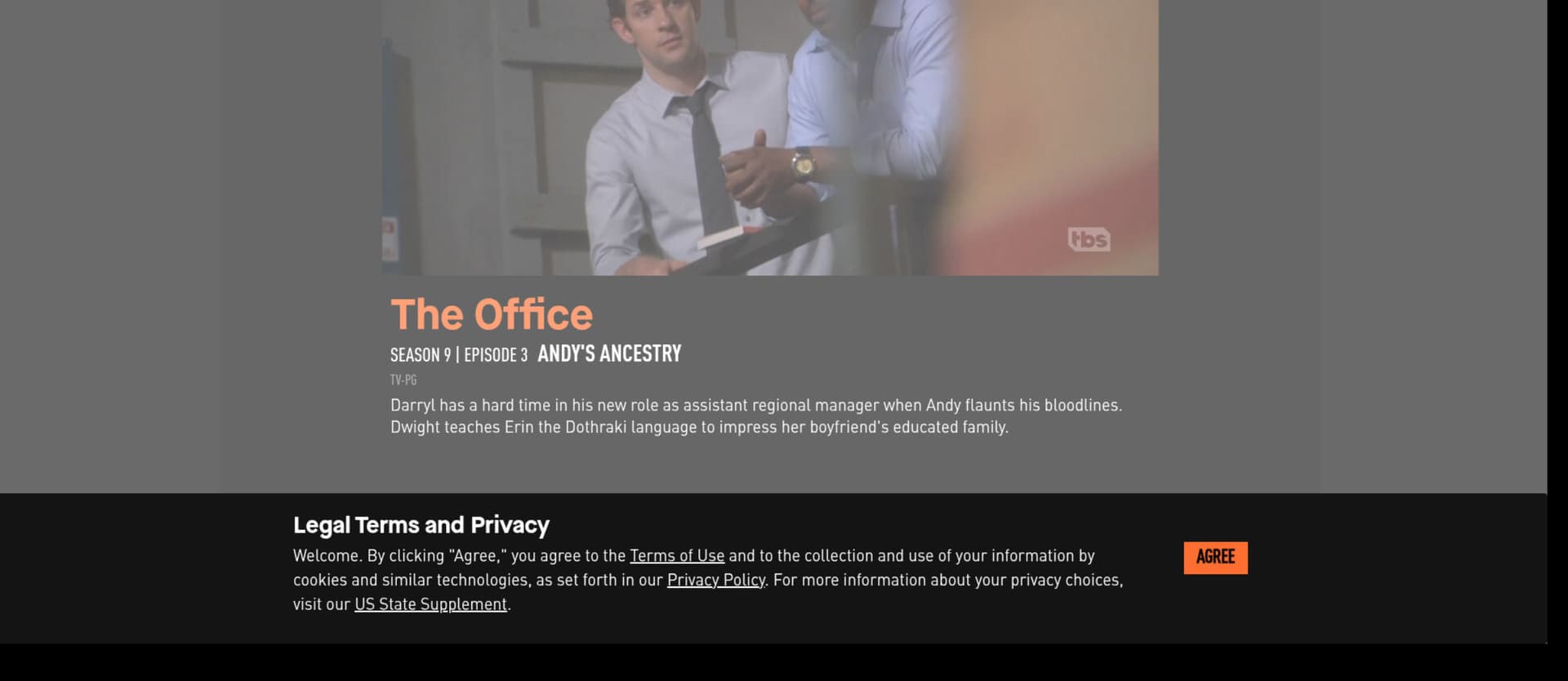
Solve the issue. Since I am running resolution high enough to capture 1080, my VNC window wasn't showing the full screen. Darn "Legal" popup was hidden from my view until I tried to login from my local PC and notice it:

I've found YTTV only is the most reliable. Everything else can vary.

is there any way to get this to capture the closed caption signal from YTTV? (without having YTTV showing cc at all times)

The developer hasn't posted for a month.
I'm going to say NO since it's capturing the Chrome display, not a stream capture.
I use the tv.YTTV channels with it and don't get Closed Captions.
Only the direct network streams using TVE show closed captions.

Am I the only user for which PrismCast has simply stopped working? :sob: