
AI let you down there, as nothing updates automatically in a Docker container. As long as you don't update the container itself, what's contained within will stay as built. This is part of what Docker is all about -- the ability to deploy an application in a known, stable OS within the container environment.
I decided to uninstall prismcast v1.13.0 using brew and install v1.11.1 using npm.
Now back to working with captured channels with no letterboxing.
It's really sad how this project has become I'll add/fix stuff whenever I feel like it and not actively participate. It's a great project but the developer is just doing it for his own whims, apparently.
I'm wondering if you had a full backup on Time Machine, would you just be able to restore and get the previous version back?
I'm running Prismcast 1.13.0 with Chrome locked at v153 No issues at all for now....Ill keep checking in to see if it gets updated/fixed BUT for now I'm leaving it as is.
Yep can confirm that this fixed it. I will probably not upgrade to any future release as long as it continues to work with current Chrome versions. I just don't see any new benefits that justify it now, and other stuff that breaks. Waiting a month or so for a fix doesn't cut it.
It's a very cool project, and the author has specifically asked not to be attacked, and has been up front about what this project is - why go on this tangent? If anything, you'll shoo the developer away from something that we can all use.
1 Like
It's a great project, I said that. But it's also a hit and run project.
Err, maybe, but it's literally described as such in the release notes.
2 Likes
Prismcast was really hard to get up and running, and slowly it has become unusable. Mostly CNN and other channels we darn well subscribe to on Xfinity. I have restarted all services multiple times.
I keep getting an error message "All tuners in use" in the Channels UI, and my server log says:
2026/10/04 14:26:38.669970 [ERR] Could not start stream for M3U-prismcast ch9032 CNN: M3U: Could not fetch playlist from 192.168.1.107:5589: GET: http://192.168.1.107:5589/hls/cnn/stream.m3u8: 503 Service Unavailable.
I am stumped. Help?
When you get that error from Channels, look at the PrismCast log and see what it says.
[2026/10/04 03:24:05.840 PM] [cnn-xzdd4r] Streaming CNN: YouTube TV, youtubeTV, FFmpeg [⚡ H264]. Tuned in 4.6s (direct).
[2026/10/04 02:26:38.660 PM] [ERROR] [cnn-50a5n9] Stream setup failed for https://www.cnn.com/videos/cnn: Stream initialization timed out.
[2026/10/04 02:26:38.668 PM] [cnn-50a5n9] Stream ended after 10s (setup failed).
Now, I have Primcast set to ping Xfinity Stream for CNN, but this looks like it is hitting cnn.com?
Are any other channels working?
The tuner is working for all other sources, but the Prismcast source no longer receives, I think. When I first managed to get Prismcast working, most of the channels that came in were in the 9000-number range, and it sometimes took more than one button call to get a feed to load but it was kind of working ok. Then, fewer and fewer channels worked,and now trying to activate a specific individual channel by forcing a Prism-agent browser connection brings up that Chrome window, but it seems to be going to the guide listing, not extablishing a browser session for that channel/program. Does that make sense?
If you mean the Login button, that's only needed to authenticate to the channel with your provider.
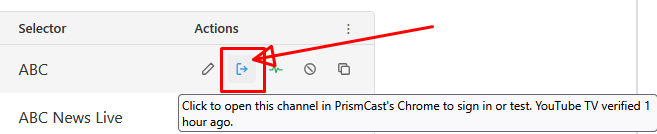
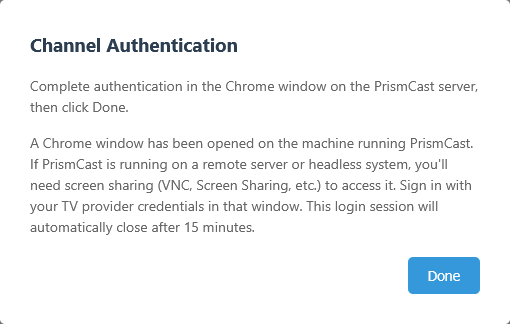
Once you authenticate and click Done you should be able to play the channel in Channels DVR.
That's what I am clicking to try to restart the feed. If I look at the browser window that initiates it is going to Xfinity and then closing before I see what's happening. It might be trying to access some Xfinity guide view, which it didn't do before.
When you click that Login button it's supposed to keep the Chrome browser tab open for up to 15 minutes, or until you click Done (so you can interactively login using your provider)
I installed PrismCast for the first time today, so I had the latest version. I recorded something and saw the results were letterboxed, so I came here and took your advice (thank you) to downgrade to 1.11.1.
However, now I cannot choose 1080p as my quality preset. I am limited to 720p even though my monitor supports 1920x1080. I believe this is due to the 1.11.1 downgrade.
I wanted to try PrismCast because my cable provider (Spectrum) recently completed its high-split upgrade in my area and that caused my CableCard recordings' resolution to be downgraded from 1080i to 720p.
What resolution are you using for your quality preset in PrismCast? If 1080p, are you using a dummy plug or virtual display driver?
It is no longer doing that.