
So you're never seeing the EPG, even with precaching disabled? Just this splash screen? Did you restart PrismCast after disabling precaching?
Yes. I am really stumped here. I have tried endlessly restarting services and apps in all sorts of combos and sequences. Nothing works. Is this possible a Chrome cache issue, and do I just try clearing Prismcast's instance or similar?
I'm not really sure either. What you're reporting doesn't make much sense. You can get to https://xfinity.com/stream/listings if you navigate to that URL yourself (using the PrismCast Chrome instance of course), but PrismCast can't do the same? Maybe someone else will have fresh ideas.
I appreciate your thinking this thru with me. Infuriating, but cutting the cord is faafo for sure lol!
My last couple of log lines have me confused as well. Prismcast seems to think authentication is done, but Xfinity is not returning any channels.
[2026/10/13 02:20:52.576 PM] Re-running channel discovery for xfinity.com to verify authentication after sign-in.
[2026/10/13 02:21:04.989 PM] [WARN] Xfinity Stream channel lineup did not return any channels.
[2026/10/13 02:21:17.479 PM] [WARN] Xfinity Stream channel lineup did not return any channels.
[2026/10/13 02:21:17.479 PM] Precached Xfinity Stream: 0 channels (24.9s).
Have u tried revisiting the sites using the history tab of Chrome and see if u can get to a login page?? Of course be sure to be using the Chrome that Prismcast opens Not the reg Chrome
Prismcast was working well on Windows until I upgraded to 1.14. Now it no longer opens a stream. Reverting to 1.11.1 did not help.
I decided to try a fresh start. I removed the service and rebooted Windows. Uninstalled prismcast and deleted .prismcast directory. Rebooted Windows again. Installed prismcast. Ran through setup again. I selected Youtubtv and signed in.
No change was seen. Clicking any channel brings up the Youtubetv lineup screen. The log shows:
Login mode started for YouTube TV - Watch & DVR Live Sports, Shows & News.
Login tab was closed. Ending login mode.
Login mode ended.
The only option I seem to have is to remove everything again and install fresh at 1.11.1
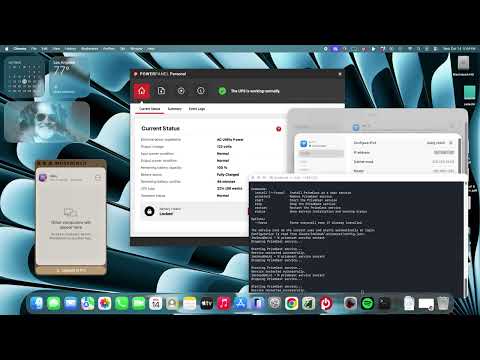
I was starting to think maybe Xfinity stream was the issue. So I bought a month of Youtube TV to see if pointing at that would yield the same behavior. It does. I pointed my channel sources at YT instead of Xfinity. If I look at the headless server via remote connection, I can see Prismcast trying to do its thing and open a tab for YT, but that same fleeting open and close action happens, no matter how many times I click on the channel. See my video.
Here is the error that ChannelsDVR displays.
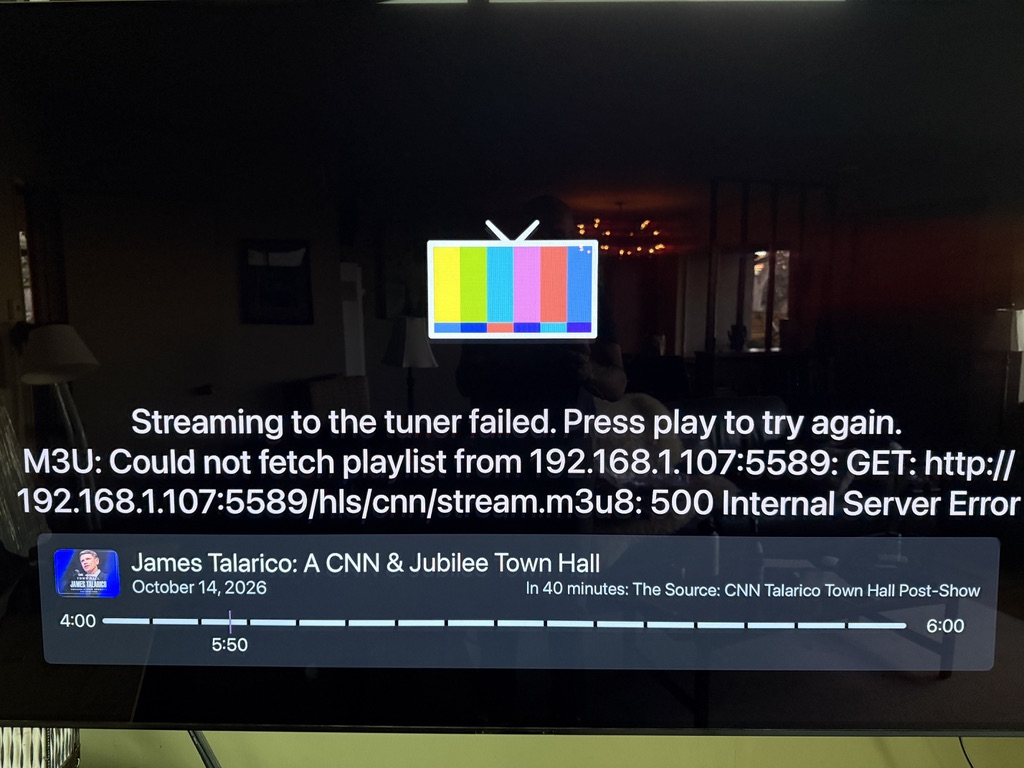
Here are the logs.
[2026/10/14 05:44:30.414 PM] [ERROR] [cnn-13zvt6] Stream setup failed for https://tv.youtube.com/live: Channel selection failed: Channel "CNN" not found in YouTube TV guide.

[2026/10/14 05:44:30.439 PM] [cnn-13zvt6] Stream ended after 2s (setup failed).

[2026/10/14 05:44:30.439 PM] [WARN] Stream setup failed for cnn: Failed to start stream.

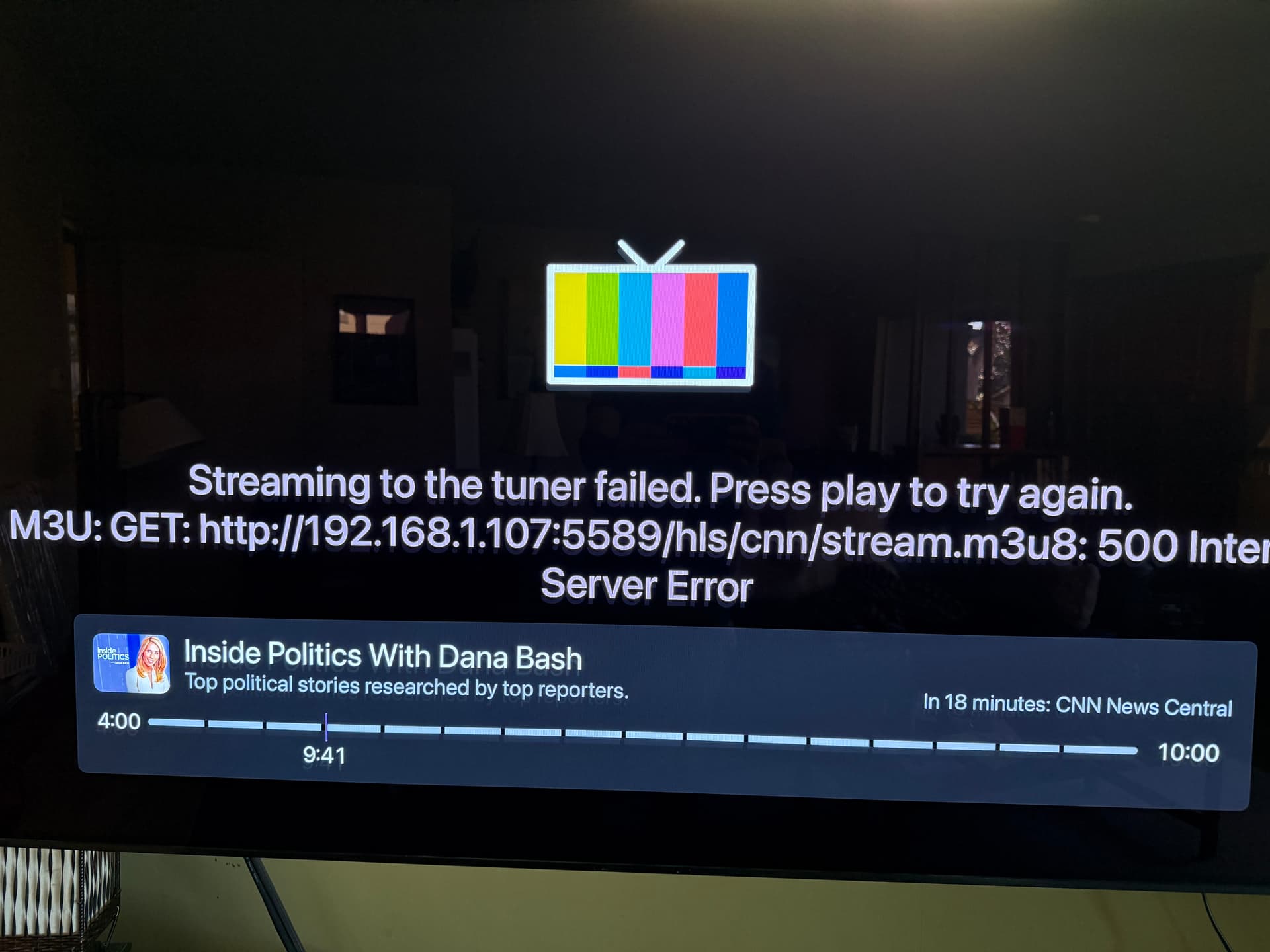
[2026/10/14 05:44:30.443 PM] GET /hls/cnn/stream.m3u8 from 192.168.1.107 responded 500 in 2224.831 ms.

[2026/10/14 05:44:35.061 PM] [WARN] [cnn-4p5rij] Channel "CNN" not found in YouTube TV guide. Create a user-defined channel with one of the names below as the Channel Selector and https://tv.youtube.com/live as the URL. Available channels (uncovered (4 of 6)): Central Coast ABC, Central Coast CW, KION, KSBW.

[2026/10/14 05:44:35.064 PM] [ERROR] [cnn-4p5rij] Stream setup failed for https://tv.youtube.com/live: Channel selection failed: Channel "CNN" not found in YouTube TV guide.

[2026/10/14 05:44:35.089 PM] [cnn-4p5rij] Stream ended after 2s (setup failed).

[2026/10/14 05:44:35.089 PM] [WARN] Stream setup failed for cnn: Failed to start stream.

[2026/10/14 05:44:35.091 PM] GET /hls/cnn/stream.m3u8 from 192.168.1.107 responded 500 in 1907.822 ms.

[2026/10/14 05:58:03.877 PM] [ERROR] [cnn-3hxe9l] Stream setup failed for https://tv.youtube.com/live: Stream initialization timed out.

[2026/10/14 05:58:03.922 PM] [cnn-3hxe9l] Stream ended after 18s (setup failed).

[2026/10/14 05:58:03.922 PM] [WARN] Stream setup failed for cnn: Failed to start stream.

[2026/10/14 05:58:23.441 PM] [ERROR] [cnn-nnbp5s] Stream setup failed for https://tv.youtube.com/live: Capture queue wait timed out.

[2026/10/14 05:58:23.485 PM] [cnn-nnbp5s] Stream ended after 19s (setup failed).

[2026/10/14 05:58:23.485 PM] [WARN] Stream setup failed for cnn: Failed to start stream.

[2026/10/14 05:58:33.858 PM] [ERROR] [cnn-nnbp5s] The browser can no longer start captures (Capture probe timed out). Its running captures continue, new stream requests receive a 503 back-off, and it will relaunch as soon as nothing holds a page on it.

[2026/10/14 05:58:33.859 PM] [cnn-nnbp5s] Restarting the browser because it can no longer start captures (uptime: 0h 24m).

[2026/10/14 05:58:39.799 PM] [WARN] [cnn-nnbp5s] Capture probe attempt 1 of 3 failed: Capture probe timed out. Retrying in 5s.

[2026/10/14 05:58:39.889 PM] [ERROR] [cnn-g40zj2] Stream setup failed for https://tv.youtube.com/live: Connection closed.

[2026/10/14 05:58:39.921 PM] [cnn-g40zj2] Stream ended after 16s (setup failed).

[2026/10/14 05:58:39.921 PM] [WARN] Stream setup failed for cnn: Failed to start stream.

[2026/10/14 05:58:47.889 PM] [ERROR] [hbodrama-m4cxhn] Stream setup failed for https://tv.youtube.com/live: Connection closed.

[2026/10/14 05:58:47.924 PM] [hbodrama-m4cxhn] Stream ended after 17s (setup failed).

[2026/10/14 05:58:47.924 PM] [WARN] Stream setup failed for hbodrama: Failed to start stream.

[2026/10/14 05:58:48.059 PM] [cnn-nnbp5s] Capture system verified successfully.

[2026/10/14 05:58:48.072 PM] [cnn-nnbp5s] Chrome ready: Chrome/155.0.8059.41 (GPU: Apple M4 [AV1, H264, HEVC]).

[2026/10/14 05:58:48.812 PM] [cnn-nnbp5s] Browser restart complete. Fresh instance is ready.

[2026/10/14 05:58:53.856 PM] [WARN] [cnn-nnbp5s] A mid-life capture probe has wedged past the recovery bound; the browser was already marked when the probe's deadline fired, so this wedge is informational.
1 Like
Are you using an older CPU by any chance?
New Mac Mini with M4
It appears something has changed with the YouTubeTV guide page, which looks to me to be a different issue than you were seeing with Xfinity.
As an experiment, can you try creating a new CDVR Custom Channels Source with this text-based M3U?:
#EXTM3U

#EXTINF:-1 channel-id="1111" tvg-id="1111" tvg-chno="1111" tvg-logo="https://tmsimg.fancybits.co/assets/s58646_ll_h15_ac.png?w=360&h=270" tvc-guide-stationid="58646" tvg-name="CNNHD" group-title="HD",CNN HD
http://mac-mini-m4:5589/play?url=https://tv.youtube.com/watch/niY10UGQat0
Change the mac-mini-m4 part to whatever the IP address is for your mac-mini-m4. You could change the three 1111 values to a different channel number if you like as well.
If you use this CDVR source approach, be sure you're tuning to the new channel created by this new source. Alternatively, if you have VLC available, you could also simply use the URL from the above M3U as a "Network Stream" value.
Either way let me know if this gets CNN playing. If so, I can give you a more extensive M3U that will cover more channels.
Thank you thank you thank you! I am away from town dealing with an eldercare crisis but should be home tonight or tomorrow and will take this up and report back (or I will have questions  but thanks in advance for helping me!
Can you walk me a bit thru this part, I don't see an obvious way to create a custom channel with this config in the ChannelsDVR gui.
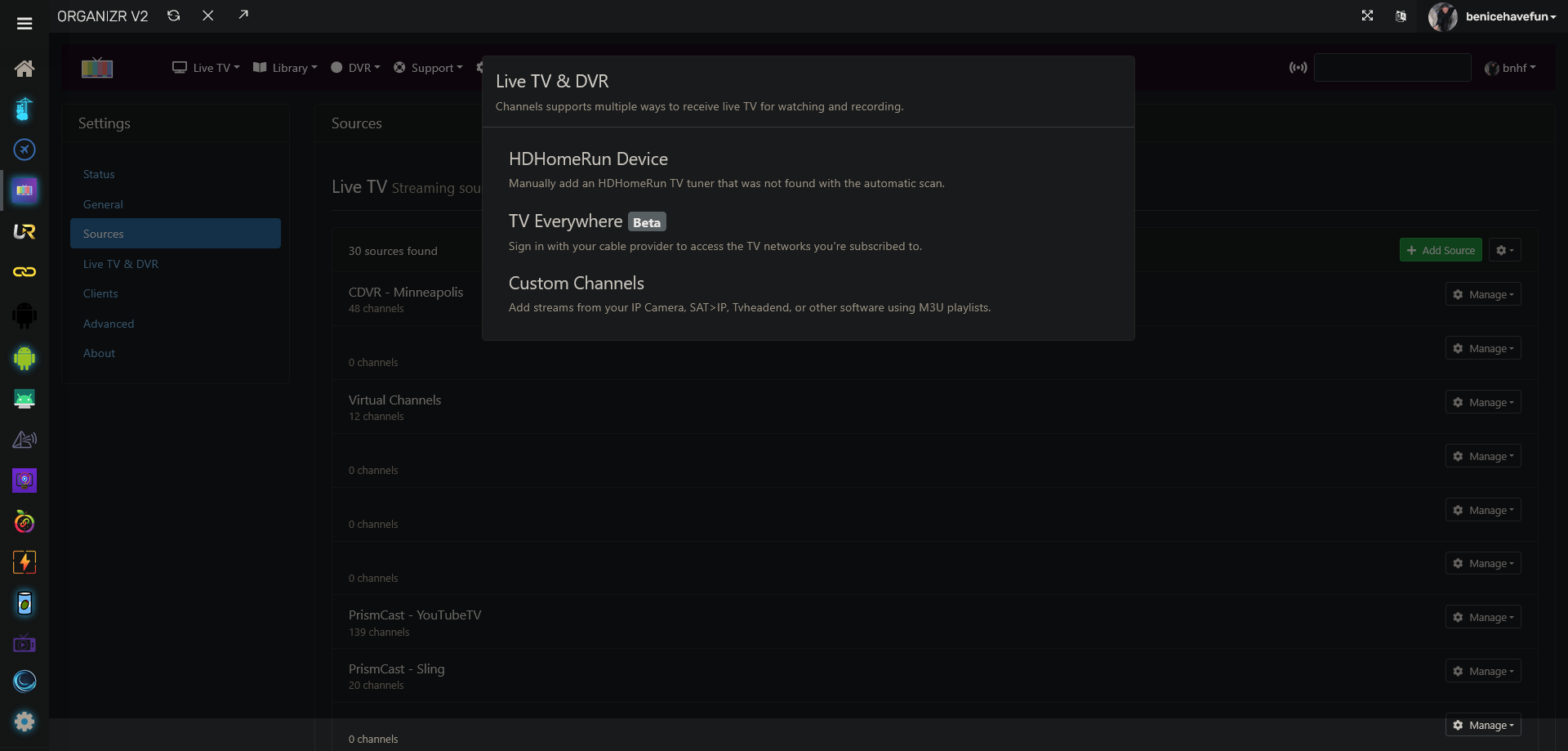
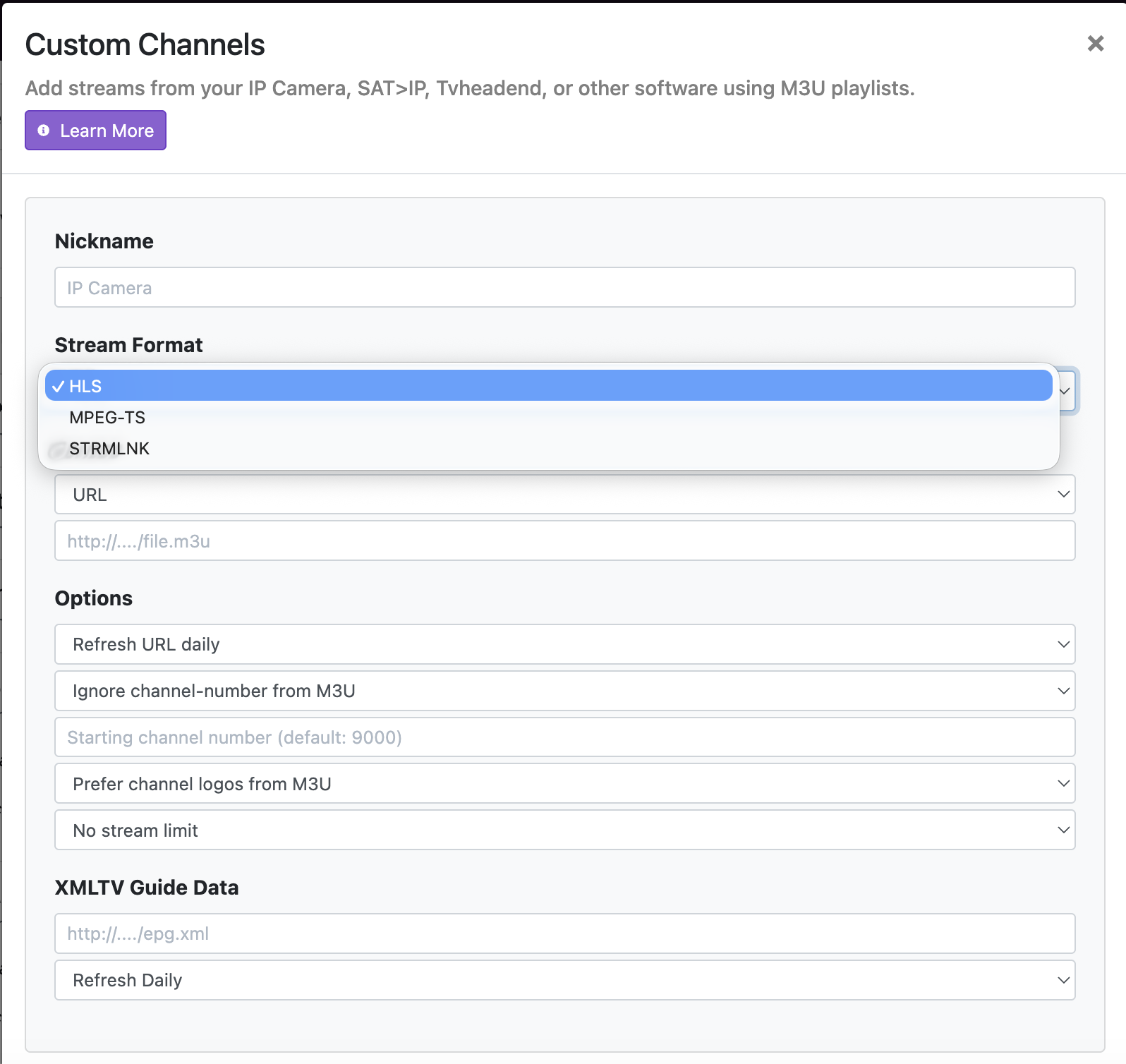
Leave Stream Format as HLS, but change Source from URL to Text.
ah... I will try this asap. Thanks again!
This is how the new channel shows up under management as I configured it, when I find the channel in the HD list in ChDVR it throws this error and the same tab creation in chrome is going on on the server.
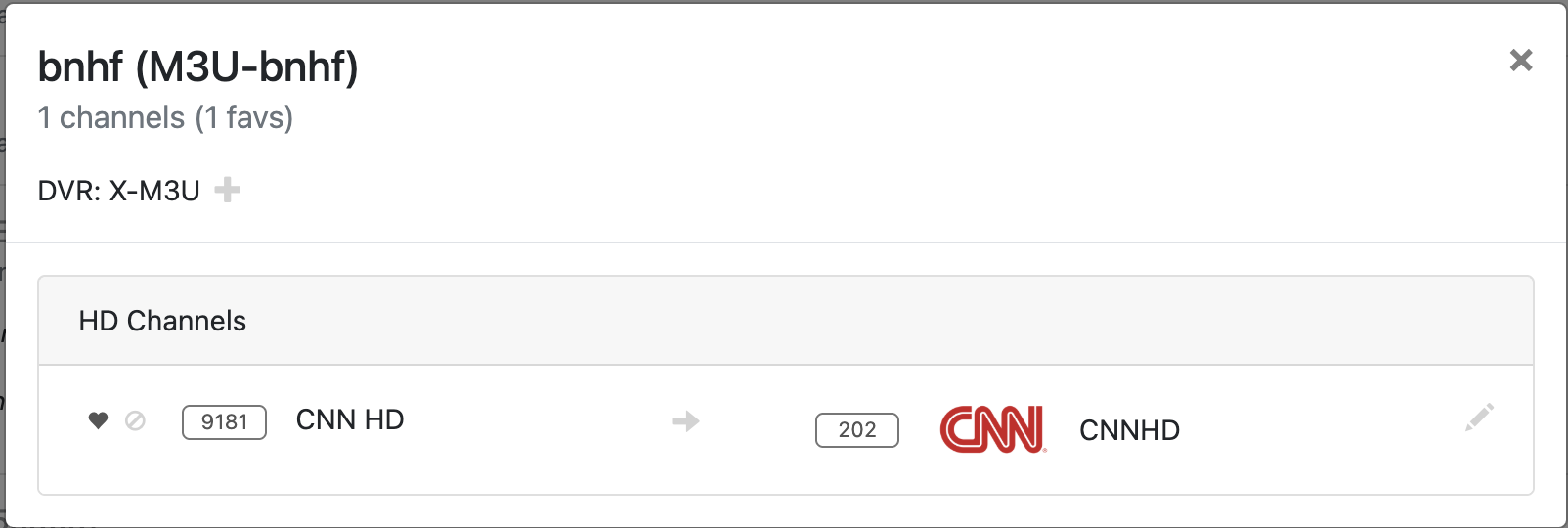
Try going to your new "bnhf" source in the CDVR WebUI EPG, and you should see just this one channel. Tune it from there for this experiment.
Could I see the PrismCast log lines that go with this failed tune?