Issue with recording custom channels sport events - Fix video timestamp resolves the issue

Hi,

I'm having issues recording sporting events on custom channels.

The length of the recording is not correct when the recording finishes.

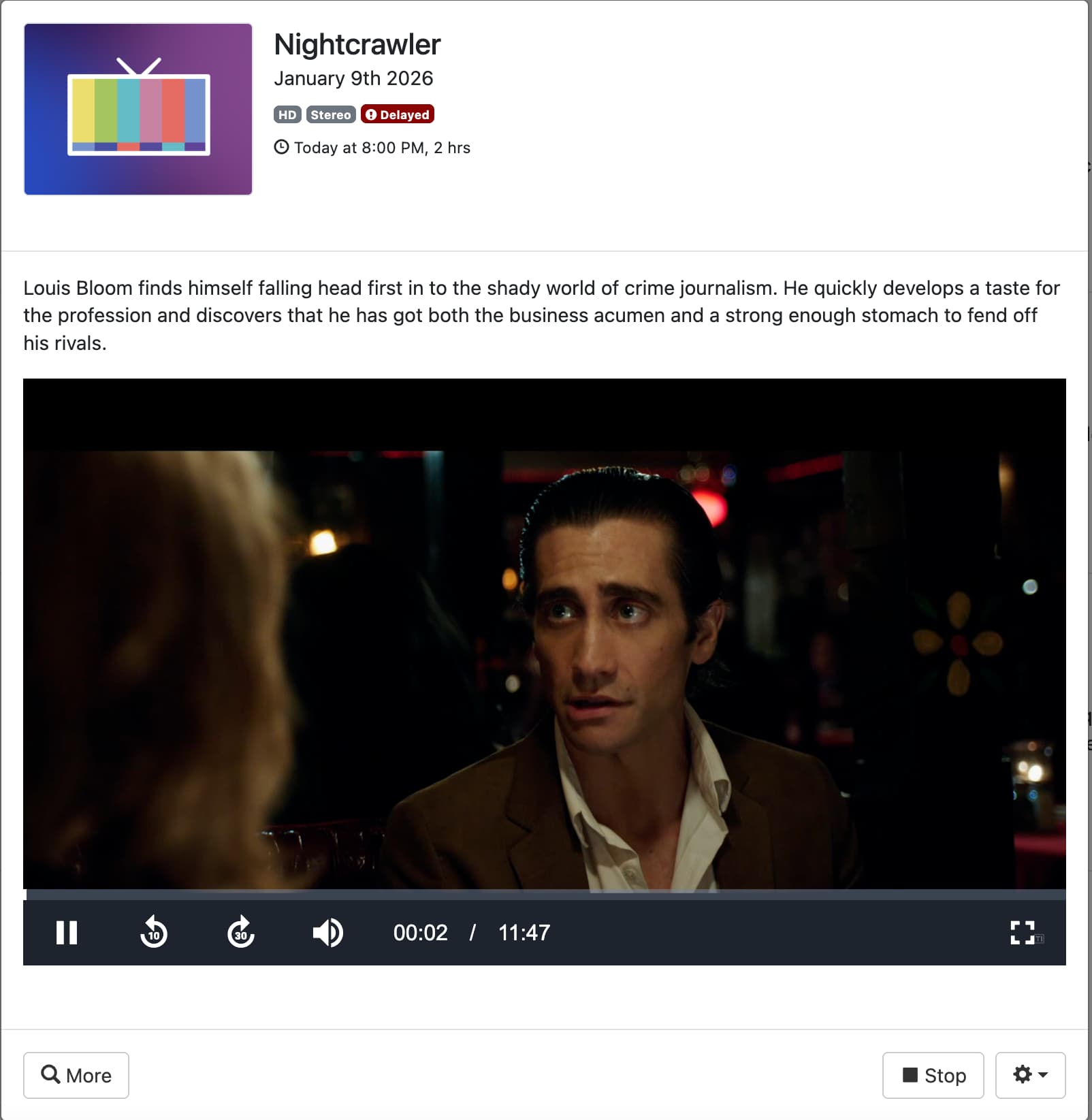
Earlier today I recorded a sports event. I started watching the event while it was still recording and the length showed correctly.

During the event the recording finished and then the length was incorrect. I noticed this when I tried to skip forward it took me to nearly the end of the recording.

I then ran the fix timestamp and this fixed the problem.

I have already made sure that my stream is a consistent format, both video and audio, as I know that if this changes mid-recording, it can cause issues.

This is the recording AFTER I fixed time stamp.

I then have a further recording today that was showing the correct length before the recording ended - I have no screenshot.

I stopped the recording early and I am left with a length of over 24 hours - See below:

I then run fix video timestamps and the length is correct

The issues i'm seeing are:

Length of recording seems to be fine while recording.

I can start watching the event and the length looks ok on the client.

If the recording ends while I'm watching, then the length changes, and if I skip forward, it jumps to the end of the recording or doesn’t let me skip at all.

I saw someone else having this same issue in this topic:

It was advised to add tvc-stream-timestamps="rewrite" to the M3U

I'm not really sure I understand though, where to put this or if this will fix my issue.

I don't know if i'm having issues due to the name of the events being the same or if this is just a coincidence.

Logs: b15bd865-c6aa-4c59-a888-8e4b496f1e28

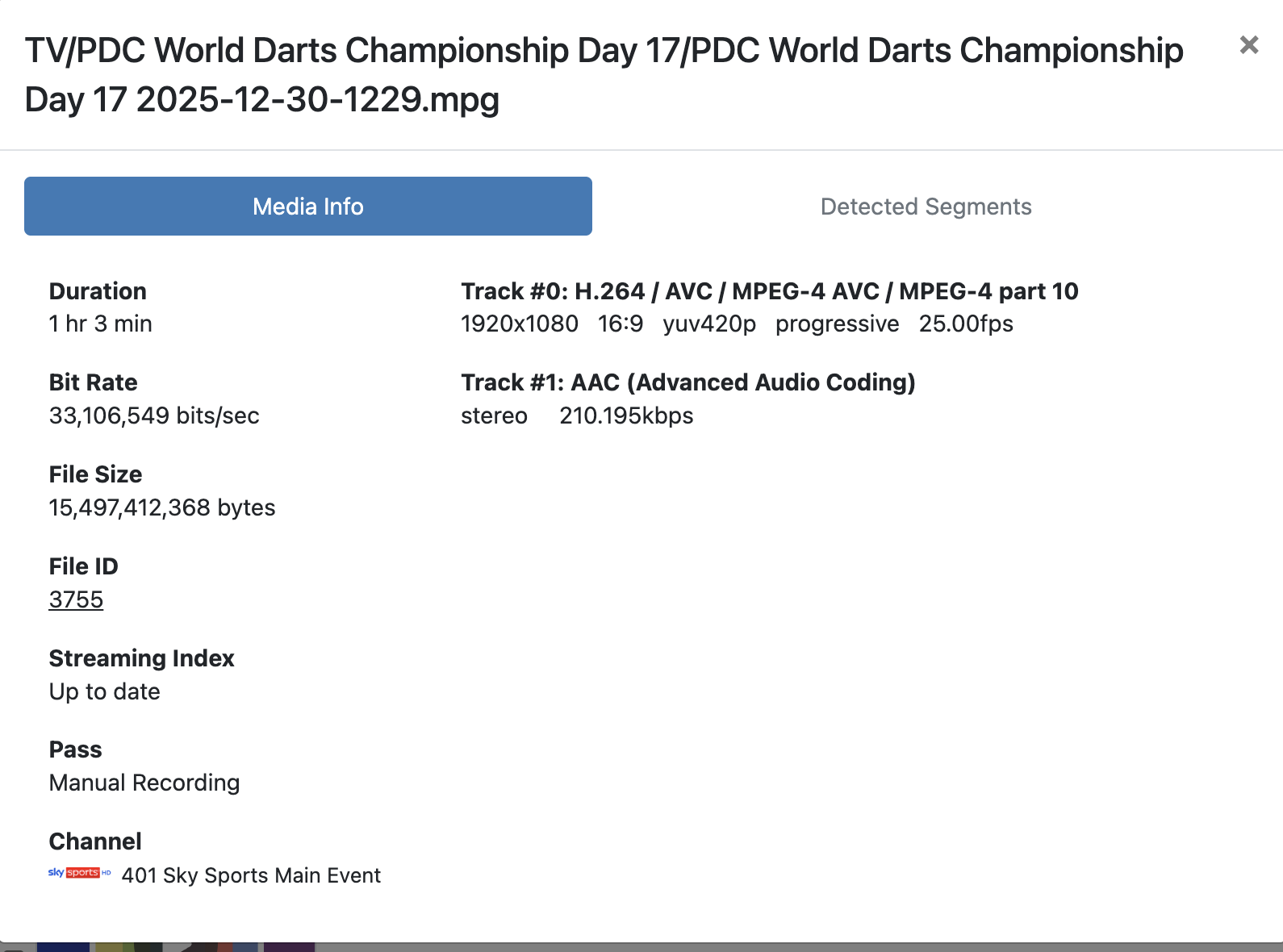
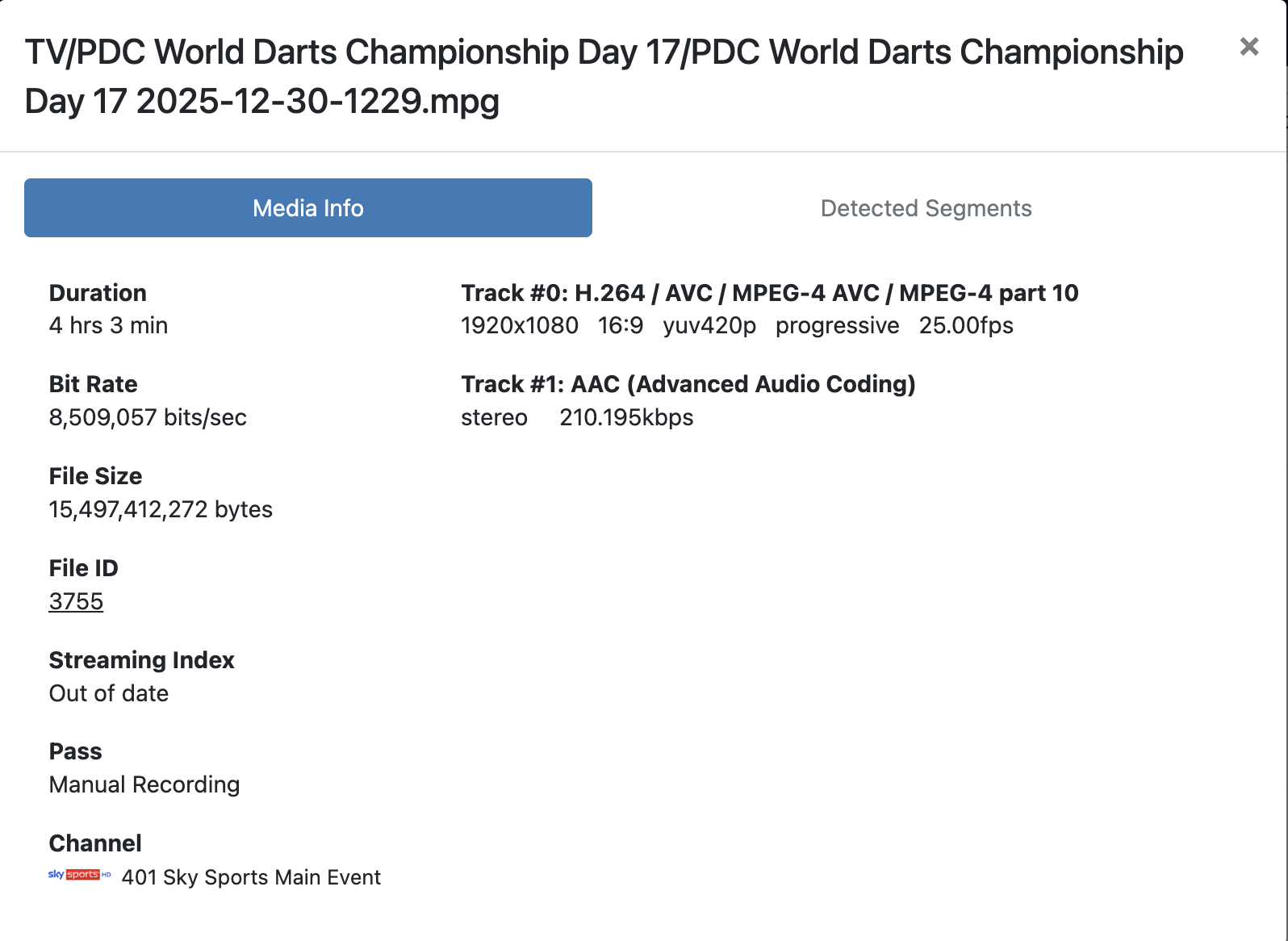
Another example from today. 4 hour show showed 1 hour on completion untill timestamps are fixed.

before:

After:

Logs: f8e3a0bd-8f27-414e-80d8-1fc8c83120c6

I have found that it is very common on any recording over 2 hours especially sporting events that you extend the end time on. It is guaranteed that it gets the interrupted tag and the duration is wrong until running fix video timestamps. If you try to watch it live while recording it can randomly skip to live when fast-forwarding even when you are way behind. It is also annoying because you have to go in and fix it before you can skip commercials. It would be nice to set this to run automatically.

I am also not sure how to add tvc-stream-timestamps="rewrite" to the M3U.

my experience is as you described. a quicker 'fix' could be adding this option in the client app's.
like "Refresh Metadata"

The documentation for Custom Sources is here:

the tvc-stream-timestamps="rewrite" directive is a tag that will go in the m3u contents for each of the channels that it needs to be applied to on the #EXTINF: line.

Again, using MPEG-TS streams across the internet is going to be unreliable (due to the nature of long-running TCP connections across the internet to random sources), and so if it is at all possible, using a source that supports HLS will give a much better experience than MPEG-TS. This is obviously not something that you can just set, it has to be something that the source supports, but if it does, your experience will be much better.

I did figure out the rewrite part, but it didn’t make any difference. I’m also seeing the issue with local SAT>IP streams, so it’s not just online IPTV that’s affected. That said, both are using MPEG-TS.

Someone on the Dispatcharr Discord has written a Python script that I’ve been testing. It compares the expected runtime against the actual length shown in CDVR, then runs “Fix Timestamp” and redoes the commercial detection on completion. I’ve only done limited testing so far, but it’s been a success.

It’s a shame that this kind of functionality doesn’t exist directly in CDVR—even if it were an optional setting that you could enable per source. As mentioned before, setting tvc-stream-timestamps="rewrite" made no difference to my recordings.

I work for a software company, and every piece of software has issues. Some problems are hard—or even impossible—to fix cleanly, and you sometimes have to provide less-than-ideal workarounds as optional features to keep customers happy.

Most people would rather have a workaround than have something not work at all.

1 Like

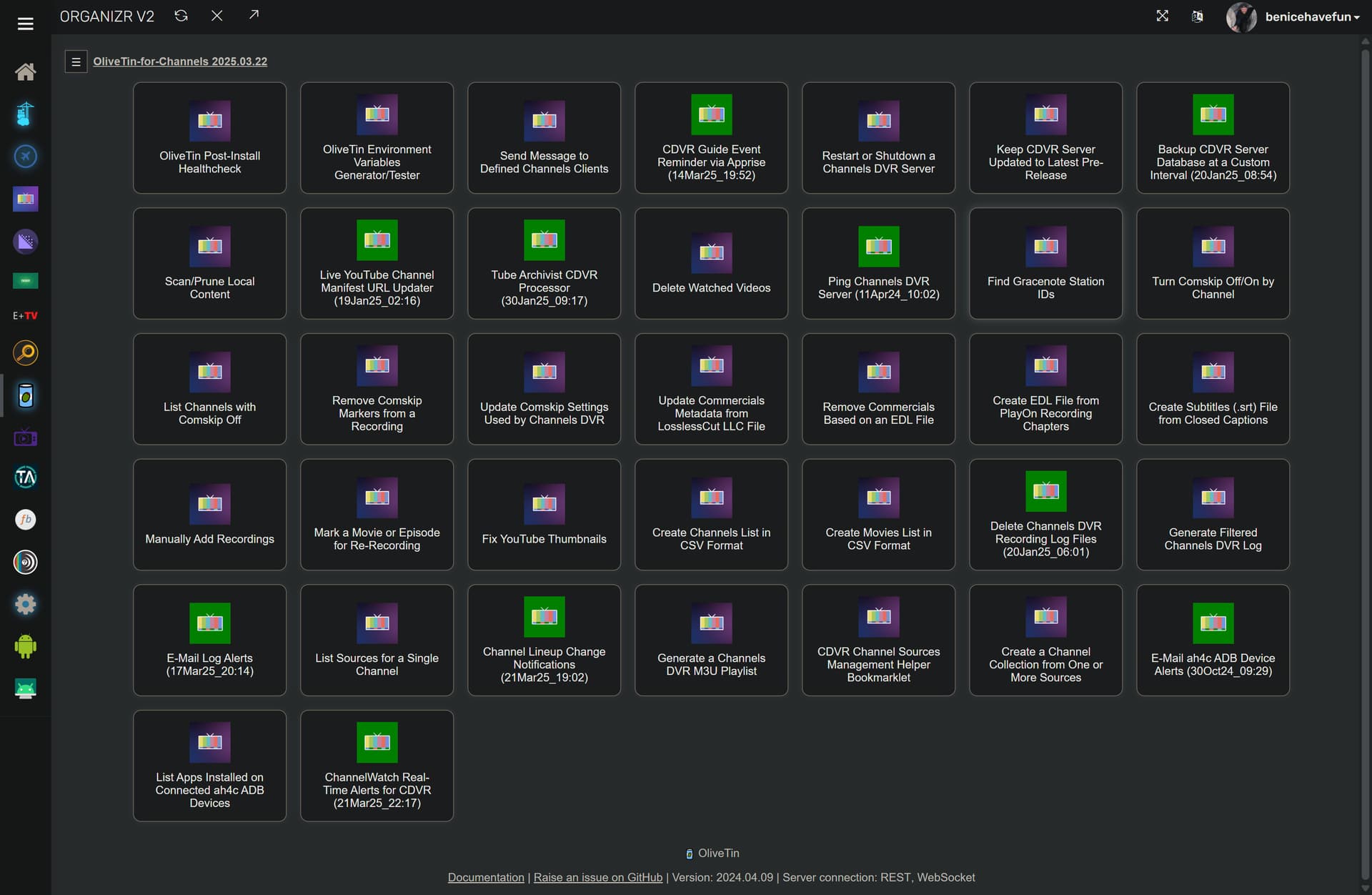
If you can give some additional details on this, I can likely incorporate that script into OliveTin-for-Channels to run on an ongoing basis. All of the icons in green are scripts that are currently running on a recurring basis -- some Python and some not:

Can you give more of an explanation on what this system looks like? I really don't understand how you would have corrupted timestamps on a local system like that. Do you have a device that is re-encoding the stream or is this just being passed along from the satellite source?

That's confusing to me, because that setting literally puts the exact same timestamp rewriter in the process of recording that would be used when you run the Rewrite Timestamps after the fact, so I'm wondering if it didn't get added properly to the m3u.

Can you paste an example channel from your m3u?

I’m still routing the SAT>IP stream through Dispatcharr, as I need to re-encode in order to select the correct audio stream. Without doing this, I end up with audio description on most channels.

This is the FFmpeg command I’m using:

This is my ffmpeg command:

-user_agent {userAgent} -i {streamUrl} -map 0:v:0 -map 0:a:m:language:eng -c copy -f mpegts pipe:1

The route is: Sat Reciever --M3U--> Dispatcharr --M3U--> CDVR

It’s not the most ideal route or setup, but it works perfectly for everything except long-duration events.

Based on this comment, I may have misunderstood how the setting is applied. I assumed it was something that needed to be added to the M3U URL assigned to a source, but is that incorrect?

Does it instead need to be specified as a tag on each channel within the M3U itself? If so, could you provide an example of what that should look like?

This is the URL I was using, which I believed was the correct approach:

http://10.0.60.51:9191/output/m3u/FreeSat?tvc-stream-timestamps=rewrite&cachedlogos=false

It must be applied to each entry in your m3u:

Thank you. I will try this.

I’ve requested permission from the person who wrote the script to see if I can share it. That said, with help from the developers, we may already have a solution now that I understand how it works.

Results from my test:

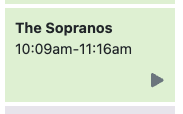
Planned recording:

Screenshot 2026-01-09 at 11.32.50

After Recording:

Logs

2026/01/09 10:09:00.001383 [DVR] Starting job 1767953340-ch251 The Sopranos on ch=[251]

2026/01/09 10:09:00.001487 [DVR] Waiting 5h35m0s until next job 1767973440-68 Garden Rescue

2026/01/09 10:09:01.283837 [TNR] Opened connection to M3U-Sky for ch251 Sky Atlantic

2026/01/09 10:09:01.284222 [DVR] Recording for job 1767953340-ch251 from M3U-Sky ch251 into "TV/The Sopranos/The Sopranos S01E09 2026-01-09-1009.mpg" for 1h6m59.998474068s

2026/01/09 10:09:01.467355 [IDX] Generating video index for job 1767953340-ch251

2026/01/09 10:16:42.696704 [DVR] Waiting 42m17s until next job 1767956340-ch290 Murder by Numbers

2026/01/09 10:41:19.353943 [DVR] Fetched guide data for XMLTV-SkySportsPlus in 144ms

2026/01/09 10:41:19.752486 [DVR] Indexed 1260 airings into XMLTV-SkySportsPlus (70 channels over 72h0m0s) + 0 skipped [398ms index]

2026/01/09 10:41:19.772495 [DVR] pruned 1260 replaced airings in 20ms.

2026/01/09 10:41:19.936891 [DVR] Fetched guide data for XMLTV-SkySports in 124ms

2026/01/09 10:41:20.199458 [DVR] Indexed 551 airings into XMLTV-SkySports (15 channels over 330h0m0s) + 374 skipped [262ms index]

2026/01/09 10:41:20.235139 [DVR] pruned 14 replaced airings in 36ms.

2026/01/09 10:41:20.428440 [DVR] Fetched guide data for XMLTV-Sky in 166ms

2026/01/09 10:41:21.174405 [DVR] Indexed 1828 airings into XMLTV-Sky (29 channels over 74h55m0s) + 896 skipped [746ms index]

2026/01/09 10:41:21.202652 [DVR] pruned 25 replaced airings in 28ms.

2026/01/09 10:41:21.405644 [DVR] Fetched guide data for XMLTV-ParamountPlusUSA in 175ms

2026/01/09 10:41:21.930450 [DVR] Indexed 1818 airings into XMLTV-ParamountPlusUSA (101 channels over 72h0m0s) + 0 skipped [525ms index]

2026/01/09 10:41:21.966003 [DVR] pruned 1818 replaced airings in 36ms.

2026/01/09 10:41:22.046249 [DVR] Fetched guide data for XMLTV-PDCDarts in 53ms

2026/01/09 10:41:22.139732 [DVR] Indexed 144 airings into XMLTV-PDCDarts (8 channels over 72h0m0s) + 0 skipped [93ms index]

2026/01/09 10:41:22.177948 [DVR] pruned 152 replaced airings in 38ms.

2026/01/09 10:41:22.354931 [DVR] Fetched guide data for XMLTV-Kids in 152ms

2026/01/09 10:41:22.899267 [DVR] Indexed 1421 airings into XMLTV-Kids (24 channels over 72h13m0s) + 1172 skipped [544ms index]

2026/01/09 10:41:22.939764 [DVR] pruned 155 replaced airings in 40ms.

2026/01/09 10:41:24.371387 [DVR] Waiting 17m36s until next job 1767956340-ch290 Murder by Numbers

2026/01/09 10:59:00.000977 [DVR] Starting job 1767956340-ch290 Murder by Numbers on ch=[290]

2026/01/09 10:59:00.001031 [DVR] Waiting 4h45m0s until next job 1767973440-68 Garden Rescue

2026/01/09 10:59:20.001796 [ERR] Failed to start stream on channel 290 via M3U-Sky: M3U: 901 Tuner Unreachable: Timeout after 20s connecting to: http://10.0.60.51:9191/proxy/ts/stream/54b77e8e-f743-44b6-a6da-8f94ad1a6aa2

2026/01/09 10:59:20.015121 [DVR] Error running job 1767956340-ch290 Murder by Numbers: could not start stream on channels=[290]: M3U: 901 Tuner Unreachable: Timeout after 20s connecting to: http://10.0.60.51:9191/proxy/ts/stream/54b77e8e-f743-44b6-a6da-8f94ad1a6aa2

2026/01/09 10:59:21.043718 [DVR] Starting job 1767956340-ch290 Murder by Numbers on ch=[290]

2026/01/09 10:59:21.043773 [DVR] Waiting 4h44m39s until next job 1767973440-68 Garden Rescue

2026/01/09 10:59:32.630527 [TNR] Opened connection to M3U-Sky for ch290 SKY CINEMA THRILLER

2026/01/09 10:59:32.633181 [DVR] Recording for job 1767956340-ch290 from M3U-Sky ch290 into "TV/Murder by Numbers/Murder by Numbers 2026-01-09-1059.mpg" for 2h16m38.956193999s

2026/01/09 10:59:32.793892 [IDX] Generating video index for job 1767956340-ch290

2026/01/09 11:16:00.004845 [TNR] Closed connection to M3U-Sky for ch251 Sky Atlantic

2026/01/09 11:16:00.041791 [SNR] Buffer statistics for "TV/The Sopranos/The Sopranos S01E09 2026-01-09-1009.mpg": buf=0% drop=0%

2026/01/09 11:16:00.076162 [MTS] Statistics for "TV/The Sopranos/The Sopranos S01E09 2026-01-09-1009.mpg": unhandled_packets=10 discontinuity_detected=30 transport_errors=0 saw_pcr=true saw_pmt=true highest_pts=1405.498667

2026/01/09 11:16:00.090992 [DVR] Finished job 1767953340-ch251 The Sopranos

2026/01/09 11:16:00.178336 [DVR] Waiting 4h28m0s until next job 1767973440-68 Garden Rescue

2026/01/09 11:16:00.207807 [DVR] Processing file-3847: TV/The Sopranos/The Sopranos S01E09 2026-01-09-1009.mpg

2026/01/09 11:16:00.960696 [DVR] Running commercial detection on file 3847 (TV/The Sopranos/The Sopranos S01E09 2026-01-09-1009.mpg)

2026/01/09 11:17:57.992675 [DVR] Commercial detection for The Sopranos S01E09 2026-01-09-1009.mpg finished with 12 markers in 1m57s (12 threads).

2026/01/09 11:21:00.000232 [TNR] Closed connection to M3U-Sky for ch281 SKY CINEMA ANIMATION

2026/01/09 11:21:00.028033 [SNR] Buffer statistics for "TV/Teen Titans Go! & DC Super Hero Girls Mayhem in the Multiverse/Teen Titans Go! & DC Super Hero Girls Mayhem in the Multiverse 2026-01-09-0949.mpg": buf=0%-1% drop=0%

2026/01/09 11:21:00.060990 [MTS] Statistics for "TV/Teen Titans Go! & DC Super Hero Girls Mayhem in the Multiverse/Teen Titans Go! & DC Super Hero Girls Mayhem in the Multiverse 2026-01-09-0949.mpg": discontinuity_detected=0 transport_errors=0 saw_pcr=true saw_pmt=true highest_pts=5545.861333

2026/01/09 11:21:00.067803 [DVR] Finished job 1767952140-ch281 Teen Titans Go! & DC Super Hero Girls: Mayhem in the Multiverse

2026/01/09 11:21:00.142514 [DVR] Waiting 4h23m0s until next job 1767973440-68 Garden Rescue

2026/01/09 11:21:00.163421 [DVR] Processing file-3846: TV/Teen Titans Go! & DC Super Hero Girls Mayhem in the Multiverse/Teen Titans Go! & DC Super Hero Girls Mayhem in the Multiverse 2026-01-09-0949.mpg

2026/01/09 11:21:00.686950 [DVR] Running commercial detection on file 3846 (TV/Teen Titans Go! & DC Super Hero Girls Mayhem in the Multiverse/Teen Titans Go! & DC Super Hero Girls Mayhem in the Multiverse 2026-01-09-0949.mpg)

2026/01/09 11:23:32.387771 [DVR] Commercial detection failed for Teen Titans Go! & DC Super Hero Girls Mayhem in the Multiverse 2026-01-09-0949.mpg: comskip did not detect any commercials

After Fix Timestamps:

My M3U:


#EXTINF:-1 tvc-stream-timestamps="rewrite" tvg-id="251" tvg-name="Sky Atlantic" tvg-logo="https://raw.githubusercontent.com/CurtisFeatures/tv-logos/refs/heads/main/countries/united-kingdom/hd/sky-atlantic-hd-uk.png" tvg-chno="251" group-title="Entertainment",Sky Atlantic

http://10.0.60.51:9191/proxy/ts/stream/969c38a8-095a-4c1e-8f2e-eff0e94bf223

I had another recording at the same time (but longer) work fine.
I get this is to do with the reliability of the stream but if fixing the timestamp fixes it and i'm able watch the entire show without any issues (which from past experience i can) then something must be able to be done in CDVR to cater for this. Please confirm if the M3U change i made is correct and if there is anything else i should have done in CDVR after making this change.

The fact that i can watch a recording "nearly live" and it works fine until the recording ends surely says that the timestamps are correct throughout the stream.


Yes, that should work. I'm definitely surprised it did not fix the issue. I realize that you may have needed to select "Reload M3U" after you updated it for the DVR to see it.

One thing I realized is that if you're getting weird timestamps from your source and you're already using ffmpeg, if you add this to your ffmpeg command it could fix it for you: -fflags +genpts

Is the duration on these recordings generally very small or did this one just happen to be small?

I uploaded a new M3U file with hardcoded entires so this should have covered that.

I have tried with and without that command and it made no difference on previous attempts. I have re added it to test.

The times vary, sometimes they are really short (seconds) other times they are 3 hours of a 4 hour recording.

I have had more successful tests today than unsuccessfully but i'm still continuing to test.

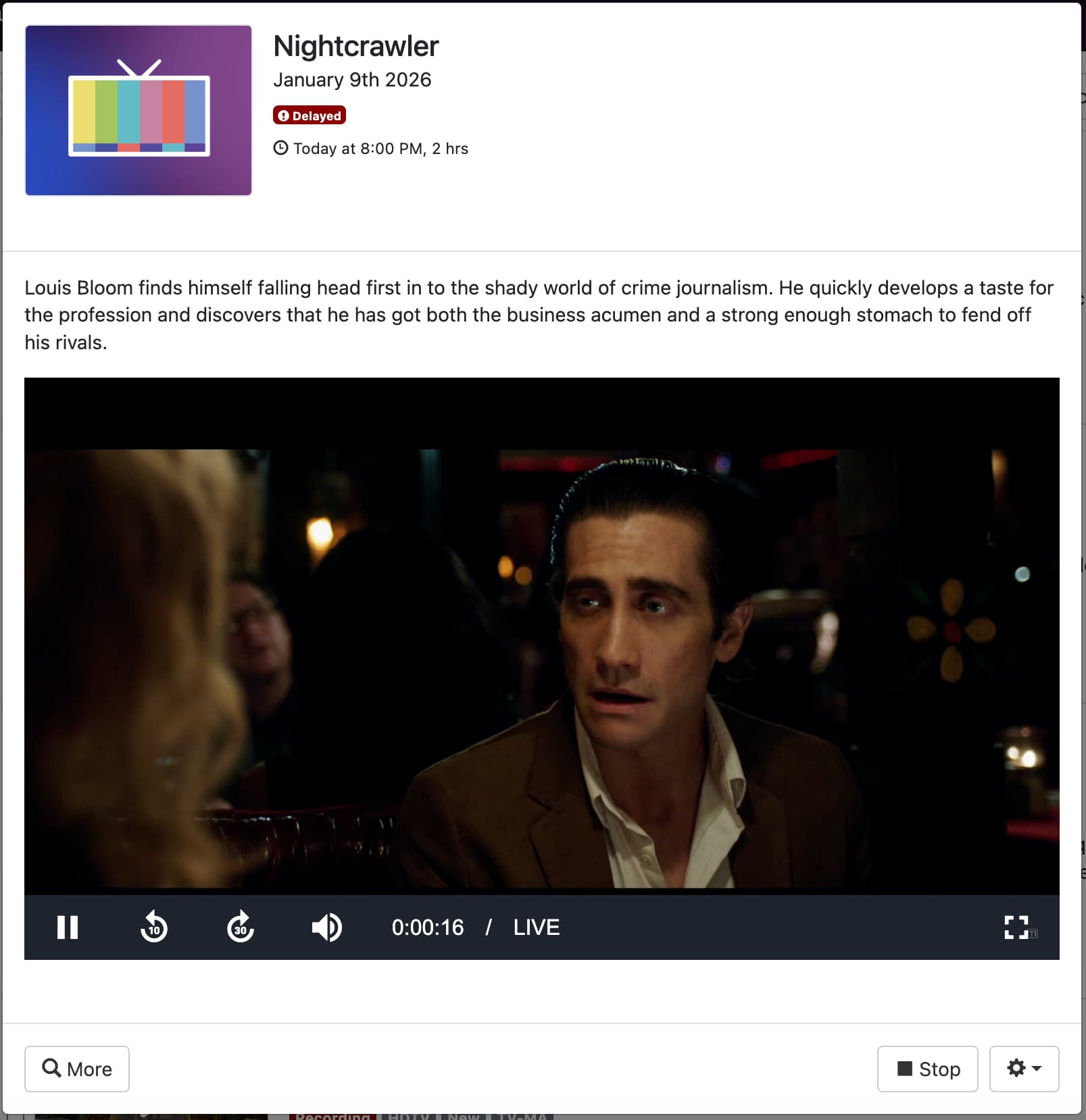
One thing i have noticed though is that now i have added tvc-stream-timestamps="rewrite" when i try to watch a in progress recording it starts at the start of the recording, but shows as live and I can't time shift.

This is a recording i just test going in the middle of a show, as you can see when i play the recording it shows as if its Live and i cant time shift.. when in fact this is the start of the recording as when i stop and start it, it starts in the same place. This did not happen before adding the new command to the M3U

If i stop the recording it then works as expected

If you could make a recording with and without the rewrite directive and upload them it could be helpful for us to identify what sort of issue is going on here. The issue you're having is very confusing and sounds like a misbehaving encoder, but the fact that none of these solutions have helped doesn't make much sense.

https://www.dropbox.com/request/MMjICRc053JJpSBPDIfQ

Sending diagnostics again would also be helpful.

Can this issue also show up when playing custom channels live? I'm constantly seeing live channels showing that I am behind on the timeline despite being live, also having issues with the audio being delayed by ~300ms.

I have been doing excessive testing and everything seems to be working a lot better now after adding tvc-stream-timestamps="rewrite" to my M3U and restarting everything.

I have had no failed recordings in the last 8 days.

The only issue that remains is that i'm still unable to time skip a recording thats currently in progress in the web interface as detailed in this post Issue with recording custom channels sport events - Fix video timestamp resolves the issue - #15 by CurtisFeatures

Everything works fine within the CDVR Apple TV app though.

Thanks for sticking with this! I do suspect more users will look into CDVR for use with Dispatcharr.

This is normal for web playback and depends on the browser used