
Logs submitted at 7:46AM PDT using 4.14.1914...Thanks!
As a point of reference, I have a friend who shares my antenna and ChannelsDVR and connects remotely using her Apple TV 4K and using port forwarding on my router to reach my ChannelsDVR.
I had her check the Today show this morning which she was watching live and she stated that after 2 1/4 hours of live TV the audio and video were still in sync. She had started the TV well before the Today show came on.
Hence it looks like the problem only manifests itself when the Apple TV 4Ks are local to the ChannelsDVR LAN network with the HDHomeRun device(s).
Please go to Settings -> Playback -> Advanced and change Deinterlacing Mode to something other than Hardware and let us know if that resolves your issue.
We've noticed all of the people who are having trouble are playing interlaced content. None of my local channels are interlaced, which could explain why I haven't been able to reproduce the issue locally.
1 Like
2 hours in and all is well. Deinterlacing mode Linear (60fps)
Changed from Hardware to Linear and it started doing it again 1 hour, 45 minutes in to watching the same local channel. This did not fix the issue.
1 Like
What are the steps to submit? I am not on a beta.
2 hours and 45 minutes with no issues here after switching to Linear. Going to let it run for hours tomorrow while I work, but so far so good. Note: This is also with the latest beta.
1 Like
If setting the deinterlacing mode to anything other than hardware; does that point to a tvOS issue? My understanding is that Channels DVR will handle deinterlacing when set to anything other than hardware and tvOS will handle deinterlacing when set to hardware. This issue did start after I updated to tvOS 26.4.
My experience was that this started the day after I upgraded to 26.4. Given the current workaround, it seems clear that Apple introduced a bug on the tvOS side.
1 Like
tvOS 26.4 Adds These New Features to Your Apple TV - MacRumors
Continuous Audio Connection
Apple says tvOS 26.4 fixes an issue with audio playback on Apple TV 4K that can occur when sound transitions between programs with different formats.
Specifically, there is a new "Continuous Audio Connection" setting in the Settings app, under Video and Audio → Audio Format → HDMI Output.
"Apple TV uses a Dolby MAT connection for glitch-free playback across formats," reads Apple's description of the setting. "Older receivers may indicate an Atmos connection, but original mixes will not be modified."
https://www.msn.com/en-us/news/technology/a-new-tvos-feature-may-be-wrecking-your-apple-tvs-audio/ar-AA20FPPY
I have 4 AppleTV-s. Seeing this on all 4. Moving to linear this AM. This has to be a bug in the update that was pushed. Just FYI
Resolved for me as well using 60fps linear deinterlacing. A TVOS HW deinterlacer issue makes sense why I was never able to find one of the testflight betas that didn't have the issue...
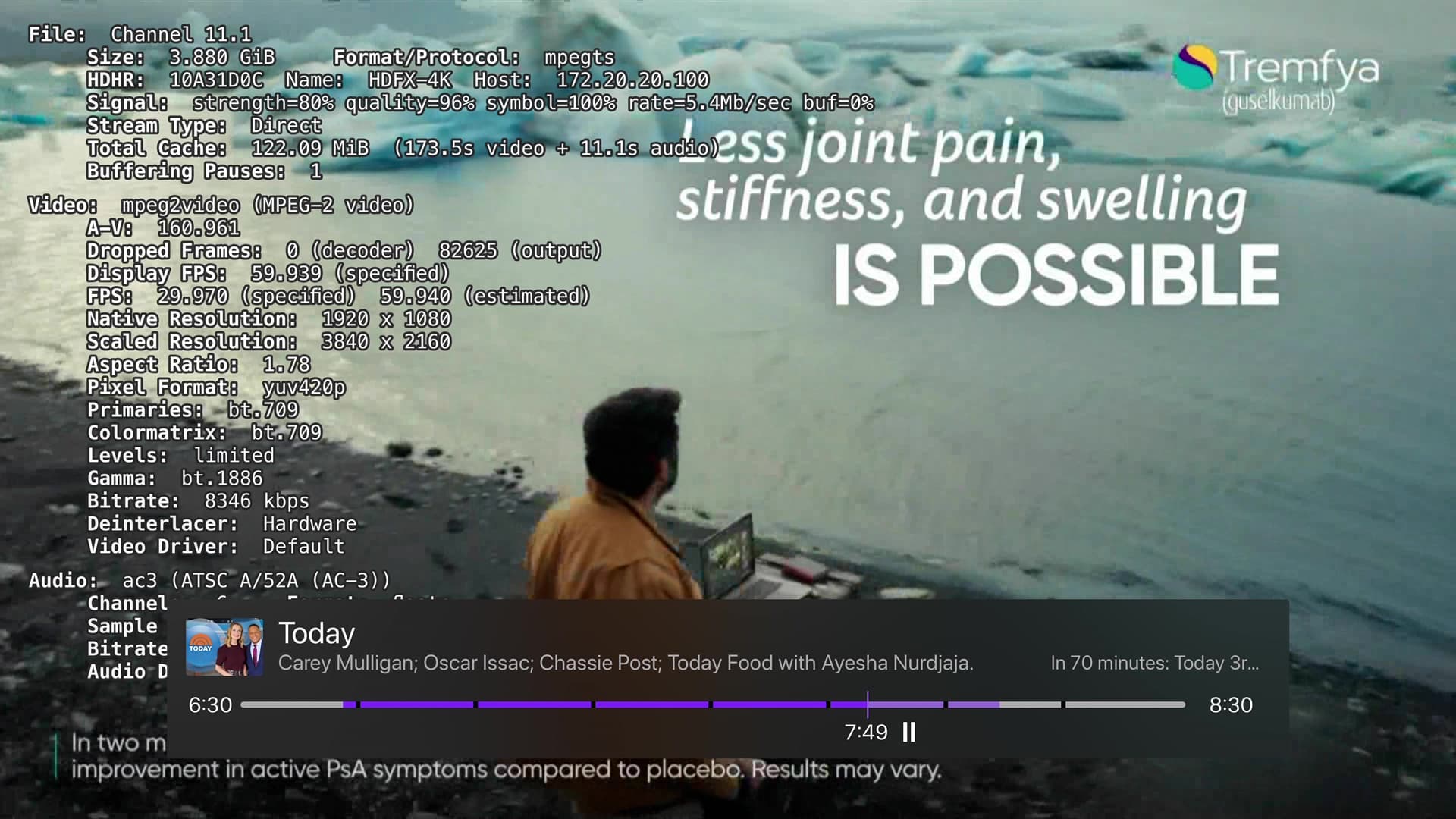
It would point to something going on in our hardware deinterlacer that may be a bug in our code or may be a regression in the OS that we are running into. If we get confirmation from everyone that switching off the hardware deinterlacer solves the problem, it gives us a good place to start looking.
1 Like
Running latest beta, changed to 60fps linear.
No issues so far.
1 Like
Changed the Deinterlacing Mode to Linear 60fps on the current public release on my AppleTV 4K and after running the TV for over 2 1/2 hours did not see the problem this morning.
Will continue to monitor and report my findings.
1 Like
Let my TV run for just a shade under 9 hours on the channel we were experiencing this issue on. This is with the latest beta and with Hardware De-interlacing turned off and everything ran without issue. This workaround is the way.
FWIW - Ran 2 ATV4k's (with Channels DVR) all day long and no problems today. Not using TestFlight version (though I have it). Appreciate everyone looking into it -
It was happening as far back as 26.2.