Here's what I get with that same search:
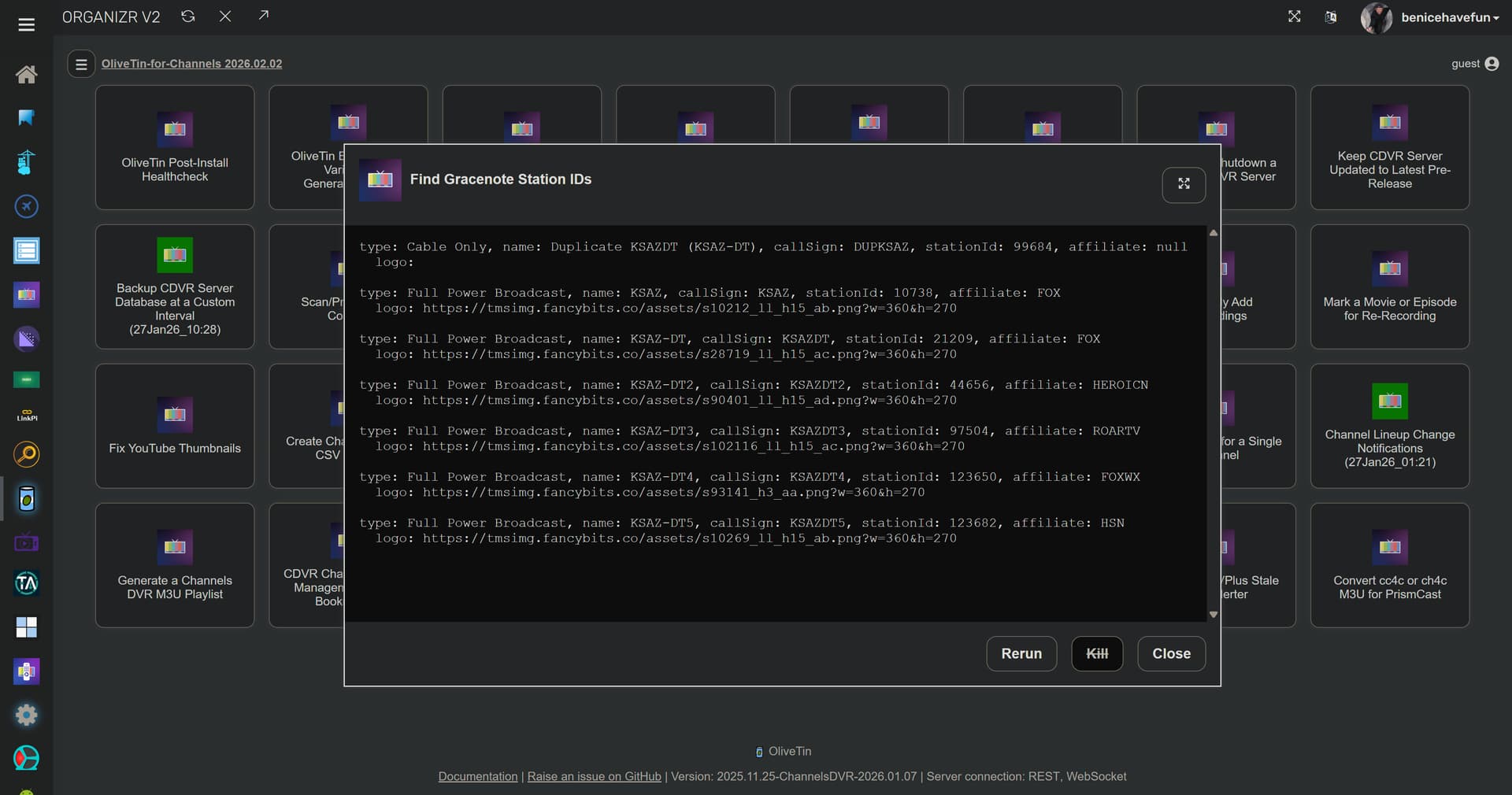
Maybe channelsdvr isn't resolving? Try using the ping Action in once mode to see if that's working.

Here's what I get with that same search:
Maybe channelsdvr isn't resolving? Try using the ping Action in once mode to see if that's working.
Got this one
Thu Feb  5 20:58:42  2026
HTTP Status: 000
Effective URL: http://channelsdvr:8089/
One time run mode used...
foreground.sh is exiting for pingcdvr with exit code 0
is that correct?
I tried using the IP address and I do get the same results as you now. I guess something changed because it used to work with me just putting in the name of the server. I don't mind using the IP though.
No. This indicates failure:
HTTP Status: 000
Having a few issues.
I was again notified there's a new version of OliveTin for Channels 2026.02.09, but can't find release notes to see what changed.
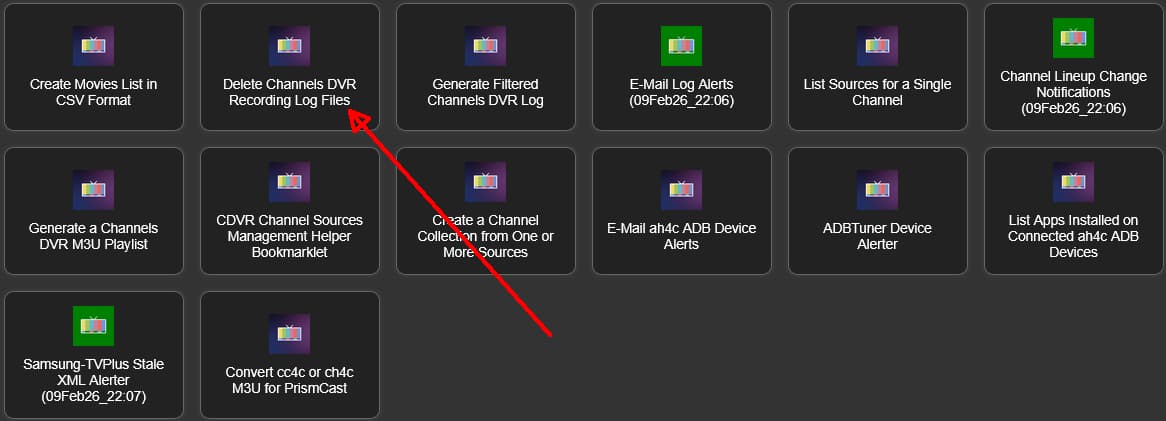
Anyway, I updated from 2026.02.02 to 2026.02.09 and my Delete Channels DVR Recording Log Files actions which were running before the update is no longer green. Refreshed browser many times.
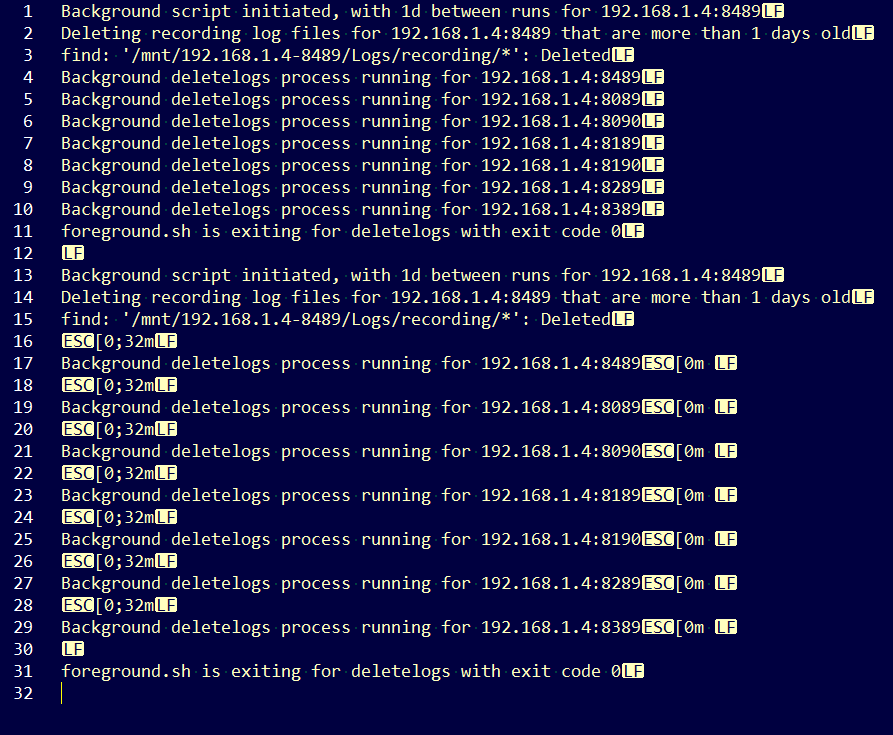
I checked the log files and it appears the actions are running and the logs were replaced when I updated, but shouldn't have been (I have PERSISTENT_LOGS=true).
192.168.1.4-8489_deletelogs_latest.log
Background script initiated, with 1d between runs for 192.168.1.4:8489
Deleting recording log files for 192.168.1.4:8489 that are more than 1 days old
find: '/mnt/192.168.1.4-8489/Logs/recording/*': Deleted
Background deletelogs process running for 192.168.1.4:8489
Background deletelogs process running for 192.168.1.4:8089
Background deletelogs process running for 192.168.1.4:8090
Background deletelogs process running for 192.168.1.4:8189
Background deletelogs process running for 192.168.1.4:8190
Background deletelogs process running for 192.168.1.4:8289
Background deletelogs process running for 192.168.1.4:8389
foreground.sh is exiting for deletelogs with exit code 0
The last update was to change project one click for PrismCast. Not sure if there were other changes.
Could you post the output from the OliveTin Actions Debug Log Viewer for this Action?:
EDIT: Also, from your OliveTin config directory (on the host, or exec'd into the container), could you post the results of this (redact your healthchecks.io UUIDs if you're using them):
root@htpc6:/data/olivetin# cat *deletelogs.running
media-server8:8089 deletelogs 7d https://hc-ping.com/[Redacted]I restarted the OliveTin container, then grabbed what you asked for.
/config/deletelogs.debug.log 2026-02-10 13:35:29

+ dvr=192.168.1.4:8489
++ echo 192.168.1.4:8489
++ awk -F: '{print $1}'
+ channelsHost=192.168.1.4
++ echo 192.168.1.4:8489
++ awk -F: '{print $2}'
+ channelsPort=8489
+ runInterval=1d
+ healthchecksIO=
++ echo 1d
++ sed s/d//
+ recordingLogAge=1
+ [[ 1d == \o\n\c\e ]]
++ basename /config/deletelogs.sh
++ sed s/.sh//
+ scriptBaseName=deletelogs
+ logFile=/config/192.168.1.4-8489_deletelogs_latest.log
+ logTemp=/tmp/192.168.1.4-8489_deletelogs_latest.log
+ runFile=/tmp/192.168.1.4-8489_deletelogs.run
+ dvrDir=192.168.1.4-8489
+ true
+ '[' -d /mnt/192.168.1.4-8489/Logs/recording ']'
+ echo 'Deleting recording log files for 192.168.1.4:8489 that are more than 1 days old'
+ find '/mnt/192.168.1.4-8489/Logs/recording/*' -type d -mtime +1 -exec rm -r '{}' ';'
+ cp /config/192.168.1.4-8489_deletelogs_latest.log /tmp
+ sed -i 's/No such file or directory/Deleted/g' /tmp/192.168.1.4-8489_deletelogs_latest.log
+ cp /tmp/192.168.1.4-8489_deletelogs_latest.log /config
+ '[' '!' -d /mnt/192.168.1.4-8489/Logs/recording ']'
+ [[ 1d == \o\n\c\e ]]
+ [[ -n '' ]]
+ [[ 1d != \o\n\c\e ]]
+ touch /tmp/192.168.1.4-8489_deletelogs.run
+ sleep 1d
+ sed -i '/#deletelogs icon/s|img src = .* width|img src = "custom-webui/icons/channels.png" width|' /tmp/config.yaml
+ sed -i '/#deletelogs interval default/s/default: .* #/default: 1d #/' /tmp/config.yaml
+ [[ -n '' ]]
+ echo '192.168.1.4:8489 deletelogs 1d https://hc-ping.com/your_custom_uuid'
+ sleep 2
+ runningScripts
+ servers=($CHANNELS_DVR $CHANNELS_DVR_ALTERNATES)
+ for server in "${servers[@]}"
++ echo 192.168.1.4:8489
++ awk -F: '{print $1}'
+ serverHost=192.168.1.4
++ echo 192.168.1.4:8489
++ awk -F: '{print $2}'
+ serverPort=8489
++ ps -ef
++ grep '[d]eletelogs.* 192.168.1.4:8489'
++ awk '{print $2}'
+ activeProcess=2233
+ [[ -n 2233 ]]
+ echo 'Background deletelogs process running for 192.168.1.4:8489'
+ for server in "${servers[@]}"
++ echo 192.168.1.4:8089
++ awk -F: '{print $1}'
+ serverHost=192.168.1.4
++ echo 192.168.1.4:8089
++ awk -F: '{print $2}'
+ serverPort=8089
++ ps -ef
++ grep '[d]eletelogs.* 192.168.1.4:8089'
++ awk '{print $2}'
+ activeProcess=454
+ [[ -n 454 ]]
+ echo 'Background deletelogs process running for 192.168.1.4:8089'
+ for server in "${servers[@]}"
++ echo 192.168.1.4:8090
++ awk -F: '{print $1}'
+ serverHost=192.168.1.4
++ echo 192.168.1.4:8090
++ awk -F: '{print $2}'
+ serverPort=8090
++ ps -ef
++ grep '[d]eletelogs.* 192.168.1.4:8090'
++ awk '{print $2}'
+ activeProcess=749
+ [[ -n 749 ]]
+ echo 'Background deletelogs process running for 192.168.1.4:8090'
+ for server in "${servers[@]}"
++ echo 192.168.1.4:8189
++ awk -F: '{print $1}'
+ serverHost=192.168.1.4
++ echo 192.168.1.4:8189
++ awk -F: '{print $2}'
+ serverPort=8189
++ ps -ef
++ grep '[d]eletelogs.* 192.168.1.4:8189'
++ awk '{print $2}'
+ activeProcess=1045
+ [[ -n 1045 ]]
+ echo 'Background deletelogs process running for 192.168.1.4:8189'
+ for server in "${servers[@]}"
++ echo 192.168.1.4:8190
++ awk -F: '{print $1}'
+ serverHost=192.168.1.4
++ echo 192.168.1.4:8190
++ awk -F: '{print $2}'
+ serverPort=8190
++ ps -ef
++ grep '[d]eletelogs.* 192.168.1.4:8190'
++ awk '{print $2}'
+ activeProcess=1341
+ [[ -n 1341 ]]
+ echo 'Background deletelogs process running for 192.168.1.4:8190'
+ for server in "${servers[@]}"
++ echo 192.168.1.4:8289
++ awk -F: '{print $1}'
+ serverHost=192.168.1.4
++ echo 192.168.1.4:8289
++ awk -F: '{print $2}'
+ serverPort=8289
++ ps -ef
++ grep '[d]eletelogs.* 192.168.1.4:8289'
++ awk '{print $2}'
+ activeProcess=1637
+ [[ -n 1637 ]]
+ echo 'Background deletelogs process running for 192.168.1.4:8289'
+ for server in "${servers[@]}"
++ echo 192.168.1.4:8389
++ awk -F: '{print $1}'
+ serverHost=192.168.1.4
++ echo 192.168.1.4:8389
++ awk -F: '{print $2}'
+ serverPort=8389
++ ps -ef
++ grep '[d]eletelogs.* 192.168.1.4:8389'
++ awk '{print $2}'
+ activeProcess=1936
+ [[ -n 1936 ]]
+ echo 'Background deletelogs process running for 192.168.1.4:8389'
+ exit 0
+ finish
+ echo -e 'foreground.sh is exiting for deletelogs with exit code 0\n'
+ backgroundWait=0
+ maxWait=30
+ '[' 0 -lt 30 ']'
+ [[ -f /tmp/192.168.1.4-8489_deletelogs.run ]]
+ break
+ nohup /config/finish.sh /tmp/config.yaml
+ '[' -f /config/192.168.1.4-8489_deletelogs_latest.log ']'
+ cat /config/192.168.1.4-8489_deletelogs_latest.log
root@olivetin:/config# cat *deletelogs.running
192.168.1.4:8089 deletelogs 1d https://hc-ping.com/your_custom_uuid
192.168.1.4:8090 deletelogs 1d https://hc-ping.com/your_custom_uuid
192.168.1.4:8189 deletelogs 1d https://hc-ping.com/your_custom_uuid
192.168.1.4:8190 deletelogs 1d https://hc-ping.com/your_custom_uuid
192.168.1.4:8289 deletelogs 1d https://hc-ping.com/your_custom_uuid
192.168.1.4:8389 deletelogs 1d https://hc-ping.com/your_custom_uuid
192.168.1.4:8489 deletelogs 1d https://hc-ping.com/your_custom_uuid
bnhf/olivetin:latest (aka bnhf/olivetin:2026.02.10) pushed this afternoon with a fix for the CDVR icon color change (purple to green) not happening for certain recurring Actions.
Thanks @chDVRuser for reporting this issue!
Thanks!
It still has the issue with PERSISTENT_LOGS=true
My *deletelogs_latest.log files get overwritten each time I update or restart the container.
No, but that's because this particular script didn't have that option implemented. I'll take a look at adding that, once I know the green icon handling is working properly for you.
That's working
Looks like there are ~8 scripts that use the same foreground.sh script to launch a background script. I need to look at the ramifications for each of them to add persistent logs. Doable I'm sure, but it'll probably be tomorrow before I can roll it out.
@chDVRuser bnhf/olivetin:latest (aka bnhf/olivetin:2026.02.11) pushed today:
It ended up being 6 Actions that needed updating -- as 2 were deprecated, so no need to bother with those.
The following Actions should now have PERSISTENT_LOGS implemented in a uniform fashion:
I don't use all of these regularly myself, so if anyone has issues with Actions on this list, please let me know ASAP.
I use these two persistent actions. They appear to be running as they should. Persistent logs are in my Olivetin directory. Both action icons are green.
Thanks. It's now appending to the log instead of overwriting.
Not sure if this was intended, but it's now putting ANSI color code escape sequences in the logs.
Really just intended for the results window, but it does look busy in the log with multiple servers. Let me see if I can strip them back out, but still get green highlighting where I want it.
No rush, I can delete them out of the 7 log files.
Pushed a fix to the 6 scripts to remove the ANSI escape sequences used to get green highlighting in the results window. They should no longer appear in the logs.
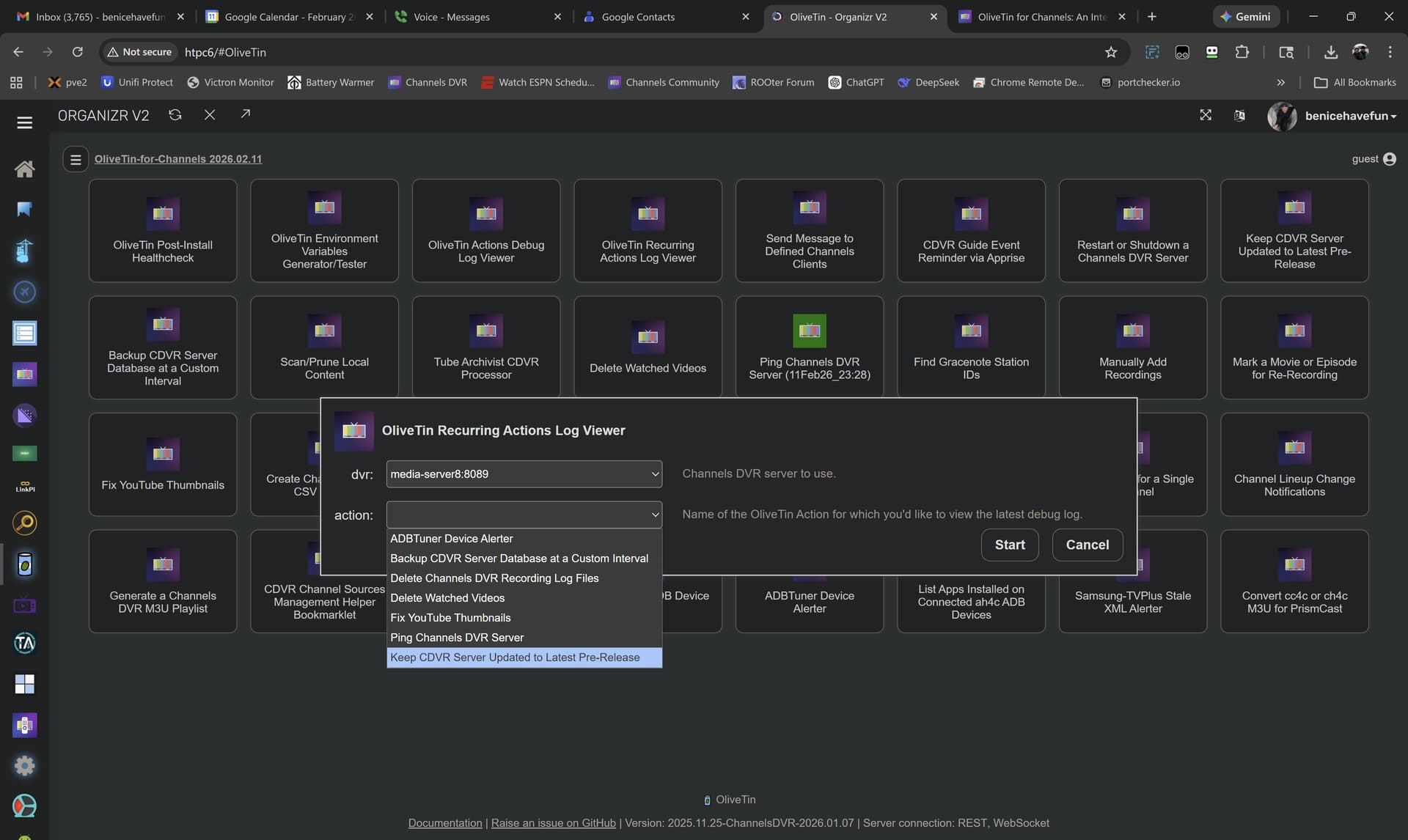
Also, I added more Actions to the OliveTin Recurring Actions Log Viewer, to provide a way to view these logs in the OliveTin Dashboard. I'll include more Actions soon:
Thanks. Looking good.