
Yes.
2 Likes
Now we can enjoy our Judge Judy, Price is Right, and Jersey Shore channels!
lol I actually do love Pluto -- some great movies on there and you can't beat the price.
bnhf/olivetin:latest (aka bnhf/olivetin:2026.02.27) pushed a few minutes ago with an updated Pluto-for-Channels Action. This now uses the @KineticMan fork, which includes single-account, single-M3U support for the latest changes to Pluto. Pluto account required. Supports up to 10 streams:
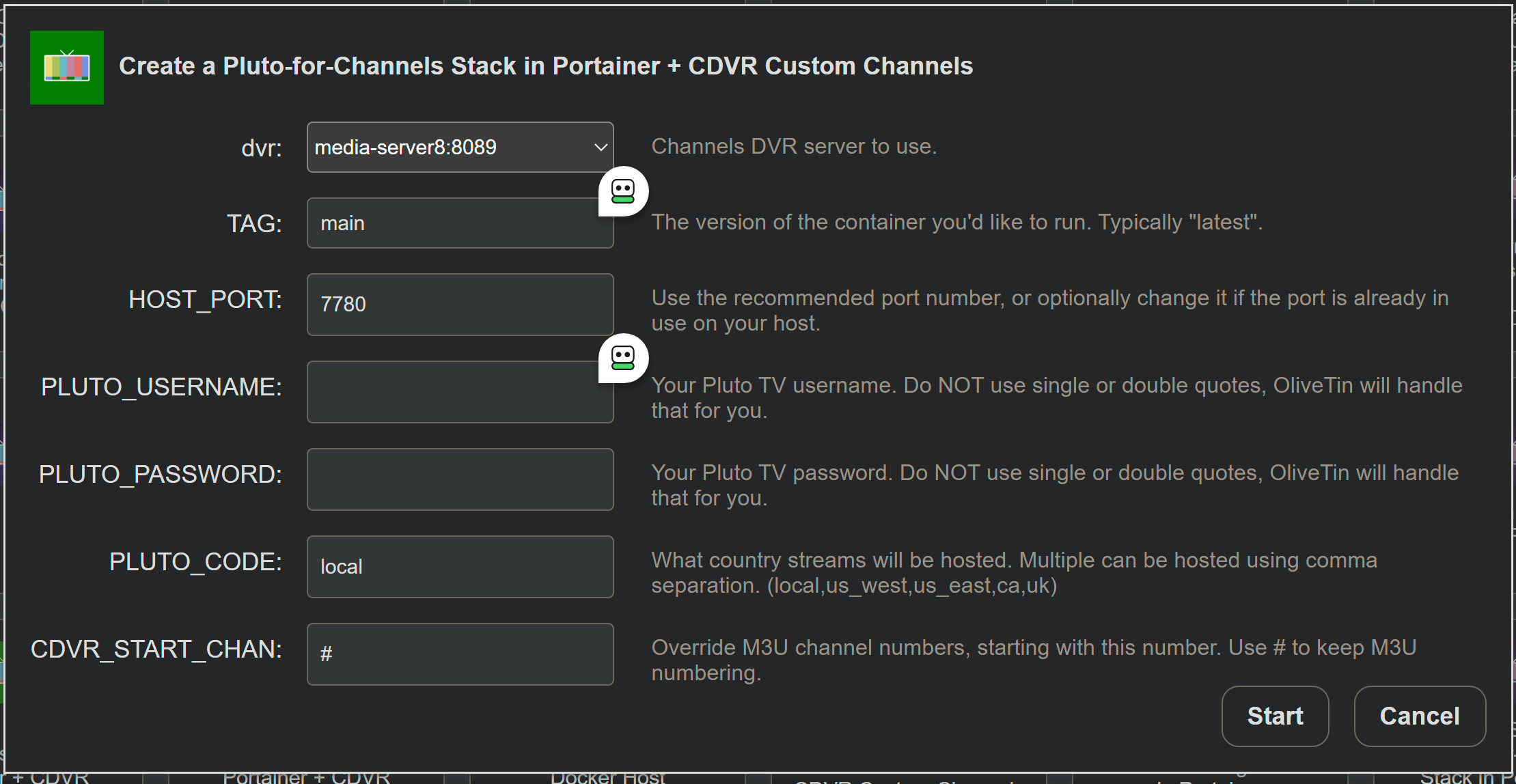
Use the Project One-Click Delete Action to remove any versions you currently have installed -- then run this Action.
1 Like
@KineticMan, I don't know why, but all the Pluto stations are coming back with DRM tags:

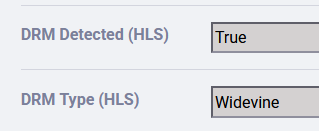
Currently, all the ones I tested play fine in Channels and VLC, so it doesn't appear to be an issue (yet):
2026/02/28 09:27:57.848009 [M3U] stream timestamps: pluto-00s-replay: start_at=2026-02-28T09:27:56-05:00 end_at=2026-02-28T09:28:16-05:00 live_delay=15s
2026/02/28 09:27:57.855865 [TNR] Opened connection to M3U-PlutoTest for ch9016 00s Replay
2026/02/28 09:27:57.856033 [HLS] Starting live stream for channel 9016 from 172.22.0.1 (bitrate=3321kbps)
2026/02/28 09:28:07.674384 [HLS] Probed live stream in 9.791446753s: h264 1280x720 progressive 2201153bps
2026/02/28 09:28:09.388832 [HLS] Session ch9016-dANY-ip172.22.0.1 started in 11.524780619s
2026/02/28 09:30:42.309906 [HLS] Stopping transcoder session ch9016-dANY-ip172.22.0.1 (out=2m54.378333s finished=false first_seq=1 last_seq=35)
2026/02/28 09:30:42.399321 [TNR] Closed connection to M3U-PlutoTest for ch9016 00s Replay
However, I am concerned that something in there is triggering it. Here's the bits of code that might be setting it off:
                # DRM detection (headers)
                drm_detected = False
                drm_headers = ["x-drm", "drm-type", "x-playready", "x-widevine", "x-fairplay", "license", "x-license-url"]
                for h in drm_headers:
                    if h in response.headers:
                        stream_metadata.append({"field": "DRM Detected", "value": True})
                        stream_metadata.append({"field": "DRM Type", "value": response.headers[h]})
                        drm_detected = True
                        break

---

                    # DRM in manifest
                    if "widevine" in manifest.lower():
                        stream_metadata.append({"field": "DRM Detected (HLS)", "value": True})
                        stream_metadata.append({"field": "DRM Type (HLS)", "value": "Widevine"})
                        drm_detected = True
                        manifest_drm_type = "Widevine"
                    elif "playready" in manifest.lower():
                        stream_metadata.append({"field": "DRM Detected (HLS)", "value": True})
                        stream_metadata.append({"field": "DRM Type (HLS)", "value": "PlayReady"})
                        drm_detected = True
                        manifest_drm_type = "PlayReady"
                    elif "fairplay" in manifest.lower():
                        stream_metadata.append({"field": "DRM Detected (HLS)", "value": True})
                        stream_metadata.append({"field": "DRM Type (HLS)", "value": "FairPlay"})
                        drm_detected = True
                        manifest_drm_type = "FairPlay"

---

                        # MPEG-TS DRM detection (heuristic)
                        if ts_info.get("drm_detected"):
                            stream_metadata.append({"field": "DRM Detected (MPEG-TS)", "value": True})
                            stream_metadata.append({"field": "DRM Type (MPEG-TS)", "value": ts_info.get("drm_type", "Conditional Access/ECM/EMM/Private Data")})
                            drm_detected = True

---

                # If DRM detected, update status
                if drm_detected or manifest_drm_type:
                    status = "DRM"
Based upon this, it appears to be in the Manifest. I don't have time to look into further right now, but can get to it around the end of this coming week. In the meantime, I'm turning off station status checking in PLM for Pluto just to not cause the stations to be disabled.
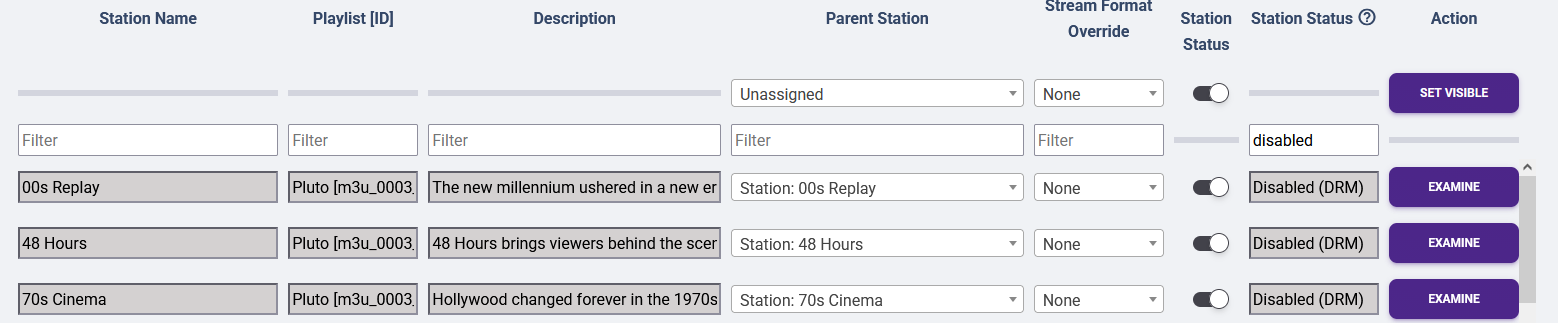
 Either way, this could be a heads up for everyone that DRM might be coming for all Pluto stations (not just select ones) no matter what.
1 Like
I wouldn’t panic yet- the original code (which I didn’t touch) always sent a manifest that says “widevine capable” because we told Pluto we support it during authentication. Your DRM detector is simply reading the capability declaration I suspect.
I could experiment removing that tag in the boot parm to say we don’t support DRM?
'drmCapabilities': '',
New bnhf/olivetin:latest (aka bnhf/olivetin:2026.02.28) pushed this morning with reworked Project One-Click support across the board for the latest Pluto-for-Channels. This supports full removal of any previous One-Click installed versions, and installation of the @KineticMan fork.
For those of you continuing to use a hammer-and-nails approach to installing CDVR-related extensions, think of Project One-Click as your compressor-and-air-nailer solution. It's a powerful tool, with excellent ease-of-use -- once you've done the initial setup. No more bent nails or smashed fingers. 
Does "original code" mean since you added the login, or back to the @joagomez one? Because the latter has never had this happen, with only stations like CNN Headlines returning DRM because they actually were. This is my first time doing a complete run on your fork.
Might be worth a look to limit false positives. Otherwise, I'd have to to add a situation to check for if it was found in drmCapabilities field and ignore it.
Sorry to be clear, I didn’t add that DRM piece. I’d need to look when it was added - maybe when he added authentication.
At any rate, it’s a low risk to experiment changing that field. I’ll test and report back.
OK I removed that line in pluto.py for the DRM header to send back "" instead of Widevine. Is this the expected output from the Examine page? I don't see anything with DRM listed.

Yes, that looks right, so long as it isn't stripping out anything that would be real DRM like the example from above.
Installed this container in Synology and it's working wonderfully. Thanks for this.
1 Like
I'm runninng the docker on my synology and it is doing great for me.
thanks
@KineticMan After unsuccessfully trying several other options to get Pluto TV back up and running, I tried your approach - Thank You! Very quick and easy!
1 question: The closed captions feature doesn't work for me. Still works on other sources in the Channels App, but not in the newly added Pluto TV. Anyone else experiencing this? Any solution?
I was on maddox, then jgomez177 when some channels weren't working on maddox. And most recently nuken after the pluto account requirement. This repo looks great! But just wondering @KineticMan if you plan to keep it updated? I just dislike the idea of having to find a "good" fork again next time there is a change! I'm only asking because you mentioned it was a quick fork. Thanks for your help!!
sure - I probably should have just suggested a pull request to update the original python fork, but I know everyone was in a rush to get a working version out (myself included). But yea I'll keep it updated if things change. can't imagine that it'll need much maintainence.
1 Like
I just tested some streams (on iPhone) and closed captioning worked fine. I also looked at some raw manifests and it looks like CC is coming through on there too. Not sure I can do much else as it just returns the raw stream from Pluto. Try a few more channels?
#EXT-X-MEDIA:TYPE=CLOSED-CAPTIONS,GROUP-ID="CC",LANGUAGE="eng",NAME="English",INSTREAM-ID="CC1"
@KineticMan Hmm… thanks for the quick response. I used the commands listed in the Docker Run example that you posted at the top of this page. I have Docker installed on my iMac that runs the Channels server. I copied and pasted the Docker example, and updated it with my Pluto ID and password, and then ran it in the Terminal app. Channels immediately picked it up, and everything works fine except the Closed Captions.
I don’t see the line that you just posted with the closed caption info in the original example. Should I just copy and paste that line to the Docker example (with my username and password) and re-run? Or is that latest program code line for some other method? Thanks!
For clarity, the example I pasted was just showing that the stream I tested was indeed passing along Closed Captions in the stream. Nothing you need to do.
I'm really not sure what would caused closed captioning to not work-- please try it on a few devices to isolate if it's the client, or something more I need to look into.
Pluto uses WebVTT for subtitles and Channels does not provide a way to use them. As far as I remember, Pluto has never had working Closed Caption through Channels
maybe i was crazy and looked at the wrong source when I was checking earlier, but I swear I saw Captions... i stand corrected!