Optimum Provider - TVE source won't authenticate

The other day I tried re-scanning my Optimum TVE source because it was down to ~50 channels and was at over 150 before. The scan didn't find anything else after multiple attempts. Eventually I deleted the source and tried to re-add it. That didn't work at all.

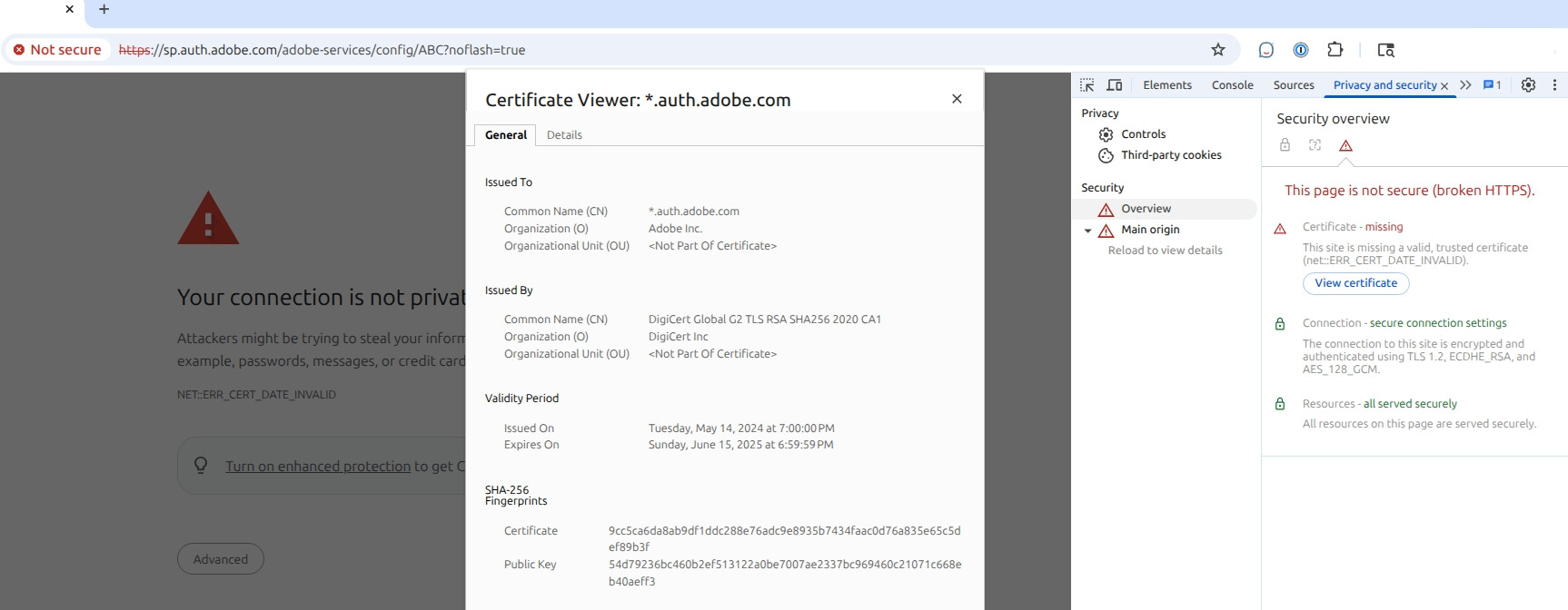
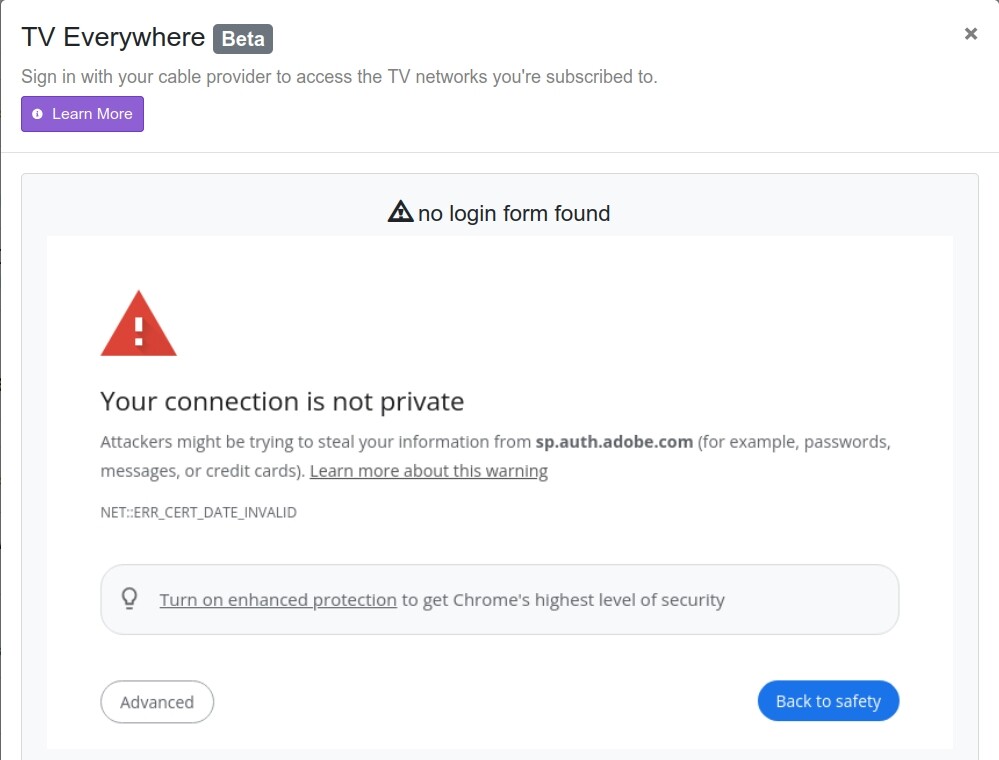
I tried 4 different browsers just in case. My password is correct. I can get to channels live on the web (the NBC check). I end up getting this image talking about an expired cert:
Here are my logs from the last time I tried to add the source.

2025/07/25 01:47:35.383921 [TVE] Auth starting for Cablevision as dec3169
2025/07/25 01:47:35.531058 action=requestor err=Get "https://sp.auth.adobe.com/adobe-services/config/ABC?noflash=true": tls: failed to verify certificate: x509: certificate has expired or is not yet valid: current time 2025-07-25T01:47:35-05:00 is after 2025-06-15T23:59:59Z
2025/07/25 01:47:35.531083 [TVE] action=auth mvpd=Cablevision requestor=ABC
2025/07/25 01:47:35.765338 [TVE] action=version product=Chrome/132.0.6834.83 jsVersion=13.2.152.27 protocol=1.3 revision=@03d59cf5ecf1d8444838ff9a1e96231304d4ff9c
2025/07/25 01:47:35.765772 [TVE] action=page_ready chromeVersion=132
2025/07/25 01:47:35.765949 [TVE] action=navigate url=https://sp.auth.adobe.com/adobe-services/authenticate/saml?noflash=true&mso_id=Cablevision&requestor_id=ABC&no_iframe=true&domain_name=adobe.com&reg_code=&redirect_url=https%3A%2F%2Fsp.auth.adobe.com%2Fadobe-services%2FcompletePassiveAuthentication
2025/07/25 01:47:35.767017 [TVE] action=request type=Document method=GET url=https://sp.auth.adobe.com/adobe-services/authenticate/saml
2025/07/25 01:47:36.043894 [TVE] action=error_response type=Document error=net::ERR_CERT_DATE_INVALID url=https://sp.auth.adobe.com/adobe-services/authenticate/saml ip=54.68.29.35
2025/07/25 01:47:36.092997 [TVE] action=wait_for_page
2025/07/25 01:47:41.124305 [TVE] action=page_ready
2025/07/25 01:47:41.124442 [TVE] action=wait_for_page done=true reason=page_ready
2025/07/25 01:47:41.124496 [TVE] action=wait_for_auth timeout=12s
2025/07/25 01:47:41.124534 [TVE] action=fill_form u=dec3169
2025/07/25 01:47:41.133761 [TVE] action=fill_form state=done err=&runtime.ExceptionDetails{ExceptionID:1, Text:"Uncaught (in promise)", LineNumber:0, ColumnNumber:0, ScriptID:"", URL:"", StackTrace:(*runtime.StackTrace)(nil), Exception:(*runtime.RemoteObject)(0xc0018bc870), ExecutionContextID:0, ExceptionMetaData:easyjson.RawMessage(nil)}
2025/07/25 01:47:41.133891 [TVE] action=screenshot
2025/07/25 01:47:41.189351 [TVE] action=screenshot file=tve_error_screenshot.png size=37264
2025/07/25 01:47:41.189562 [TVE] action=capture_html
2025/07/25 01:47:41.198116 [TVE] action=capture_html file=tve_error_screenshot.html size=149170
2025/07/25 01:47:41.198601 [TVE] action=capture_html
2025/07/25 01:47:41.209718 [TVE] action=capture_html file=tve_error_screenshot.html size=149170
2025/07/25 01:47:41.210316 [TVE] action=script_error err=no login form found
2025/07/25 01:47:41.312999 [TVE] Auth failed for Cablevision: no login form found

I updated to the latest pre-release and it still won't authenticate.

Any idea what is going on?

Thanks
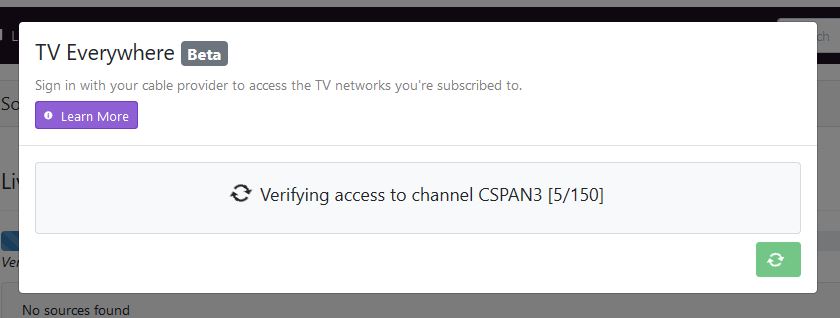

Not Optimum as i just removed re-added it on my backup channels pc
Maybe confirm location is available I had a weird issue way back when my win pc would not show my home location

Did you do any of these?

2 Likes

Yes I did - I have that in my post (the pre-release part is at the end).

If it helps, I'm running this in Docker under Ubuntu 24.04. I've been running it for a while. BTW - thanks for adding that. I found someone's post with those instructions last night and followed them. It helps when things like that are added into comments every once in a while to remind people.

Not sure where you are talking about to confirm location. I do have another source (KlowdTV) that works fine, as well as 3 virtual channels. Optimum worked great until it lost channels and I tried to reload it. I haven't had to do much troubleshooting with CDVR because it has always just worked for me.

At least this hit now before college football is back on.

Does the DVR Troubleshooting show all green checkmarks?
Does the clock on the device running Channels DVR server display the accurate current time and date?

Looks like maybe an adobe certificate expired and they have now renewed it.
Have you tried adding the source again?

Yes - all green checks. I had one yellow originally but that was because I had added my wifi interrface along with my ethernet interface (both on the same subnet). I disabled the wifi but (other than changing from yellow) there was no change.

The clock is correct (it is a check in the UI troubleshooting and is green) and my other live source is fine and records on time as well.

I also just tried re-adding the source again and still no luck. At this point I've tried using Firefox, Chrorme, Brave, and Chromium in linux, and Firefox on my android phone. I've disabled my proxy and my adblocker. Note - all my browsers, my proxy, and my adblocker have always worked when working in Channels-DVR, although a ton of updates in browsers came down in my Linux and Windows boxes this week.

The cert thing is what worries me. That adobe site is used for a bunch of providers (most - if not all?). Surely someone would've noticed by now as it is supposedly more than a month past expiration date. I went to one of the urls in the logs above last night and it brought up a page full of providers that use that cert. I'd say more than 100.

That cert may have expired, but is now valid
https://sp.auth.adobe.com/adobe-services/config/ABC?noflash=true


Assuming that today is really July 25, 2025 :laughing:

Different errors in the DVR log this time?

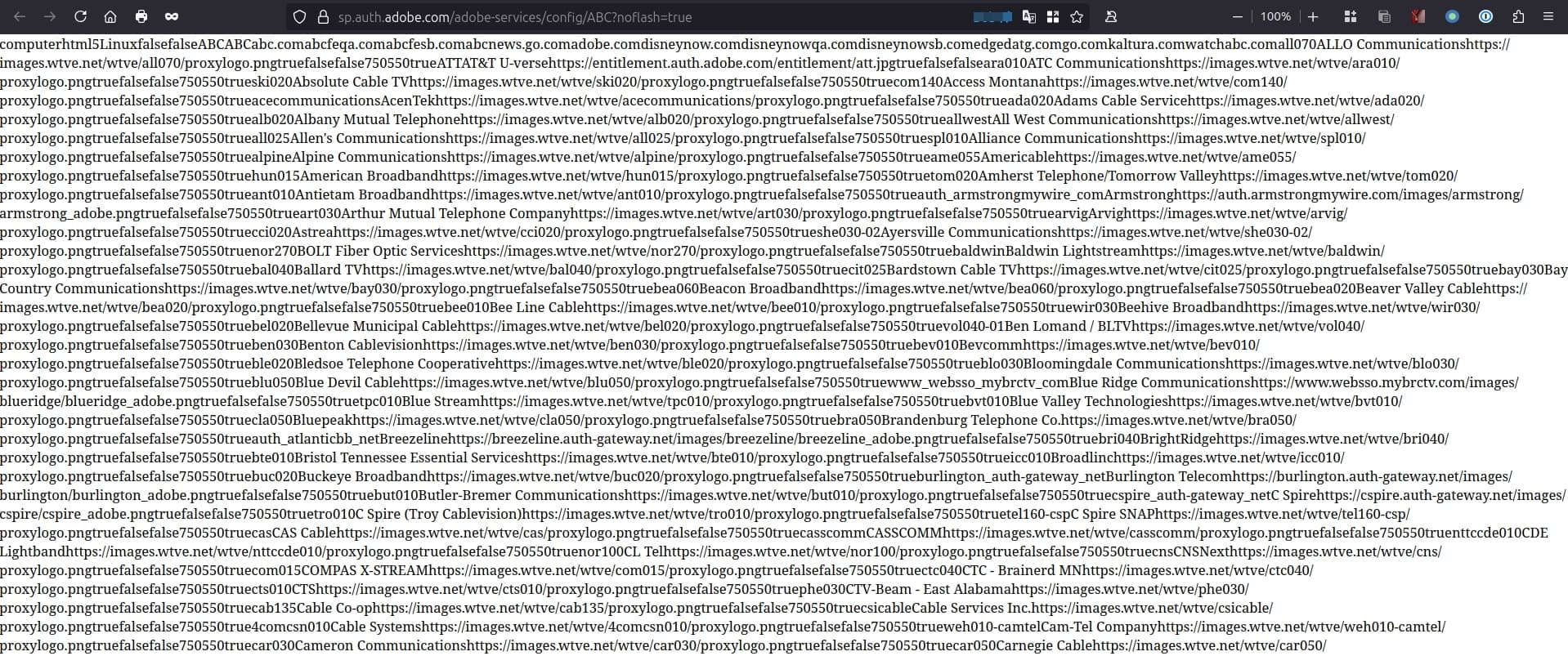
This is interesting. When I go to that url in Firefox (linux) I get the page full of the providers - all smashed together. When I go to it in Chrome I get the same cert error I got from Channels when trying to add the source. Here's what I see in Chrome:

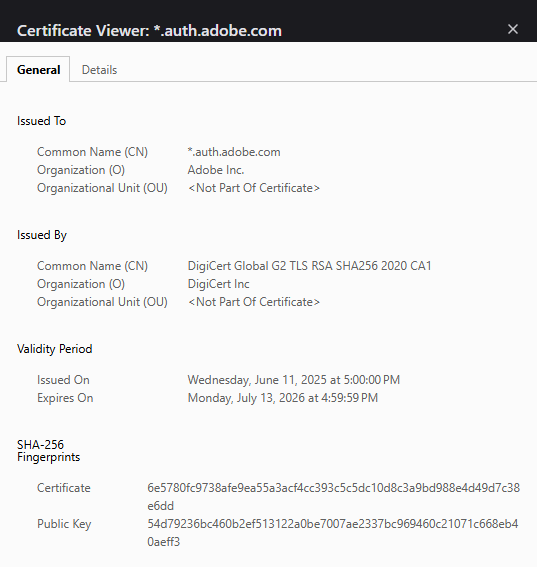
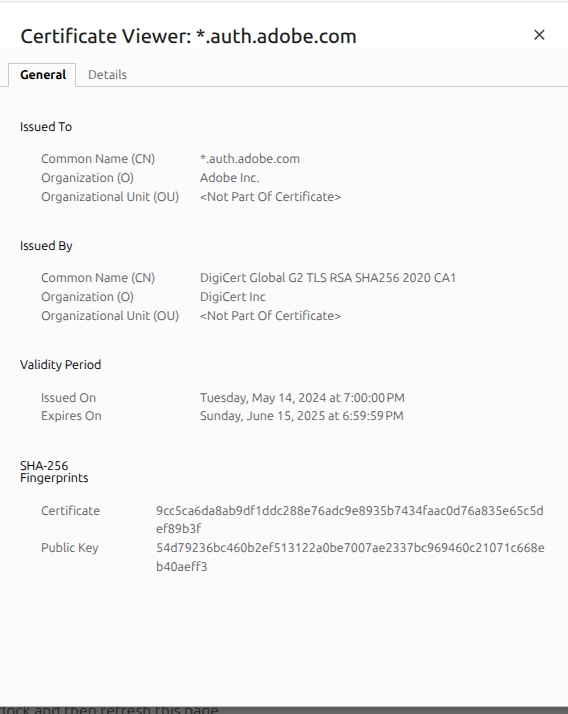
My dates are different for the same url. It does however show different cert fingerprints for some reason.

If anything is different in the certificate you see vs. what I see, the fingerprints will be different.

Try changing your DNS Server to quad 1, 8 or 9
What are you currently using for DNS Servers?
Are they different between your Ubuntu and Windows PC's?

You can check to see what a certificate fingerprint SHOULD BE at the Steve Gibson's website GRC | SSL TLS HTTPS Web Server Certificate Fingerprints  
Try https://sp.auth.adobe.com there

I run my own dns server (and dhcp, smtp, etc.) but my forwarder is 1.1.1.1. I edited the resolv.conf in the docker container and pointed it to 8.8.8.8 - no change.

I have numerous linux boxes, 1 physical win11, several vm win boxes, a NAS, a large lab, and a bunch of iOT stuff. All pull from a little nuc that runs the dns/dhcp/mail/vpn/rsyslog. All boxes use that box for nearly everything other than my NAS services.

I think choosing the Optimum source grabs a different cert somewhere in a tree for that provider, but named the same.

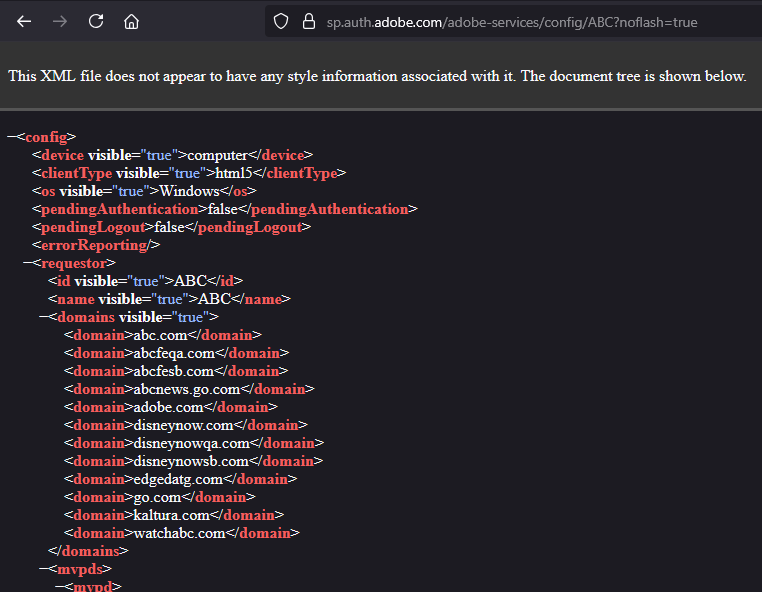
Here is what I see when I go with Firefox to https://sp.auth.adobe.com/adobe-services/config/ABC?noflash=true

Here is what I see on Chrome - same url (both after changing docker dns to 8.8.8.8

Maybe chrome and firefox do something different, but The firefox screenshot may heelp show what I am talking about with the providers mashed together.

That's just the XML file the website is supposed to return when you go there.


If a browser (your Chrome) can't validate a certificate at a secure website (HTTPS://sp.suth.adobe.com), it will fail to load the website contents (the xml file).

Not sure if this new update is related, but try updating and run Troubleshooting again.

Also try the same website using Chrome and Firefox on Windows if you can.

1 Like

I'll give that a try in a few. I just noticed something in that XML file.

Optimum has 2 entries everywhere - CDVR, the XML file, and other places. I have Optimum, and the Optimum TV uses a different box or device. My ID only works with Optimum. Having said that, look at the section of the XML that houses Optimum and Optimum TV:

<mvpd>
<id visible="true">Cablevision</id>
<displayName visible="true">Optimum</displayName>
<logoUrl visible="true">https://idpssoopt.alticeusa.com/sso/optimum/images/optimumlogo/logo_loggedin2x.png</logoUrl>
<foregroundLogout>true</foregroundLogout>
<authPerAggregator>false</authPerAggregator>
<iFrameRequired visible="true">false</iFrameRequired>
</mvpd>

<mvpd>
<id visible="true">AlticeOne</id>
<displayName visible="true">Optimum TV</displayName>
<logoUrl visible="true">https://idpssoalt.alticeusa.com/sso/alticeusa/images/alticelogo/logo_picker.png</logoUrl>
<foregroundLogout>true</foregroundLogout>
</mvpd>

Notice the Optimum TV (AlticeOne) entry (from that ABC XML) doesn't have the authPerAggregator line.
I thought that was a little strange.

Your Chrome isn't even seeing that since it sees an expired certificate before it can get that from the website. Besides, you said you're using Optimum, not Optimum TV.

Go here ABC Live Stream - ABC.com in your Chrome browser and log in, Link Provider using Optimum and see if you can stream from the website (that's step 1 in TVE Troubleshooting tips).

Aah.
I tried adding the source again after updating to today's pre-release. Still the same outcome.

What you just said though peaked my interest. When I am trying the " https://sp.auth.adobe.com/adobe-services/config/ABC?noflash=true" url I'm just putting that in the url field, hitting return, and getting a response - there is no authentication like when I try to add a source. Why can I see that with Firefox but not Chrome since both are using the same expired source?

Oh - I was using the xml Altice/Optimum as a comparison and wondering if Optimum maybe should've deleted that line like Altice did. Figured maybe it could be a bug or something.

Reran the troubleshooter and still all green. It noticed my DNS change from 1.1.1.1 to 8.8.8.8 and said this:

DNS
Using public DNS resolver from "Google LLC" can cause problems with TV Everywhere

Cloudflare had the same message. I wonder why both of them say they can cause problems with TVE?

It is green though.

I have tried a bunch of the channels in my browser and can authenticate and watch them all with no issue. The "NBC" test in the troubleshooting guide was my first test.

I'm going to try that in a few when I can get to my windows box in my home office. Wife was using Word on that. Never move the wife.

Using the same Chrome browser that your Channels DVR Server uses?
I think you're running CDVR in a container, so it wouldn't be the same Chrome you use on the desktop.

Right - I can't use the same browser in the container. I've now tried this:

Linux - Chrome, Brave, Firefox, and "web" - which is Chromium
Win11 - Chrome, Firefox
Android - Firefox, Brave

All allow me to view TVE in the browser after linking the provider to Optimum.
None allow me to add the source via the channels UI add source - even in either the same tab I used to watch live tv, or another tab in the same browser while the live tv plays in another tab (still linked).

This is with the standard CDVR build, the pre-release from 2 days ago, and the pre-reelease from today.