PBS Feeds

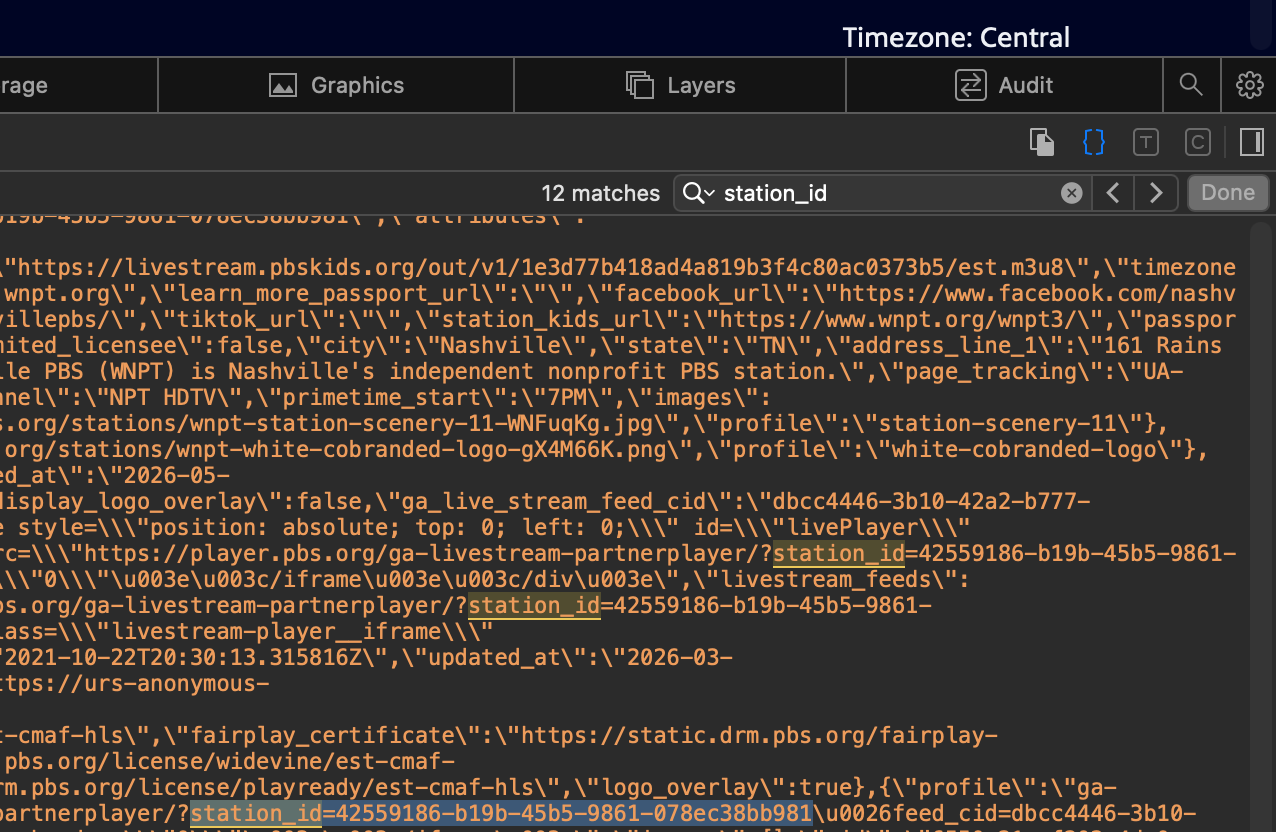
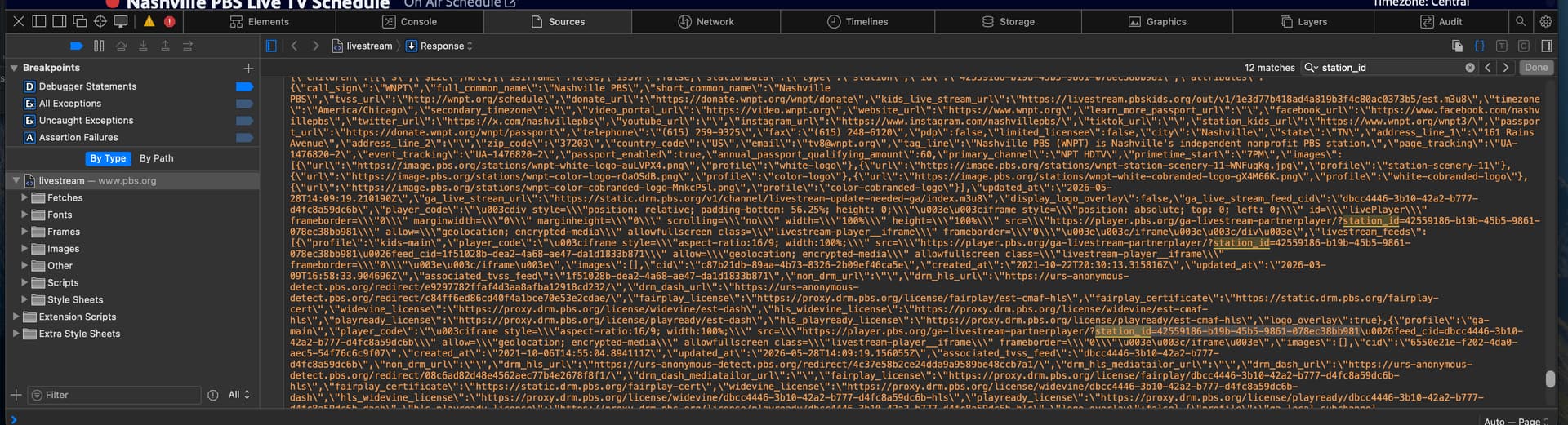
The big step to do this is to get the individual ID codes for each PBS station you want to watch.To do this you have to go to PBS.org and open a live view of a station and then you have to go into View Page Source in your browser to search for the station_ID. You have to copy that string into your settings in Channels. Its a bunch of steps but once you figure out how to find the string its pretty easy.

This is my docker string to download and install the PBS container:

docker run -d --restart unless-stopped --name VLC_Bridge_PBS -p 7778:7777 registry.gitlab.com/miibeez/vlc-bridge-pbs
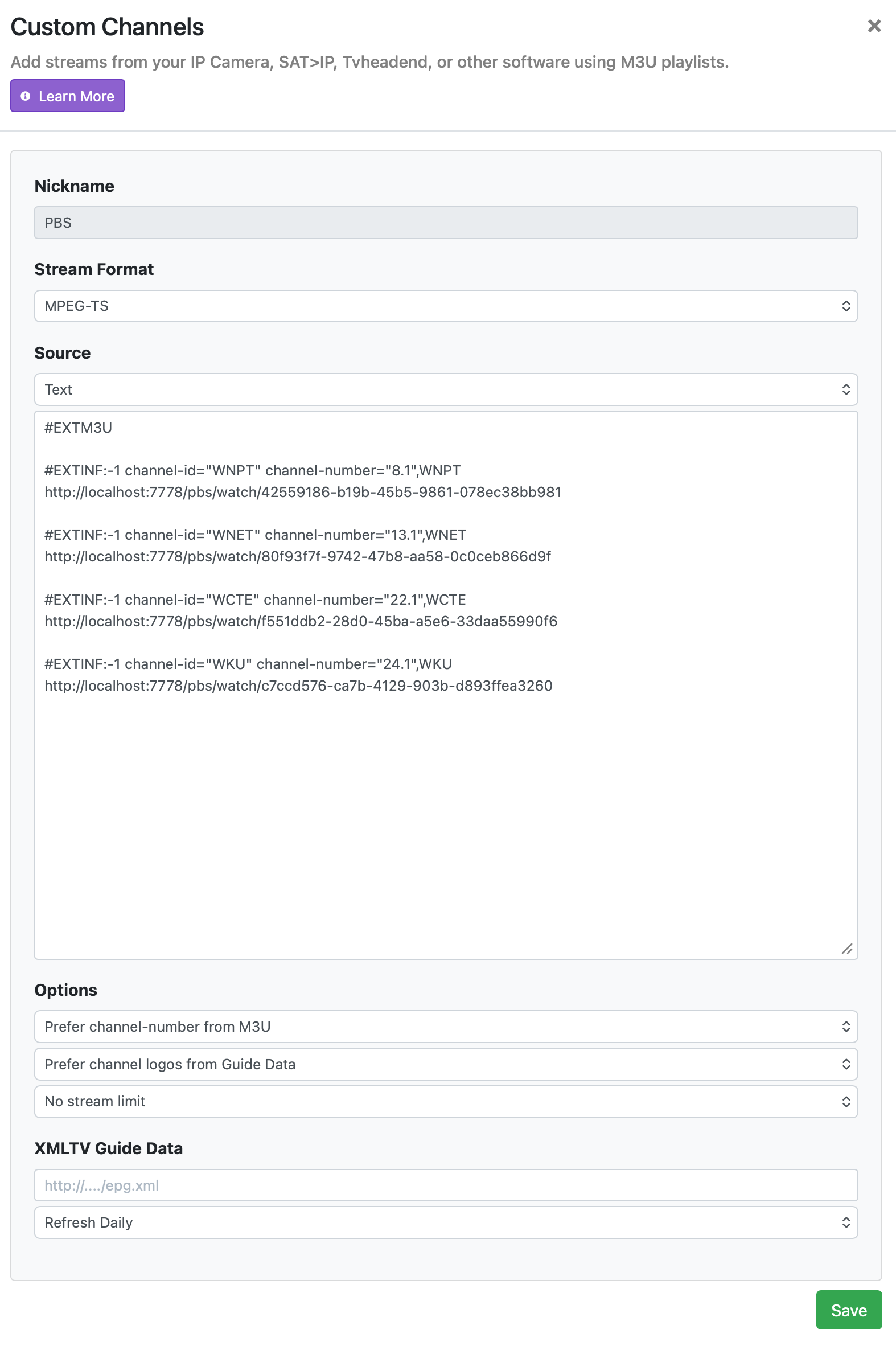
Or, just use the channel-id from the containers playlist.
It contains the callsign that you can use to override the epg mapping with.

  • First, get a baseline understanding of Docker.

    • What is discussed here and in all situations like this is no different than any other Docker Container/Image. As such, generic instructions and details can be followed.
  • Once you have this, do the fairly easy install of Docker Desktop as a stand-alone application. This is no different that installing any program, so there is no need to stress about this step.

    • If you are installing Docker in Windows, set up Windows Subsystem for Linux (WSL) first by following these directions.

    • Should you be not comfortable with this level of activity, you can use WinUtil-for-Channels to do almost all of this for you.

  • The first thing those new to Docker should do is deploy OliveTin for Channels using the EZ Start method so they can take advantage of Project One-Click, which allows the deployment of this and most other Channels related Docker-based solutions.

    • Most importantly will be Portainer. Even if you are not going to use OliveTin, Portainer is highly, highly, highly recommended to make the installation and management of Docker Images/Containers much easier and straight-forward.

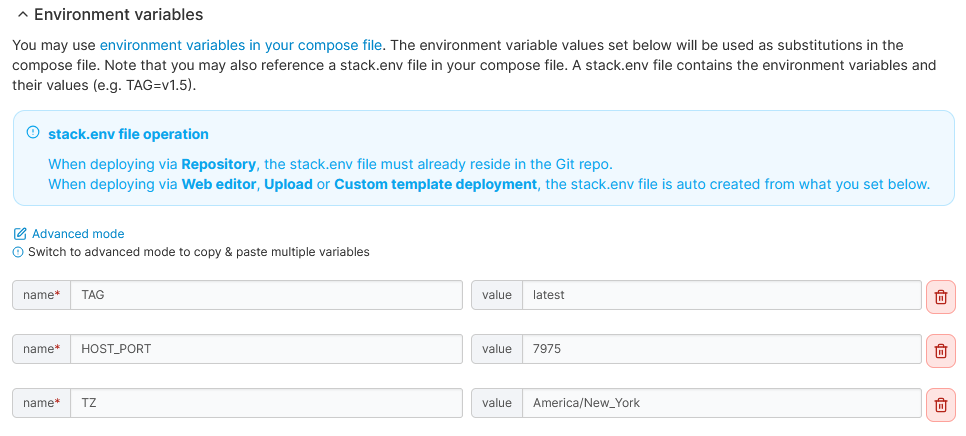
    • Should you not being using OliveTin, then there are directions on the repository for deploying the Container. Even if the directions are just terminal / command line based, that is sufficient, but not recommended. Instead, as noted above, it is suggested to use Portainer for this and all other Docker-based solutions. Here is a Stack you can use for this one in particular:

      services:
        vlc-bridge-pbs:
          image: registry.gitlab.com/miibeez/vlc-bridge-pbs:${TAG}
          container_name: vlc-bridge-pbs
          ports:
            - ${HOST_PORT}:7777
          environment:
            - TZ=${TZ}
          restart: unless-stopped
      

      It is up to you decide what is appropriate for your variables, most notably the port you want to access the web front-end on and what timezone you are in.

  • Once this or any other Docker Container/Image is deployed, you can use as directed, usually by going to the web front end at the port you have selected and follow directions either on the repository or within the web application itself.

  • Since this one is about adding a streaming source, learn about adding a custom source to Channels.


Or, just let PLM do everything for you, including all the Gracenote mapping, individualized logos, and a whole lot more:

1 Like

I use PLM to map data for all these channels extentions.
Life is so much easier and line-up looks great.