
Read my post directly above yours, and use that. It's very easy, I did it myself. I did it on a Windows 11 running my Channels though.
Yeah, I don't think that will work very well on his Mac Mini.
I was wondering if anyone here’s tried OrbStack as an alternative to Docker?
Just wondering for the power users,
Starting form the beginning using channels
Step one add a source.
So first a provider
The box that pops up has a dropdown of providers
And below that you add your username and password
Would it be possible to add Pluto as a source then add your username and password just like, we do for tv anywhere but have it work like that?
In fact going further would that same idea work for any other items with username password (Netflix, hbo max and so on?)
One would have to have a log on (for paid services no cheating) for Pluto or heck Amazon live tv and so on…
Just saying perhaps instead of three choices ( home run / tv anywhere / custom channels) there could be a forth choice with these that require log on which then could be put back into the grid even if by choosing a program it opens the respective app (Netflix Hulu etc…) channels becomes the base app to launch other apps and collates schedules /grids /shows….
Thoughts?
Hi Everyone! I'm hoping for some help. I run Channels of a Linux Mint pc (still learning Linux) and I've never run a Docker before. Can someone walk me through how to do that? Pluto is the favorite source of TV in our house.
Thanks!
This video should help:

Once you have Docker properly installed, see this thread:
Thanks for this. I am no Docker expert but am trying, Seems to work and I see the Pluto for Channels web page. However when copying playlist into Channels I get this error
failed to load m3u: open http://127.0.0.1:8080/tuner-1-playlist.m3u: no such file or directory
Any help appreciated
1 Like
You are using the wrong port number. Try this instead:
http://127.0.0.1:7777
This address exactly without anything after it. That should show you all the available playlists for different countries.
Actually, the port number depends on which version you installed.
You said you were able to see the Pluto for Channels web page. At what address?
Thanks, but get same error
can see webpage at :7777 and :8080
1 Like
You said you were able to see the Pluto for Channels web page. At what address?
Ok, good. So all the playlists should be listed on the page. Can you show a screenshot?
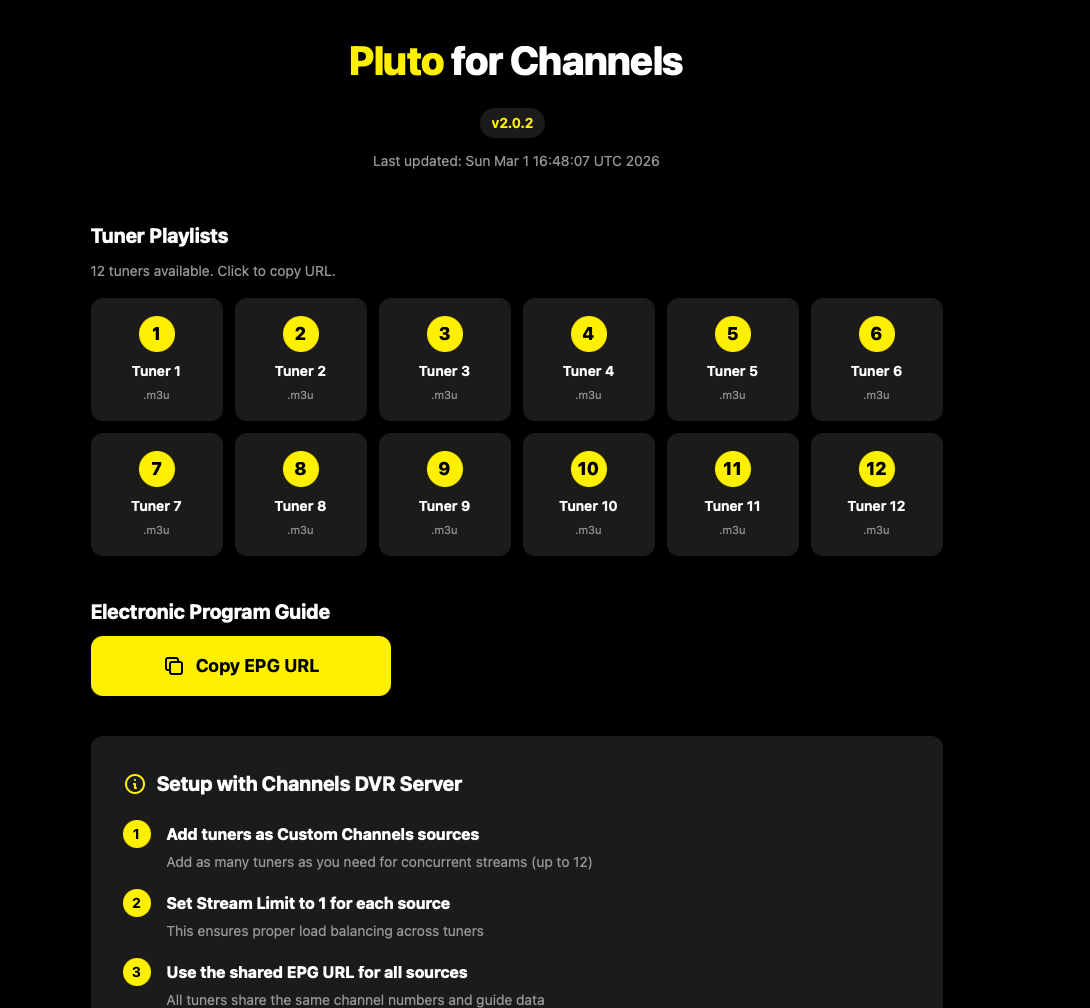
Ah, ok, this is the version from @maddox.
I didn't install this version.
If you click on Tuner 1, what does it show?
Ok so it seems you did everything right.
I'm not using this version so I don't know more.
Maybe somebody else can help. Best person being @maddox himself.
Thanks for trying!
On Synology, using docker to ultimately feed AppleTVs around the house. Long-term Maddox Pluto user but just switched to KineticMan's fork of that same code. It works fine.
One thing to know: after you switch, you might want to reboot your Synology entirely so that you are not in some kind of dual state. Once I did this, all was fine. Before I did this, some parts of it all were still seeming to "see" and/or "use" the Maddox implementation even when I had turned that off in Docker. Ultimately, I deleted it so that only the KineticMan version remained, rebooted and all is as expected.
The one "bummer" was that I had to re-search (for) and re-prioritize any Pluto channels I had in Channel Collections lists as they were missing after this switch. No big deal- just takes some time- and is only a one-time task. Because Channels remembers the Pluto channel names, it was pretty easy to get this alternative source of Pluto channels right back in the right spots in Channel Collections. For me, all of this was done in maybe an hour or so. And all seems right/solid since.
Im running channels on a Synology and have been using the non docker version of Pluto. I am not familiar with wha docker is and how to use it. Are there any tutorials around from start to finish on how to set it up on a synology nas?
Probably the easiest way for you to install. It also has great community support. Post your issues, if any, in that thread. Remember, you are on a Synology so you will need to create folders thru File Manager. I believe the thread gives detailed instructions on what folders to create.