[RELEASE] Playlist Manager for Channels [Streaming Library Manager Extension]

I think much of my confusion derives from not trying to do what these tools are used for manually ("that's too much trouble to create the links for Channels, I'll just use the native app"), and just trying to jump in to the deep end of the pool so I don't appreciate the distinctions as well.

I did get the strm file to work (doesn't work on web client on PC, but does work on Chromecast; haven't tried FireTV), although the episode handling is not making me happy (probably an issue with the YouTube channel, not SLM).

See the Wiki:

Streaming Library Manager is whatever you want it to be, however you want to use it! It's a completely self-service tool to enhance the media consumption experience. Just be sure to read the extremely detailed and screen-shot documentation and watch the videos. I've dedicated massive amounts of time to making sure everything has an easy-to-understand and follow explanation. Please take advantage of this resource!

I read through the docs before trying to do anything. And have referred back to them as I have issues/questions. But I think you really need to know what you are trying to accomplish better than I do to use the program/docs effectively. I get that you have redirected me to things in the documentation and it is frustrating to write documentation and have those moronic users not RTFM; I have tried, but I know I have missed things (clearly). I have only watched one or two of the videos, because they seem to cover the exact same contents as the documents, and I absolutely hate watching videos if I can read the same subject.

I'm making another pass through the document now, and my improved knowledge is making some things make sense that did not before. On the other hand, it is very difficult to read technical material more than once without trying to skip through it.

There are places where you dig deeper into the subject (e.g. SLM streams) and this is most helpful. But there are other places where I think there are assumptions that the reader will know/understand things that I do not because I haven't been there/done that. It may well be that the fault is all mine, rather than omissions in the documentation. But that has been my perspective, fair or not.

Please PM me or open up an issue with specific examples where the documentation can be enhanced. I'll endeavor to make some updates in the future. I'm also in the midst of building out a major update that will require updating a lot of the SLM documentation, so now would be a good time to lace in other changes!

That's a fair request. I'll do it this week.

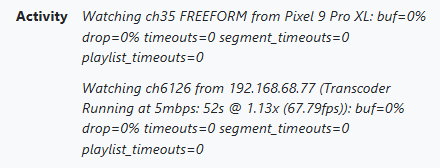
I posted a thread earlier regarding why under Status in the Channels DVR server I see the channels being watched, but also how they're being transcoded at 5mbps. Most of these are being used at Home with a direct feed ad original quality.

A user mentioned that possibly Playlist is causing the watched channels to be transcoded.

Is there anything with Playlist Manager causing this? Am I over oooking something? The graphic below links the stations. You'll see the original with its OTA channel code and then the revised numbering. I just don't understand why it's transcoded and why I'm seeing two for one station.

Disable your HDHR in Channels if you are using PLM to feed those stations in. You can't delete it (believe me, I tried and it just came back), but you can make it not used. It'll look something like this:

image

If you have two sources with the same link to the stream, Channels will show that "both" are playing, even though only one is. For instance, this is what PLM is feeding for me in the m3u:

#EXTINF:-1 tvc-guide-title="NBC Boston (WBTS) [15.1]" channel-id="plm_0016" tvg-id="" tvg-name="WBTS-CD" tvg-logo="https://upload.wikimedia.org/wikipedia/commons/c/c6/WBTS-LD_NBC_10_Boston_logo.png" tvg-chno="15.1" channel-number="15.1" tvg-description="No description available..." tvc-guide-description="No description available..." group-title="" tvc-guide-stationid="91446" tvc-guide-art="" tvc-guide-tags="" tvc-guide-genres="" tvc-guide-categories="" tvc-guide-placeholders="" tvc-stream-vcodec="" tvc-stream-acodec="",NBC Boston (WBTS) [15.1]
http://hdhr-108010f9.local:5004/auto/v15.1

And that link is exactly what Channels would have with the built-in HDHR functionality.

It might not be; it could just be an artifact of this situation. Here's me watching direct (VLC):

image

And here's me watching in the web (which forces transcoding):

image

In other words, Channels might be interpreting what is happening as a web-play, therefore it shows the Transcoder running.

Otherwise, if you are still seeing it, another reason it might be transcoding locally is if you are using the on-server buffer:

1 Like

This makes sense. I was pulling the m3u for my two HD Homeruns from Channels. How do I pull it directly from the HD Homerun instead of through Channels DVR? Is it the IP Address . m3u or something like that?

See the Troubleshooting & FAQ section of the Wiki:

1 Like

You've got it all covered! Setting it up now.

Thank you

That worked for the HD Homerun. What about the TVE stations? I use Channels DVR Sources to pull in the TVE stations. I take that M3U and feed it into Playlist Manager. Is there a way to bring TVE stations directly into Playlist that I'm not aware of? I assume its a Channels DVR thing only.

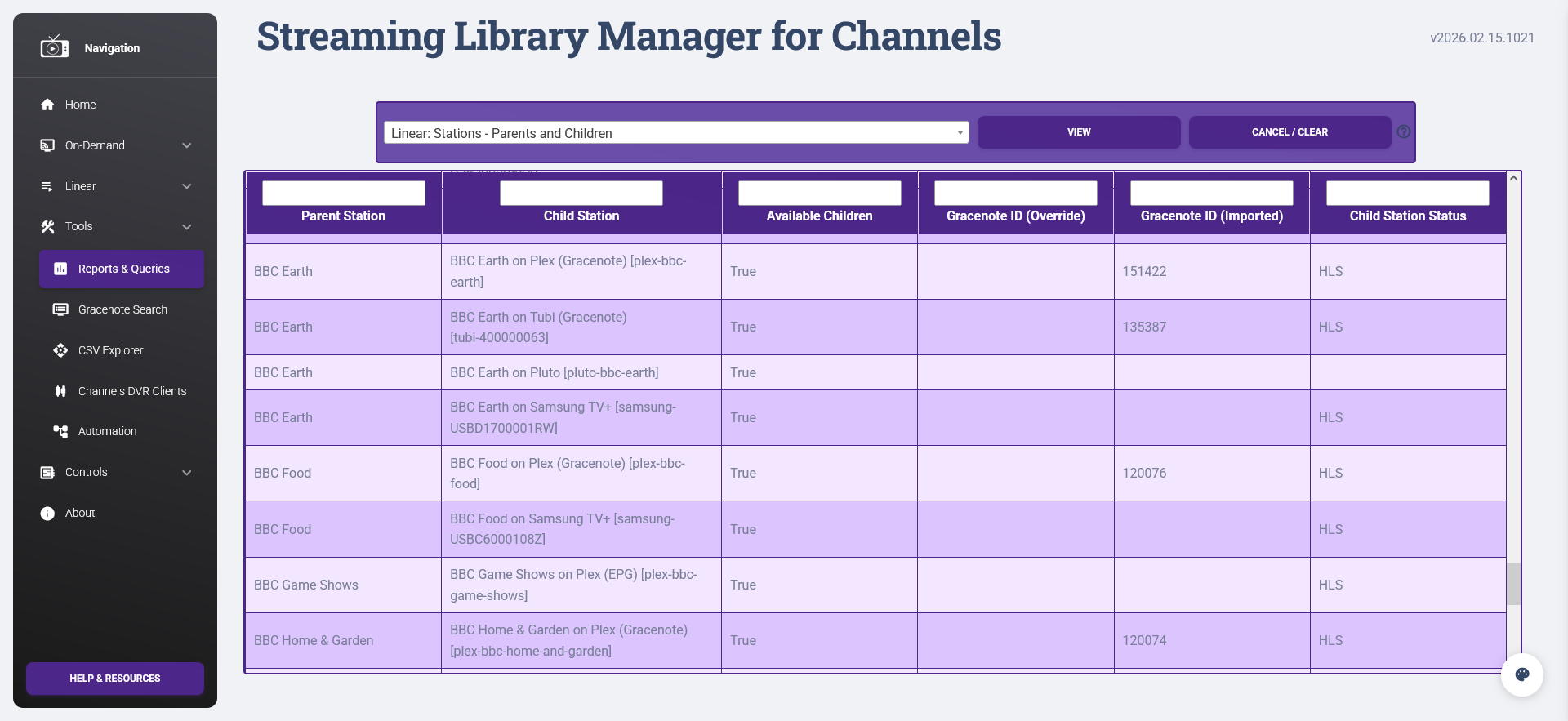
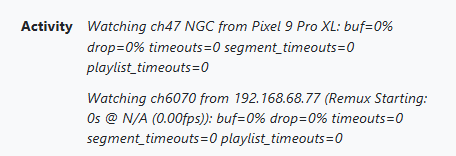
Also what's interesting is the TVE stations either trigger a remux or a transcode. Any ideas what would cause that? I have the stations for TVE being brought into Playlist as MPEG-TS, but aren't the TVE stations likely HLS? Below are clips of TVE stations playing at home on my phone. You see the two stations pop up. The lower channel is the renumbered channel from Playlist while the 6000s are TVE from likely Channels DVR.

Example of TVE Remux (National Geographic)
image

Example of TVE Transcode (Freeform)
image

See above:

1 Like

Got it. Thank you for taking the time.

It's a great solution to manage all channels.

Something change at You Tube for live streams?
I've been using this for You Tube Live stream channels and now none of them are working.
Channels is showing a 403 forbidden error on them and I see the same error using VLC instead of Channels to view them.

Anyone should be able to duplicate the issue using these url's.
https://www.youtube.com/@KittenAcademy/live
https://www.youtube.com/watch?v=T4XZmMPQ9Kw
They're both the same live channel.

http://[SLM_SERVER]:[SLM_PORT]/playlists/streams/youtubelive?url=https://www.youtube.com/@KittenAcademy/live
http://[SLM_SERVER]:[SLM_PORT]/playlists/streams/youtubelive?url=https://www.youtube.com/watch?v=T4XZmMPQ9Kw

I just tried these urls directly in chrome and they worked-- you saying not working from SLM?

Yes, I am aware; Google rolled out something worldwide yesterday that is causing the issue. I'm looking into implementing a solution, hopefully soon:

Can you test with Prerelease v2026.01.16.1432? It appears to be working in my testing, but I'd like some additional feedback in other environments before proceeding with releasing a hotfix.

For anyone else who'd like to try this and provide feedback, please go ahead. If you're using a non-Docker version like Windows, Linux, or Python self-deployed, please make sure you have Node.js installed first!

Do note that YouTube live streams and videos may take noticeably longer to load. Also, this is a temporary patch that may break at any time. There's active development going on upstream that SLM is dependent upon that may change the end-result solution.

1 Like

Thanks for being on top of this so fast!
Prerelease is working.

1 Like

The temporary patch is now available in the standard version as of this release:

Please be sure to review the release notes, especially if you are a non-Docker user!!!

1 Like

Update: Please disregard this request. I found that I had to edit each channel and reset them to be parent channels. Doing this changes the published names in the final playlist.

@babsonnexus and/or anyone who can assist with this...
So, I've created my streaming stations with 3 livecams from youtube to start...
Things are working as expected and I can stream them via VLC, either using the full playlist or just the streaming stations playlist.
As I'm adding more live streams, I start to organize more, and edit the names in the "Streaming Stations" tab.
Now here's the issue I'm having...
If I load just the streaming station playlist in VLC, I see everything I've added/changed.
However, if I load the final m3u playlist, that lists all the channels, the changes I made are not listed...
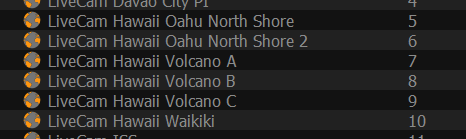
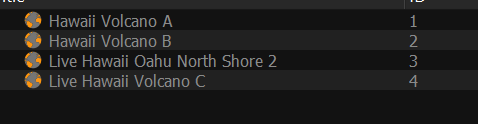
For example, here's the streaming playlist in VLC, with the changes I made:
image

And here's the final m3u playlist, and note that I did run the update m3u & xml epg before loading it into VLC:
image

I'm running the latest V2026.01.17.1250 version...
Hopefully my question makes sense... please let me know if I'm not doing something right....Thanks