
Yes, I am aware; Google rolled out something worldwide yesterday that is causing the issue. I'm looking into implementing a solution, hopefully soon:
Can you test with Prerelease v2026.01.16.1432? It appears to be working in my testing, but I'd like some additional feedback in other environments before proceeding with releasing a hotfix.
For anyone else who'd like to try this and provide feedback, please go ahead. If you're using a non-Docker version like Windows, Linux, or Python self-deployed, please make sure you have Node.js installed first!
Do note that YouTube live streams and videos may take noticeably longer to load. Also, this is a temporary patch that may break at any time. There's active development going on upstream that SLM is dependent upon that may change the end-result solution.
1 Like
Thanks for being on top of this so fast!
Prerelease is working.
1 Like
The temporary patch is now available in the standard version as of this release:
Please be sure to review the release notes, especially if you are a non-Docker user!!!
1 Like
Update: Please disregard this request. I found that I had to edit each channel and reset them to be parent channels. Doing this changes the published names in the final playlist.
@babsonnexus and/or anyone who can assist with this...
So, I've created my streaming stations with 3 livecams from youtube to start...
Things are working as expected and I can stream them via VLC, either using the full playlist or just the streaming stations playlist.
As I'm adding more live streams, I start to organize more, and edit the names in the "Streaming Stations" tab.
Now here's the issue I'm having...
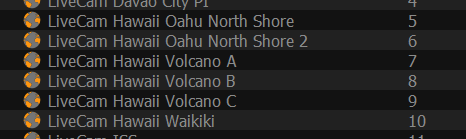
If I load just the streaming station playlist in VLC, I see everything I've added/changed.
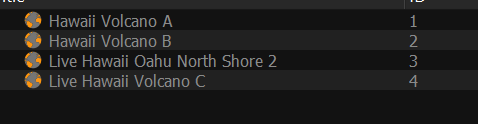
However, if I load the final m3u playlist, that lists all the channels, the changes I made are not listed...
For example, here's the streaming playlist in VLC, with the changes I made:
And here's the final m3u playlist, and note that I did run the update m3u & xml epg before loading it into VLC:
I'm running the latest V2026.01.17.1250 version...
Hopefully my question makes sense... please let me know if I'm not doing something right....Thanks
A more permanent (as permanent as these things can be) solution has been implemented as of this release:
This should restore the functionality and the performance seen before Google rolled out their worldwide change, as well as provide more backup options for if/when things go wrong!
2 Likes
@babsonnexus - A) Thanks so much for this, I've really enjoyed using it for a while now. and B) I'm still new-ish to docker usage, and am unable to figure out how to update to this recent fix, hope you can help. The command-line input I used to initiate my previously-working install was:
docker run -d --restart=unless-stopped --name slm -p 5000:5000 -v "C:/SLManager" -v "C:/ChannelsDVRFolder" -e TZ="America/New_York" ghcr.io/babsonnexus/stream-link-manager-for-channels:latest
Is there a simple way to update here? Or do I need to stop the running container, remove files and rebuild somehow? Thanks again.
Welcome!
Be sure to always check the Wiki first:
Since you went the command-line route, this isn't really a Streaming Library Manger question. I'm going to direct you to this thread:
Here's some good generic directions, too:
I highly, highly recommend getting Portainer and using that instead of command line, but that's completely up to your preference. Olivetin/Project One-Click is also a good possibility because it is a self-deployed version of the same thing. Either way, since you set a local location for your files (C:/SLManager), you are safe to even do a complete re-install, so long as you point the new installation at that.
2 Likes
Thanks for all of this!
@babsonnexus I was thinking it would be useful if it was possible to export to CSV all the channels and their parents, if they're ignored, etc.
I like spreadsheets for easy filtering offline. 
I've been thinking about doing something like this already, so added it officially:
I'll get to it... at some point...
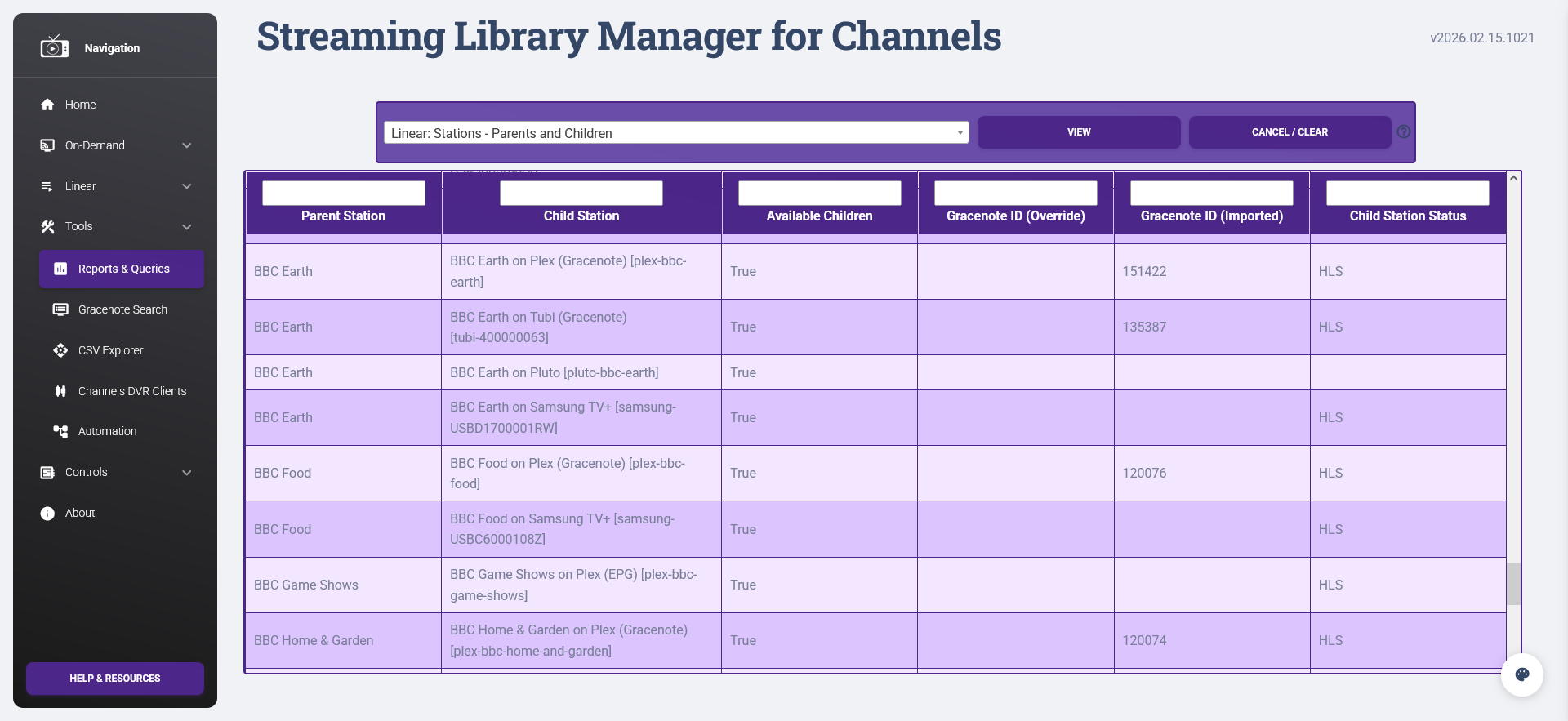
Just to make sure it is clear to everyone, what you are specifically asking about already exists as a report, but you can only use it on the web and you want to export the results of this and use it in something like Excel:
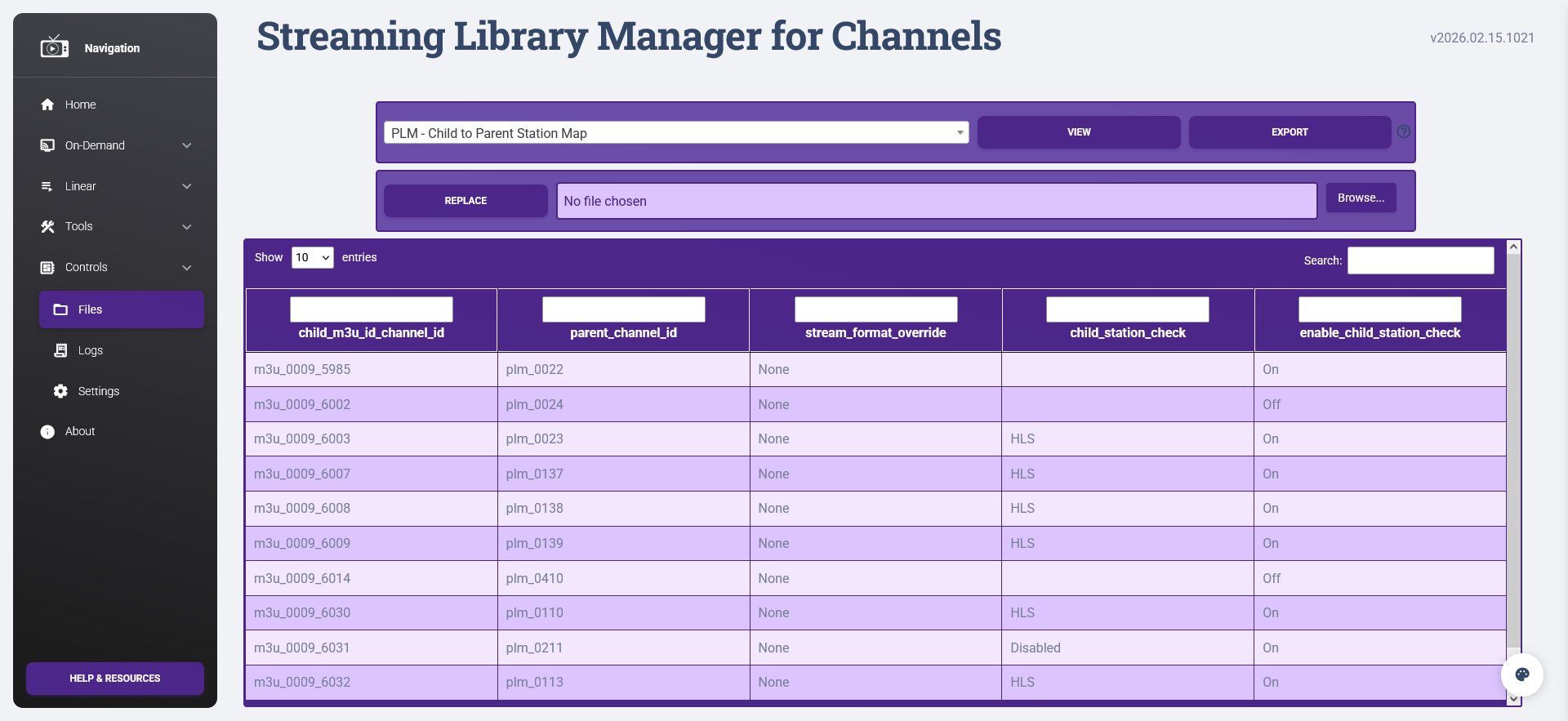
Also, you could technically export any of the base files or link their data and write your own queries, but I know that would be a POA to having the backend handle it.
3 Likes
@mjitkop, you can now export reports as of this version:
Per the notes, this is a first step to other exports of internal data, so let me know if there any issues/suggestions around this.
1 Like
Thanks! I will give it a try as soon as I get the chance.
So I’m loving the playlist manager—working to integrate all my channels including tve and HDHomeRun
Strange issue I’m running into
I have 5 copies of charge channel…all are HDHomeRun or tve
I put tv first in the list and all of them are assigned to the same parent channel
Always plays HDHomeRun and not the tve version
Anyway to troubleshoot?
Did you enable the HDHR source in Channels? I had to disable that in order for it to use the source i desire. Also make sure the priority in the playlist settings are sorted. If you just want Charge to use the TVE feed, then you can specify that ok the parent channels settings
i'm pulling tve from another channels server so that isn't the issue
Didn't want to hardcode it for that channel so i can figure out whats going on
Well it started working but channels keep reverting back to unassigned - whole playlists
If you run the report Linear: Stations - Parents and Children you can see the assignment order as PLM would do it and if there are any issues with each source:
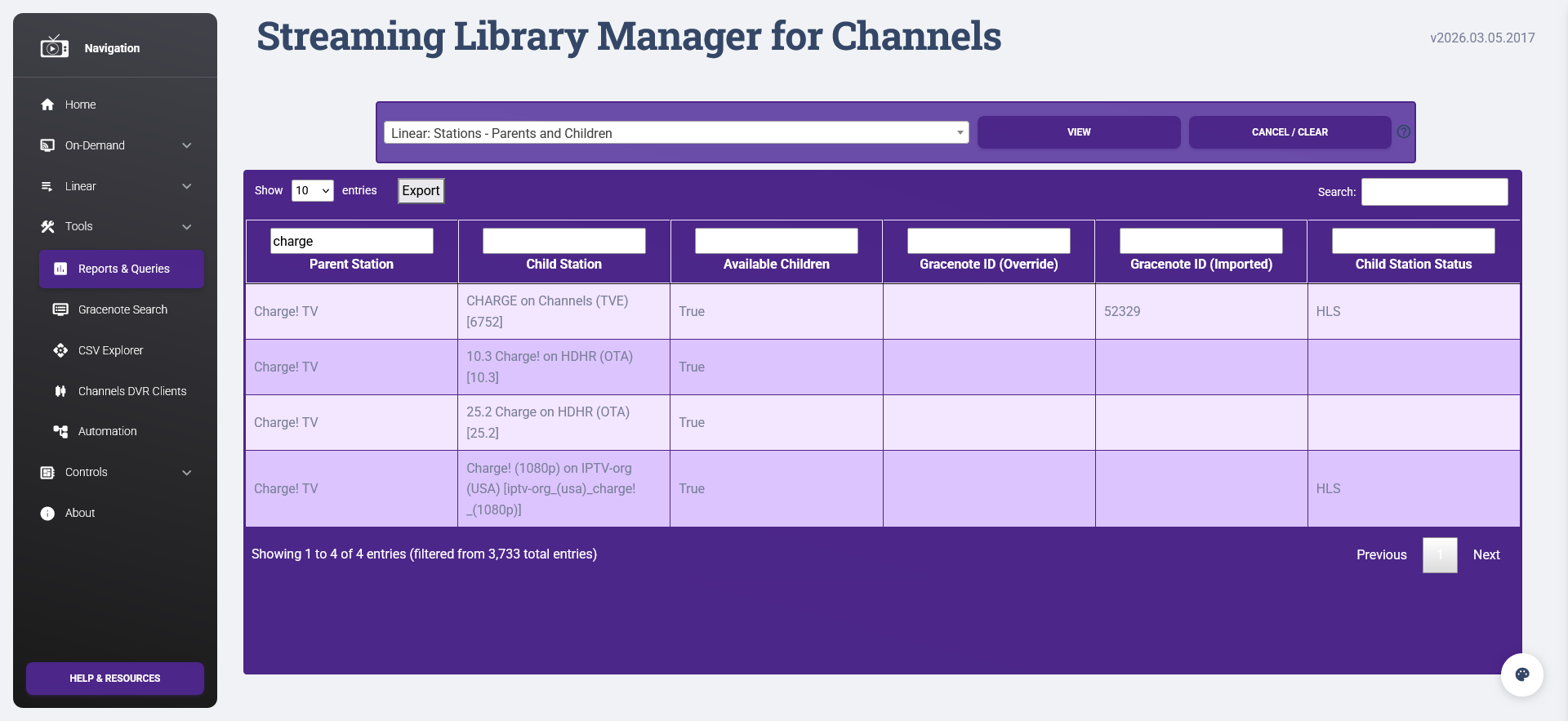
As you can see, I have practically the exact same situation as you and do not have that issue; the TVE one plays as expected.
Just to reiterate everything @Jean0987654321 said:
-
Make sure TVE has a higher source priority...
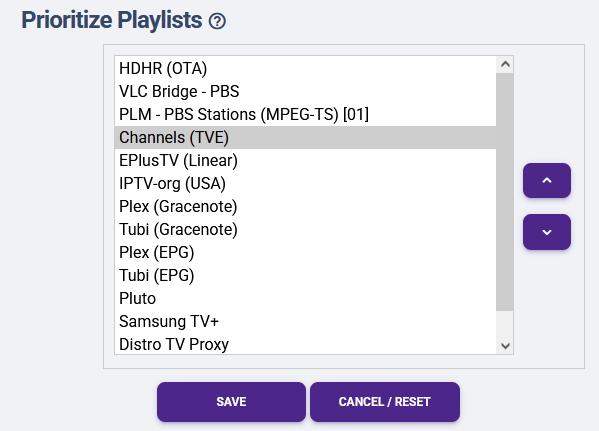
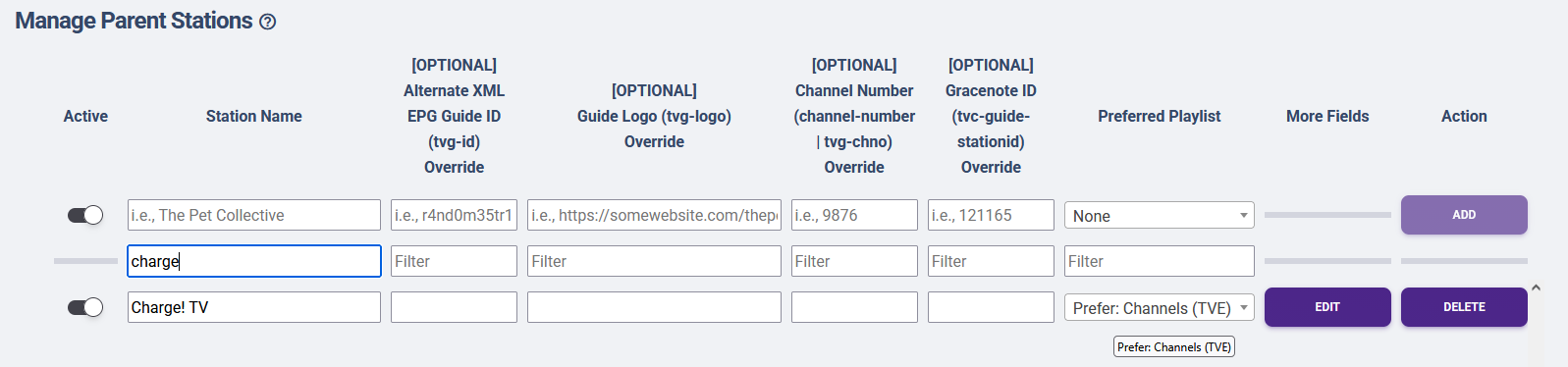
... and/or set TVE as your Preferred Playlist at the parent.
-
Confirm HDHR is disabled in Channels:
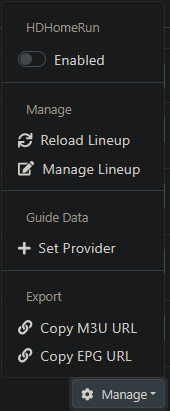
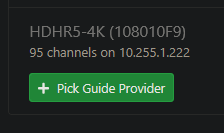
1 Like
On the disabling hdhr - i set it up and use the link to send to slm right? and disabled allows the m3u to keep working?
Does the same thing happen with tve?
Please review things discussed in detail above, for instance:
Also the Wiki, particularly the Troubleshooting & FAQ.
1 Like