
Another recording just sitting there spinning in the web player.
In progress HDHR cable recording from CBS.
Let the remux run for about 2.5 minutes, then clicked the 30 second skip and it started playing.
Played all the way through without issues.


Does chrome's network inspector show it downloading .ts segments or is it stuck there too?
Cleared the cache and marked the recording as unwatched.
From DVR > Manage > Shows I started playing in the web player and let it remux to about 3 minutes.
Just a spinning circle in the player and the playhead stayed at 0 seconds.
Channels log
2024/10/28 08:42:56.187935 [ENC] Starting encoder for America's Test Kitchen S25E06 2024-10-26 Easy Chicken Dinners 2024-10-26-1000.mpg in /shares/dvr/Streaming/file8153-ip192.168.1.8-3710160607/encoder-0-3272807705 at 0 (0.000000) (encoder=remux, acodec=aac, bitrate=3970, segment_size=0.01)
2024/10/28 08:42:56.227098 [HLS] ffmpeg: file8153-ip192.168.1.8:  [mpegts @ 0x9019540] Packet corrupt (stream = 0, dts = 8418957586), dropping it.
2024/10/28 08:42:56.227146 [HLS] ffmpeg: file8153-ip192.168.1.8:  [mpegts @ 0x9019540] Packet corrupt (stream = 1, dts = 8418757973), dropping it.
2024/10/28 08:42:56.227156 [HLS] ffmpeg: file8153-ip192.168.1.8:  [mpegts @ 0x9019540] Packet corrupt (stream = 2, dts = 8418757973), dropping it.
2024/10/28 08:43:33.914355 [ENC] Stopped encoder for America's Test Kitchen S25E06 2024-10-26 Easy Chicken Dinners 2024-10-26-1000.mpg in /shares/dvr/Streaming/file8153-ip192.168.1.8-3710160607/encoder-0-3272807705 after encoding 0 to 100
Network Inspector

This is what happens when I click the skip 30 seconds button.
Cleared the cache and marked the recording as unwatched.
From DVR > Manage > Shows I started playing in the web player and let it remux to about 1.5 minutes.
Just a spinning circle in the player and the playhead stayed at 0 seconds.
I then clicked the 30 second skip button and it started playing.
Channels log
2024/10/28 09:21:44.869230 [ENC] Starting encoder for America's Test Kitchen S25E06 2024-10-26 Easy Chicken Dinners 2024-10-26-1000.mpg in /shares/dvr/Streaming/file8153-ip192.168.1.8-1258289104/encoder-0-951207849 at 0 (0.000000) (encoder=remux, acodec=aac, bitrate=3970, segment_size=0.01)
2024/10/28 09:21:44.908390 [HLS] ffmpeg: file8153-ip192.168.1.8:  [mpegts @ 0x7c28540] Packet corrupt (stream = 0, dts = 8418957586), dropping it.
2024/10/28 09:21:44.908452 [HLS] ffmpeg: file8153-ip192.168.1.8:  [mpegts @ 0x7c28540] Packet corrupt (stream = 1, dts = 8418757973), dropping it.
2024/10/28 09:21:44.908464 [HLS] ffmpeg: file8153-ip192.168.1.8:  [mpegts @ 0x7c28540] Packet corrupt (stream = 2, dts = 8418757973), dropping it.
2024/10/28 09:22:29.841951 [ENC] Stopped encoder for America's Test Kitchen S25E06 2024-10-26 Easy Chicken Dinners 2024-10-26-1000.mpg in /shares/dvr/Streaming/file8153-ip192.168.1.8-1258289104/encoder-0-951207849 after encoding 0 to 104
Network Inspector

Very Interesting!
I removed the video index for this recording (deleted Streaming\m3u8\2844) and it plays fine, no audio issues.
If I Regenerate Video Index it has audio issues again.
Another recording from FrndlyTV with same audio behavior. After removing the video index it plays with no issues. If I Regenerate Video Index it has audio issues again.

I recorded the same episode from HDHR cable (another server) and it doesn't play in the web player until I skip ahead 30 seconds. With or without a video index.
Sounds like the OTA MPEG-TS stream is in some way incompatible with the browser and needs to be remuxed to work. I’m not sure I’ve seen that before.
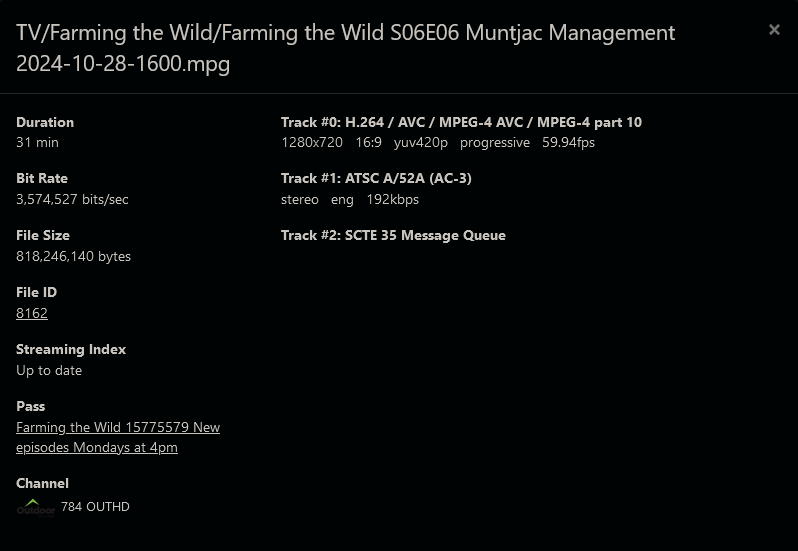
It's a cable channel (Outdoor channel) that I pick up from both FrndlyTV and via my cable provider with a HDHR Prime tuner.
The audio issue is happening with recordings from the FrndlyTV source Frndly TV for Channels
Apple has an HLS testing tool as part of their developer streaming tools. If you point the validator at the recording with indexing enabled it may give us insight into what is wrong.
OK, what's needed to run the testing?
I have other recordings that exhibit the same problems, some spinning circle and some audio playing intermittent.
Download the Apple HLS tools and then use mediastreamvalidator. You can point it at the master.m3u8 for the recording that is used by the Web player.
Thanks, but appear you have to be an Apple developer to download it.
Apple provides HLS Tools to help you set up an HLS service. HLS Tools update frequently; you can download the current versions from the Apple Developer Downloads website. To access them, sign in with the Apple ID associated with your developer account.
I'm not a developer and don't have a developer account.
I was able to fix a couple recordings.
One had the audio issue, one had the loading spinner.
Deleting the video index fixed them.
Remuxing them with ffmpeg, refresh metadata, recreate video index fixed them.
I kept the original recording files (as filename.mpg.bak) for testing.
I've identified a few other recordings that have the loading spinner and can't be fixed by deleting the video index or remuxing.
If you try to login to the site does it block you? I was under the impression any Apple account could be used to have access to that tooling.
OK, Logged in, but I only see the downloads for CentOS and MacOS, I have neither.
Didn't think about it, but guess if you're an Apple dev you have a Mac.
Do you have Linux? Did you try to download and run the CentOS one?
I downloaded them both, but only have Windows and my two Synology NAS's.
The CentOS package is in a tar file and looks like installs with a shell script and uses an rpm package.
Just thought of something to try and now I'm confused.
A recording that doesn't start playing (loading, spinning circle) on my Windows machine using Firefox, Brave and Edge plays fine in Safari and Edge on my iPhone using a local WiFi connection.
So I loaded the Firefox browser app on the iPhone and it also works from there.
I won't be using my iPhone browser to watch when I'm in front of my PC, but I was surprised.
So it sounds like it plays okay via the Safari-based HLS implementation but something about the one used for Chrome, etc. doesn't work. Thanks for the info.
2 Likes
Do any of the devs or other users have a Windows machine they could test this with?
Or should the web UI Player be abandoned as dead (at least on Windows).
I have Windows and occasionally use the web player (in Edge). I have also seen the case of spinning circle and end up playing the recording with VLC too, in this case.
I do like the convenience of using the web player on occasion, when it works.
Do you want me to report when I see the spinning circle again, or what kind of test should I run?
Thanks @mjitkop, Good to know that I'm not alone.
I figure any users that tried this and have issues on Windows, quickly moved to something that just works.
After many years of posting issues about it, either they don't care or can't repro the problem. I have been told numerous times that the web UI Video Player is not supported. My Original post in this thread shows that the web UI Video Player is broken and will be fixed on Safari, but not in a Windows browser?
I have given up hope that it will ever be fixed.
2 Likes