Try asking again on a good weather day mid week when you have a chance of getting somone that's not feeling rushed and that might have some sympathy.
Cablecards are on the way out across the board, it's not really a day of the week thing imo.
Yes cablecards are on the way out and for me they are no longer an option with Verizon FIOS. Before they went out, I was able to get assistance by being nice and finding and old customer support rep that was willing to help. Not all the reps were willing. He broke out his old paper notes and got me going.
2 Likes
That sucks, and this is the reason I refuse to make any updates to my current Xfinity cable or internet plans. I am probably paying more than I should be, but I'm just riding it out as long as they will let me.
Many years ago I was so happy with Tivo with cable card. Then the industry killed for lousy streaming services. I hate VOD unless its stuff I have on my server. Love grid guides and live channels.Tried all the services and now very happy with Spectrum Tv Lite which I got right after the buyout of COX. It has all the right channels to my liking. TVE works perfect now but a few channels Id like to pipe into Channels. One in particular is MTV Classics! I havent had this channel since the last decade and its even better now.
For this one channel Im having a hdmi to hls/ip encoder shipped today, its only $79 bucks on the Amazon Prime deals this week, No need for a expensive 4k one as MTV Classic is SD 4:3, as it should be. I hope I can integrate into channels DVR with ease. I dont plan on using Docker or any addons(too complicated - I dont have the time). Just a custom channel. If theres others who have been sucessful with this, please chime in!
Also- I have or tried and returned every iteration of the Fire Sticks and Onn Boxes/sticks (I use Apple TV), which one stays on just one channel flawlessly for long periods of time? I have adapters for Ehternet for them too. I also have the Tivo Stream 4K.
Which one is on sale right now?
Try SlickDeals, they will have better info on sales than this thread.
Thanks to this community, in 29 days I've gone from losing my CableCARD to 4x Amazon FireTV 4k Sticks on a Link Pi encoder, using ah4c to tune and capture with closed captions. Right in the middle of setting things up, Kinetic came through and started installing fiber in our neighborhood. Today, the Kinetic site shows I'm eligible to switch to them.
My plan is to drop Xfinity completely and move to Kinetic internet + DirecTV Stream using the FastChannels ah4c bridge.
Before executing this plan, I need to get my mom (who lives in a detached garage apartment but shares our cable/internet) using Channels DVR for her TV so that the provider switch is more or less seamless to her.
My plan is to do the following. Please let me know if you see any mistakes or a better way:
-
Setup a secondary CDVR using the main instance as the m3u/xmltv. My understanding is this will let my mom access the same Channels DVR setup we're using (Fire TV sticks + Link Pi + ah4c) without seeing our recordings or us seeing hers. Am I right about that? With 4 tuners I don't think we'll ever get in each others way.
-
Setup the spare Homatics 4k box I have (temporarily replaced one of my Shield Pros) for my Mom with Channels and any streaming services she currently accesses through the Xfinity STB.
-
Install Kinetic fiber and subscribe to DTV Stream
-
Setup ah4c and add FastChannels so that both CDVRs are using DTV instead of Xfinity.
-
Drop Xfinity and bring all their equipment (including the non-functional CableCARD) back to them.
Does these seem like a reasonable plan? Any gotchas I might be missing? Thanks again for all the good ideas and the hard work put into the many projects that have my DVR back in business.
for what it's worth the switch to streaming has caused my retired controls engineer father to all but give up tv. I did what you did, but I decided to use the old dtv osprey boxes for his 2 tv's and put the channels app on that. it worked fine, but he rarely watches anything now. although he does turn something on when he's working in the gargage.
the directv gemini interface works just like his satellite boxes so he just sticks with that. I ended up reclaiming my hdhr and laptop.
1 Like
Generally this seems like a good plan, but a few observations:
As @Shaggylive suggested, you may find your Mom would prefer the very "cable box like" experience of the DTV Osprey/Gemini. DTV Stream is one of the few streaming services that offers this, and it's a nice option to have -- especially if you're planning for her to have a separate library of recordings. Her recordings would be done in the cloud.
One argument against that though, is if she has a set of classic shows she likes, is that Channels is excellent for setting up virtual channels. It's very nice to be able watch a favorite series, or group of shows, on a dedicated virtual channel with no commercials. This would be an argument in favor of each of you having a CDVR server, and sharing a set of FastChannels ah4c bridge tuners.
Probably the final observation is that, other than tuning time, both services are good. In fact, I've been using a combination of DTV and Xfinity myself for many years. They're both reliable with CDVR, but with the new bridge option, DTV Stream (in many ways) is better than TVE ever was.
3 Likes
I appreciate the advice. My mom was surprisingly receptive to make the change. She's already comfortable opening apps like MAX and BritBox. She was especially receptive when I told her the apps would open 10-500,000x faster on the Homatics box than they do right now on the Xfinity STB. She's also thrilled about the possibility of a custom channel that has her favorite programming all the time. My mom actually suggested that before I told her it was possible 
For now, I'm working on setting up the second CDVR instance (in an LXC this time) and getting it to tune from our shared Fire TV sticks. I'm trying to decide what to do about storage since the Proxmox host doesn't have space for another HDD, but I have 2 or 3 NAS-level 4TB HDDs available. I might throw one in an enclosure and plug it in to the Proxmox host.
2 Likes
Hopefully you used my CDVR LXC script, as it makes this setup very easy:
If you're invested at all in the UniFi ecosystem, I can't say enough good things about the UNAS Pro for storage. I've tried quite a few different storage solutions to marry up with Proxmox, with the goal of having it decoupled from my virtualizations. This is the one that's checked all the boxes. It's well priced, quiet and capable:
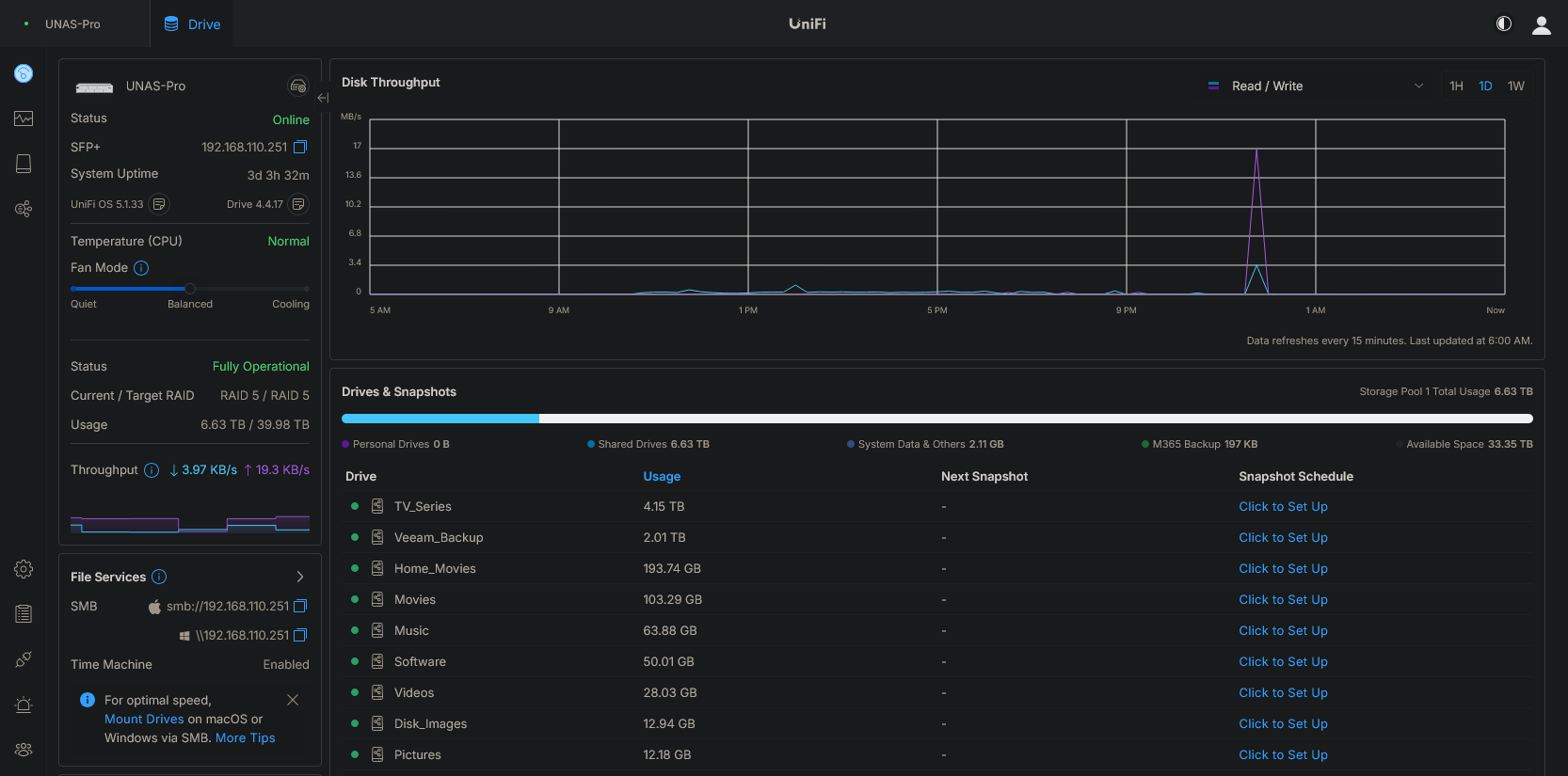
Stop making me buy things  Seriously I am on the store right now looking for my USG Pro 4 replacement since I just saw the notice that it won't be supported eventually. I'll take a look as that is a great price for a 7-bay NAS. I already have a QNAP NAS with 60TB of storage reduced to 45TB by RAID6, but that's 75% full, and I don't want to share that space with CDVR #2.
In the meantime I absolutely will use your script. I want to figure out the storage piece before I setup the new DVR instance.
Have you considered an expansion chassi for your QNAP NAS? There are many reasonably priced NAS available today. You could simply add another NAS and keep what you have. You would have to decide what to store where.
That's further down the road. For now I'm using a 4TB drive from my old Thecus NAS in a USB enclosure to serve as the secondary CDVR storage.
I can also recommend the Direct TV Stream for Mom as thats what I did for my Dad He used the Android TV app for 2 weeks and was getting hung up getting the guide favs etc..... The Gemini Air was a free option and since setting that up and printing a channel number list he Loves it !!!the dedicated guide button is perfect for him and i can login as him on my TV when / if he deletes a Fav etc.
For anyone that has, or is planning to, implement my compact approach to building a 5-tuner encoder setup:
I'm amending my USB hub recommendation. I've found the one in the original post to come up short power-wise on a full reboot. In fairness to the manufacturer, it does say that it can deliver 1.5A to each of any four ports, which can leave that 5th device trying to boot using standard USB3 max power (.9A). Sometimes it's fine, sometimes not.
So, I've migrated to this hub, which can deliver 1.5A per port when connected to a host computer or 2.4A per port when used exclusively for power. Used either way, it supplies enough power to simultaneously boot five streaming sticks. The other cool thing is that this hub is supported by uhubctl, which allows the power to each USB port to be managed individually:
https://www.amazon.com/dp/B096YKDYX5
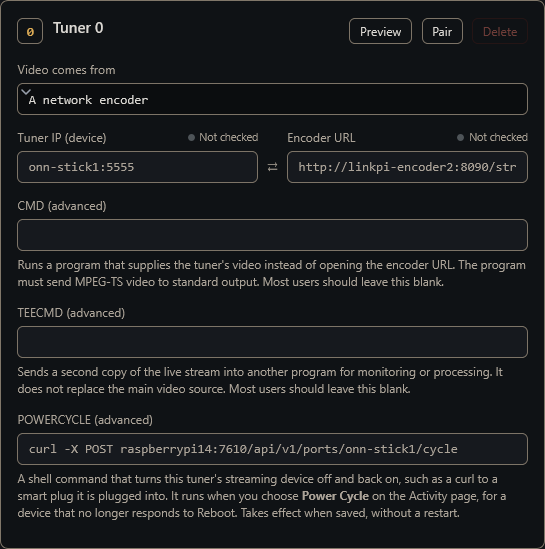
uhubctl is great, but I wanted something a bit nicer than the command line, so I put together a Docker container that includes this utility -- plus adds an API. I'll be incorporating this into ah4c, so that you can do a power cycle of any of your USB hub connected streaming sticks from ah4c's WebUI:
2 Likes
Interesting concept. I can get multiple dodgy Chinese hdmi usb grabbers and firesticks and just use this and a cooler to put it all together theoretically
Yeah...that's certainly gonna be more cheaper
1 Like
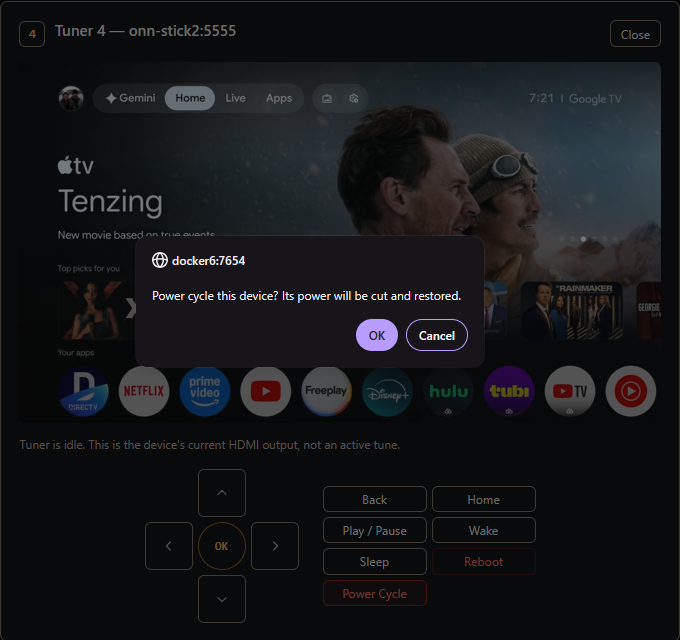
As mentioned, I've added power cycle support to ah4c. So, if you're using the recommended USB hub discussed above, or really anything else that can control power via an API (Shelly Smart Plugs, or UniFi PoE Switch for two examples) -- you can now trigger a power cycle of a streaming stick right from the ah4c WebUI: