Cannot add DirecTV as TV Everywhere source

Hi everyone!
I am experimenting with changing providers from YouTube TV to DirecTV. I have created my account and can log in to the DirecTV app and website with my credentials.

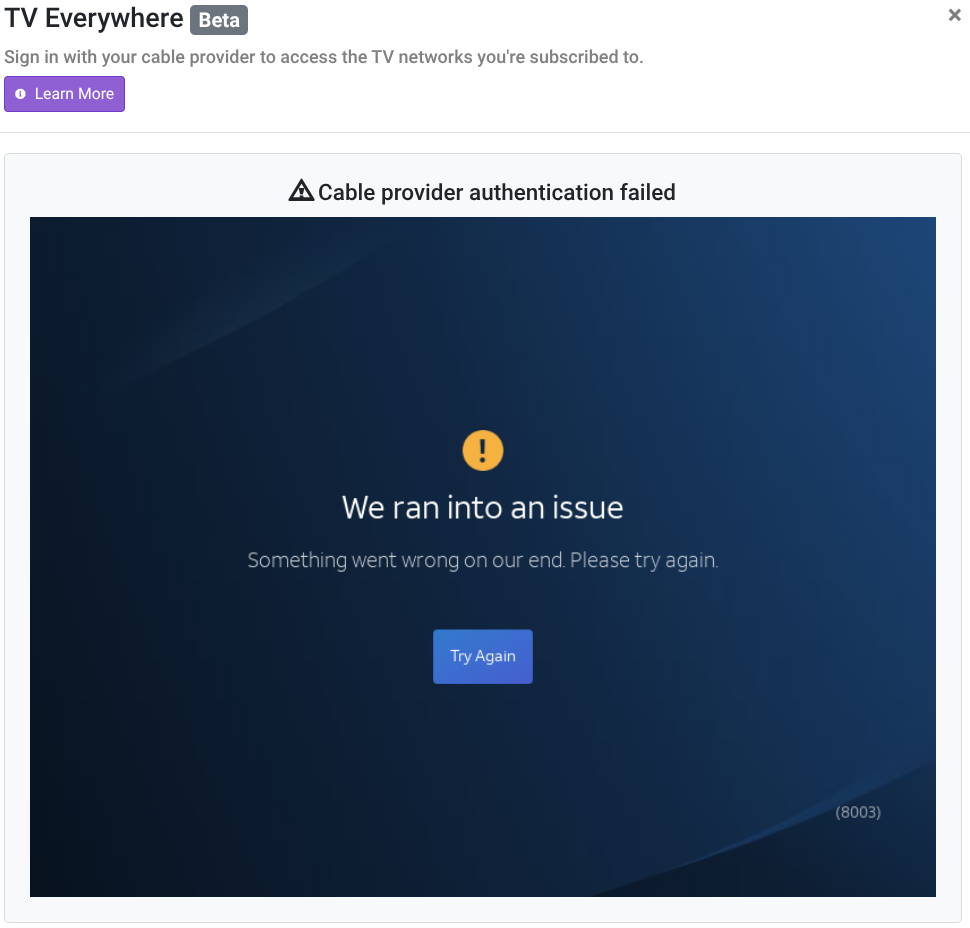
However, I am unable to add the DirecTV TV Everywhere source. I have tried using the login for both the DirecTV, and DirecTV Stream providers. Both fail with the following graphic on the CDVR GUI:
Logs have been submitted: c1b63e7b-c5b2-41f0-ad2d-0634e669acfb

I am also setting up through ADBTuner, but thought that this particular feed is more appropriate to ask for help with TVE.

I waited, and the login finally worked later in the evening.
Nevermind!

Same issue here. I had DirecTV Stream as a TVE source on my previous server installation on my NAS. I set it up Channels as a new install on Linux, rather than migrating. I have the same message as the original poster that DTV “ran into an issue”. Any thoughts?

Give it a few hours- I’m seeing that in my testing this morning.

Do you mean just keep trying? I’ve tried at different times of day and on different browsers, including incognito mode on Firefox.

Yes, wait 3-4 hours then try again. I only try a couple of times then wait longer.

When I had the same problem a couple of weeks ago, the only thing which worked was waiting several hours. The message I had received was as in my post at the head of this thread. It said "We ran into an issue." And, in the smaller print, second line "Something went wrong on our end. Please try again" Indeed, it was on their end.

Often it doesn't work on the weekend

2 Likes

How many hours/days did it take in order to successfully signon?

I finally got access. But what is interesting is, that I have DirecTV Stream. I instead logged into DirecTV and it loaded the guide data for both DirecTV and DirecTV Stream, which are identical, and assigned them both to the 6000 channel numbers.

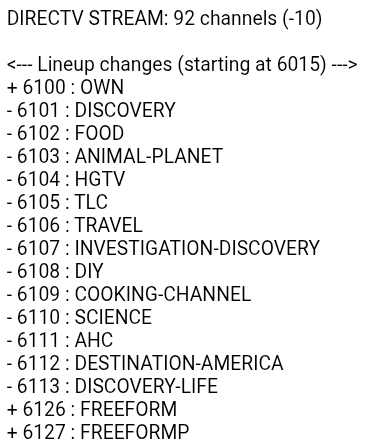
I also logged into both, and found that there were slight differences in authorized channels. (105 for DTV, 102 for DTV Stream) Some were only on one or the other source, for instance, DirecTV would not authorize Discovery. But, DTV Stream did. :thinking: So, I kept both sources and just hid all of the duplicates on the "stream" source.
EDIT: just rescanned DTV stream and only got 92 channels... Discovery did not authorize this time around... strange...:woozy_face:

Instead of removing and adding the source, or rescanning all channels, just rescan the individual channels that error out.
Source > :gear: Manage > Rescan Channels > Channel # :gear: > Rescan

I usually just try playing a channel in the web player if it errors out. That will reauth it. If you rescan it might fail and will no longer be in the guide.

1 Like

Thanks for the tips! I'll definitely try one channel at a time. I never thought of attempting to play any channels in the web player to reauthorize. Interesting! So far, I haven't lost anything I cared about.

There is definitely something going on with Directv authentication currently. I’m seeing more channels losing authentication. Hopefully it improves tomorrow.

Try it and check the DVR log to see what it does (I usually open that in another browser tab while playing in the first tab).

2025/09/07 20:37:57.594118 [TVE] action=auth mvpd=Comcast_SSO requestor=ABC
2025/09/07 20:37:57.623365 [TVE] action=xvfb display=:576
2025/09/07 20:37:58.835603 [TVE] action=version product=Chrome/132.0.6834.83 jsVersion=13.2.152.27 protocol=1.3 revision=@03d59cf5ecf1d8444838ff9a1e96231304d4ff9c
2025/09/07 20:37:58.837927 [TVE] action=page_ready chromeVersion=132
2025/09/07 20:37:58.839256 [TVE] action=navigate url=https://sp.auth.adobe.com/adobe-services/authenticate/saml?noflash=true&mso_id=Comcast_SSO&requestor_id=ABC&no_iframe=true&domain_name=adobe.com&reg_code=&redirect_url=https%3A%2F%2Fsp.auth.adobe.com%2Fadobe-services%2FcompletePassiveAuthentication
2025/09/07 20:37:58.848122 [TVE] action=request type=Document method=GET url=https://sp.auth.adobe.com/adobe-services/authenticate/saml
2025/09/07 20:37:59.615606 [TVE] action=request type=Document method=GET url=https://oauth.xfinity.com/oauth/authorize redirected_from=https://sp.auth.adobe.com/adobe-services/authenticate/saml
2025/09/07 20:38:00.088910 [TVE] action=request type=Document method=GET url=https://login.xfinity.com/login redirected_from=https://oauth.xfinity.com/oauth/authorize
2025/09/07 20:38:00.089055 [TVE] action=auth_domain domain=login.xfinity.com
2025/09/07 20:38:02.199117 [TVE] action=wait_for_page
2025/09/07 20:38:06.153741 [TVE] action=request type=Document method=GET url=https://oauth.xfinity.com/oauth/authorize
2025/09/07 20:38:06.517365 [TVE] action=request type=Document method=GET url=https://sp.auth.adobe.com/adobe-services/oauth2 redirected_from=https://oauth.xfinity.com/oauth/authorize
2025/09/07 20:38:08.319315 [TVE] action=request type=Document method=GET url=https://sp.auth.adobe.com/adobe-services/completePassiveAuthentication redirected_from=https://sp.auth.adobe.com/adobe-services/oauth2
2025/09/07 20:38:08.319459 [TVE] action=authed
2025/09/07 20:38:08.319513 [TVE] action=wait_for_page done=true reason=auth_finished
2025/09/07 20:38:08.323702 [TVE] action=cookies num_domains=2 num_cookies=21
2025/09/07 20:38:11.175988 [TVE] stream timestamps: abc: start_at=2025-09-07T20:37:41-07:00 end_at=2025-09-07T20:37:47-07:00 live_delay=21.896984587s
2025/09/07 20:38:11.176169 [TNR] Opened connection to TVE-Comcast_SSO for ch6001 KXTV
2025/09/07 20:38:11.176224 [HLS] Starting live stream for channel 6001 from 192.168.1.8 (bitrate=8886kbps)
2025/09/07 20:38:12.254529 [HLS] Probed live stream in 1.077469637s: h264 1280x720 progressive 7024539bps
2025/09/07 20:38:12.291498 [HLS] Session ch6001-dANY-ip192.168.1.8 started in 1.115199071s

If it fails to auth, at least it doesn't remove it from the guide, so you can always try again.
I've had to try two or three times in the past on the same channel.

Several tries on several channels. No-go tonight. It seems to be all of the Warner Bros/Discovery family of channels. These are the ones I lost from DTV Stream. They're still in the guide for the regular DTV source, and won't play or authorize. Not even by playing in the web player.

Screenshot 2025-09-07 9.18.06 PM

It'll probably work today (since it's not a weekend day).

Through the regular DTV/TVE source, I actually got all of these to play late yesterday evening, and again this morning. This afternoon...nope! :roll_eyes:

Started authenticated this am about 7:00 am CST . Took about 30-35 minutes with Directv and 1/2 that time for Stream. Still had to rescan Discovery, FS1, & BTN. FS1 was long but the other two were very quick.

@jagrim Did you authenticate one by one, by playing in the web player as @chDVRuser suggested? That seems like a good way to go. Are they still working this evening?