Multi4channels, A Multi-View Application

Introducing Multi4channels, a Docker application to run multi-view in channels. Please check out the GitHub README on instructions to install. This application is fairly resource intensive as it needs to take up to 4 streams and encode them into a single stream. Don’t try to run this on your Raspberry Pi. I kindly ask for you to post your success/failures and cpu model to this thread so other users will have an idea if it will work on their machines.

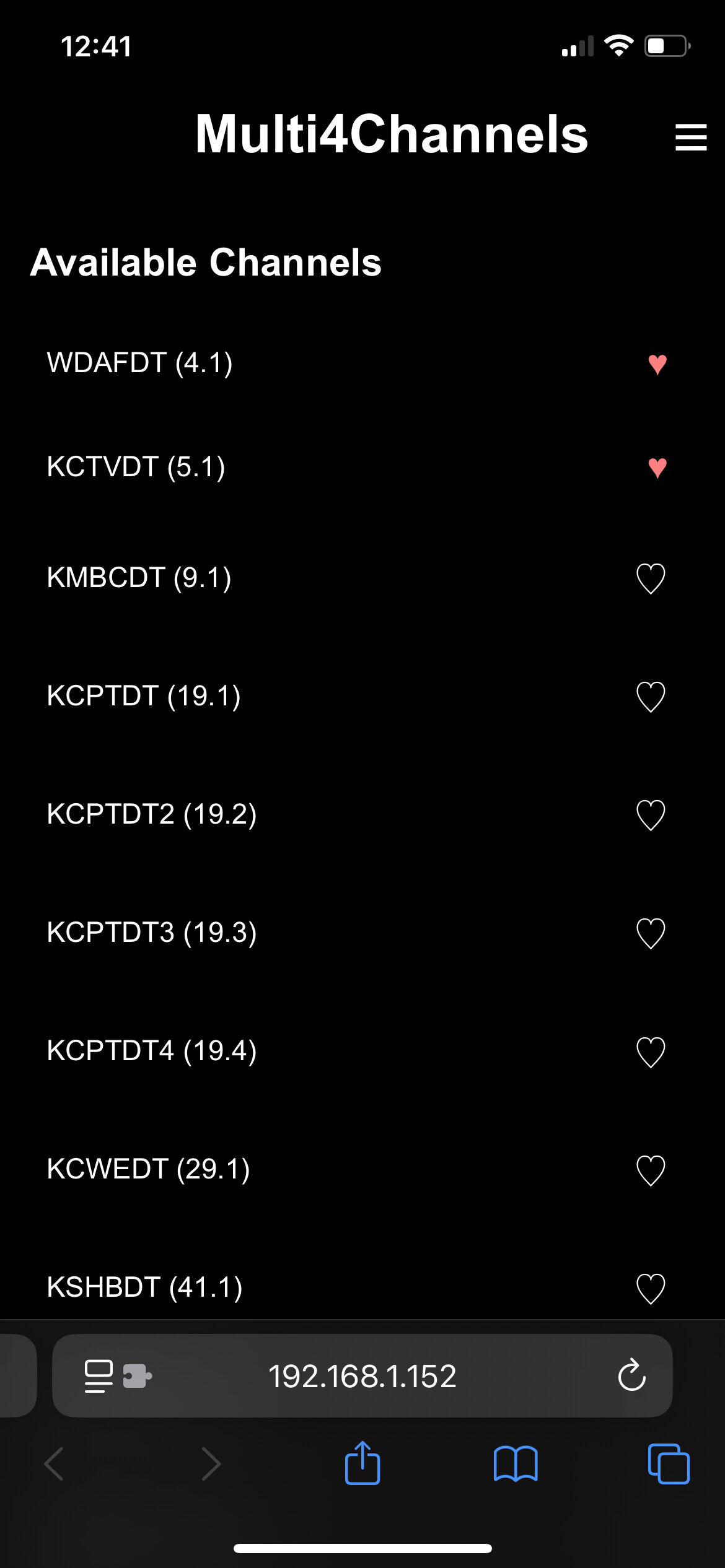
Some screenshots:
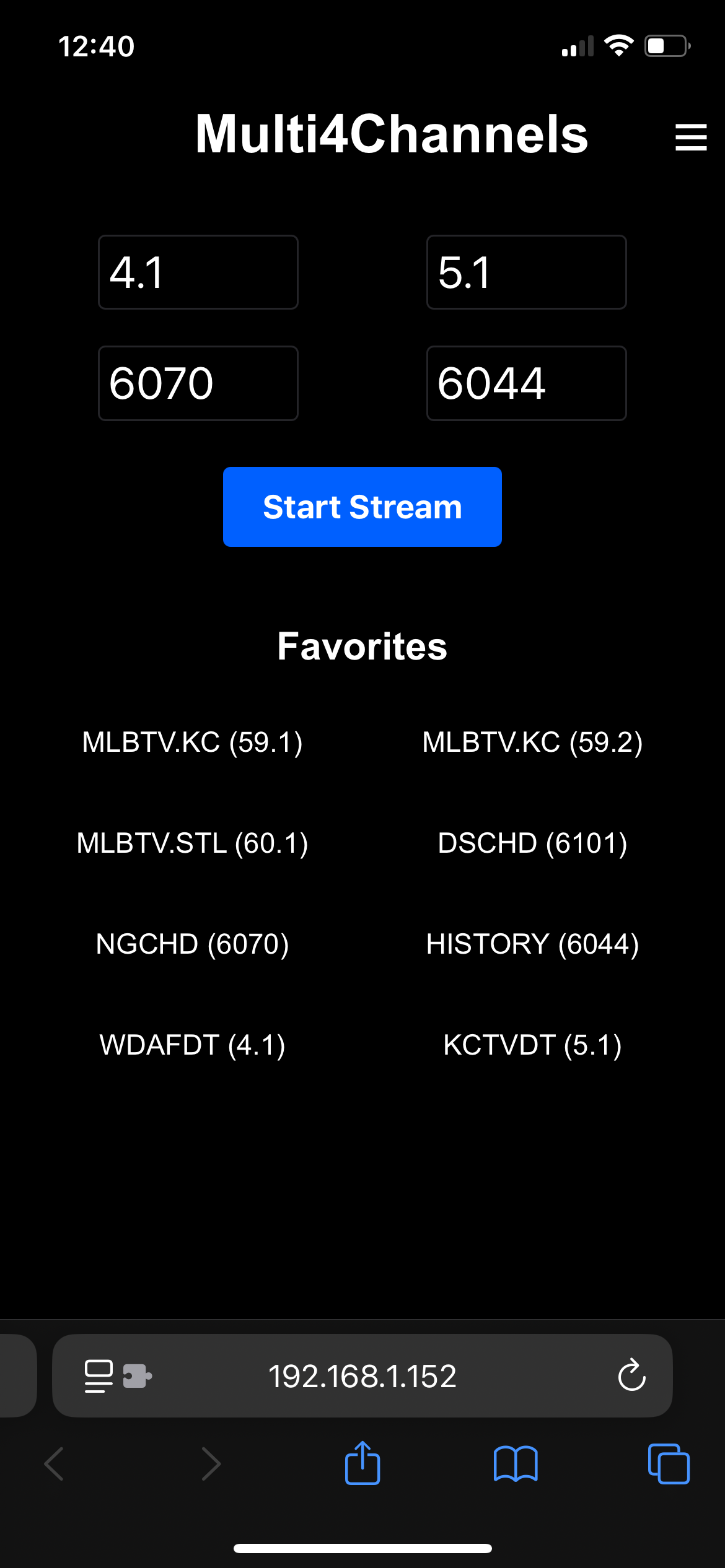
2 Likes

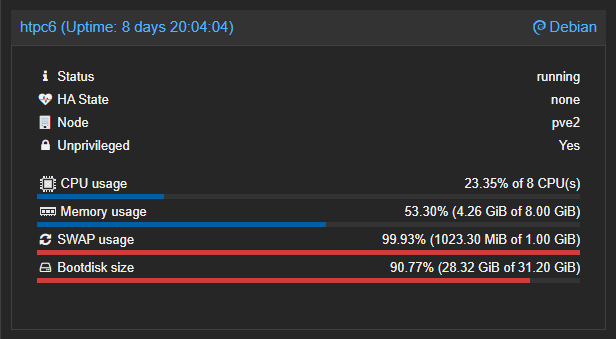
Works great with Docker running in a Proxmox LXC. With 8 vCPUs allocated (underlying server is a 14th gen i9), CPU usage for the LXC runs at around 18-24%:

screenshot-pve2_localdomain_8006-2025_06_29-06_15_29

For those using Organizr here's the Multi4channels icon:

I have tested with success on:
I5-10400 at about 20% cpu
AMD 9600x at about 11% cpu

Tried it on a Synology 1520+ (intel J Celeron) but CPU spiked to 100% and video was very choppy. Definitely don't want to underclub the processing power.

1 Like

Looks awesome, and I'm eager to try this on my Mac Mini M1 server! Thanks for sharing your great work on this. Unfortunately the docker command to install gave me this error:

WARNING: The requested image's platform (linux/amd64) does not match the detected host platform (linux/arm64/v8) and no specific platform was requested.

It proceeded to install the AMD64 version anyway. Unfortunately it isn't running well at all, any attempt to multistream brings the server to its knees.

Is there a possibility of installing an arm64 version?

Let me do some research on the arm64 compatibility of the programs the container uses. If I’m able to build an arm64 version I have no way to test it so I’d likely need you for testing if you’re willing.

1000% ready, willing and able! Thanks!

I thought I had everything set up correctly on my Mac 2 mini. I go to 9799, enter my four channels numbers, and "stream started" pops up and disappears quickly. I got to channel 240, and all I get is a black screen.

EDIT: A computer reboot got it working but I don't think my M2 Mac Mini 8GB ram can handle the four simultaneous streams.

1 Like

It may be an arm issue. After starting a stream does your channels dvr web page show those 4 channels being watched in the activity tab? If so can you post the container logs.

Got it working (partially) after a reboot. Lowered the framerate to 25, and it got better, but still hanging up some.

Sounds like my experience too. Like with my M1 Mac mini, the AMD64 version was installed, and an emulator is translating the code, so performance will be awful. Hopefully Rice will be able to add native arm64 compatibility and then we'll see much better performance. Until then unfortunatelty Multi4Channels is a no-go on my CDVR server.

1 Like

Lowered to 5 frames per second and a little better, but not there yet. Fingers crossed, Rice can get it working with our Macs. Either way, thank you for putting this together, Rice.

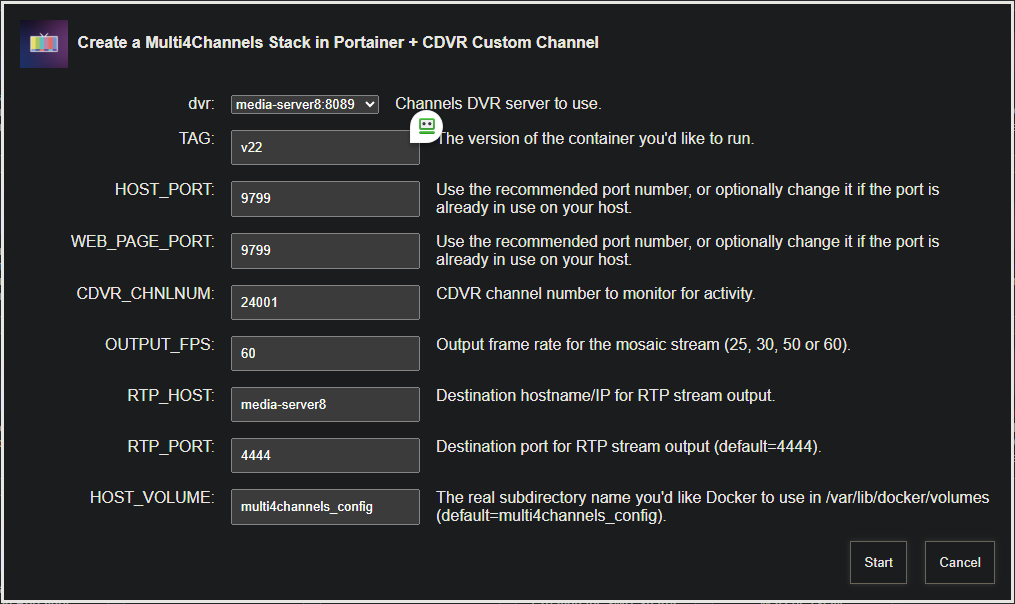
I've added this to Project One-Click in the latest push of bnhf/olivetin:latest (aka bnhf/olivetin:2025.06.29):

screenshot-htpc6-2025_06_29-15_43_31

One-Click delete is also supported.

3 Likes

Arm64 can and will be added at some point. I am struggling to get it done though. I need to take a break from it as I’m getting frustrated.

Anyone that is going to install via my repo directly or via Project One Click please use tag=v22
Don’t use tag:latest as it’s currently broken.

When I was last testing out Multi-View for PLM (including the various platforms), I ran into a lot of issues when I started mixing different sources with varying configurations/qualities. I don't think I've attempted anything in about 5 months now just because it became so difficult trying to get it to work consistently in various scenarios. I wish I had better insight to offer, but I think I basically scrapped and backburnered everything to eventually start over again!

1 Like

@bnhf,

I'm getting the error below when trying to install with Project One-Click in Windows Docker. Can you expand on what it means? Thanks

exit status 127

sh: 1: /config/multi4channels.sh: not found

Apologies. Fixed in bnhf/olivetin:latest (aka bnhf/olivetin:2025.07.01).

Thank you! Installed just fine, now to configure channels...

Works very nicely on Windows 11, i5-12500, cpu 26%.

1 Like

When you have a moment, give this project a try, assuming your Intel J Celeron has an iGPU available. I'd be interested to know the results: