
This is great, thanks so much for the update! Another feature request I'd like to submit is for a functional LOGOUT command, since the native one on the CDVR admin page hasn't worked for almost two years now.

Mark as not recorded is working, but the Chrome Web Store doesn't mention it being included in v2.0.0
I forgot to update the page. Thank you for the reminder.
I'll update with the next version.
I could take a look at it but I would need to know what it is supposed to do on the server. Maybe implement the workaround with the getchannels link.
I'm really enjoying this extension, thanks for sharing it!
I have some feature requests for your consideration. I was thinking, if the details could get worked out, to include the functionality of this useful bookmarket, that would be great!
Also, I was thinking maybe this extension could help provide a solution the CDVR guide needs now, the ability to "anchor" the date & time banner so we can scroll down, while keeping track of where we are?
1 Like
Thank you for the suggestions. I will see what I can do but it will take me a while to work on it. I recently spent some time in the hospital and I have a long recovery ahead.
Thanks for the reply, sending my best to you in your recovery!
1 Like
Best wishes for a full recovery and a happy, healthful future.
1 Like
Great idea! There are a lot of people that watch content using the web interface. It would be great if you could implement automatic commercial skipping while viewing.
Thank you,
Morris
Thank you so much for all your hard work creating this Chrome extension. It’s been incredibly helpful for those of us who aren’t as technically inclined.
I have a feature suggestion regarding manual recordings. Right now, it looks like manual recordings have to be scheduled one day at a time. It would be amazing to have an option for recurring daily or weekly manual recordings, for example, setting a specific channel to record automatically at the same time every day.
This would make the feature even more powerful and convenient. Thanks again for everything you’re doing!
1 Like
I agree with you and I will look into it whenever I have some free time.
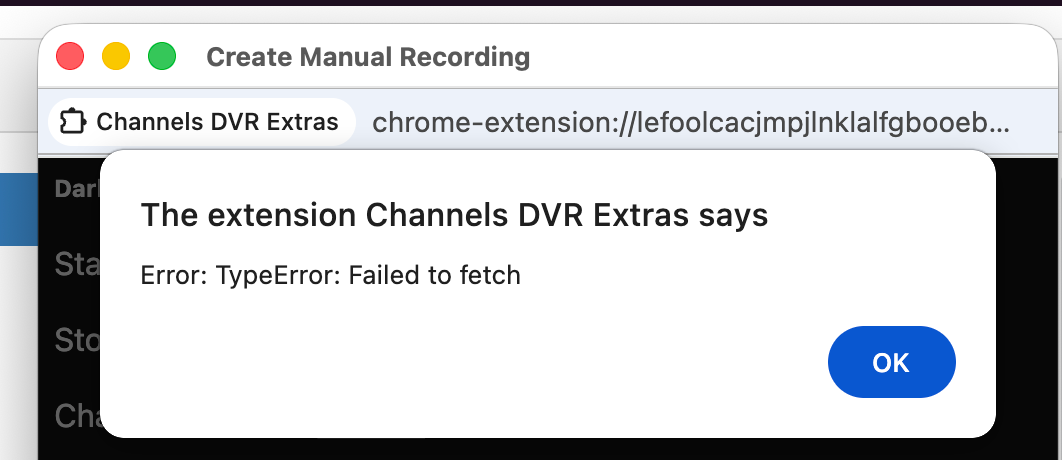
I'm out of town right now. I will check later in the evening when I'm back home.
That's the error I get, after I've entered the details, when I click "Submit."
1 Like
Ok, thank you. I will check it out later.
@Fofer I was not able to reproduce your issue; it's working fine for me.
Channels DVR server version 2026.04.09.0236
Browser: Microsoft Edge version 146.0.3856.109
Anything changed recently on your system?
Hmm, nothing notable has changed, at least nothing I can think of...
I am running Channels DVR server version 2026.04.12.0247
Browser (Mac) version is 147.0.7727.56 (Official Build) (arm64)
I was, however, able to create a manual recording using OliveTin though, thanks to a quick fix from @bnhf:
I'm not sure why this Chrome extension is giving me that "Failed to fetch" error when I try submitting a request. I'll try testing on another Mac or PC when I get a chance.
When you have a few minutes, could you please reproduce the error? Once you have the error pop-up, close it and then in the main Manual Recording window, please open the java console. It will have valuable information for me to look at.