Channels DVR Extras: the Chrome extension

I am excited to share with the community this Chrome extension that I have created.

Current status with Google: Published - public

Current public version: 2.0.0
Details: Channels DVR Extras: the Chrome extension - #13 by mjitkop

Code on Github:
mjitkop/Channels-DVR-Chrome-Extension: Chrome extension to add non-official features to a Channels DVR server.

Enhance your Channels DVR experience — no setup required. This extension brings powerful enhancements directly to the Channels DVR web interface, making advanced tools accessible to everyone.

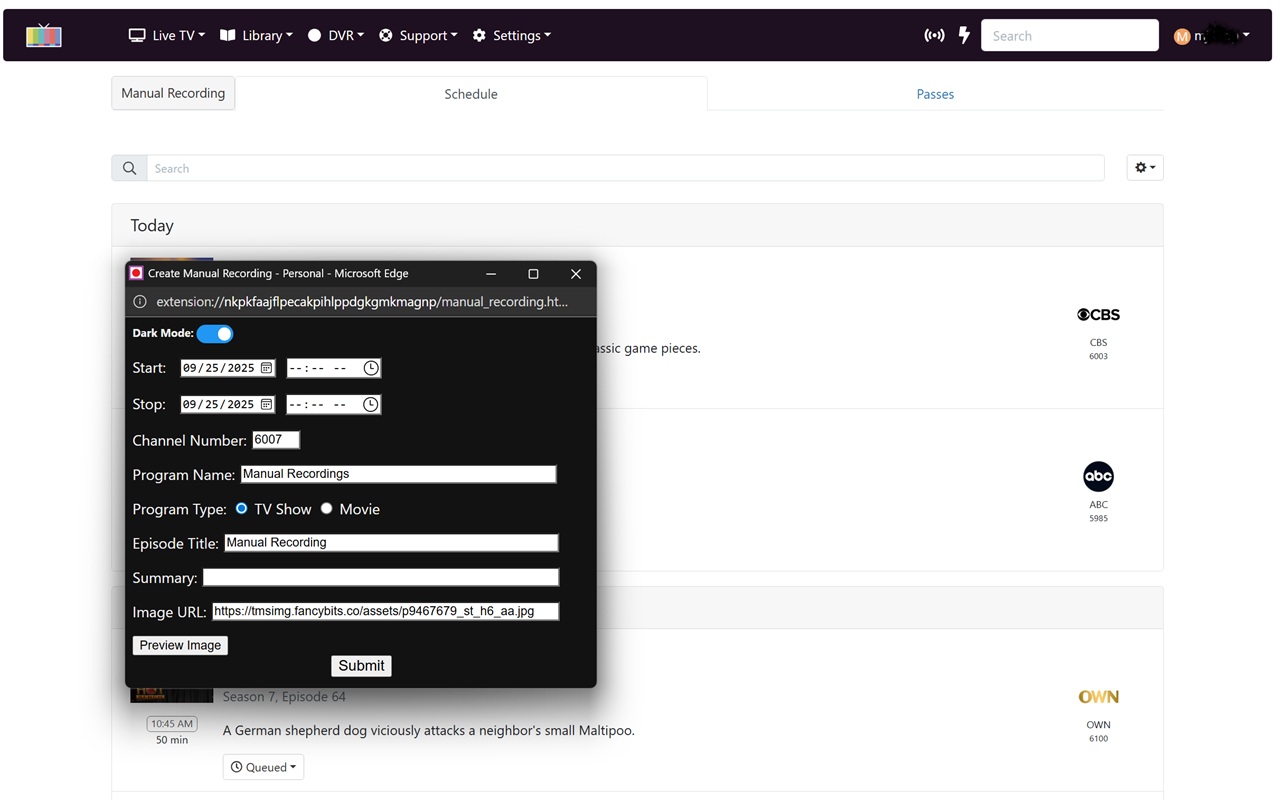
At launch, it introduces a long-requested feature: manual recording creation. Previously, this required separate apps, Docker containers, or Python scripts. Now, it runs seamlessly in your browser — no installations, no technical hurdles.

Just plug and play. More features are planned for future updates, all designed to integrate smoothly into the interface you already use.
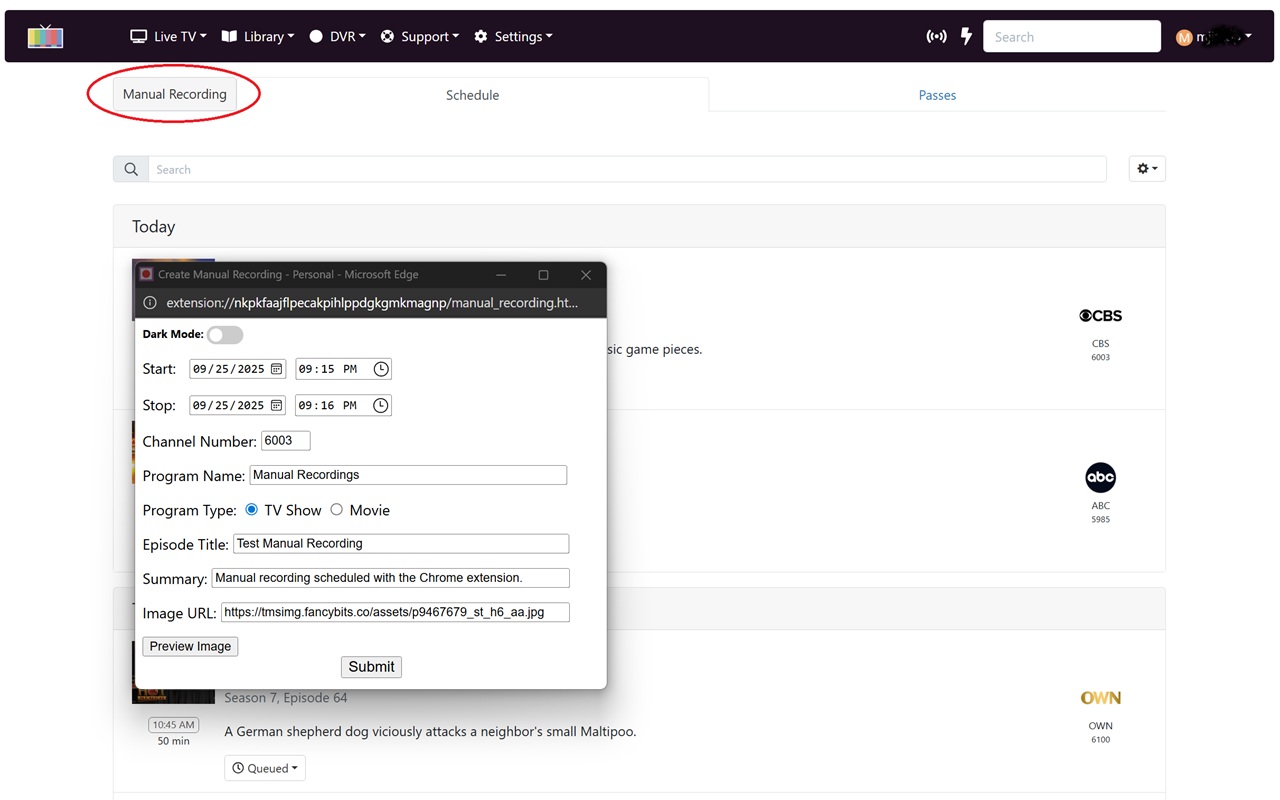
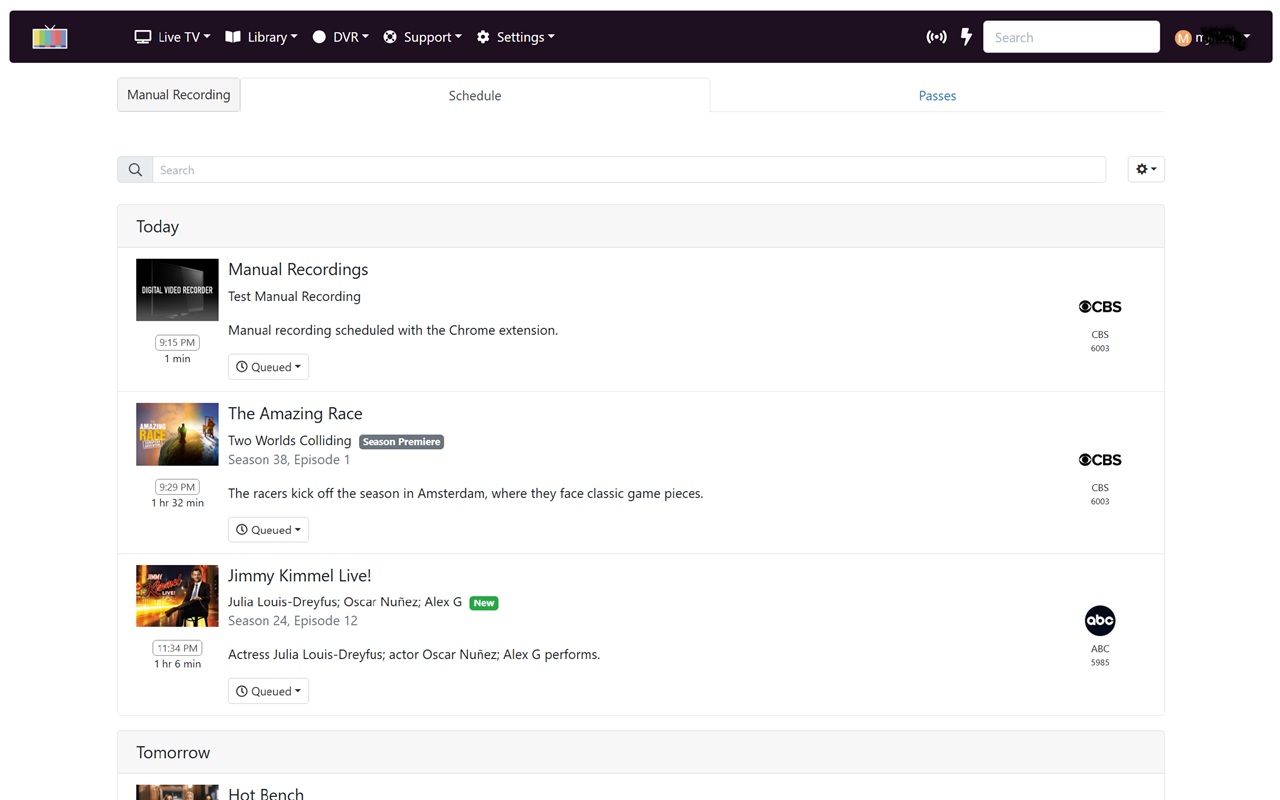
Special thanks to @bnhf and @chDVRuser who provided valuable feedback and helped test it.

I submitted it to Google last night for review. Unfortunately, it could takes days or possibly weeks to be approved and before it becomes officially available in the Chrome Webstore.

Wish me luck! :crossed_fingers:

1 Like

Great idea making it a browser extension!
Hopefully Google approves it soon.
The Beta worked for me on both Brave and Edge browsers (I don't use Chrome).

2 Likes

It's official now! :partying_face:

Channels DVR Extras - Chrome Web Store

Tagging the users who reacted to my original post: @hal9000 @speedingcheetah @jsfullam @nschaffner @babsonnexus @chDVRuser

@bnhf you will see, if you do install the extension from the web store, that I took your suggestion and the dates are now pre-filled with today's date. :wink:

2 Likes

Now that the first version has been published, I will start working on the next feature to add to it.

If anybody is interested in helping with testing it, just let me know and I will provide the details when the time comes.

1 Like

This is really cool! I don't think that any of the streaming apps or websites offer scheduled recordings. They all seem to rely on using the guide for recording. Having the scheduled recordings feature takes way back to the days of my trusty VHS VCR.

For folks who are into sports, I can see how this will be a popular feature! :slightly_smiling_face:

2 Likes

I want to emphasize the fact that there are technical limitations with Chrome extensions.

I will be adding features over time but, in the end, it will never be as good as the excellent OliveTin for Channels created by @bnhf.

One advantage of this extension is that it's plug-and-play so it's easy to use for somebody who doesn't want to get involved with Docker, etc.

My technical expertise is limited. However, if you need someone to test things out from a simple-minded point of view, I'm happy to help. :woozy_face:

1 Like

Installed on Chome, on macOS Tahoe 26.0.1. Thank you!

1 Like

Would love to see this extension do a "mark as not recorded".
i.e. forget you recorded that so my pass will record the next airing of it.

I had a recording tonight that was corrupted internally (from the source, frndlyTV), CDVR showed it recorded successfully. It almost looked like the frndlyTV source was an OTA broadcast and the antenna was aimed wrong (pixellation/breakup/loss of signal).

I had to use the manual curl method to "mark as not recorded", so my pass will pickup the next airing of the episode.

Of course, it was the series premiere and only airs one more time in the current epg.

You quite likely know that this function is available as an action in Olivetin for Channels. I use it very often, and agree that it would be great if it could be integrated into the GUI as part of this Chrome extension.

Olivetin Action:

Thanks, I knew that :grin:
@bnhf got that from me and I use his OliveTin for Channels for some actions.

I'd always hoped that Channels DVR would implement it in the most obvious place!

I'm just trying to give @mjitkop things that can easily be done in his chrome extension.

The action is a simple deletion of the program id in /dvr/programs

It makes the elephant forget and bumps the scheduler to reschedule the pass ( Thanks to @eric ).

For some history, see https://community.getchannels.com/search?q=%22mark%20as%20not%20recorded%22%20order%3Alatest

1 Like

Thank you for this suggestion/request.

I will play with it and see what I can do. :slightly_smiling_face:

1 Like

I'm happy to provide version 2.0.0 for public testing.

New in version 2.0.0:

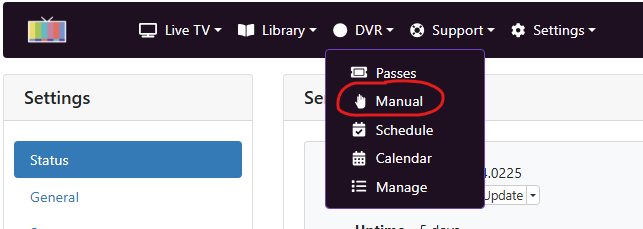
  • Added an entry in the top menu to open the manual recording screen from anywhere on the server: DVR > Manual
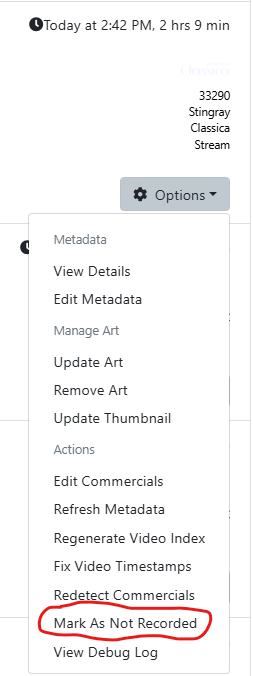
  • Added the option "Mark As Not Recorded" in DVR > Manage > Shows/Movies > Options
  • "Mark As Not Recorded" is also available for recorded episodes in Library > TV Shows
  • Started preliminary work on tracking channel lineup changes (button "Recent Changes" visible in Settings > Sources but not fully coded yet)

dvr_manual

On a recorded program:

"Mark As Not Recorded" is available in the options menu of recorded programs in:

  • DVR > Manage > Shows
  • DVR > Manage > Movies
  • Library > TV Shows

It only works on recorded programs. In other words, it won't work on imported videos, stream links and stream files.

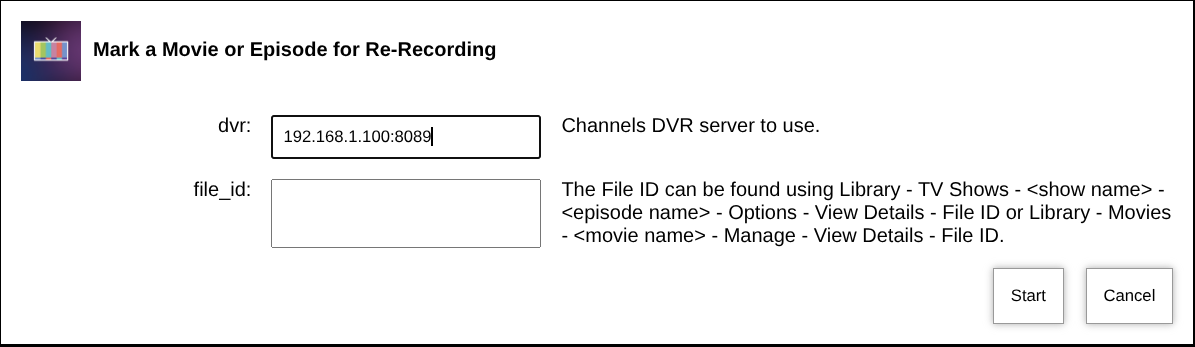
Instructions if you are interested in trying it:

Next weekend, I'm planning on submitting it to the Chrome Web Store for official release.
That gives the community 1 week to try it and give me feedback. :slight_smile:

Thank you to @chDVRuser for suggesting the "Mark As Not Recorded" feature and for providing valuable feedback during testing.

1 Like

This method also works on Brave and Edge

1 Like

Version 2.0.0 is officially available in the Chrome Web Store now.

This is great, thanks so much for the update! Another feature request I'd like to submit is for a functional LOGOUT command, since the native one on the CDVR admin page hasn't worked for almost two years now.

:star_struck:

Mark as not recorded is working, but the Chrome Web Store doesn't mention it being included in v2.0.0

I forgot to update the page. Thank you for the reminder.
I'll update with the next version.

I could take a look at it but I would need to know what it is supposed to do on the server. Maybe implement the workaround with the getchannels link.