Introducing PrismCast: Browser-based Live TV Capture for Channels DVR and Plex

It looks like PrismCast isn't publishing the tags in the M3U? Could be user error, I've been doing a lot of tweaking, but honestly wouldn't know how to have caused it not to publish the tag other than dumb luck? Not sure if I a misinterpreting what is happening, but figured you could easily identify if this is an intended result or if I've "literally" stumbled into a bug.

Not a bug...I didn't implement tagging in M3U generation (don't believe I said otherwise in the release notes either, but please tell me if I miswrote otherwise). It'll come in a future release. Stay tuned.

I should add…it is possible to pull a filtered M3U based on tags, but not to have tags embedded. That’s the ?tag=… option to the M3U URL. You can mix/match tags.

Will prismcast use a navida gpu or only the intel?

PrismCast isn't the constraint and does not care about your hardware. There's a document earlier in the thread on GPU acceleration. PrismCast does no video transcoding. It's all in what Chrome chooses to use...if you have a GPU-accelerated Chrome install, you get GPU acceleration.

Having some issues setting up FreeForm Pacific feed using freeform.com as the provider source. No issues with "local" east coast feed via hulu. Autodetect didn't work with window resize errors (expected resolution off by 1). Video was playing in the chrome window - full screen - but gave an error and timed out. Changed it to static and it's working for now but not full screened.

error logs attached:
[2026/04/09 09:33:48.718] [freeformp-9m1h0j] Stream ended after 12s (setup failed).
[2026/04/09 09:33:48.718] [WARN] Stream setup failed for freeformp: Failed to start stream.
[2026/04/09 09:33:48.945] [WARN] [freeformp-9m1h0j] Window resize failed after 3 attempts: expected 1294×866, got 1294×867.
[2026/04/09 09:34:01.899] [WARN] [freeformp-zaqg7s] Video did not reach a playable state within 11000ms.
[2026/04/09 09:34:01.900] [ERROR] [freeformp-zaqg7s] Stream setup failed for https://www.freeform.com/watch-live/3507c750-e86a-4c0f-8ff4-dd23c4859009: Waiting failed: 11000ms exceeded.

No worries, I saw the option in the individual channel to establish a tag so was assuming that was in use, but I am guilty of not ready all the fine print so wasn't tracking to what was being exposed outside of the app. Will keep an eye out to see if/when that may make it into a future release. Thanks.

This is error I get when trying to install as a service in Win 11 Pro. What's the quickest way to resolve. TIA.

PS C:\WINDOWS\system32> prismcast service install
Installing PrismCast service...

Error: Failed to install service.
Command failed: schtasks /Create /TN "PrismCast" /TR "cmd /c "cd /d "C:\Users\jagri\AppData\Roaming\npm\node_modules\prismcast" && set "PATH=C:\Python314\Scripts\;C:\Python314\;C:\WINDOWS\system32;C:\WINDOWS;C:\WINDOWS\System32\Wbem;C:\WINDOWS\System32\WindowsPowerShell\v1.0\;C:\WINDOWS\System32\OpenSSH\;C:\Program Files\nodejs\;C:\ProgramData\chocolatey\bin;C:\Users\jagri\AppData\Local\Microsoft\WindowsApps;C:\Users\jagri\AppData\Roaming\npm" && set "PRISMCAST_SERVICE=1" && "C:\Program Files\nodejs\node.exe" "C:\Users\jagri\AppData\Roaming\npm\node_modules\prismcast\dist\index.js""" /SC ONLOGON /RL HIGHEST /F
Invalid syntax. Mandatory option 'sc' is missing.
Type "CREATE /?" for usage.

PS C:\WINDOWS\system32>

Thank you for making this! This tool is amazing and puts Channels DVR back in the game as one of the best live TV options, especially since Disney removed all of their channels from TVE.

I am a satellite DirecTV customer on the PREMIER plan. I am running an M1 Mac Mini with macOS Tahoe and installed 1.8 PrismCast along with the latest version of Google Chrome. For the channels that map to directv.com, when I use the authenticate option or try to view them in the Channels Guide, the DirecTV web-based UI appears but does not tune to the correct channel. Instead, it stays cached to the previous channel I forced it to watch. This happens to all of the channels mapping to directv.com. However, for the channels where I have the ability to map to the provider's own website (like ESPN), I authenticate and the channel mapping works perfectly. If I launch the ESPN channel, I see ESPN. If I launch ESPN 2, I see the ESPN 2 stream. I have not seen a direct answer to this yet, but is there a limitation or known issue with using directv.com via Prism/Chrome to watch specific channels? It looks like Directtv does not use direct url links to their channels. I am logged in and authenticated on the Chrome browser session, and the Prism service is running. Like I said, if I switch the channel source to the provider's website, I am able to watch the channel without issue. Any insights would be greatly appreciated!

Read 26 posts before yours...

1 Like

Hi @jizor2209 and welcome to the forum!

Yes, I've noticed this as well for the directv.com channels, but when I tune to the actual channel in one of the clients (or in the web client), the channel tunes just fine. What I'm assuming is that the authentication process for directv.com doesn't include the specific channel data, just the website.

Have you tried playing a channel in a client?

Hi @daldana7296

Thanks. Yes, I did test actual playback in Channels DVR.

What I am seeing is this.

When the channel source is set to espn.com, the ESPN channels stream in Channels DVR without an issue.

When the channel source is set to directv.com, the stream fails to load in Channels DVR.

From the Prism dashboard, when I use the authentication option on the channel, it opens the DIRECTV interface, but it does not map to the requested channel. It usually lands on the last successfully played channel instead.

If I manually navigate within directv.com to the correct channel, such as ESPN, that channel will then stream without an issue.

So in my case, the problem does not appear to be basic authentication or playback. It looks more like the directv.com provider path is not correctly selecting or mapping to the requested channel.

PrismCast has been working well for me for a week, but in the last couple of days, when I am trying to tune the Fox News Channel with a FoxOne account, it will intermittently show my local Fox affiliate instead of the News Channel. Same thing happens with the Business Channel. I think, since the affiliate is the default display in the guide, it is defaulting to that one instead of actually changing the channel stream. Has anyone else seen this and found a solution?

I have managed to make some progress on this front. ChatGPT says I should be going to Channels > Manage Channels > Browse Provider Channel. Then I click on DirecTV Stream and choose the channels I want to watch. I chose all of the Disney channels, ESPN channels, and FX channels. After selecting those channels as mentioned above, I archived the duplicate channels. I then tested the channels in Channels DVR, and they were tuning to the correct channels on the DirecTV website.

I have been playing around with this for about two hours, and I would say about 80% of the time, this setup is working. Unfortunately, I cannot do channel surfing. If I am on one channel and tune to another one, there is a high probability the tune will fail. I found that if I exit out of the stream and wait no more than 30 seconds before tuning to another channel, there is a good chance the stream will tune in. It seems like the DirecTV interface cannot handle two channel tunes within 30 seconds.

So with this, I have been mapping the channels to the providers' websites like ESPN and FX (ABC.com). For Disney, their website, DisneyNOW, does not allow me to tune to Disney Channel, Disney Jr., and Disney XD. I can log in to DisneyNOW with my DirecTV authentication, but upon attempting to watch a channel, it says I am not authorized. So I am using directv.com for these channels. So overall, this setup is working.

Another brief highlight: for USA Channel, I could not get directv.com to work with the channel, and there was not a .com option for the channel. So I was able to click Add Channel (do not click provider) and use the URL Live Channel. I was not able to find the new channel, so in All Providers, I selected all of the providers, and I was able to see the new custom USA channel I made.

Overall, this tool is really cool, and I am very happy with it. It is a great replacement for the Chrome Capture utility that was made a couple of years ago.

I encountered the same thing and brought it up earlier.
To me there is a difference between a stream source and a provider that lead to my confusion as to why I should have to select a provider I'm not using to see the channel I created.

this is perhaps the only downside to directv stream. you can only have 1 stream on a browser, and since prismcast is not 're-tuneing' the existing stream, I'm sure there is a lag for dtv to let go of a closed stream which is longer than any re-tune attempts by prismcast.

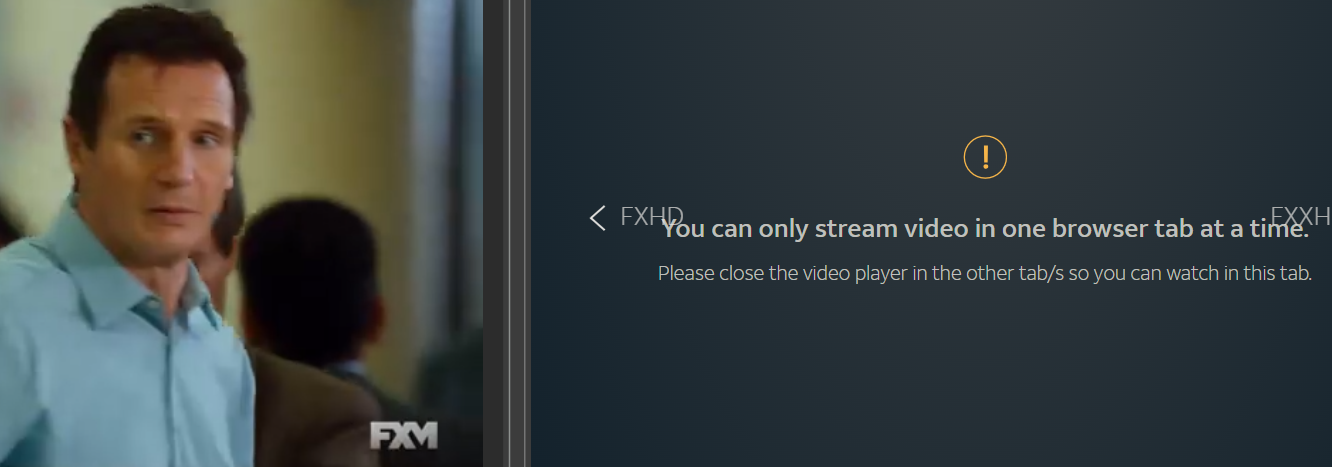
should be noted that a 2nd stream can be played in a 2nd browser. ie chrome + edge

Adding a SlingFree channel

My installation on an M1 Mac went smoothly enough with one error: WARN] Bundled FFmpeg is not available. Preroll generation skipped — startup playlists will have no segments.

I verified ffmpeg is installed (v8.1) but is apparently not bundled properly?

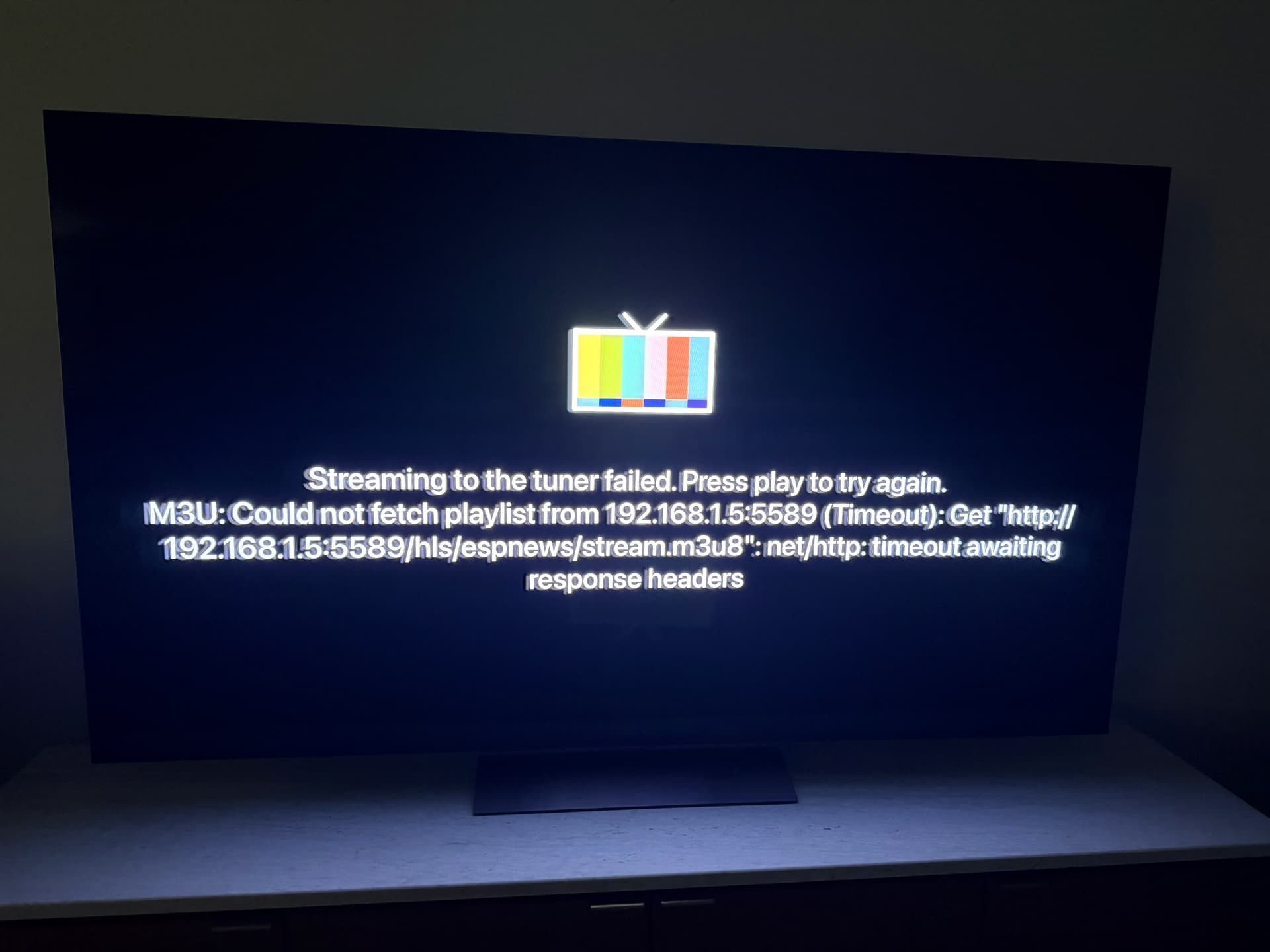
When tuning a channel, all timeout with the error shown in the pic.

All help appreciated.

You shouldn't have to create a custom channel for USA, the USA Network website is already there as the provider. Remove any filters you have when you look at the channel list. Same for Golf, SyFy etc.

1 Like

I'm seeing the same error. How did you install ffmpeg and PrismCast?
I installed both using homebrew https://github.com/hjdhjd/prismcast?tab=readme-ov-file#homebrew-macos

chDVRuser@chDVRusers-Mac-mini ~ % which ffmpeg
/opt/homebrew/bin/ffmpeg

chDVRuser@chDVRusers-Mac-mini ~ % /opt/homebrew/bin/ffmpeg -version
ffmpeg version 8.1 Copyright (c) 2000-2026 the FFmpeg developers
built with Apple clang version 17.0.0 (clang-1700.6.4.2)
configuration: --prefix=/opt/homebrew/Cellar/ffmpeg/8.1 --enable-shared --enable-pthreads --enable-version3 --cc=clang --host-cflags= --host-ldflags= --enable-ffplay --enable-gpl --enable-libsvtav1 --enable-libopus --enable-libx264 --enable-libmp3lame --enable-libdav1d --enable-libvpx --enable-libx265 --enable-openssl --enable-videotoolbox --enable-audiotoolbox --enable-neon
libavutil      60. 26.100 / 60. 26.100
libavcodec     62. 28.100 / 62. 28.100
libavformat    62. 12.100 / 62. 12.100
libavdevice    62.  3.100 / 62.  3.100
libavfilter    11. 14.100 / 11. 14.100
libswscale      9.  5.100 /  9.  5.100
libswresample   6.  3.100 /  6.  3.100

Did you already authenticate the channel.
What does it show in the PrismCast log.

I use PrismCast to watch and record the Dallas Stars and LOVB. You need to use it in conjunction with something else like FruitDeepLinks to pass PrismCast the on demand URLs.

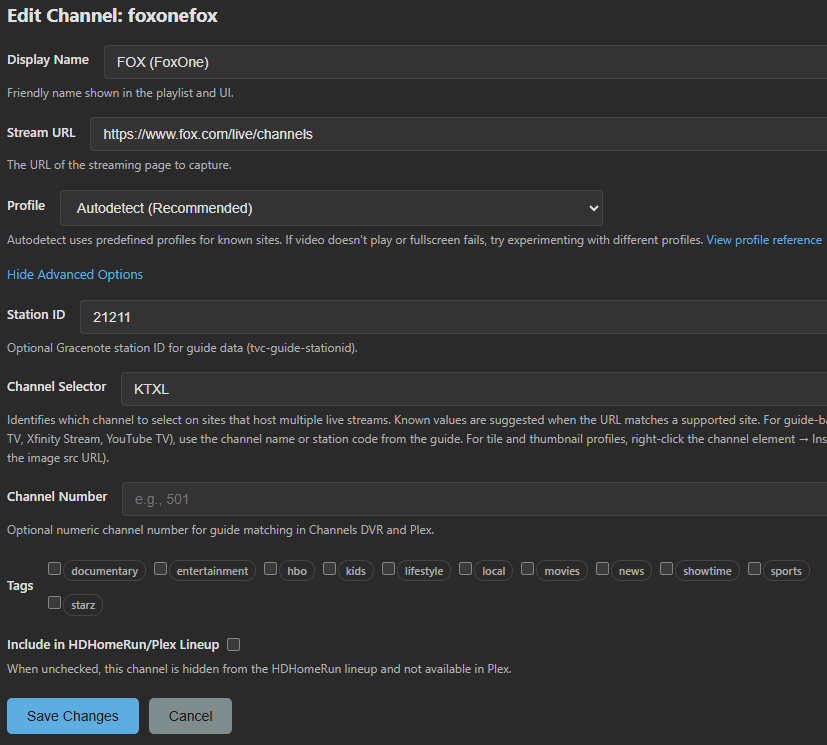
Yeah what I've noticed is when you upgrade from one version to another Fox gets messed up somehow. I think my custom override to set the station ID as the selector instead of the default gets ignored on an upgrade. When I upgraded from 1.7 to 1.8 all of a sudden I started getting Fox News instead of my local station.

My workaround was to go into the channel list and revert Fox back to the default, then add back WOFL as the channel selector and it started working again.

Update: local Fox broke again, was working yesterday but now all I get is Fox News. So I will have to disable this channel in Prism.

I'm experiencing the same thing using fox.com as the stream source.
And it doesn't matter which of these 2 selectors I use