Introducing PrismCast: Browser-based Live TV Capture for Channels DVR and Plex

I would think if Chrome is using GPU you should get HEVC/H.265

Are you running it in a container/LXC or bare metal?
Strange that HEVC is checked, but grayed out.

I get dropped frames too. See this post

When PrismCast uses screen capture (e.g. YTTV), Chrome's encoder produces the video. Chrome doesn't guarantee fixed frame timing

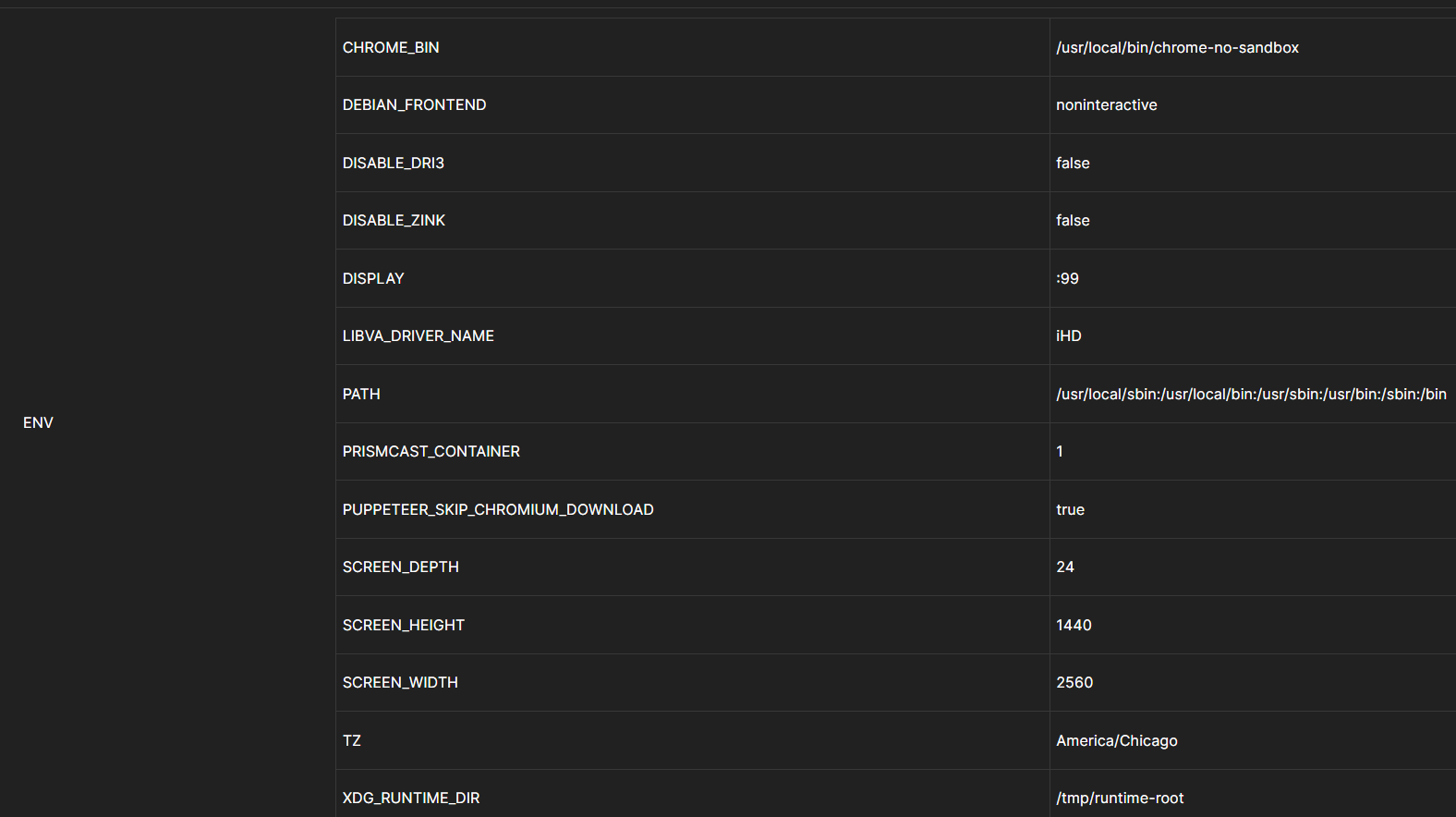
I am running Debian bare metal. I know its supposed to but the log provided shows its rendering with h.264. I expect there to be dropped frames due to it capturing. But it fluctuates from low 52s on average to upper 30s when using the GPU. Its enough to notice often when watching. If I remove the GPU from the docker (this line. --device /dev/dri:/dev/dri) then it uses my cpu at around 33% but it stays pretty consistent at 60 fps with dips maybe to 58. So it seems maybe the GPU isn't fast enough on this chip or maybe a kernel issue. Just trying to figure out if its more of a hardware limitation or if its something else. I am starting to lean toward it being a gpu limitation. I do have a desktop 12400f in storage. I was going to play around with it and see if it handles better than the mini pc that had a laptop chip in it. But still not sure why the h.265 doesn't seem to be respected.

Seems like a bug if the selection is grayed out.
You're supposed to be able to toggle HEVC on and off (personally, mine is off, but I can toggle it).
What does your .prismcast/config.json look like.

"streaming": {
  "captureCodecs": ["h264"],
  "qualityPreset": "1080p-high",
  "videoBitsPerSecond": 6000000
}

Here's what my log shows at startup
[2026/06/07 04:41:25.535 PM] Starting PrismCast v1.10.3 with configuration:
[2026/06/07 04:41:25.535 PM] Configuration file: /Users/chDVRuser/.prismcast/config.json
[2026/06/07 04:41:25.535 PM] Chrome profile: /Users/chDVRuser/.prismcast/chromedata
[2026/06/07 04:41:25.535 PM] Server port: 5589
[2026/06/07 04:41:25.535 PM] Quality preset: 1080p-high (1920×1080)
[2026/06/07 04:41:25.535 PM] Capture codecs: h264

1 Like

I am not sure if im looking in the right place.
I opened this config.json file. But I did not see the streaming section listed.

[2026/06/08 04:22:26.307 PM] Starting PrismCast v1.10.3 with configuration:
[2026/06/08 04:22:26.307 PM]   Configuration file: /root/.prismcast/config.json
[2026/06/08 04:22:26.307 PM]   Chrome profile: /root/.prismcast/chromedata
[2026/06/08 04:22:26.307 PM]   Server port: 5589
[2026/06/08 04:22:26.307 PM]   Quality preset: 720p-high (1280×720)
[2026/06/08 04:22:26.307 PM]   Capture codecs: h264, hevc
[2026/06/08 04:22:26.307 PM]   Video bitrate: 12000000
[2026/06/08 04:22:26.307 PM]   Max retries: 4
[2026/06/08 04:22:26.307 PM]   Max concurrent streams: 10
[2026/06/08 04:22:26.307 PM]   Circuit breaker threshold: 10 failures in 5 minutes
[2026/06/08 04:22:26.307 PM]   Chrome executable: /usr/local/bin/chrome-no-sandbox
[2026/06/08 04:22:26.307 PM]   HLS segment duration: 2s, max segments: 10
[2026/06/08 04:22:26.307 PM]   HDHomeRun emulation: disabled
[2026/06/08 04:22:26.330 PM] Using FFmpeg at: /usr/lib/node_modules/prismcast/node_modules/ffmpeg-for-homebridge/ffmpeg.
[2026/06/08 04:22:26.344 PM] Loaded 1170 channels.
[2026/06/08 04:22:26.345 PM] Loaded health state for 84 channels and 2 domains.
[2026/06/08 04:22:27.290 PM] Chrome ready: Chrome/148.0.7778.167 (GPU: Mesa Intel(R) Iris(R) Xe Graphics (ADL GT2)).
[2026/06/08 04:22:29.090 PM] Capture system verified successfully.
[2026/06/08 04:22:29.218 PM] CDP proxy listening at /cdp.
[2026/06/08 04:22:29.219 PM] PrismCast is now listening on 0.0.0.0:5589.

Also downloaded the backup file and didn't see a section in there which matched the config.json file too.

I thought you said you're running it bare metal?
Why are you looking in a docker volume?
Try looking here

Looks like it's configured for HEVC.

I tried but I don't see anything there which is why I went to the volume.

When I started up the container this is what I used from the website.

docker run -d \
  --name prismcast \
  --shm-size=4g \
  --device /dev/dri:/dev/dri \
  -p 5589:5589 -p 5900:5900 -p 6080:6080 -p 5004:5004 \
  -v prismcast-data:/root/.prismcast \
  -e SCREEN_WIDTH=2560 -e SCREEN_HEIGHT=1440 -e SCREEN_DEPTH=24 -e TZ=America/Chicago \
  ghcr.io/hjdhjd/prismcast:latest

Are you running it in a container, or bare metal (not in a container).

Guess I got confused when you said bare metal and that is my fault. It is in a container. Debian 13 is running on bare metal. Meaning no proxmox or anything like that.

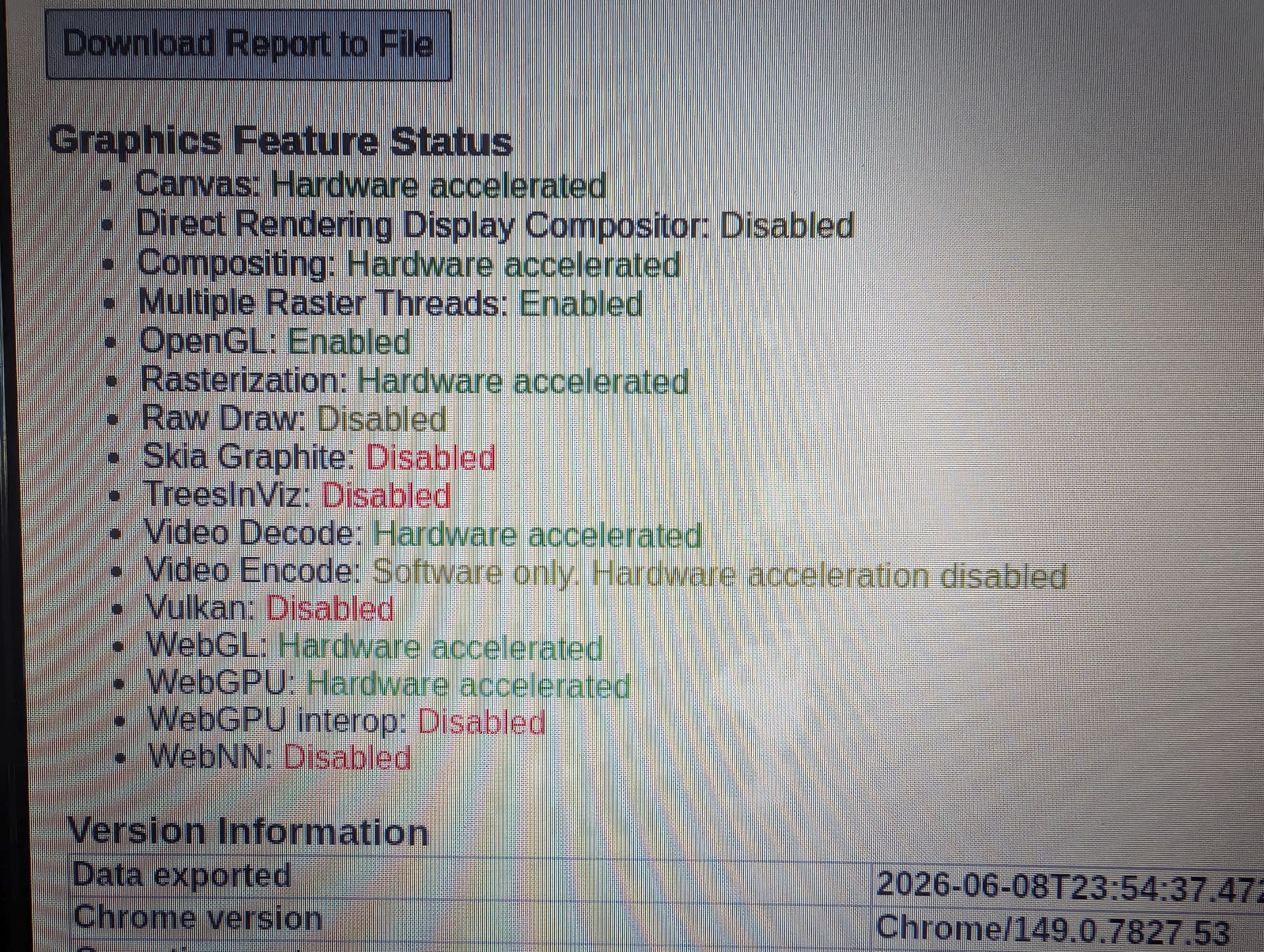
Our current Docker implementation, which uses a custom version of the virtual display server Xvfb, does not support hardware encoding (decoding only). In older versions of PrismCast, it wouldn't have mattered if it did. However, with this new HEVC option, it'd be nice to get it enabled. Not sure if it's possible, but I'll play around with it when I get a chance.

If you'd like to confirm what I'm saying, open a new tab in PrismCast's Chrome, and navigate to chrome://gpu.

I actually looked at that chrome://gpu earlier.

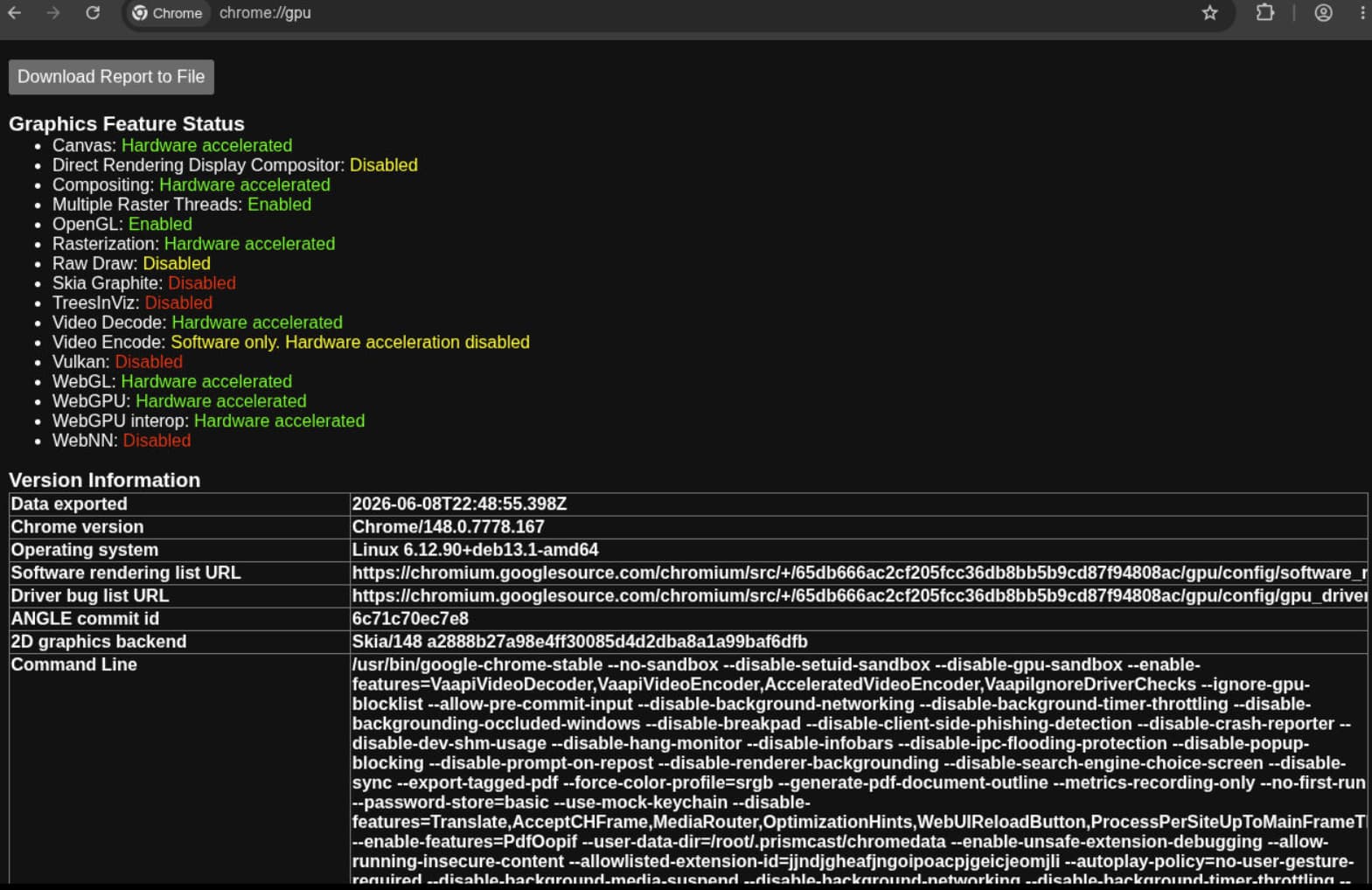
So, as you can see, Video Encode is Software only. Whether we can do anything about that in the Docker world is unknown at this point. It was only a fairly recent development to have all the Hardware acceleration we do have working, and that's the result of the custom Xvfb build.

So your saying if I want that working I would need to dump Docker and run native with the npm install? Would I run into an issue with setting the resolution with no gui or monitor setup. Sorry very green with a lot of this.

Edit post. I see you said you might see if you can get it to work in the docker. I really do appreciate the hard work you guys did on this project.

I'm not sure I am saying that. But it would be interesting to know if that would work -- if you're willing to experiment.

I'd suggest starting with installing Chrome directly on your Debian system, and see what chrome://gpu reports. Linux Chrome doesn't get the attention from Google that the Windows and MacOS versions do, so just because something works under those OS's doesn't mean it'll work with the Linux version.

If you can't get chrome://gpu to "light up the board", there's little point in moving on to a PrismCast install.

You over looked this in your docker run statement --device /dev/dri:/dev/dri
https://github.com/hjdhjd/prismcast#gpu-acceleration

are you talking about the LIBVA_DRIVER_NAME? By default it has iHD.

No, I'm talking about your docker run statement not passing thru the GPU device like it says

If your host has an Intel GPU with Quick Sync Video support, pass the GPU device to the container:

Here is what I actually used to spin it up.

docker run -d \
  --name prismcast \
  --shm-size=4g \
  --device /dev/dri:/dev/dri \
  -p 5589:5589 -p 5900:5900 -p 6080:6080 -p 5004:5004 \
  -v prismcast-data:/root/.prismcast \
  -e SCREEN_WIDTH=2560 -e SCREEN_HEIGHT=1440 -e SCREEN_DEPTH=24 -e TZ=America/Chicago \
  ghcr.io/hjdhjd/prismcast:latest

OK, I give up. That's not what you originally posted.

Like I said with the device /dev/dri:/dev/dri statement. The GPU actually does most of the work and runs at 8 percent. If I remove it. Then the processor jumps to 33%. So the GPU does seem to work using the container.

Yup my fault. That was in reference to the container website and the location of the files.
I went back and edited with what I actually used.

It is working -- for decoding.

I happen to have an old laptop running Debian 13 Desktop and Chrome, and the report is the same:

Keep in mind here, I'm only talking about the issue you raised with why HEVC encoding is grayed-out.