
Thanks, but I don't want to go down that road.
Since I will be getting a Mac Mini M4 anyway, I figured I could use it to run multiple Channels DVR Servers on it.
I'm keeping the Synology NAS's for storage, just wanted to move my Channels DVR Servers and Project containers to the Mac Mini M4 I will be getting. Figured I could use SMB to record directly to the Synology.
You could run Channels in the OS of your choice as a VM:
Does it work for you?
See
I think I'll be using this option so I can take advantage of hardware transcoding on the Mac.
forget docker desktop, use orbstack instead on the Mac
That this will work fine for Channels DVR itself, but as far as I'm aware, it won't for docker containers. At least with current Macs running Apple Silicon and not the much older ones using Intel chips, Docker containers cannot use QSV for hardware-accelerated transcoding. They can use VideoToolbox acceleration natively, but only outside Docker. This issue has come up a few times with other add-ons like CC4C and Weatherscan.
I looked into this too and considered it but with about 20 running containers I wasn't confident it would be an easy or seamless migration. Does it work with all containers out there? Any significant differences we should know about?
Thanks for that link.
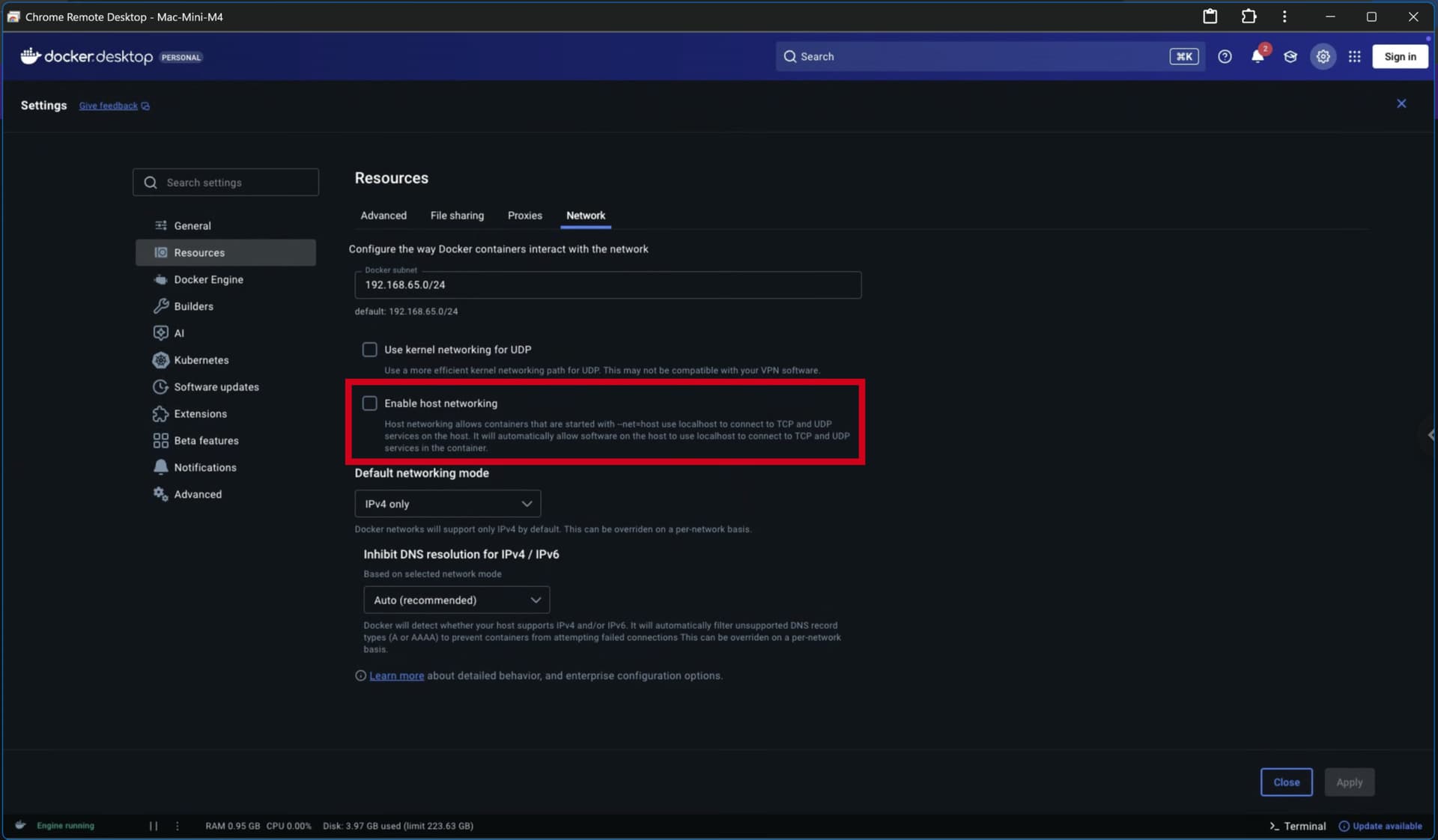
Appears it supports host network mode, but not video device passthrough.
I could use it for my CDVR source containers and then run CDVR natively.
Do you know if Portainer works with it?
Thanks for confirming.
I plan to run my Channels DVR Servers natively to take advantage of hardware transcoding and run my CDVR sources in containers.
Just found some more info about this issue, along with some suggested workarounds
It works on Intel boxes. I have not used a Mac in over a decade.

I was replying to bnhf about using host network mode in Docker Desktop for Mac
Im not using host networking on my setup. I remember when I was first setting all this up- docker desktop, portainer, etc - chatgpt led me on a very very long painful wild goose chase with host networking, which I did not need in the first place.
Im not running channels in docker. Its running on my Mac and I have never seen the system stressed in the very least in activity monitor.
I did have issues with having my channels database and recording drive be on a networked drive using smb on another MAC. To stabilize the system, I moved the channels drive (its an external ssd) locally on my machine. Performance been rock solid ever since.
As far as transcoding and deinterlacing, I have always used hardware, on my CDVR server. The M4 mini is so fast that Ive never had to think about it.
Hope some of this helps
Thanks for the reply.
I found out I can't run my Channels DVR Servers in containers on macOS and passthrough the video GPU for hardware transcoding (like I can on my Synology).
So I plan to run them bare-metal on the Mac mini.
I'm planning on using SMB and UNC paths (instead of SMB mounts) to my existing Synology \\192.168.1.4\folders for recordings.
Was your problem with SMB mounts, or was it just because it was between two Mac's?
I never fully understood the underlying issue with the drive mounts. I had moved my channels server from a outdated mac mini running High Sierra to the M4 mac mini running Macos 18.xx. I kept the channels database/recording disk on the old mac, and used a network share so the new server could use the existing disk that was plugged into the old mac. Somewhere, either because of a smb networking bug, or a networking bug in general between an outdated machine with an old OS and a new machine, these drive mounts would disappear for no reason whatsoever.
These were networked over a fast robust ethernet connection.
I even wrote some recovery software to parse the channels logs and remount the disks if channels detected a missing drive. In hindsight, this pushed the problem around and wasnt a robust fix.
After a lot of experimenting , I found that by moving the same channels recording/database SSD disk locally to my M4 everything has been extremely robust.
Except - one thing some of us mac users have reported, is MACOS security and privacy settings clobbering channels disk access, sometimes at seemingly random times, and also during software point updates. You might run into this regardless of networking strategy with your synology. They are pretty infrequent, but can be annoying especially if you are away from home.
Good luck. Keep us posted!
1 Like
I'm able to install CDVR as a user agent, but have a couple issues with that.
Trying to figure out how to make it work as a system service writing to a shared Synology SMB folder.
I'm curious how you ended up architecting your project and whether there were any gotchas.
I'm considering a similar migration of my Docker/Portainer setup from a Synology to the Mac mini that already runs my CDVR on bare metal.
I currently run ADBTuner in the Portainer but am trying to add OliveTin. I've attempted to configure OliveTin on the Synology but run into issues configuring it: the mini doesn't really want to let OliveTin access the DVR and CHANNELS_DVR shares and I get 500 errors when deploying OliveTin.
Rather than fight the mini's lack of sharing...I'm thinking I should move my Docker/Portainer setup to the mini so everything is within a single user instance.
Is that how you have it setup? Is it working well for you?
Thanks for any insight you can provide....
I gave up moving my seven Channels DVR servers and supporting docker containers to my Mac Mini M4. They're still running on my Synology NAS.