
The idea with this project is to provide a straightforward way to install community projects related to Channels DVR, along with various other "foundational" pieces required to support those projects in a Windows environment.
I'm calling it WinUtil-for-Channels, and it can be launched with a single command in a PowerShell window -- with no installation required. This project is a fork of the popular christitustech/winutil, specifically tailored for Channels users:
irm https://raw.githubusercontent.com/bnhf/cdvr-winutil/main/winutil.ps1 | iex
That will, in turn, launch two Windows. One will be your PowerShell console, where you can see what's actually happening with a given installation, and the other is the application's GUI:
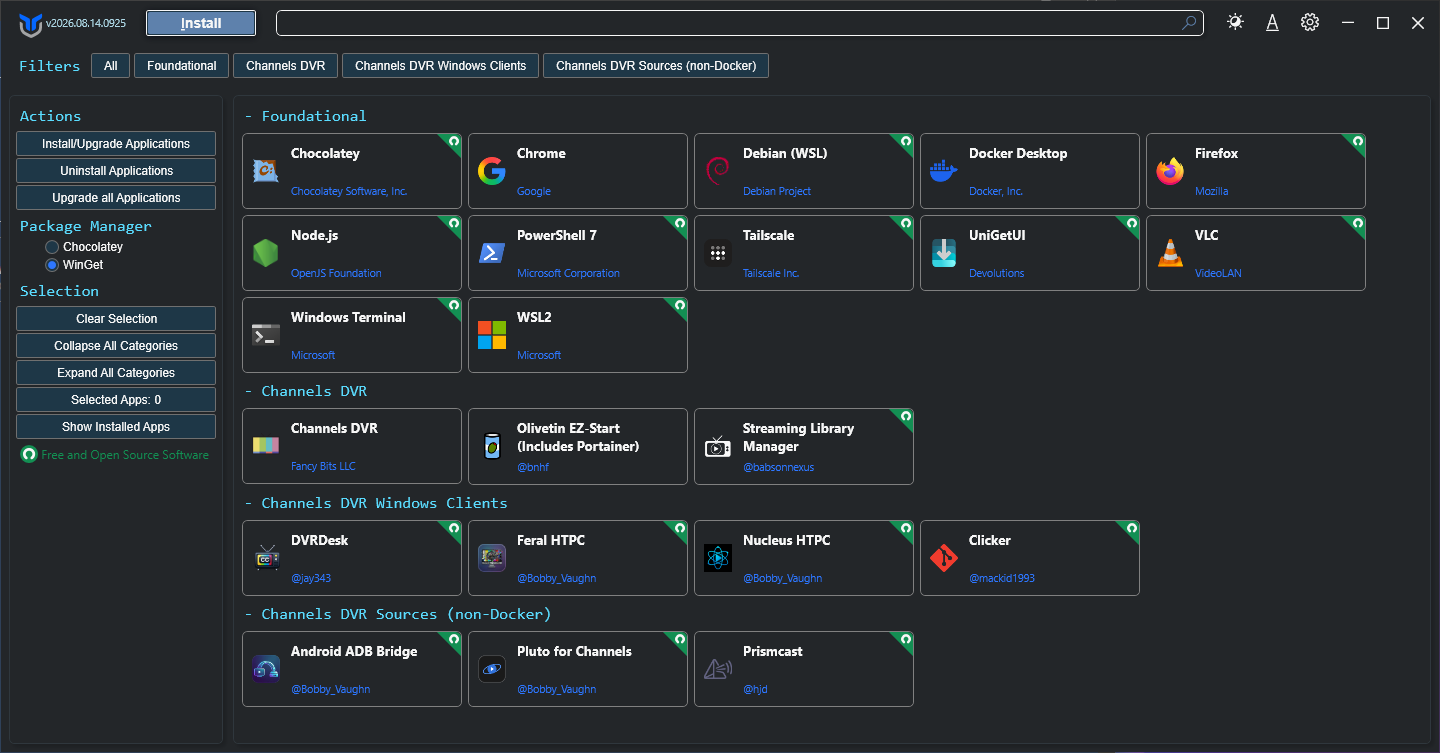
Each of the apps shown can be installed, uninstalled or upgraded using this interface. In addition to right-click options for each of those, there are also small dropdown buttons that will take you to the app's online home, to the app's local WebUI, or to an application's GUI.
This is intended to be a Windows dashboard for any and all of the pieces you might want (or need) to install Channels DVR and any of the community projects designed to work with it. Each of the buttons will install the "native" or non-Docker version of a given project.
The exception is OliveTin EZ-Start, which through its own dashboard will give you access to a variety of Docker-based projects via Project One-Click. The OliveTin EZ-Start installation requires only a single variable -- which is the password you'd like to use for Portainer (which is a WebUI for Docker):
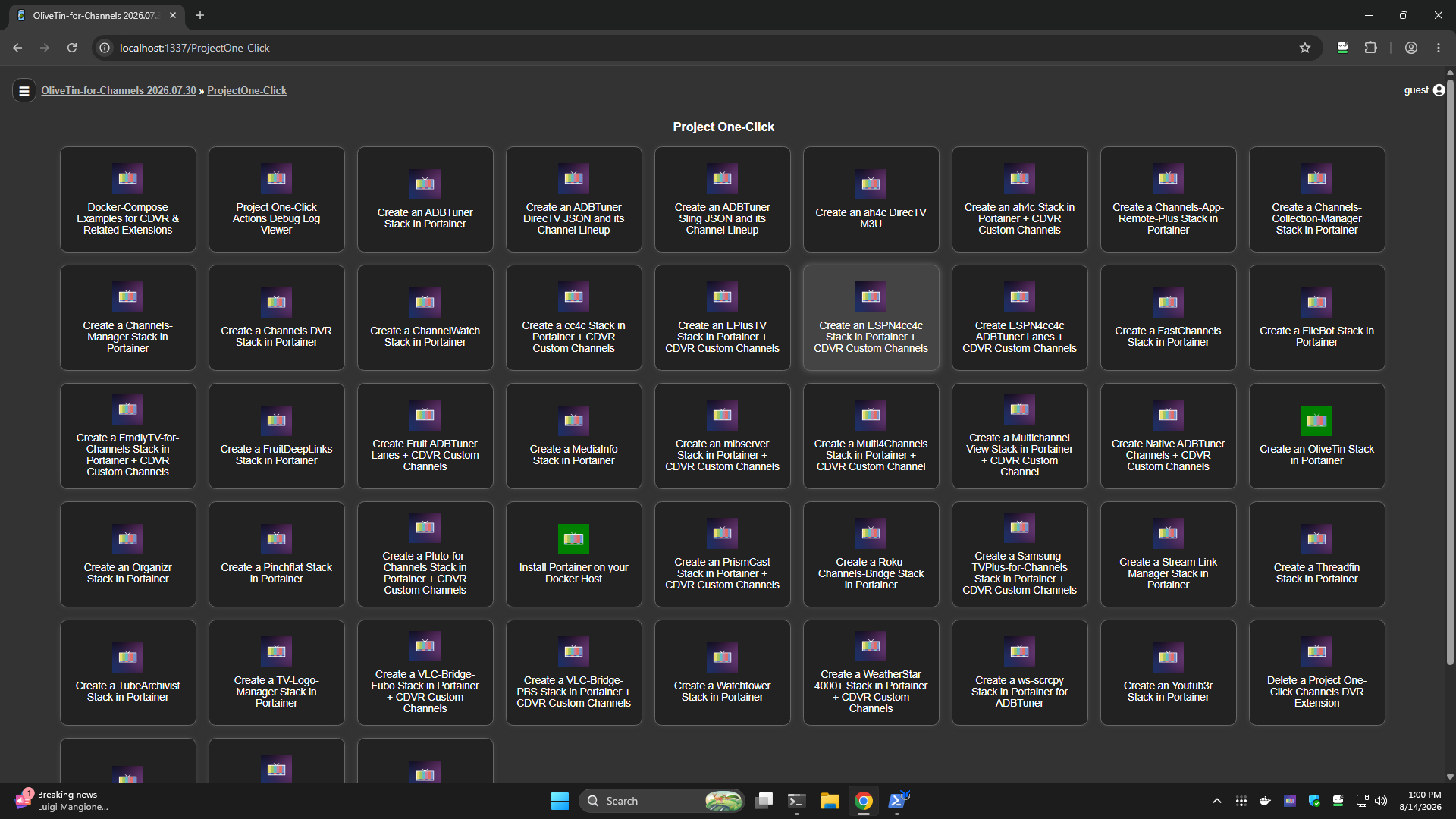
If you're a Windows user, this is your one-stop-shop for installing and maintaining everything related to Channels DVR. Combine this with OliveTin EZ-Start, and every known Windows-native or Docker-based CDVR extension is at your fingertips.
The source code can be found here, if you'd like to review it:
If you have any suggestions for other packages/projects to include -- let me know!

