
Did you remove provider and re-add on the remote DVR?
Does the remote DVR web UI guide look correct?
I will do that shortly and postmy results
It doesnt affect Tailscale, right? Evemn i f i remove source and readd? Tailscale IP stays the same ?
Yes
In your last post with the screenshot of the 3 sources, is that a picture of your home dvr or the remote dvr? If it’s not your home dvr can you post the same pic of your home dvr?
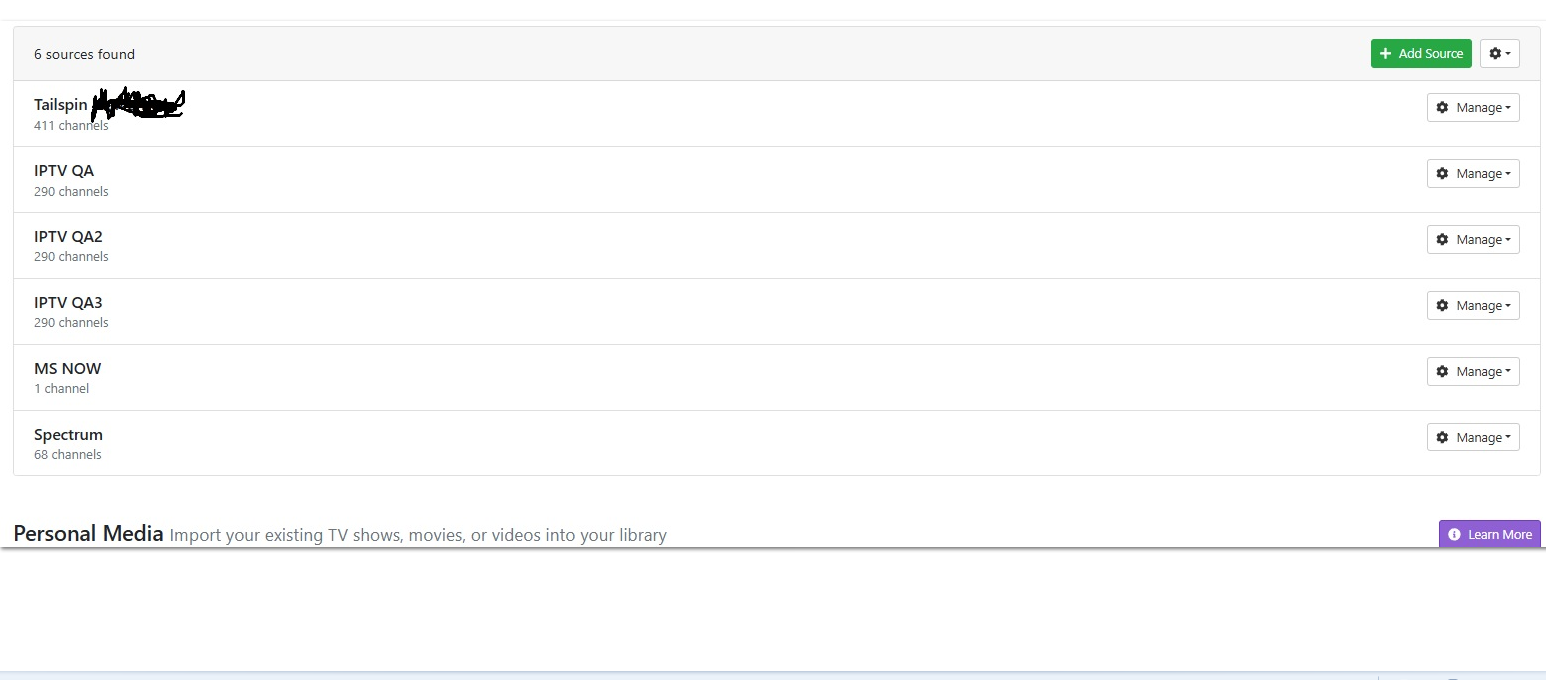
Which source is for your remote DVR with the remote HDHR Tuner, Tailspin?
Click Manage > Edit Settings on it and post the screenshot
If tailspin is the one that is missing the full 14 days of guide data hit the manage button, remove the guide provider, then re add with the zip code from the remote location and pick fios tv. Watch for any channel number overlaps with other sources. If they guide data still doesn’t go out 14 days delete and recreate guide database like before.
No.
The remote playlist M3U he copied from the remote DVR and put in settings should contain the gracenote station ID's
#EXTM3U
#EXTINF:-1 channel-id="95" tvg-id="95" tvg-chno="95" tvg-logo="https://tmsimg.fancybits.co/assets/s10161_ll_h15_ad.png?w=360&h=270" tvc-guide-stationid="10161" tvg-name="CSPAN" group-title="SD",CSPAN
http://192.168.1.4:8189/devices/1323AADB/channels/95/stream.mpg?format=ts&codec=copy
Yes and we agree it is getting those ID’s based off of the 6 hour guide data. But something is not right and doing my steps will result in 14 days in my experience. Mabey he has hit a bug here.
Don't agree. He's getting placeholder guide data.
Ok if it’s just placeholder (he didn’t mention no guide data just 6/12 hours worth) then I agree with you about adding a provider to remote dvr should work. But at the same time adding via my steps will also work.
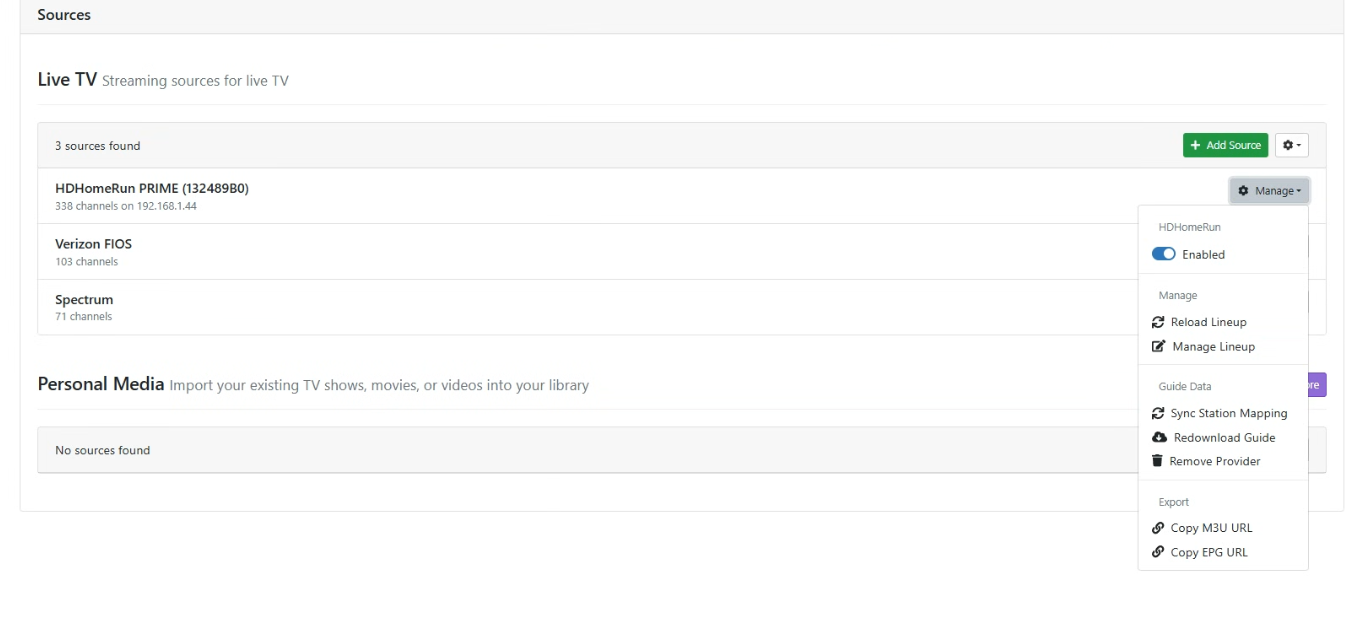
Which of these local sources is for your remote DVR?
If the remote channels dvr has guide info but not the local server, you may be relying on the XML file from the remote to populate the local. Instead, remove the XML file in the local machine under the source settings and let the local machine fetch based on the gracenote ids that should be populated from the remote channels server.
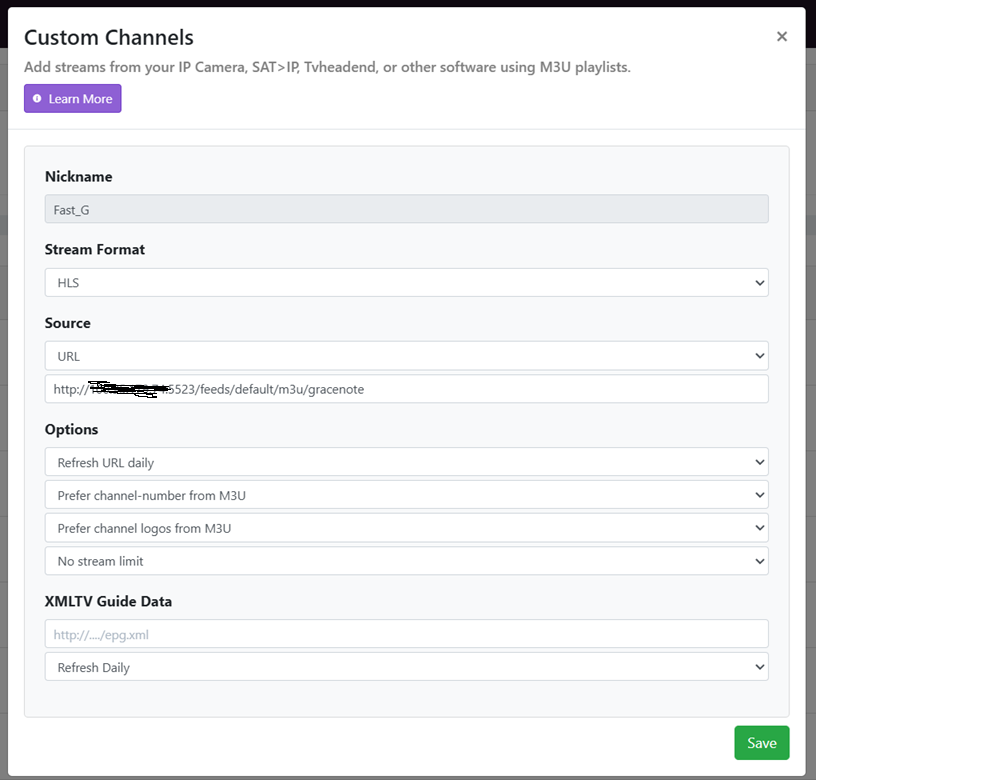
And no, my m3u isn't sourced directly from Channels, I have Dispatcharr in the middle to do some customizations, but otherwise works the same.
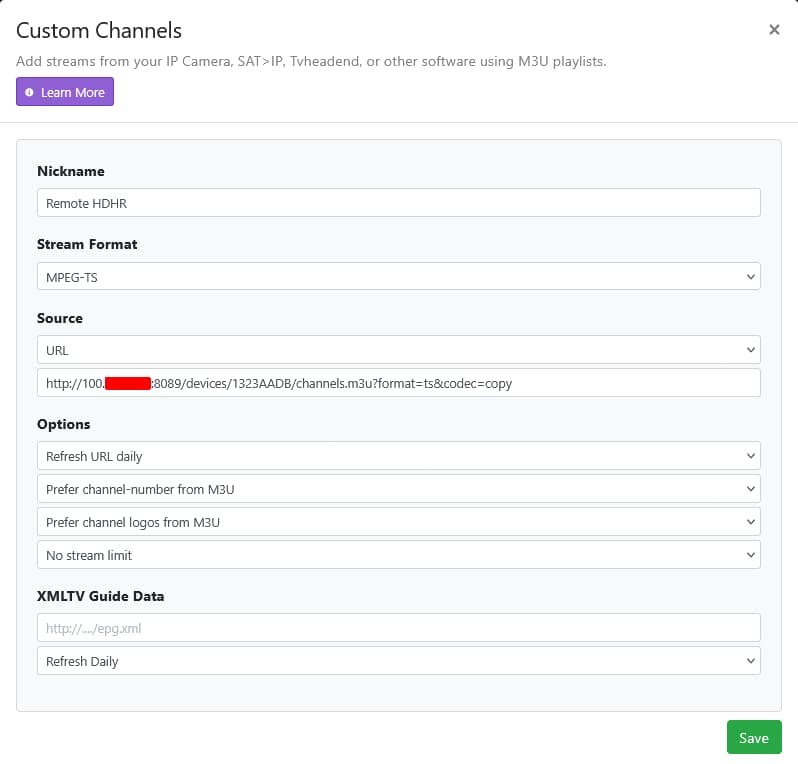
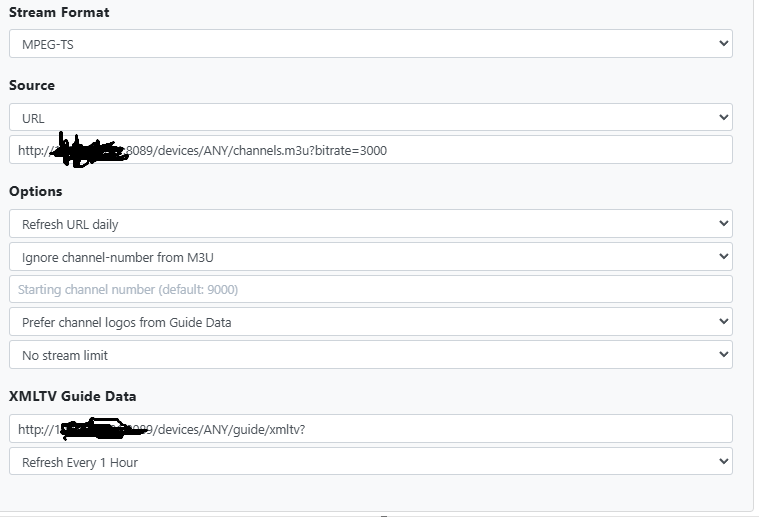
Remove the XMLTV Guide Data url
Save it
Delete and Recreate the Guide Database on your local DVR
Will try in a little bit. Thank you !
IT WORKED IMMEDIATELY before I could even delete and recreate
Thank you and all of you for helping
Hope one day i canpay it forward!
Thank you again !
Now lastly any way to get logos? LOL
1 Like
I don’t know if you did it on purpose but the source url is wrong for just importing the hdhr prime. The url you are using is to grab all the channels from the remote server. That is why you show the 400+ channels instead of the 300s. If you want to just add the hdhr channels you need to revisit @chDVRuser post with creating the source.