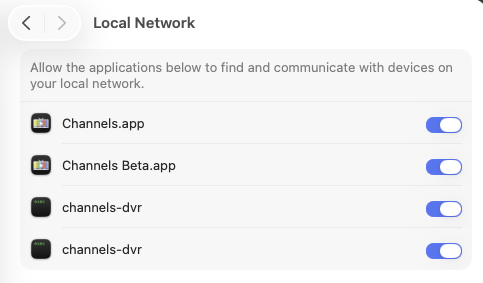
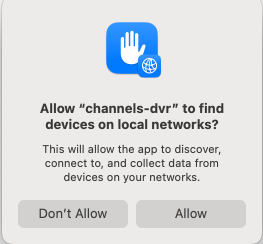
Privacy & Security pop-ups, when updating CDVR server on macOS Sequoia+

Try
ls -l ~Library/Application\ Support/ChannelsDVR

does it show as a link

lrwxrwxrwx+ 1 root  root    15 Aug 23 11:19 latest -> 2025.08.21.1637
^
l means link, d would be directory

Also try stat ~Library/Application\ Support/ChannelsDVR/latest

stat /volume1/docker/channels-dvr-8089/latest
  File: /volume1/docker/channels-dvr-8089/latest -> 2025.08.28.2100
  Size: 15              Blocks: 0          IO Block: 4096   symbolic link
Device: f901h/63745d    Inode: 104628268   Links: 1
Access: (0777/lrwxrwxrwx)  Uid: (    0/    root)   Gid: (    0/    root)
Access: 2025-08-29 21:04:21.635446359 -0700
Modify: 2025-08-28 20:06:07.790632961 -0700
Change: 2025-08-28 20:06:07.790632961 -0700
 Birth: -

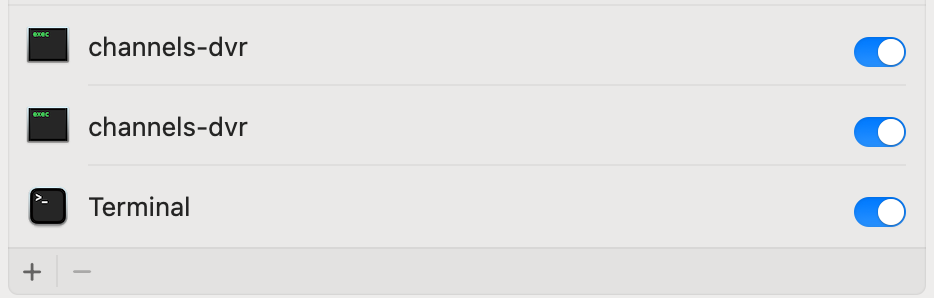
Sounds like the dot releases may also affect the network privacy settings

Nope, on MacOS it's a directory

ls -l ~/Library/Application\ Support/ChannelsDVR
total 16
drwxr-xr-x@ 23 doug staff 736 Aug 31 07:32 data
-rwxr-xr-x@ 1 doug staff 2840 Dec 16 2024 install.sh
drwxr-xr-x@ 9 doug staff 288 Aug 24 13:56 latest
-rwxr-xr-x@ 1 doug staff 774 Dec 16 2024 uninstall.sh

1 Like

Well, here's some good news. I've updated quite a few pre-releases of CDVR server since I started this thread, and also a few point releases of macOS Sequoia on this Mac mini, and I have NOT encountered these two Privacy & Security pop-ups again. There were pretty frequent a few months back, very noticeable, and at least twice, it proved to be a literal showstopper. And now, I'm not seeing them at all, despite doing manual updates regularly and sometimes remotely, just as before.

I even upgraded my Mac mini to macOS 26 Tahoe, then to 26.0.1, and the Channels DVR server is still launching automatically without any additional or unexpected pop-ups after restarts or reboots. So I think that was just an unfortunate bug with some earlier versions of Sequoia, an aberration perhaps? Fingers crossed that it's a thing of the past!

Felt like the tables had turned for awhile:

3 Likes

I still havent forgot about this issue. Im still holding off on upgrading to MACOS 26 , but will definitely report back my results as well once I do. Hopefully these pop ups from updates have been taken care of!

Thanks for the update - it’s encouraging.