Project One-Click: All-in-One Installations of Docker Extensions and CDVR Custom Channels

@bnhf PrismCast issues hoping you might have suggestion.

2026/02/05 12:01:07.267708 [ERR] Could not start stream for M3U-prismcast ch11992 FX (Pacific): M3U: Could not fetch playlist from win11pc:5589 (Timeout): Get "http://win11pc:5589/hls/fxp/stream.m3u8": net/http: timeout awaiting response headers 
2026/02/05 12:01:07.799016 [TNR] Opened connection to 131718F9/0 for ch1409 FXPHD

Any corresponding action in the PrismCast log?

just tried again, channels log.

2026/02/05 12:52:22.735450 [ERR] Could not start stream for M3U-prismcast ch11954 ABC: M3U: Could not fetch playlist from win11pc:5589: GET: http://win11pc:5589/hls/abc/stream.m3u8: 503 Service Unavailable 
2026/02/05 12:52:23.265236 [TNR] Opened connection to 131718F9/0 for ch1004 KOMODT
2026/02/05 12:53:22.934785 [SNR] Statistics for ch1004 KOMODT: ss=100% snq=100% seq=100% bps=6519739,209056-6919904 pps=558,18-593
2026/02/05 12:53:22.934785 [SNR] Buffer statistics for 192.168.50.250 (OnePlus 9 Pro 5G) for ch1004 KOMODT: buf=0% drop=0%
2026/02/05 12:53:22.938969 [TNR] Closed connection to 131718F9/0 for ch1004 KOMODT

PrismCast log.

[2026/02/05 20:52:22.735] GET /hls/abc/stream.m3u8 from 172.24.0.1 responded 503 in 0.513 ms.

The site is currently linked to Xfinity perhaps thats why it is opening the HDHR Prime.
Also noticing the timestamps are not matching up.

Try both the PrismCast URL, and the URL it resolves to in VLC. And, you can also try the URL it resolves to in another browser, as a sanity check. 503 is kind of a weird error, indicating a temporary unavailability, as opposed to a 404 error.

Well the link plays in Edge with no problem.
Does not play in VLC.

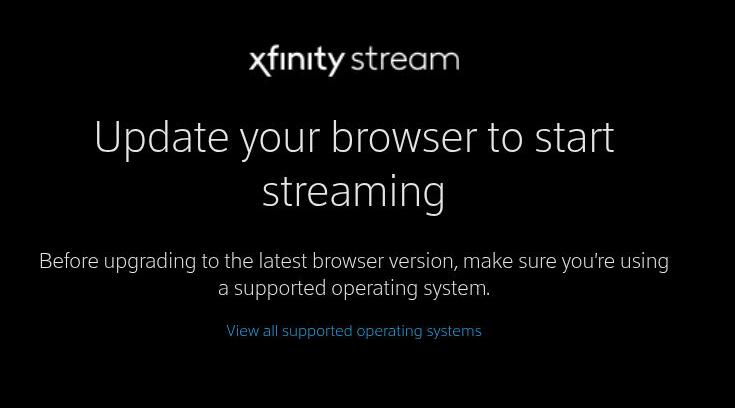
I just now clicked on TV provider Xfinity in the no VNC window and got this on screen.

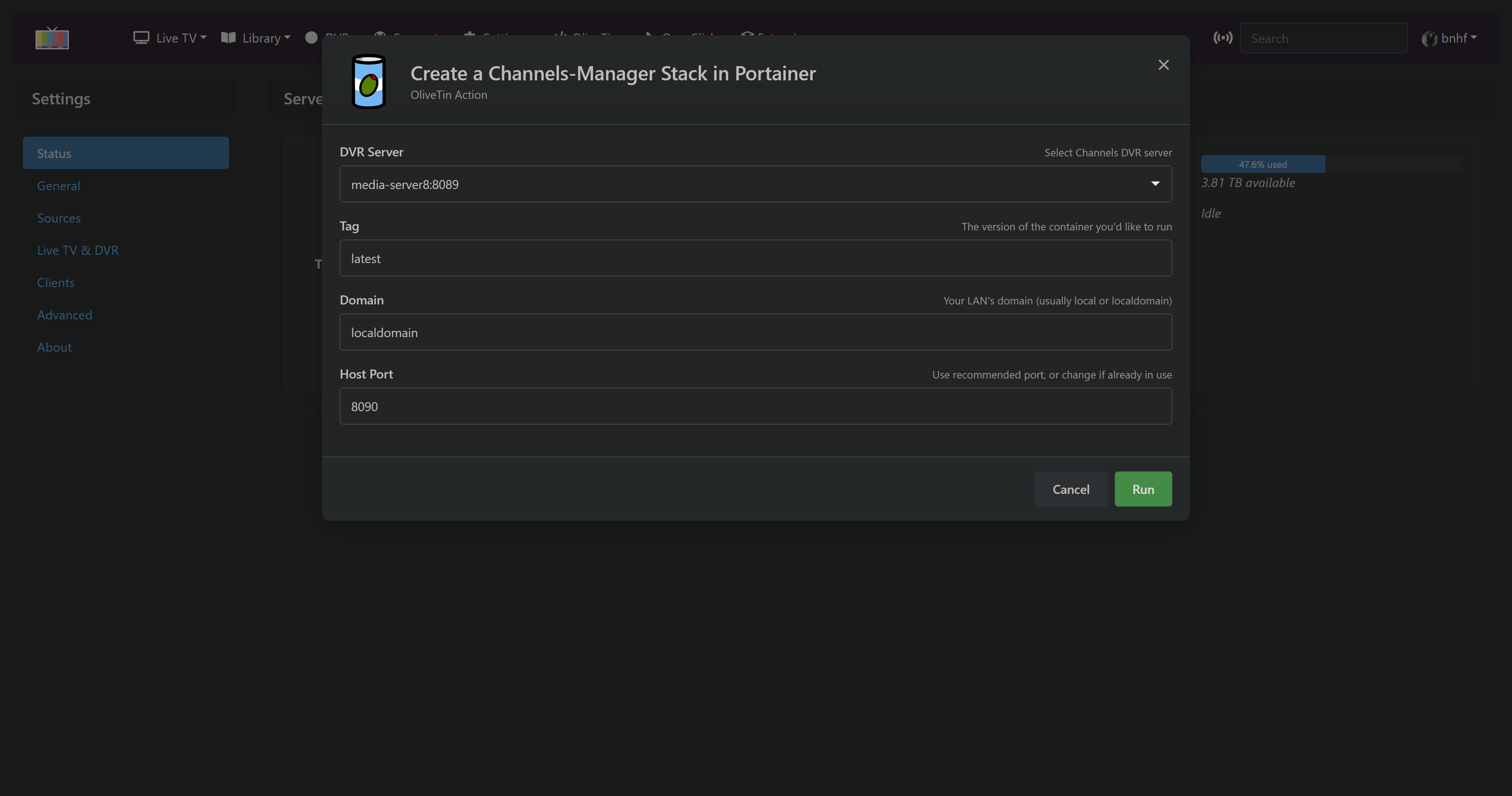
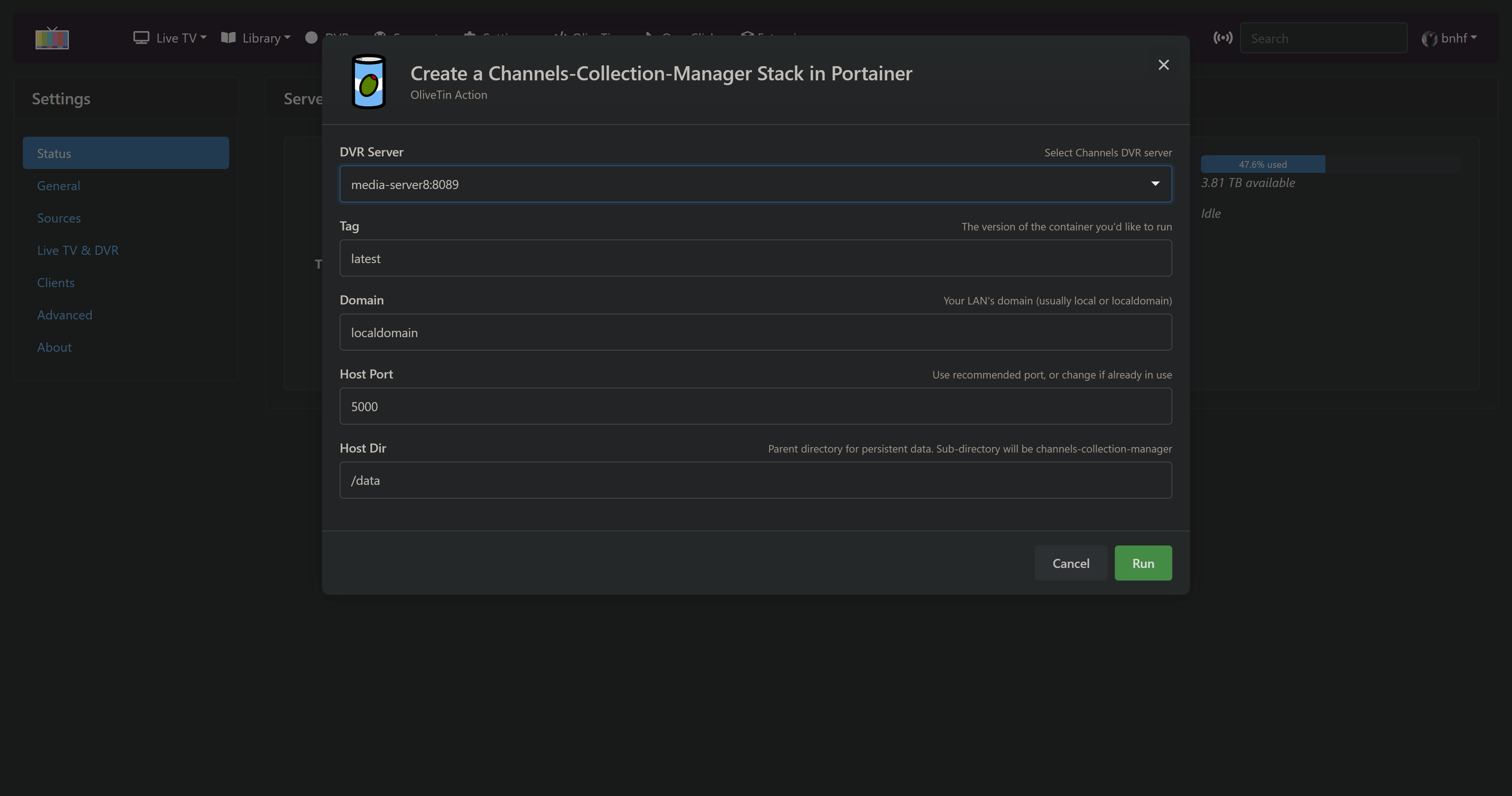
New bnhf/olivetin:latest (aka bnhf/olivetin:2026.03.08 ) pushed this morning with Project One-Click support for two new extensions:

More details here:

And here:

As always with Project One-Click, it's super easy to add and/or delete a project -- which makes it very nice to "kick the tires" on a project with only a few minutes of work.

All with the new integrated feel of running OliveTiin as though it were an integrated part of the CDVR WebUI:

1 Like

I'm currently setting up a from scratch channels with everything based out of project one click - has worked really well so far - i spun up cc4c and it works great for weather

also installed the weatherstar and it doesn't work - not sure if the issue is connected to olivetin or the app itself

trying to setup adbtuner to work with google streamer and Hulu live. In Olivetin I clicked "
Create an ADBTuner Stack in Portainer + CDVR Custom Channels" button and got the following result:

JSON response from http://192.168.10.10:9000/api/stacks/create/standalone/string?endpointId=6:
{
"Id": 13,
"Name": "adbtuner",
"Type": 2,
"EndpointId": 6,
"SwarmId": "",
"EntryPoint": "docker-compose.yml",
"Env": [
{
"name": "TAG",
"value": "latest"
},
{
"name": "DOMAIN",
"value": "localdomain"
},
{
"name": "HOST_PORT",
"value": "5592"
},
{
"name": "HOST_VOLUME",
"value": "adbtuner_config"
}
],
"ResourceControl": {
"Id": 30,
"ResourceId": "6_adbtuner",
"SubResourceIds": [],
"Type": 6,
"UserAccesses": [],
"TeamAccesses": [],
"Public": false,
"AdministratorsOnly": true,
"System": false
},
"Status": 1,
"ProjectPath": "/data/compose/13",
"CreationDate": 1773256412,
"CreatedBy": "admin",
"UpdateDate": 0,
"UpdatedBy": "",
"AdditionalFiles": null,
"AutoUpdate": null,
"Option": null,
"GitConfig": null,
"FromAppTemplate": false,
"Namespace": ""
}
true

JSON response from 192.168.10.10:8089:
{"error":"failed to load m3u: failed to retrieve m3u: GET: http://192.168.10.10:5592/channels.m3u: 502 Bad Gateway"}

Any ideas?

I should add that I'm running channels in a container on a Synology NAS but I didn't use portainer to build the channels dvr container. If I need to redo channels dvr via portainer I can do that if needed.

No need.

I see CDVR couldn't load the M3U from ADBTuner. But, did the ADBTuner container spin-up OK? Is it running?

actually, the adbtuner did spin up! how do I handle the error ? (thanks for the quick response BTW..)

More info. Actually I can see channels dvr via portainer. Its set to host (vs bridge) mode. I remember needing to set it to host mode because when it was in bridge mode all devices on the same network as the CDVR thought they were remote, so setting it to host mode worked. Probably shot myself in the foot by setting CDVR to host mode.

1 Like

We could try to figure out why that happened, but you could also just proceed with adding some virtual channels to ADBTuner, and then manually add it as a Custom Channels to Source to your CDVR Server.

The end result would be the same, and it'd faster to carry on I would think.

i re-ran the olivetin button and got no errors. Added google TV streamer to adbtuner and added 3 channels and the m3u looks good and I can see these 3 channels on the CDVR guide. The moment of truth - try to tune to ESPN and watch the Google TV device on a TV. Opens Hulu, gets stuck on Who's Watching profile. I manually pick the only profile that's there (because Hulu is too stupid to know if there is only 1 profile who else can possible be watching!). Reboot, tune to live TV on Hulu (since I'm told this will cause Hulu to remember not to ask who's watching". Try again. This time Hulu returns "Oops. There was an error playing this video". and here we go. Spent $100 on the Google Streamer. Is trying to get Hulu Live working w ADBtuner a waste of time because I'm seeing that Hulu just hates deeplinks? This is why ah4c was invented, right ? Is there any chance Hulu Live will work w ah4c and my shiny new Google TV streamer?

Post a complete log snippet of a failed tune in the ADBTuner thread. There are others using ADBTuner successfully with Hulu, so we should be able to get to the bottom of what's going on.

I am someone that has avoided venturing into the world of Docker / Portainer / etc so far. This project has finally made me a convert.

Pertaining to "To get this going for yourself, you'll need to install Portainer and OliveTin".

Can you or anyone recommend, what if anything do I need to do within the container & utils apps on Windows 11 before implementing this to properly set them up that would serve someone better than the defaults? Thanks

I'd suggest using this version of EZ-Start, if you don't already have Portainer installed:

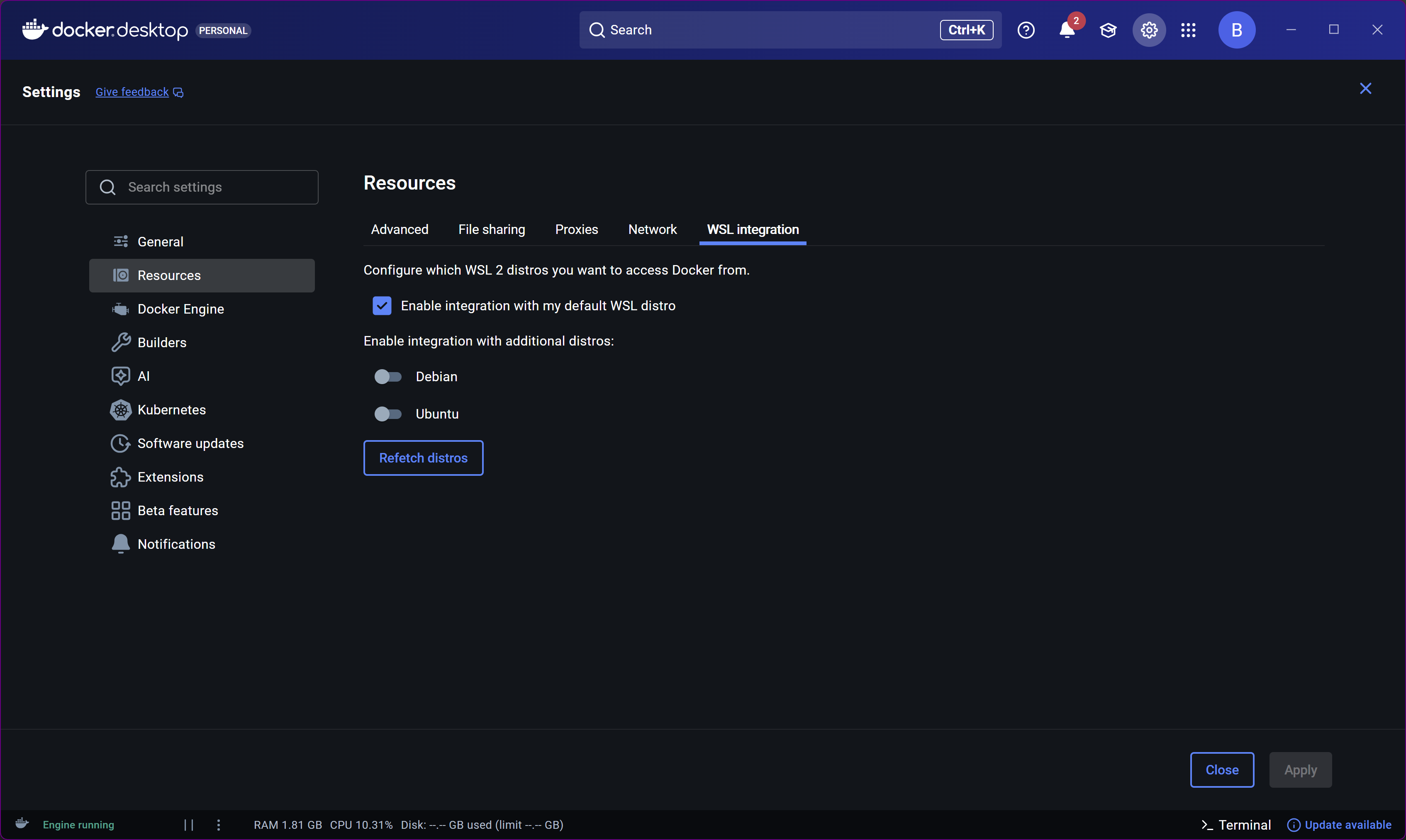
Make sure you have a WSL2 Linux distro installed (I recommend Debian), which is something you can get from the Microsoft Store. Use your same Windows username and password (if possible), when prompted during Debian setup.

Finally in Docker Desktop, confirm "Integration" is enabled with your default distro:

1 Like

19 posts were merged into an existing topic: AndroidHDMI for Channels (ah4c): A virtual channel tuner using HDMI Encoder(s) + streaming stick(s)

Since bnhf has been so kind to try helping me out over on the mlbserver thread, and I seem to have more of a Project One-Click problem, here is the result of my olivetin post-install healthcheck:

Checking your OliveTin-for-Channels installation...
(extended_check=false)

OliveTin Container Version 2026.03.22
OliveTin Docker Compose Version 2025.08.25

----------------------------------------

Checking that your selected Channels DVR server (192.168.4.22:8089) is reachable by URL:
HTTP Status: 200 indicates success...

  % Total    % Received % Xferd  Average Speed   Time    Time     Time  Current
                                 Dload  Upload   Total   Spent    Left  Speed
100  1276  100  1276    0     0   741k      0 --:--:-- --:--:-- --:--:-- 1246k
HTTP Status: 200
Effective URL: http://192.168.4.22:8089/

----------------------------------------

Checking that your selected Channels DVR server's data files (/mnt/192.168.4.22-8089) are accessible:
Folders with the names Database, Images, Imports, Logs, Movies, Streaming and TV should be visible...

total 2308
drwx------ 1 root root 262144 Mar 23 16:06 .
drwxr-xr-x 1 root root   4096 Mar 23 16:37 ..
drwx------ 1 root root 262144 Mar 23 17:00 Database
lrwx------ 1 root root     35 Feb 14 20:04 Images -> /Users/myname/channels-data/Images
drwx------ 1 root root 262144 Dec  5 17:07 Imports
drwx------ 1 root root 262144 Mar 23 15:35 Logs
lrwx------ 1 root root     37 Feb 14 20:15 Metadata -> /Users/myname/channels-data/Metadata
drwx------ 1 root root 262144 Mar 23 18:19 Movies
lrwx------ 1 root root     38 Feb 13 17:50 Streaming -> /Users/myname/channels-data/Streaming
drwx------ 1 root root 262144 Mar 23 18:19 TV

Docker reports your current DVR_SHARE setting as...
/Volumes/Seagate14TB/DVR

If the listed folders are NOT visible, AND you have your Channels DVR and Docker on the same system:

Channels reports this path as...
/Volumes/Seagate14TB/DVR

----------------------------------------

Checking that your selected Channels DVR server's log files (/mnt/192.168.4.22-8089_logs) are accessible:
Folders with the names data and latest should be visible...

total 20
drwxr-xr-x 13 root root  416 Mar 23 15:47 .
drwxr-xr-x  1 root root 4096 Mar 23 16:37 ..
-rw-r--r--  1 root root 6148 Mar 23 14:37 .DS_Store
drwxr-xr-x  9 root root  288 Feb 20 18:41 2026.02.20.0457
drwxr-xr-x  9 root root  288 Feb 22 22:05 2026.02.21.0601
drwxr-xr-x  9 root root  288 Mar  6 15:26 2026.03.02.0200
drwxr-xr-x  9 root root  288 Mar 12 03:22 2026.03.07.2248
drwxr-xr-x  9 root root  288 Mar 13 02:50 2026.03.12.2252
drwxr-xr-x  9 root root  288 Mar 21 18:29 2026.03.21.0658
drwxr-xr-x 53 root root 1696 Mar 23 17:23 data
-rwxr-xr-x  1 root root 2840 Feb 14 19:54 install.sh
drwxr-xr-x  9 root root  288 Mar 23 15:47 latest
-rwxr-xr-x  1 root root  774 Feb 14 19:54 uninstall.sh

Docker reports your current LOGS_SHARE setting as...
/Users/myname/Library/Application Support/ChannelsDVR

If the listed folders are NOT visible, AND you have your Channels DVR and Docker on the same system:

Channels reports this path as...
/Users/myname/Library/Application Support/ChannelsDVR

----------------------------------------

Checking if your Portainer token is working on ports 9000 and/or 9443:

Portainer http response on port 9000 reports version 2.39.1
Portainer Environment ID for local is 1
Portainer https response on port 9443 reports version 2.39.1
Portainer Environment ID for local is 1

----------------------------------------

Here's a list of your current OliveTin-related settings:

HOSTNAME=olivetin
CHANNELS_DVR=192.168.4.22:8089
CHANNELS_DVR_ALTERNATES=
CHANNELS_CLIENTS=
ALERT_SMTP_SERVER=
ALERT_EMAIL_FROM=[Redacted]@
ALERT_EMAIL_PASS=[Redacted]
ALERT_EMAIL_TO=[Redacted]@
UPDATE_YAMLS=true
UPDATE_SCRIPTS=true
PORTAINER_TOKEN=[Redacted]
PORTAINER_HOST=192.168.4.22
PORTAINER_PORT=9443
PORTAINER_ENV=2

----------------------------------------

Here's the contents of /etc/resolv.conf from inside the container:

# Generated by Docker Engine.
# This file can be edited; Docker Engine will not make further changes once it
# has been modified.

nameserver 127.0.0.11
search 
options ndots:0

# Based on host file: '/etc/resolv.conf' (internal resolver)
# ExtServers: [host(192.168.65.7)]
# Overrides: [search]
# Option ndots from: internal

----------------------------------------

Here's the contents of /etc/hosts from inside the container:

127.0.0.1       localhost
::1     localhost ip6-localhost ip6-loopback
fe00::  ip6-localnet
ff00::  ip6-mcastprefix
ff02::1 ip6-allnodes
ff02::2 ip6-allrouters
172.18.0.3      olivetin

This seems fine.

Can you look in Portainer-Logs for the mlbserver container and see what's showing in the logs? It seems like the container is installing, but then it's not answering on port 9995...